
The 'Strategies' option in GlobalSUITE® allows defining the continuity strategies that the organization will adopt once the risk analysis has been carried out.
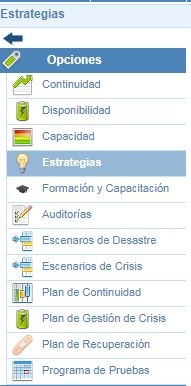
On the main screen, a top submenu appears with two options. In the Define Strategies option (default option), the entire list of defined strategies will be displayed. In addition to the list of strategies, this screen allows the following functions:
-
New: Allows creating a new strategy.
-
Delete: Allows deleting the defined strategies. To perform this deletion, it is necessary to select the one to be deleted beforehand.
-
Download: Allows downloading the list of strategies generated and defined in GlobalSUITE.
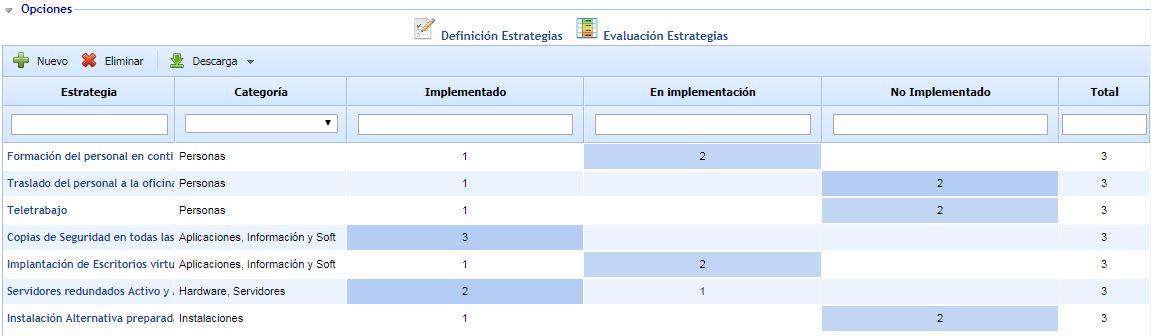
In addition to the options mentioned above, this screen displays additional information corresponding to the maturity of each strategy in the different processes of the organization. In this way, it is possible to check, strategy by strategy, the status of this strategy in the related processes. The number corresponds to the times the maturity of this strategy has been determined.
Therefore, the columns that can be seen are:
-
Category: Category defined by the strategy. (These categories are configured in Settings).
-
Configured Levels: As many columns as levels configured in Settings. In these columns, the number of times the strategy has been answered at the maturity level will be displayed.
-
Total: Displays the number of processes where the strategy has been answered.
To access the strategy configuration, you must click on the name of the strategy.