
From the Crisis Management Plan option, it is possible to establish action plans for crises that an organization may face, committee members who must address it, evacuation plans if applicable, the assignment of criteria that determine the level of the crisis, as well as other necessary information to establish the type of incident that occurred.
On the main screen, all the Crisis Management Plans defined in GlobalSUITE are displayed.

-
New: Allows generating a new Crisis Management Plan.
-
Delete: Allows deleting one that has been previously created.
-
Download: Allows downloading the list of all the crisis management plans that have been generated.
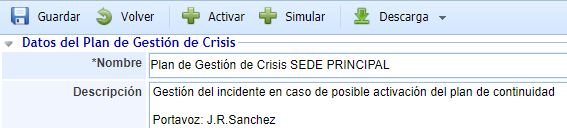
In the header of each defined Crisis Management Plan, the following options appear:
-
Save: Allows saving the definition of the Crisis Management Plan or any modifications made to it.
-
Back: Allows returning to the main screen where the list of all defined Crisis Management Plans is displayed.
-
Activate: Allows initiating or activating a Crisis Management Plan, as the incident is considered to meet sufficient conditions to pose a continuity problem.
-
Simulate: Allows performing a simulation of activating a Crisis Management Plan to test the plan.
-
Download: Allows downloading the Crisis Management Plan in text format (.docx).
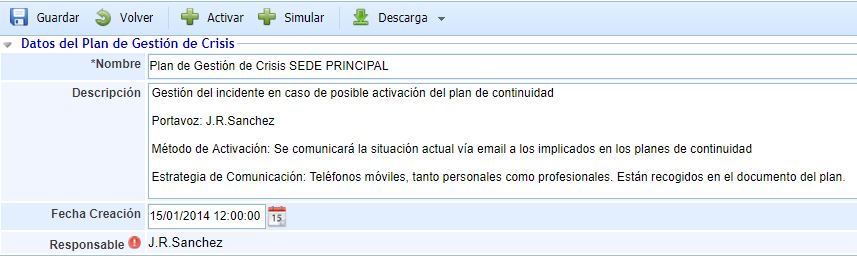
Crisis Management Plan Data
-
Name: Allows assigning a name to the Crisis Management Plan.
-
Description: Allows providing any additional information to clarify the type of crisis management plan being defined.
-
Creation Date: Establishes the date on which the crisis management plan was defined.
-
Responsible: Allows establishing the person responsible for managing the crisis management plan.
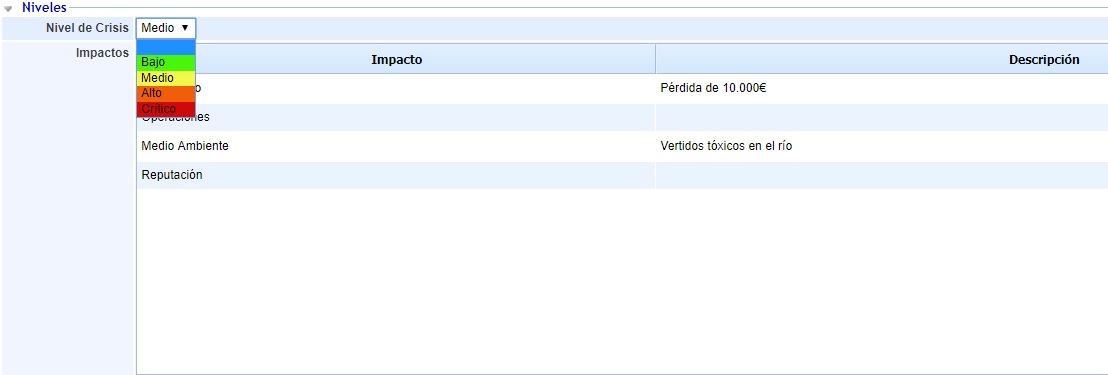
Levels
-
Crisis Level Allows indicating the level of the crisis triggered by activating the crisis management plan. These levels are configured in the Settings section.
-
Impacts: Allows indicating the state under which each type of impact would be at the time of activating a crisis management plan.
-
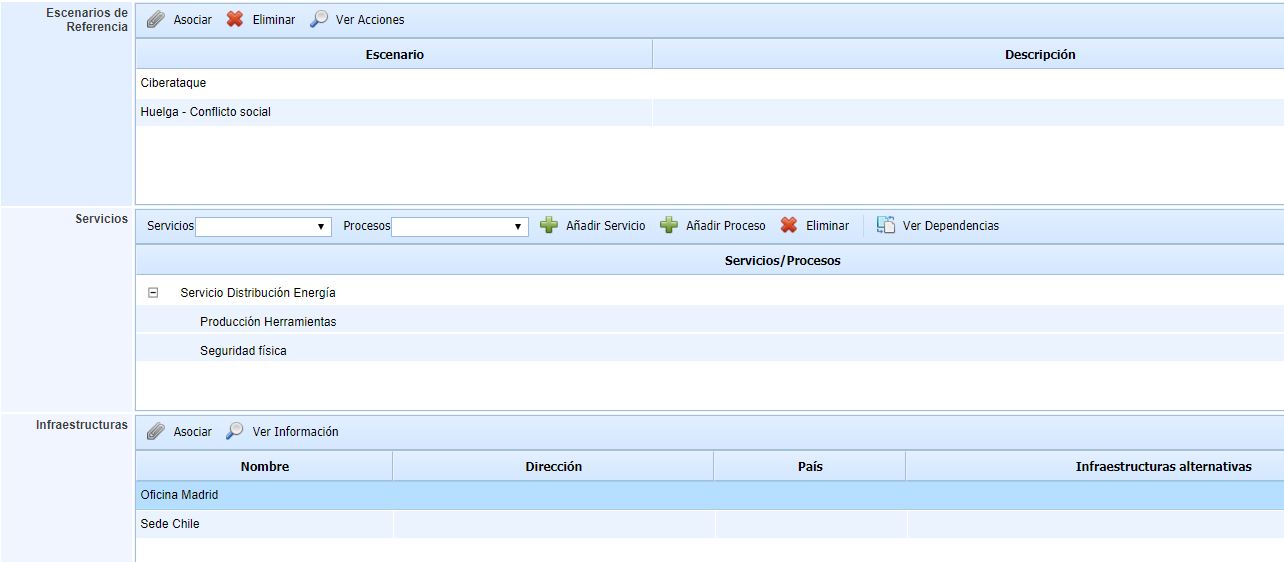
Reference Scenarios: In this table, the crisis scenarios in which the activation of the crisis management plan would be considered are associated. These scenarios are configured in the "Crisis Scenarios" option.
-
Services: In this table, the services and processes that will be supported in the specific crisis management plan are associated.
-
Infrastructures: In this table, the critical infrastructures that are affected or may be relevant to the crisis management plan are associated.
Crisis Management Committee
-
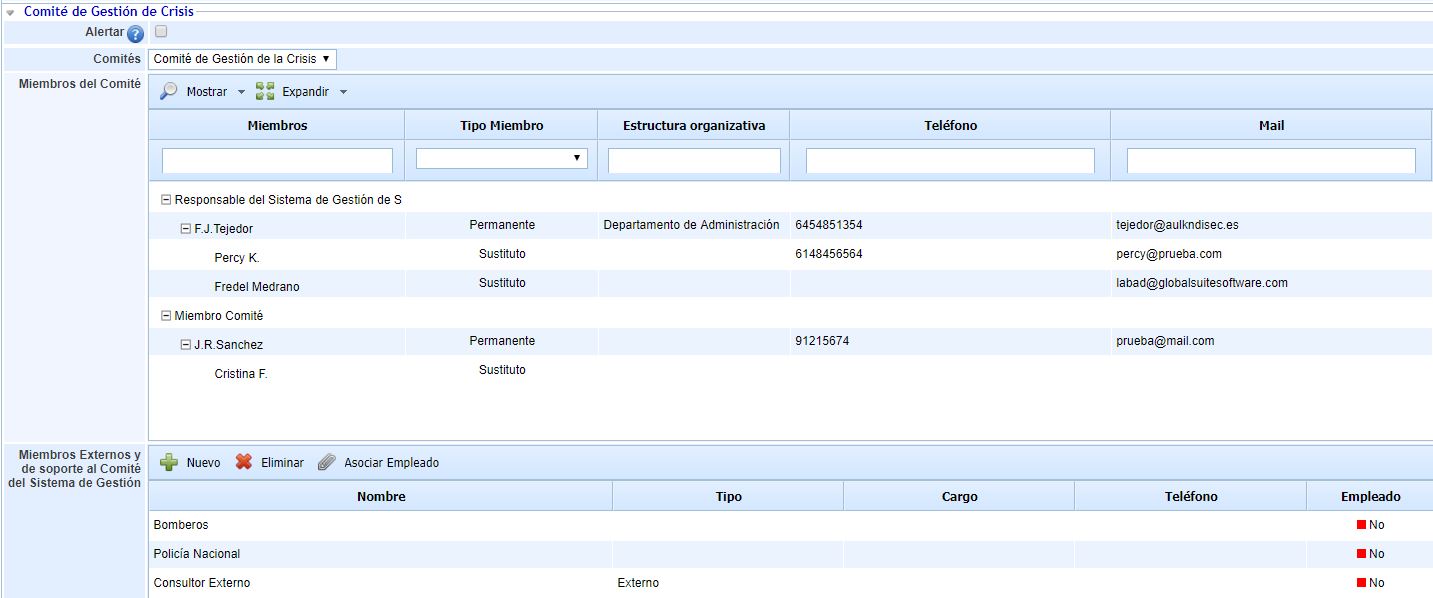
Alert: If this field is checked, when a crisis management plan is activated, committee members will be automatically notified via email.
-
Committees: Allows selecting the committee responsible for managing the crisis related to the crisis management plan.
-
Committee Members: This table automatically displays the employees who belong to the committee assigned to the crisis management plan. Through the 'Show Substitutes' button, the substitute employees defined in the committee are displayed.
-
External Members and Support to the Management System Committee: This table displays the external members of the crisis management committee, who may be relevant to the plan but do not belong to the management system.
Action Protocol
-
Activation Criteria: Allows establishing the conditions that an incident managed in the "Incidents and Problems" option of the "Management" menu must meet. By assigning these conditions to the incidents, a notification will be generated in the same, indicating that it meets the conditions established to be managed within a crisis management plan.

The activation criteria proposed by the tool by default are "Affected Area," "Service," and "Priority," in addition to the types of Impacts configured in the 'Settings' section.
Information Systems Supporting Crisis Management
-
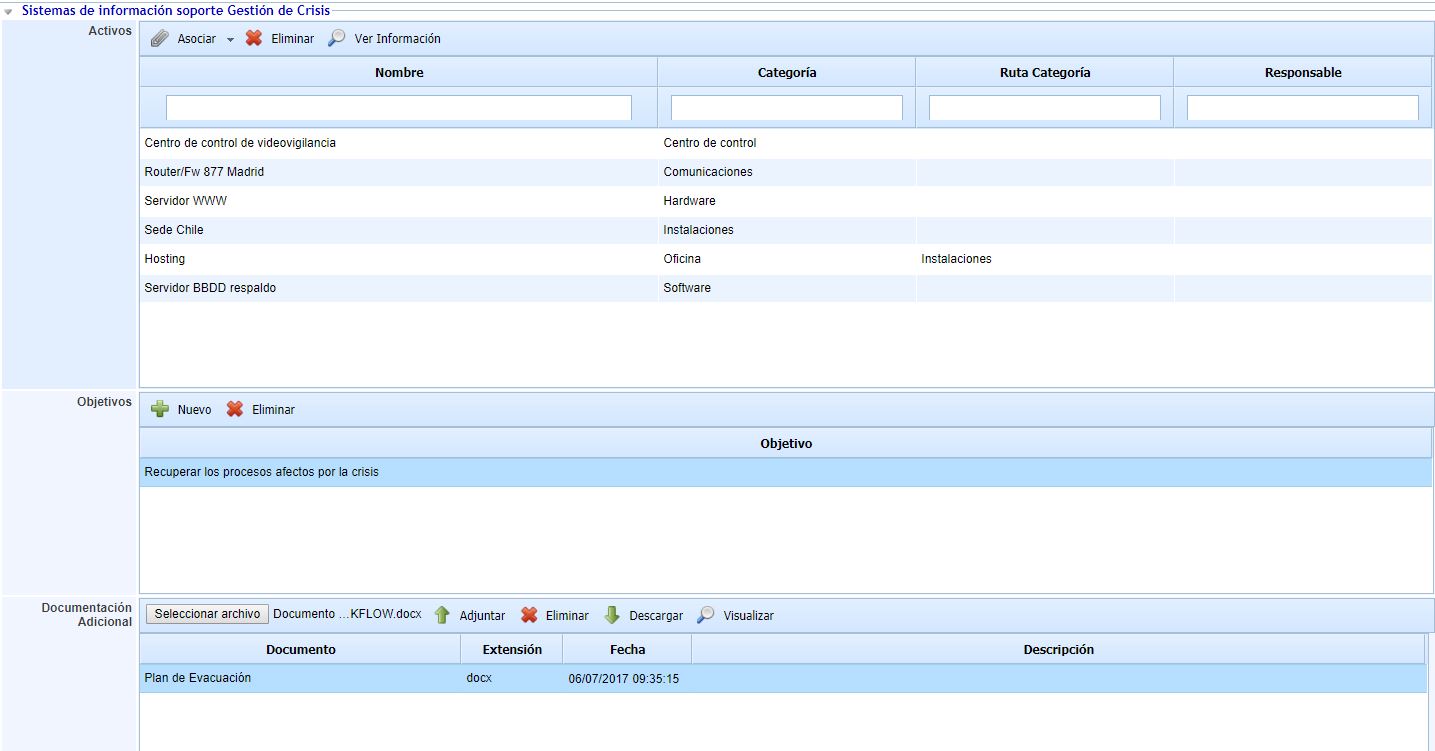
Assets: In this table, the inventory assets involved in the crisis management plan are associated.
-
Objectives: In this table, the objectives to be achieved by the crisis management plan are indicated.
-
Additional Documentation: GlobalSUITE allows linking any type of associated documentation related to the crisis management plan.
Relationships and Communication
-
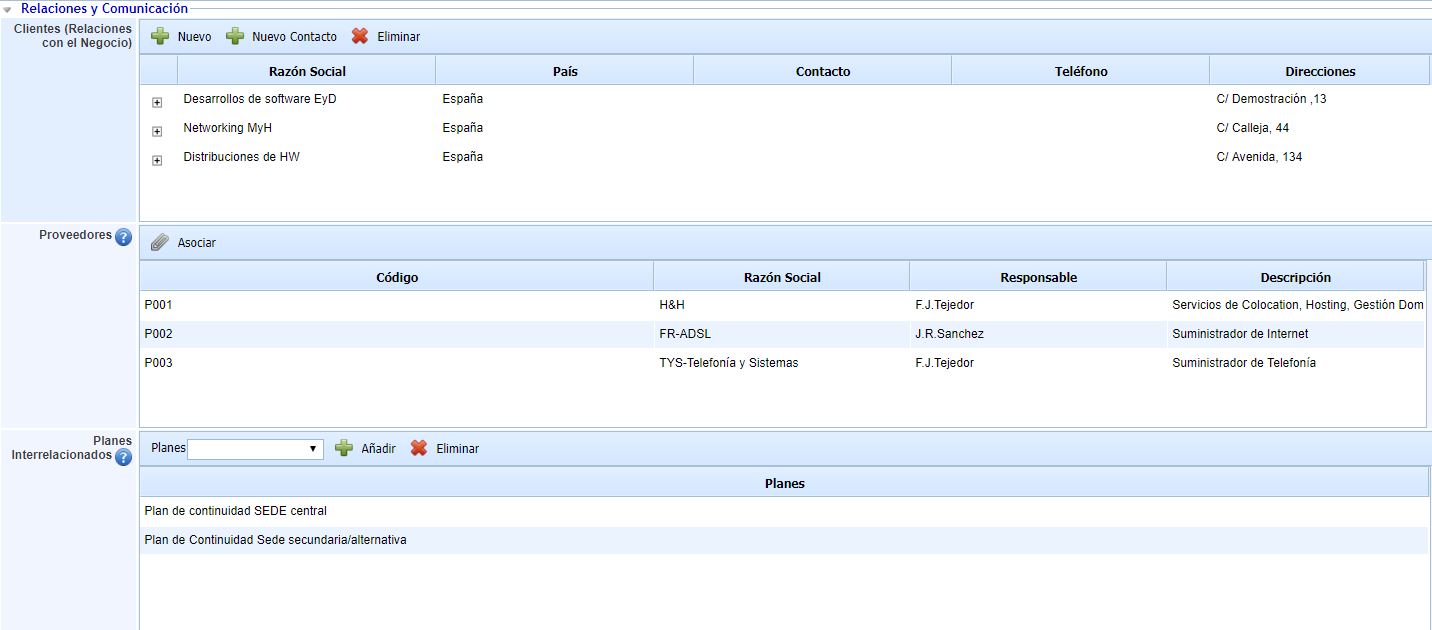
Clients (Business Relationships): In this table, the clients (business relationships) that may be affected by the crisis management plan are associated.
-
Suppliers: In this table, the suppliers that may be affected by the crisis management plan are associated. These suppliers are configured in the "Suppliers" option of the Start menu.
-
Interrelated Plans: Allows assigning the defined continuity plans that will be used to address the incident. To assign a continuity plan to the incident management plan, it is necessary to expand the 'BCP' option bar, select the Continuity Plan, and add it to this option through the 'Add' button.
Escalation

-
Escalation: This table allows indicating which other crisis management plans of my entity, or other entities, I will escalate a crisis to. The "Associate Plan" button allows associating plans from the same entity as the plan. The "Associate Superior Plan" button allows associating plans from superior entities.
-
Convenes: This table allows identifying which plans from other sub-entities can escalate a crisis to the current crisis management plan. It would be the inverse table to Escalation.