
The main screen of the business objectives option displays the list of all defined objectives.
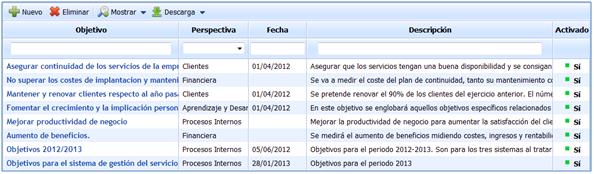
The options provided by GlobalSuite for the main screen of Business Objectives are as follows:
-
New: Allows generating a new business objective.
-
Delete: Allows deleting a previously defined business objective.
-
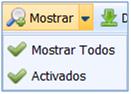
Show: Allows displaying the defined business objectives.
GlobalSuite allows displaying either all objectives or only those that are activated.
-
Download: Allows downloading the list of defined objectives.
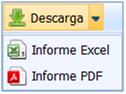
GlobalSuite allows downloading the list in both Excel and PDF formats. NOTE: To access an objective, it is necessary to click on the name of the one to be defined in the objectives column.
The information to be completed for each business objective is structured into different sections:
Charts
This section allows reviewing graphically the status of the Business Objective as well as the status of the specific objectives it achieves.

-
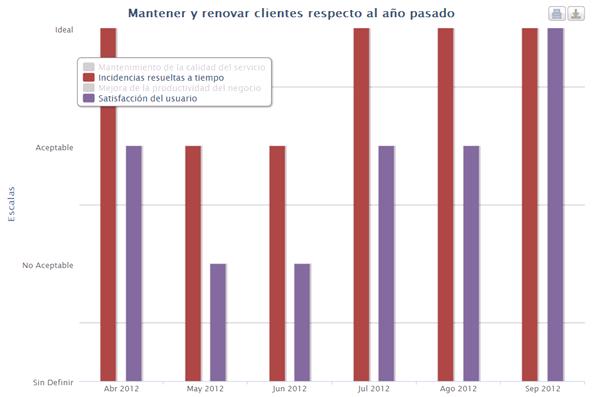
Specific Objectives Chart: Displays the status of the Specific Objectives that support the selected Business Objective based on the selected scales.
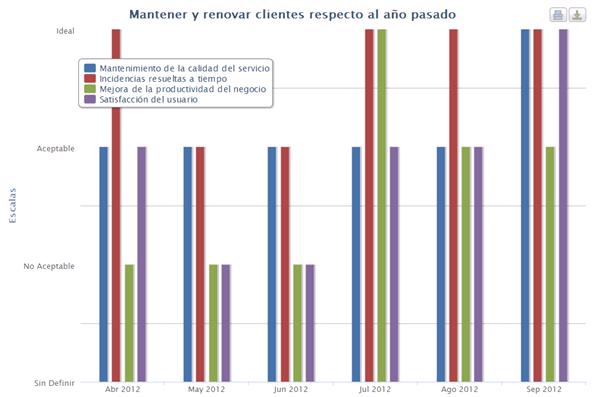
NOTE: The scales have been previously defined in the GlobalSuite configuration option.
Additionally, GlobalSuite provides the option to represent the specific objectives deemed appropriate. To do this, simply click on those objectives that are not intended to be represented.
-
Objective Chart: Displays the status of the selected Business Objective based on the previously defined scales.
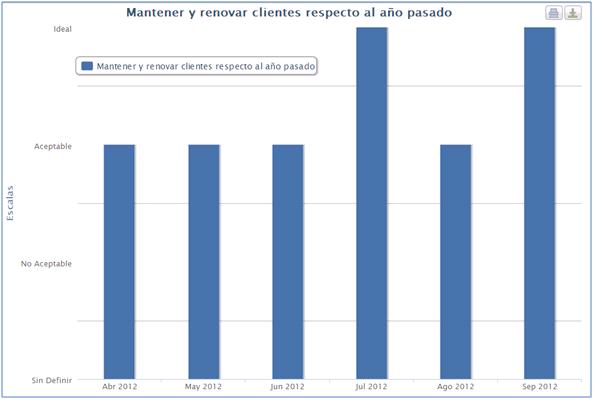
NOTE: The scales have been previously defined in the GlobalSuite configuration option.
-
Objective Evaluations Chart: Displays a summary of the status of all specific objectives that provide information corresponding to the Business Objective based on the scales previously defined in the GlobalSuite configuration.
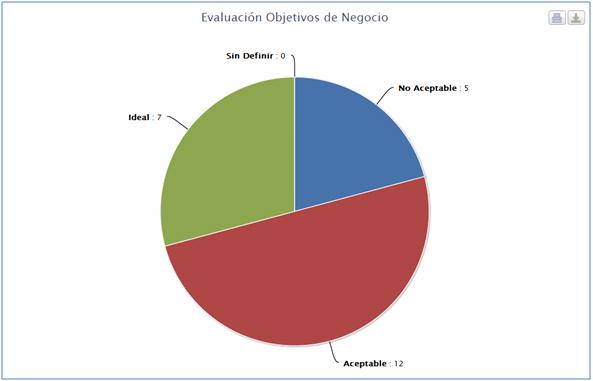
NOTE: The scales have been previously defined in the GlobalSuite configuration option.
For all selected charts, the solution provides the option to download the chart or print it directly.
The download option allows it in the following formats:
-
PNG.
-
PDF.
-
JPEG.
-
SVG.
Objective Information
-
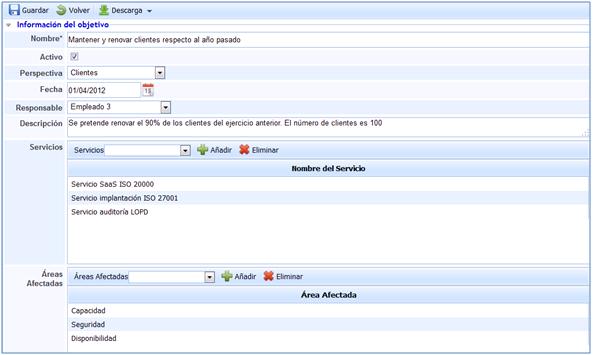
Name: Allows determining the name of the business objective.
-
Active: Establishes whether the objective is active for the current period or not as a business objective to achieve.
-
Perspective: Allows determining the scope of the organization to which the defined business objective is set. These perspectives are predefined in the GlobalSuite configuration option.
-
Date: Establishes the start of the measurement or control of the objective.
-
Responsible: Allows assigning which employee will be in charge of managing and achieving the business objective.
-
Description: Allows including any type of information considered relevant to aid in understanding the business objective.
-
Services: Establishes the services that are affected or influenced by the business objective.
-
Affected Areas: Establishes the areas affected by the business objective.
-
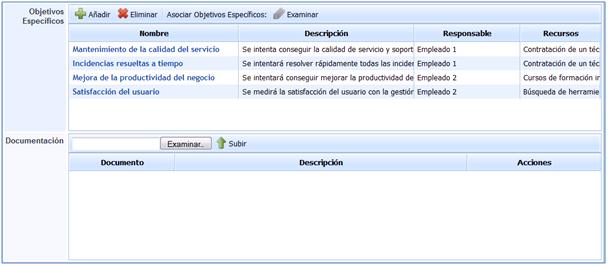
Specific Objectives: Allows generating or setting which specific objectives will enable achieving the established business objective.
To set the specific objectives, the following options are presented: -Add: Allows including a new specific objective that would need to be defined later. -Delete: Allows deleting a previously generated specific objective. -Examine: Allows associating a specific objective that has been directly defined in the specific objectives option. NOTE: It is possible to access each of the related specific objectives by clicking on the name of each defined one.
-
Documentation: Allows associating any type of documentation that may be useful to achieve or evidence the fulfillment of the generated business objective.
Evaluation
-
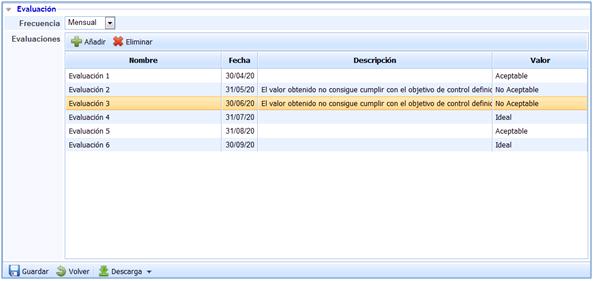
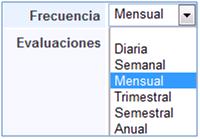
Frequency: Establishes the periodicity with which evaluations of the defined business objective are carried out.
The range of frequencies provided by GlobalSuite varies from daily to annual evaluations.
-
Evaluations: Allows recording the compliance evaluations performed on the defined business objective.
To establish the evaluation record of the business objective, GlobalSuite provides the following options. -Add: Allows generating a new evaluation record. -Delete: Allows deleting a previously generated evaluation record.
NOTE 1: All fields represented in the evaluations performed are editable.
NOTE 2: The value of each evaluation performed is set based on the defined scale values.

Both in the header of the business objectives and at the bottom of the same, GlobalSuite provides the following options:
-
Save: Allows saving the modifications made to the business objective.
-
Back: Allows returning to the main screen where the list of objectives appears.
-
Download: Allows downloading the business objective as a report in docx format.