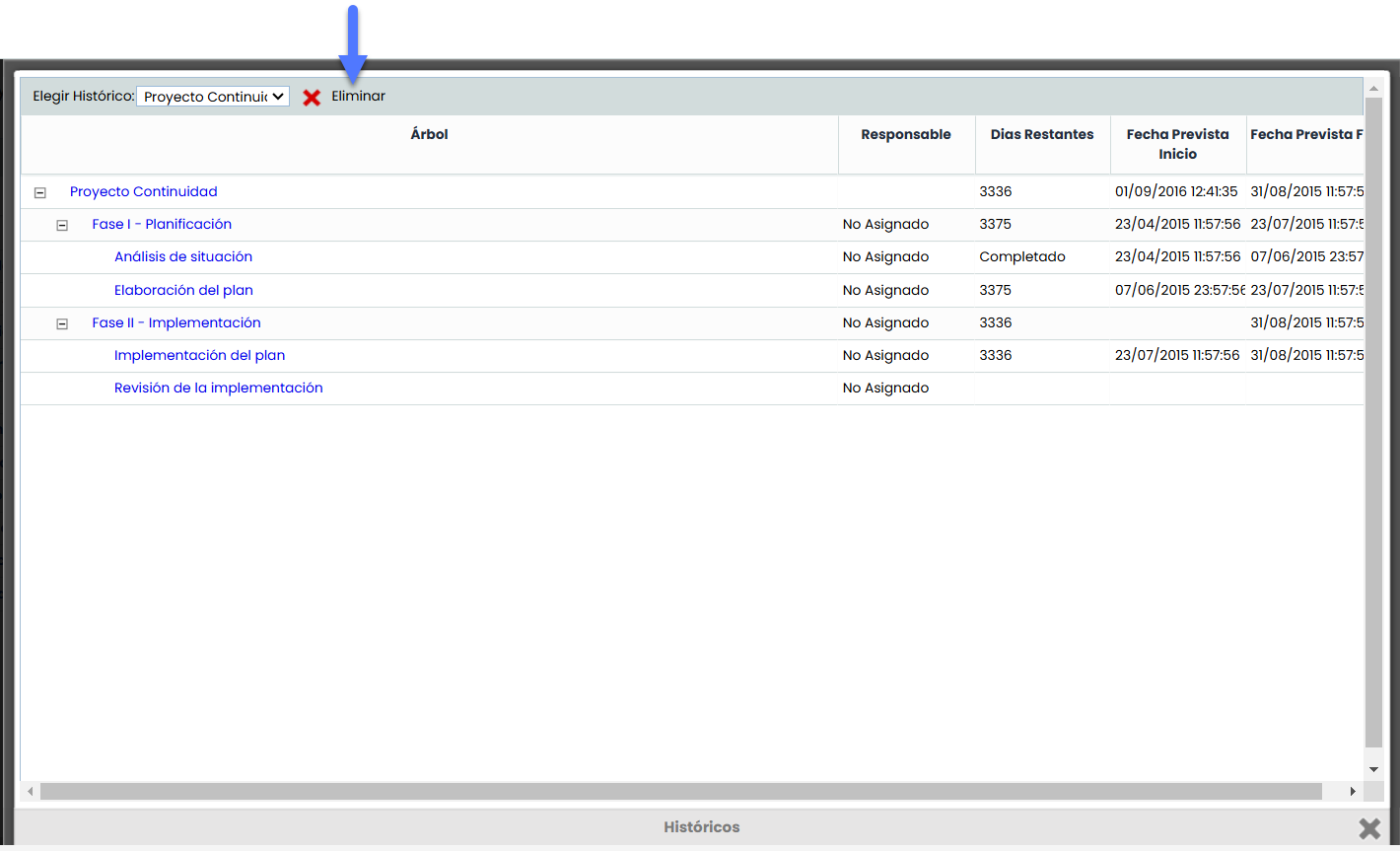
Allows viewing the generated and stored histories.
Create history
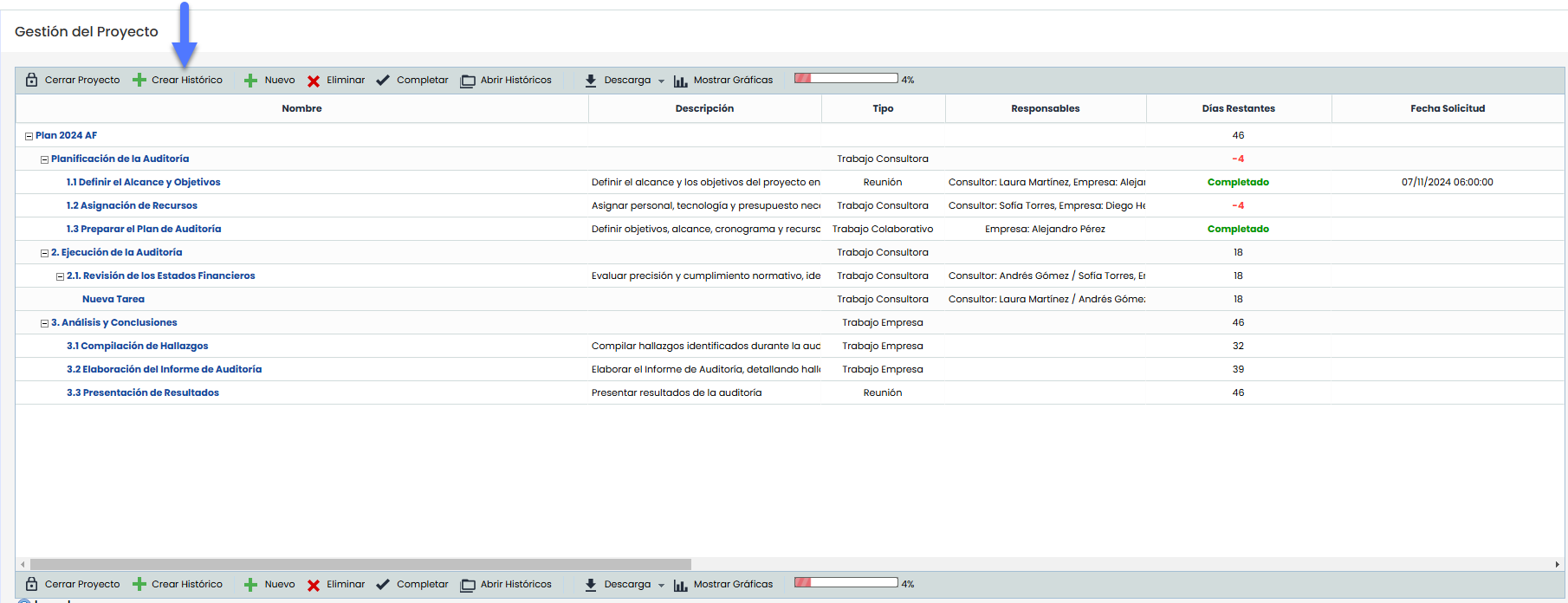
The creation of a history is done from an active project. When generated, the system automatically saves a copy of the project in the format Project Name + Date and Time of the generation.
View history
To view a history, it is necessary to click the "Open Histories" button located in the project toolbar. This will open a pop-up window that includes the field "Choose history", where a dropdown menu with all available histories is displayed. In this dropdown, you must select the history you wish to view to access its content.
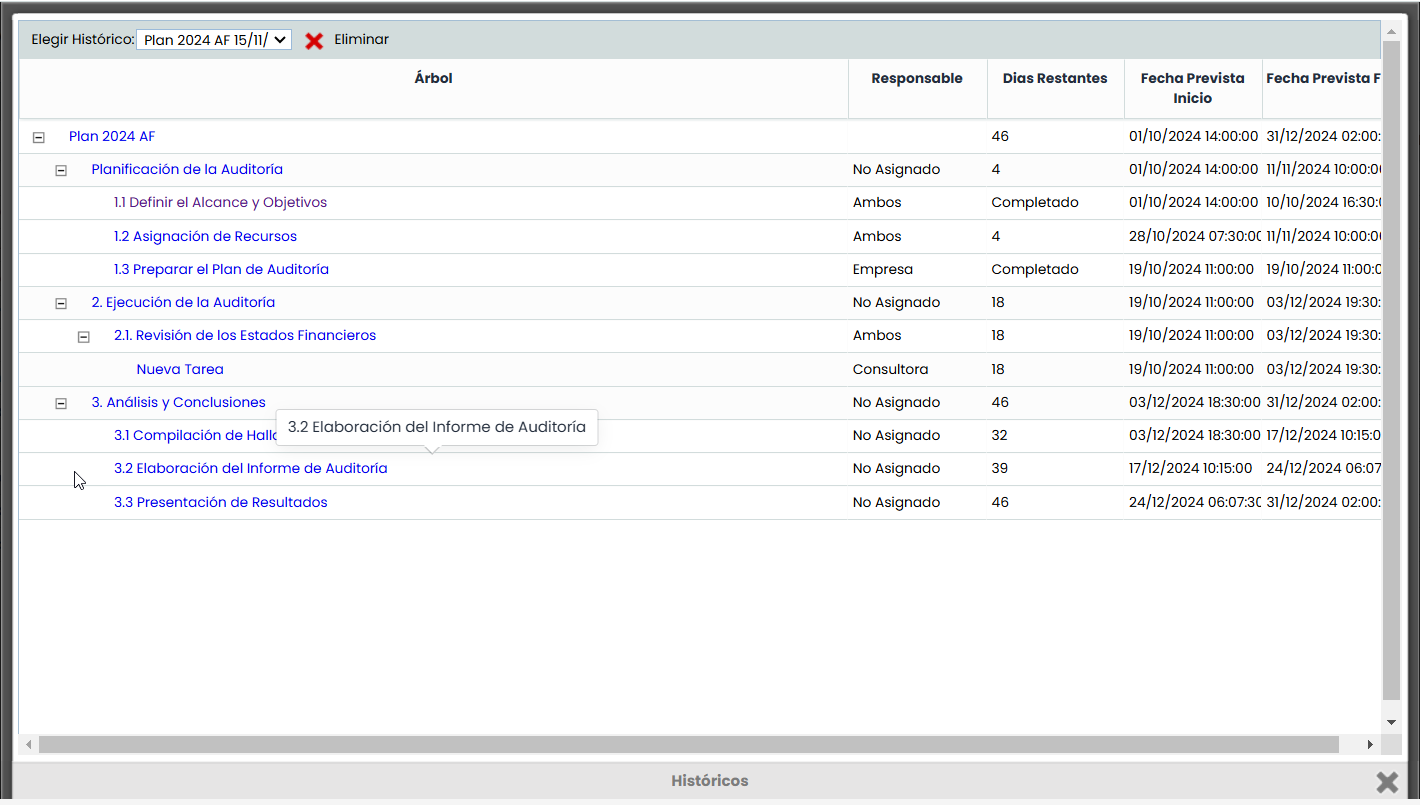
View tasks
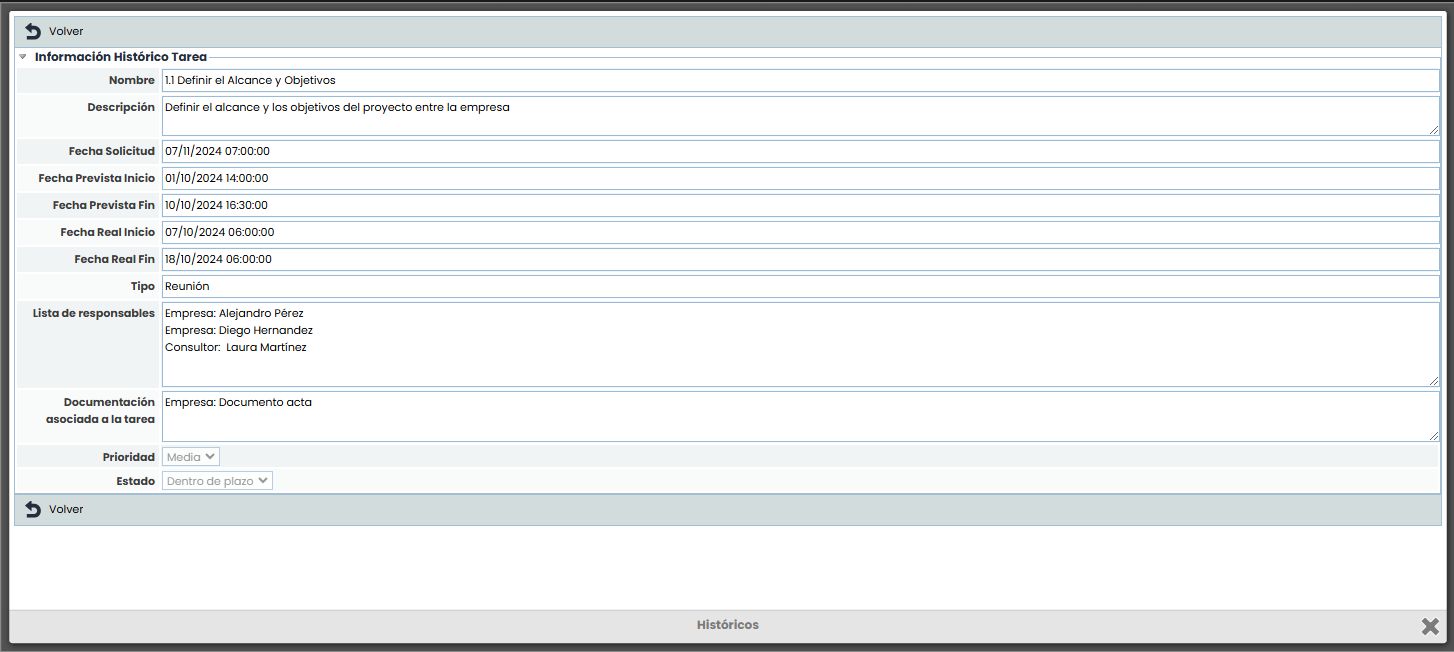
To view the tasks within a history, simply select the name of the desired task. Doing so will open a detailed view that shows all the task information as it was at the time of the history's creation. It is important to note that this information is for viewing only, as the data cannot be edited from this view.
Delete history.
To delete a history, first select the desired history in the "Choose history" field located in the dropdown menu. Once the history is selected and opened, click the "Delete" button to proceed with its deletion.