
The Workflow tab of the document manager allows generating the different approval states of the documents stored in the System Management Document Manager.
From this screen, it is possible to locate existing workflows, review summarized information for each one, and access the creation of new flows.
Unknown Attachment
The screen displays a list of cards, where each one corresponds to a workflow.
Each card shows summarized information about the flow, such as its name, the number of states, the responsibles, whether it has an activated deadline, and the number of documents and folders associated.
Additionally, it indicates whether the workflow is correctly configured or in draft status:
-
Workflows in draft are those that are not completely defined (for example, without responsibles or other mandatory configurations).
-
Only correctly configured workflows can be used in the document manager.
Clicking on the name of a WF opens its details.
Configure WF
General Information
-
Name: Identifies the name of the workflow that will be displayed in the initial list.
-
Document Responsible: Provides the option to identify the responsible for the stored document.
-
Approval Deadlines in States: Allows defining whether we want to set an approval deadline in the document states.
Unknown Attachment
States
States represent the different phases of a document's lifecycle.
Each state can have associated responsibles and approval conditions. For a workflow to be valid, all states must be correctly configured.
If a state does not have assigned responsibles, the workflow will be saved as draft and cannot be used.
Actions
-
Add State: Allows creating a new state within the workflow.
The state is inserted at the beginning of the flow, being the first state the document will go through.Unknown Attachment
-
Edit Name: Enables the user to define the name of the state. To make the change, you need to position yourself over the name and press the pencil icon.
Unknown Attachment
-
Modify Order: Allows defining the order in which the states are executed within the workflow.
The state flow is represented on the left side in the form of a numbered vertical sequence, indicating the order the document will go through (e.g., 1. Draft → 2. Review → 3. Published).
When hovering over a state, sorting options appear at the bottom:
-
Move State Up: allows moving the state to a previous position within the flow.
-
Move State Down: allows moving the state to a later position within the flow.
Unknown Attachment
-
-
Delete State: Allows deleting a state from the WF. To do this, select the desired row or rows and press the ‘Delete’ button.
-
Associate / Disassociate Responsibles: Allows defining the responsibles in charge of approving or rejecting the documents in that state.
You can assign:-
Roles, in which case the users associated with that role will be the responsibles.
-
Specific Users, selecting them directly.
Unknown Attachment
-
Responsible Attributes:
-
Mandatory Approver: allows indicating which responsible must approve the state. This option is not available in automatic states or in the final state of the document.
-
Permission to Delete: allows defining which responsibles can delete the document in that state. Responsibles of the first state will always have this permission active and it cannot be unchecked.
Unknown Attachment
-
Notify Everyone: available only in the last state of the workflow, allows defining whether a notification will be sent to the responsibles when the document reaches the published state.
Unknown Attachment
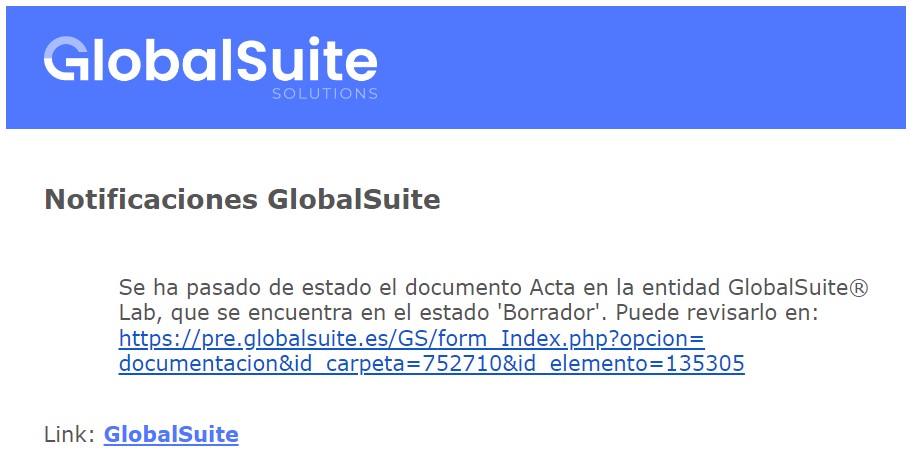
Document manager notifications include a direct link to the affected document.
-
-
-
Activate Higher-Level Responsibles: Allows including responsibles from higher-level entities in the approval process.
This option is only available when using sub-entities. When activated, responsibles from higher-level entities can be assigned to approve or reject the state. -
Automatic State: Clicking on “Automatic State” for a state allows moving to the next identified state without requiring approval from any responsible. This option enables traceability of the different states a document has gone through, without requiring a specific state to be approved by one or more responsibles.
Unknown Attachment
-
People Required to Approve: allows indicating how many responsibles must approve the state of the document for it to advance to the next state, as long as it is not an automatic state.
The value provided must be equal to or less than the number of responsibles associated with the state. If a higher value is entered, the system will automatically adjust it to the maximum allowed.If no value is provided, it will be understood that all responsibles of the state must approve the document.
-
Deadline (days): If “Approval Deadlines in States” is marked in the general data, it allows identifying the number of days required for the various responsibles to approve the state of the document, with the following cases:
-
No Defined Deadline: If the user has not set an approval deadline, the document will not change its state until all responsibles approve the state of the document.
-
Defined Deadline: If the user has set an approval deadline, two situations may occur: all responsibles have approved the document, so the tool will not change its state until the defined deadline is met, or the deadline has been met without approval from some responsibles, in which case the document will return to the previous state identified in the table.
-
Back: Once the deadline has passed without all required responsibles approving the documentation, it allows returning to the previous state of the document.
-
Unknown Attachment