
Tests Configuration
GlobalSUITE offers the possibility to configure the categories of the tests for Recovery Plans, which are developed in the option ‘Plans/Test Program’.
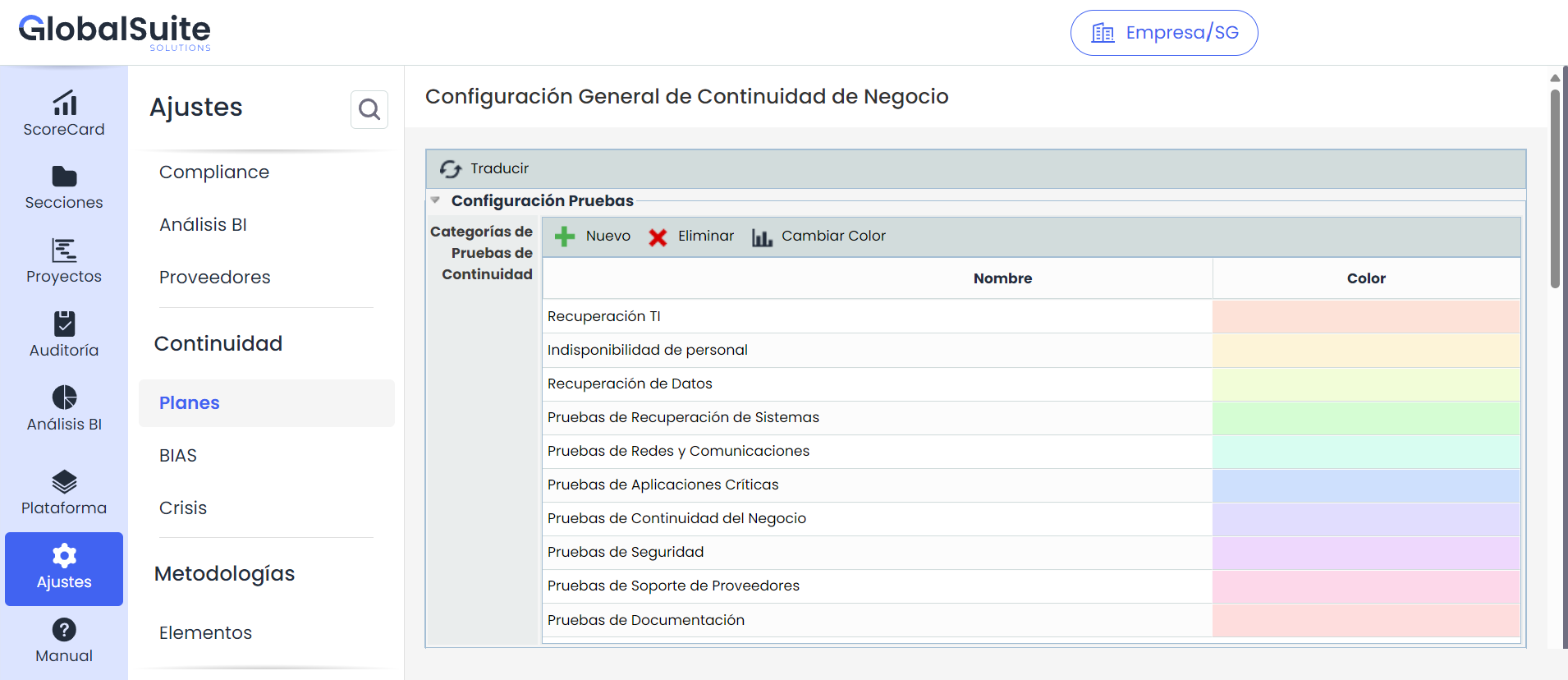
The options that can be performed on the table are:
-
New: Allows inserting a new category into the table.
-
Delete: Offers the possibility to delete one or more defined categories. To do this, you must select the desired row or rows and press the ‘Delete’ button.
-
Change Color: Allows, by selecting the desired row, defining the color that will be displayed in the chart of the ‘Plans/Test Program’ option.
Recovery Plans
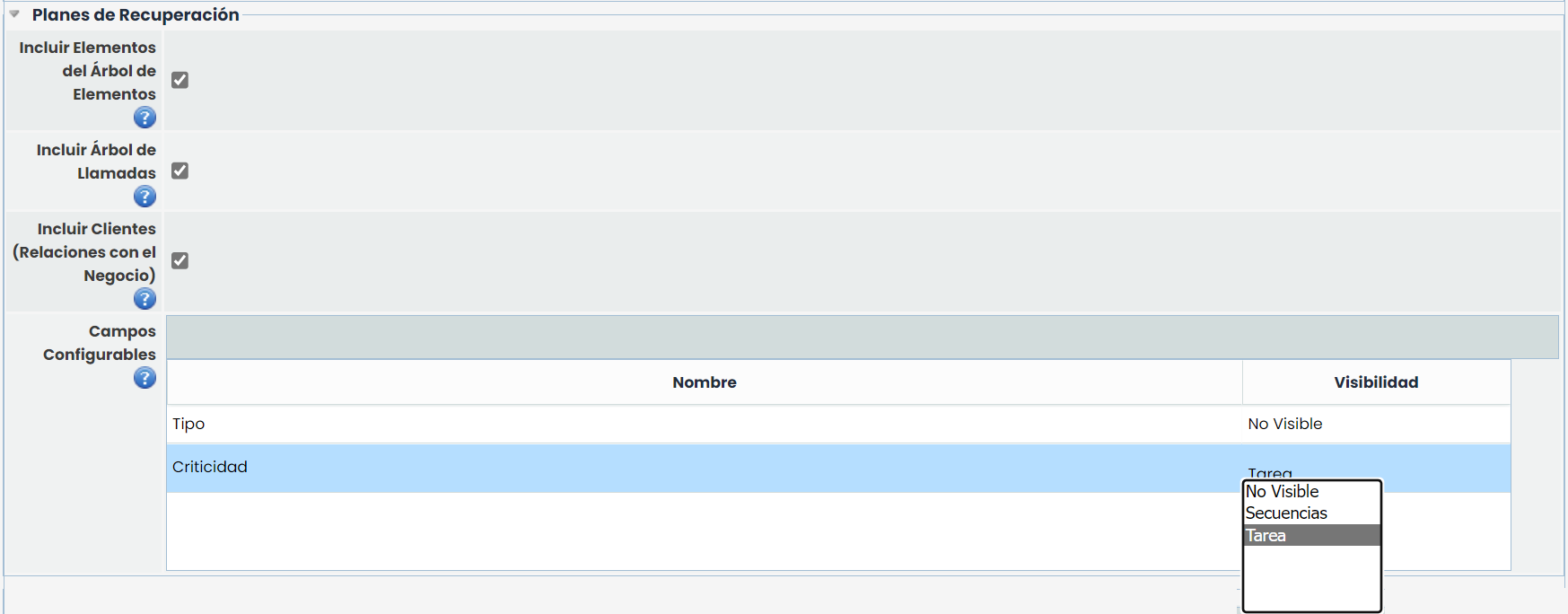
This section allows indicating whether it is necessary to add a set of configurable tables and fields to the Recovery Plans, available optionally.
-
Include Assets from the Dependency Tree: By checking this field, a table is enabled in the Recovery Plans that allows adding assets to each Recovery Plan and their associated Recovery Sequences.
-
Include Call Tree: By checking this field, a table is enabled in the Recovery Plans that allows configuring a call tree between Roles and Employees.
-
Include Clients (Business Relationships): By checking this field, a table is enabled in the Recovery Plans to associate clients with each Recovery Plan.
NOTE: If the environment has the 'Business Relationships' functionality enabled (available in some GlobalSUITE modules), it will be possible to select the clients registered in that option. If, on the other hand, this functionality is not enabled, it will be possible to create specific clients for each Plan.
-
Configurable Fields: This table allows configuring two additional fields that can be associated with the Recovery Sequences form or the Tasks form. In the table, it is possible to edit the name of the configurable fields (both in Spanish and English) and indicate where each field should be displayed by double-clicking on the 'Visibility' column. The available options in that column are: 'Not Visible', 'Sequences', and 'Task'.
Task Types
This section allows defining the types of tasks that can be established in the options of 'Recovery Plan', 'Test Program', or 'Crisis Management'.

The information that allows defining the table is:
-
Name: Allows defining the name of the task type.
-
Type: Allows configuring the typology of the task type, being able to choose between 'Checkpoint', 'Break', or 'Task'.
-
PRD: Allows defining whether we want to display the task type in the Recovery Plan option. To do this, you must click on the corresponding cell.
-
Test Program: Allows defining whether we want to display the task type in the Test Program option. To do this, you must click on the corresponding cell.
-
Crisis Management: Allows defining whether we want to display the task type in the Crisis Management option. To do this, you must click on the corresponding cell.
To insert a task type into the table, you must press the 'New' button. If you want to delete a task type, you must select the desired row and press the 'Delete' button.