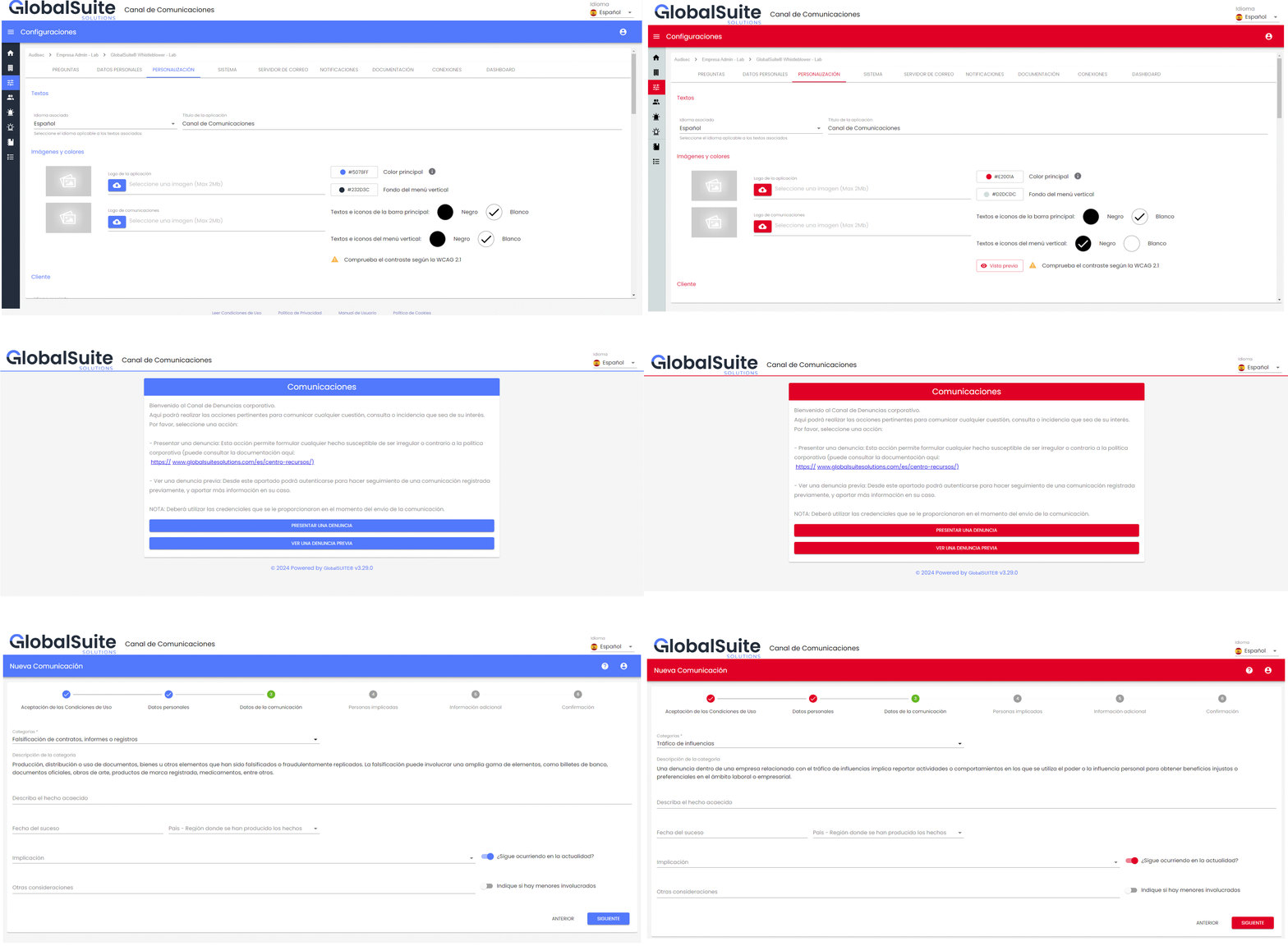
Corporate customization of the channel
This version includes the ability to adapt the graphic identity of the corporate Whistleblowing Channel to the brand image, customizing it with the company's own colors.
Since the Whistleblowing Channel is an external portal for anyone interested to report an incident, it is very useful for it to be easily identifiable and aligned with the company's other platforms.
To achieve this, the option to customize the corporate colors of the interface has been included in the section Settings > Customization.
This change applies to both the administration interface (internal back-office for channel management) and especially to the whistleblower's view (public form), both when reporting a new case and when following up on a previous one.
Color configuration
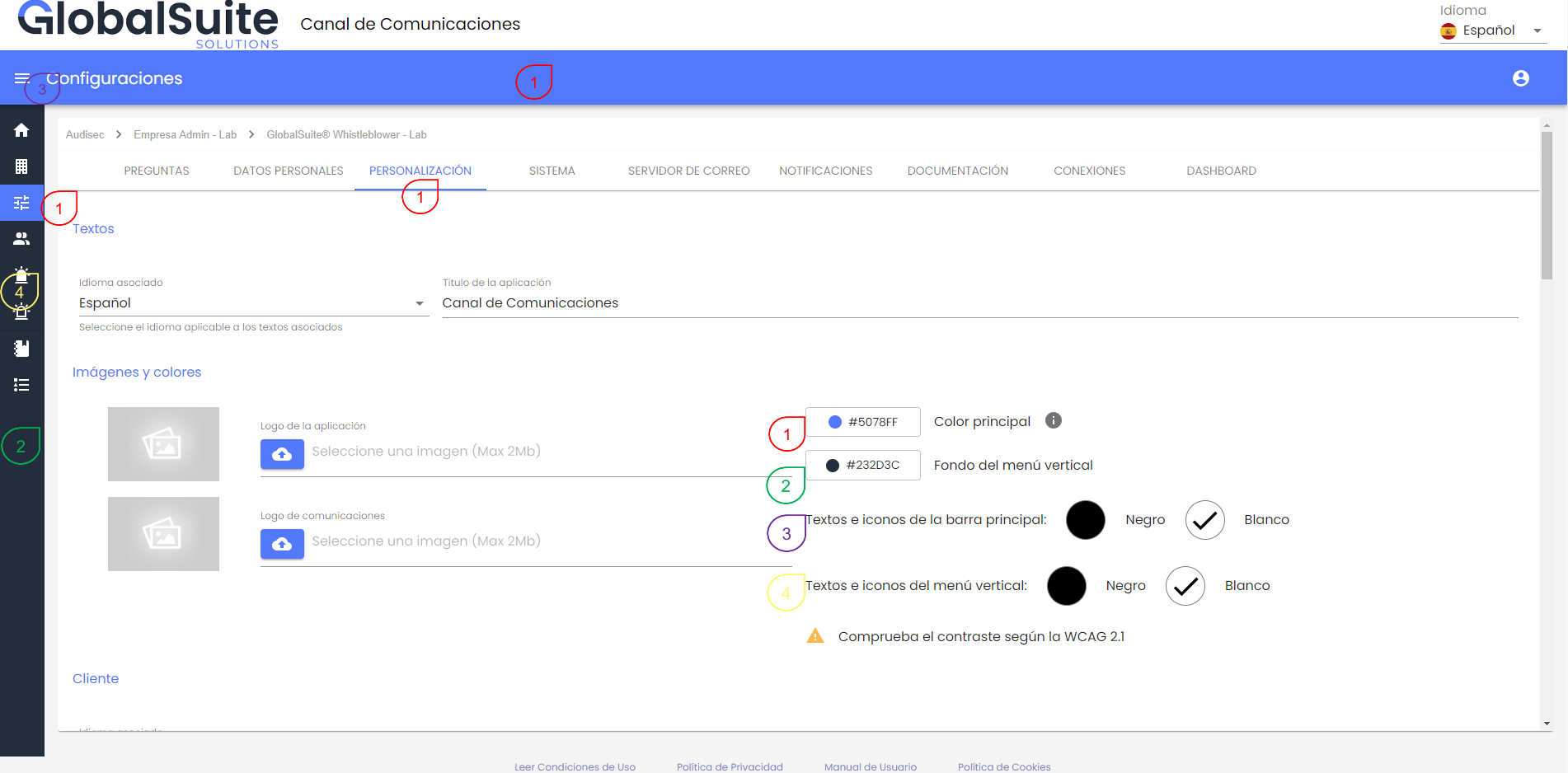
In the configuration, the current solution colors appear by default, but they can be customized based on different parameters.
-
Main color: This color will be applied to the main menu bar, buttons, titles, and the main front of the whistleblower's view.
-
Vertical menu: This color will be used for the vertical menu band of the panel
-
Texts and icons of the main menu: With the option to choose between white and black, it will be used to represent the texts and icons in the main menu
-
Texts and icons of the vertical menu: The chosen color (white or black) will be used to represent the icons and texts of the side menu
This is designed so that, in addition to aligning with the corporate image, the texts and icons are readable and adapt to the contrast and accessibility criteria set by the WCAG 2 (Web Content Accessibility Guidelines).
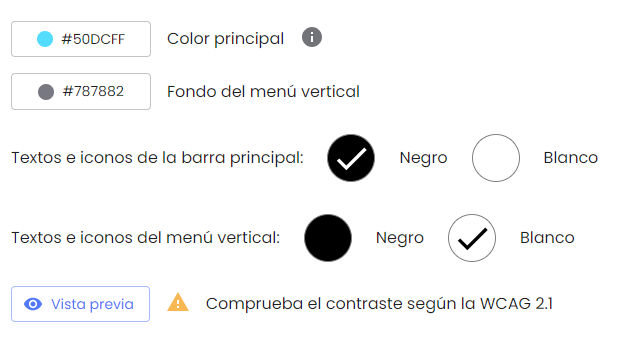
Once any of the parameters have been modified, it is necessary to click the “Preview” button, which shows in a window how the user interface will look without applying the changes.
When opened, it will display a window to visualize how it will look with the proposed adjustments, showing the changes in different views:
-
Settings Section
-
Landing Section
-
Whistleblowing form
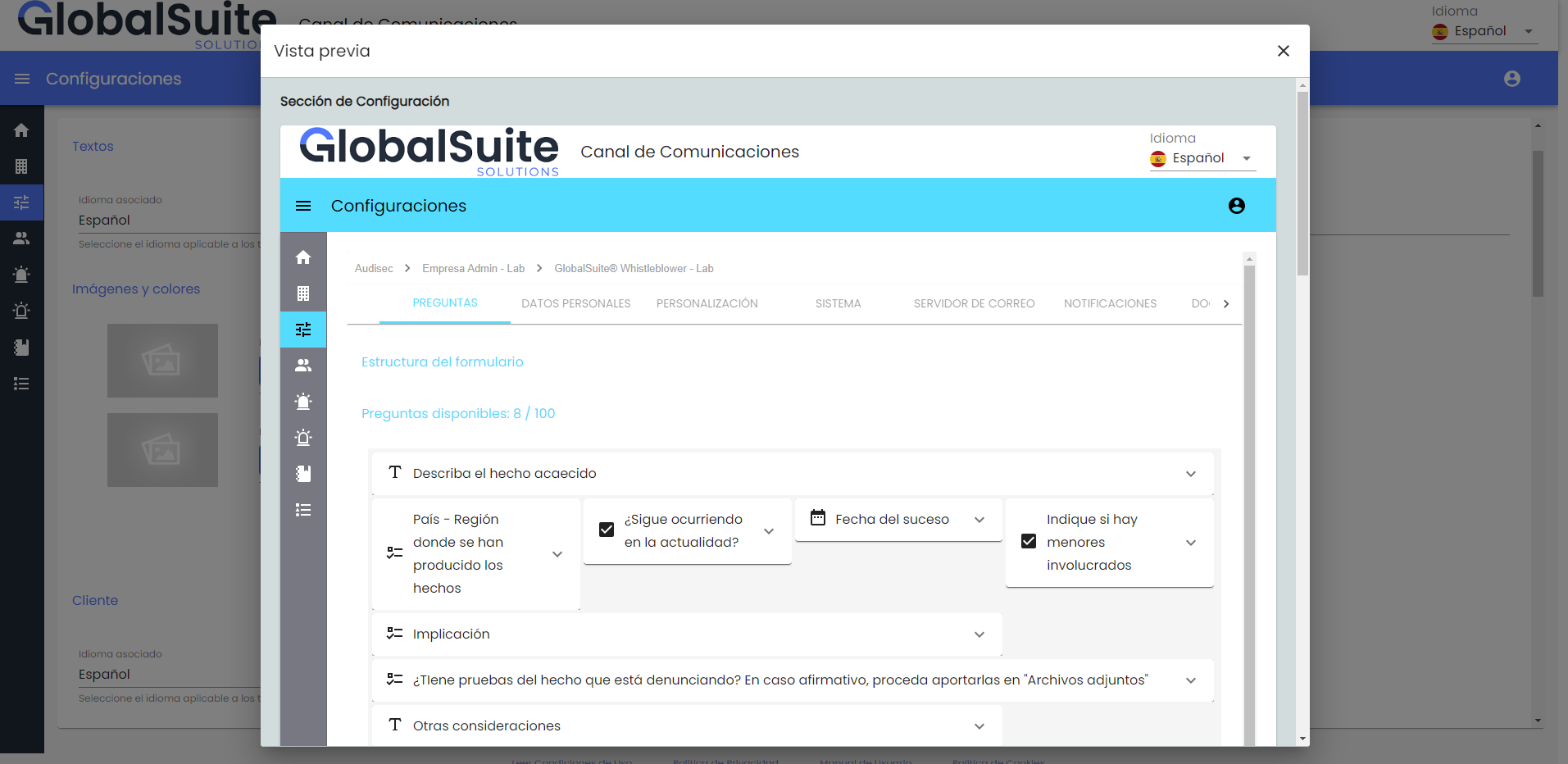
Once the preview has been reviewed, changes can be applied using the Save button, and the interface will be updated for all users.
Examples