
New features and improvements
New Automations module
|
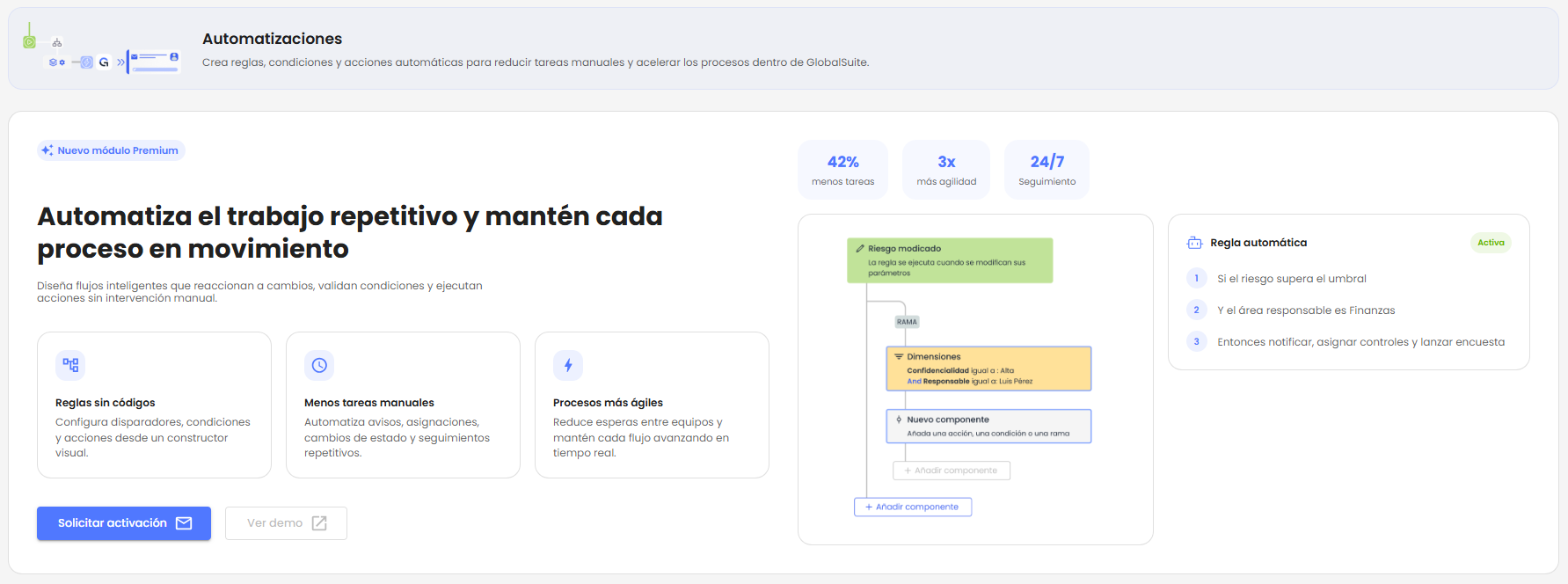
A new transversal Automations module is incorporated, allowing the configuration of visual rules for GlobalSuite® to execute automatic actions when relevant events or changes occur within the platform. |
With this version, GlobalSuite® moves towards more proactive GRC management, enabling data changes to be converted into automatic workflows. The functionality allows defining checks, rules, and conditions to specify what should happen when certain events occur in the solution. For example, when an item, risk, process, or BIA is created or modified, reducing manual tasks and improving the traceability of each execution.
The main goal is to help risk, continuity, compliance, audit, and security teams standardize recurring responses, activate alerts at the right time, and reuse existing information within the platform.
Key features
-
Visual rule builder based on triggers, conditions, branches, and actions to be executed sequentially.
-
Activation and deactivation of rules from the interface itself.
-
Initial triggers on items, risks, processes, and BIA.
-
Conditions to limit execution based on various parameters, such as affected dimensions, assessed levels, responsible parties, categories, or scopes.
-
Branches to define different execution paths within the same rule.
-
Activity log per rule to review executions, actions triggered, conditions evaluated, and errors.
User benefits
-
Fewer repetitive tasks and less dependency on manual follow-ups.
-
Greater consistency in responding to recurring events.
-
Improved coordination between responsible parties, areas, risks, surveys, and controls.
-
Complete traceability of executions and triggered actions.
-
Better utilization of existing data, catalogs, and configurations in GlobalSuite®.
From data to automatic workflow
|
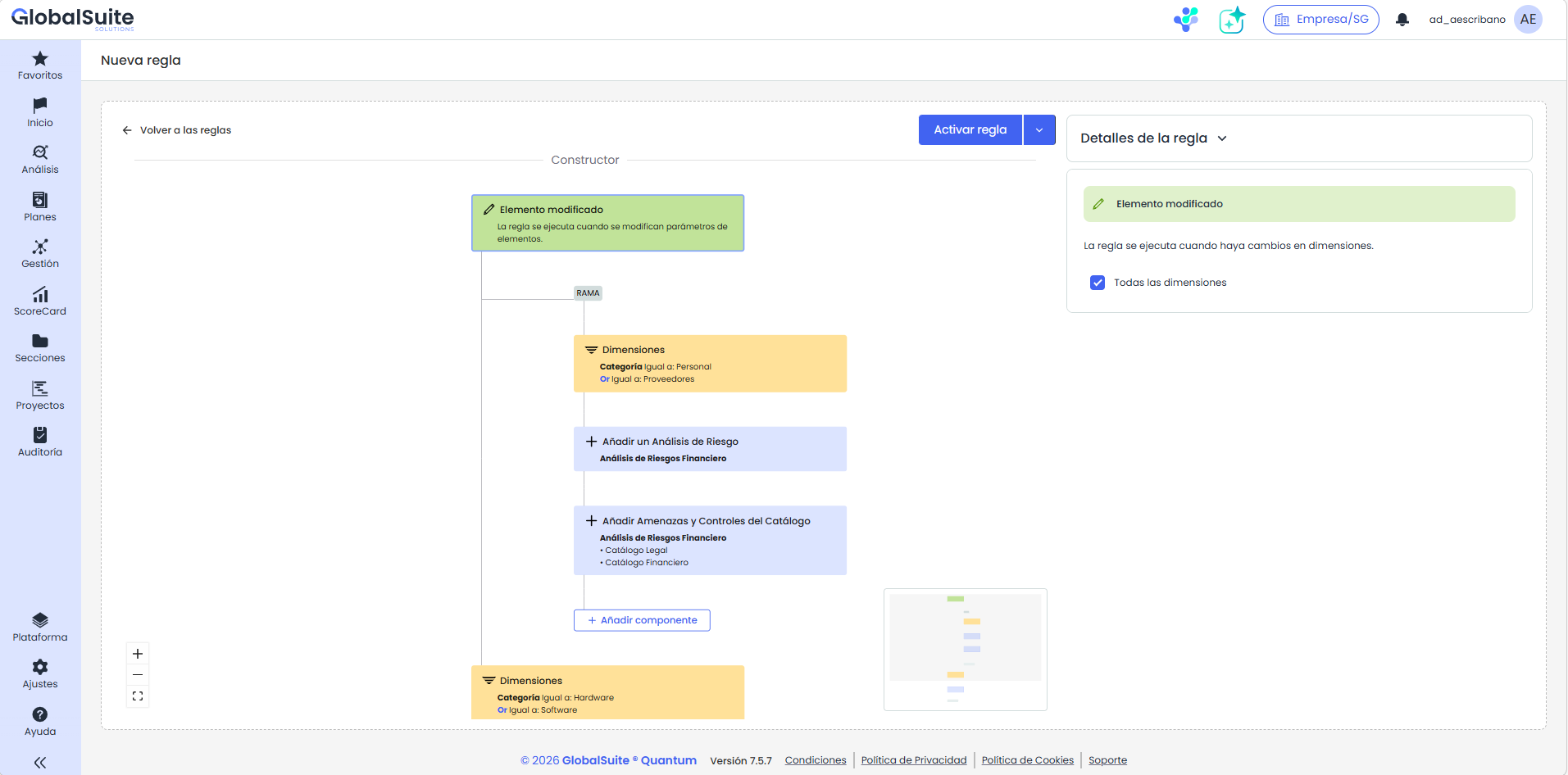
The new functionality allows transitioning from recording information to activating actions based on that data. For example, a risk that increases its criticality can trigger alerts, associate controls, or generate follow-up tasks without manual intervention. |
Examples of automations
-
When creating a new critical item, add it to a risk analysis, associate catalog controls, and notify the responsible party.
-
When a risk reaches high criticality, controls will be associated, a notification will be sent, or a survey will be launched.
-
When BIA survey information is transferred to an individual BIA, the information will be copied to the consolidated BIA and the responsible party will be notified.
-
When an item is modified, update a dimension or launch a review survey if the defined conditions are met.
Initial scope
In this first version, we launch the module with a focus on high-value use cases. The catalog of actions and conditions depends on the configured trigger and the functional context available in each case.
-
Prioritized triggers on items, risks, processes, and BIA are included.
-
Functional actions focused on notifications, surveys, risk analysis, catalog association, and information consolidation are included.
-
The availability of actions may vary depending on the selected trigger.
Future versions will include new use cases, with additional triggers and actions to further enhance process automation in GlobalSuite®.
Available with Enterprise licensing or higher.
Integration Marketplace: addition of over 275 connectors
The GlobalSuite Integration Marketplace is expanded with the addition of over 275 additional connectors, enabling GlobalSuite to connect with a greater number of corporate tools, cloud platforms, security solutions, identity systems, databases, SaaS applications, and analytics services. This expansion evolves the page of available connectors, which previously listed connectors such as Tenable, Security Scorecard, Active Directory, LDAP, MariaDB, MySQL, MongoDB, Syslog, or GlobalSuite.
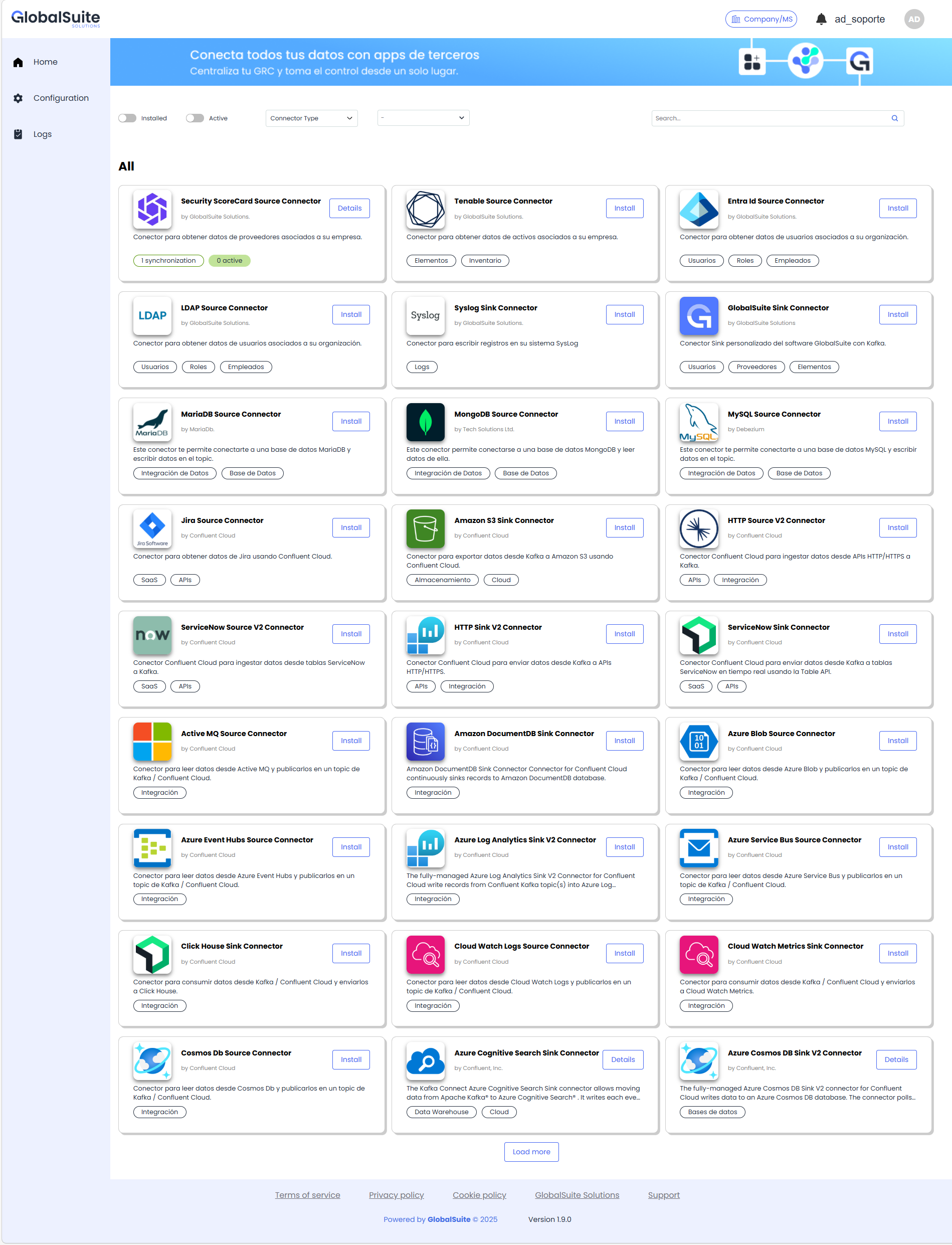
Among the new areas covered are:
-
Cybersecurity and technological risk, with connectors like Tenable, SecurityScorecard, Syslog/SIEM, or Elasticsearch, aimed at centralizing vulnerabilities, security ratings, logs, and technical events.
-
Identity and access governance, with connectors like Entra ID, Active Directory, and LDAP, useful for synchronizing users, groups, attributes, and organizational structures.
-
Databases and transactional systems, with connectors for MySQL, MariaDB, MongoDB, PostgreSQL, SQL Server, Oracle, Cassandra, or DynamoDB, facilitating the synchronization of operational information and evidence.
-
Cloud, storage, and data lake, with connectors like Amazon S3, Azure Blob Storage, Google Cloud Storage, or Azure Data Lake Storage, designed to automate the exchange of files, evidence, and records.
-
ITSM, DevOps, and SaaS applications, with connectors like Jira, ServiceNow, GitHub, or Marketo, allowing the linking of tasks, incidents, changes, projects, or business events with the processes managed in GlobalSuite.
-
Monitoring, observability, and analytics, with connectors like Datadog, CloudWatch, Azure Log Analytics, BigQuery, Redshift, Snowflake, or Databricks, aimed at exploiting data, metrics, and events for reporting and tracking.
-
Messaging, events, and enterprise integration, with connectors like ActiveMQ, Amazon SQS, Azure Event Hubs, or Google Pub/Sub, to enable information exchange flows between corporate systems.
-
Search, AI, and advanced cases, with connectors like Pinecone, Azure AI Search, or Elasticsearch, opening the door to scenarios of semantic search, indexing, and advanced data exploitation.
With this improvement, companies can reduce custom developments, accelerate the implementation of integrations, automate the input and output of information, improve data traceability, and expand GlobalSuite use cases in areas such as TPRM, GRC, auditing, compliance, cybersecurity, document management, risk analysis, and corporate reporting.
You can find more details in the Available Connectors section.