
New features and improvements in GlobalSuite® GRC
Configure RCE survey notifications.
A new feature has been added that allows configuring all types of notifications generated during the RCE survey lifecycle (such as publication, completion, status changes, reminders, among others).
This configuration is available in Settings > Survey Models > "RCE Survey Alerts" Tab, and allows defining the subject and content of the email through customizable templates, using dynamic variables to adapt messages to each situation.
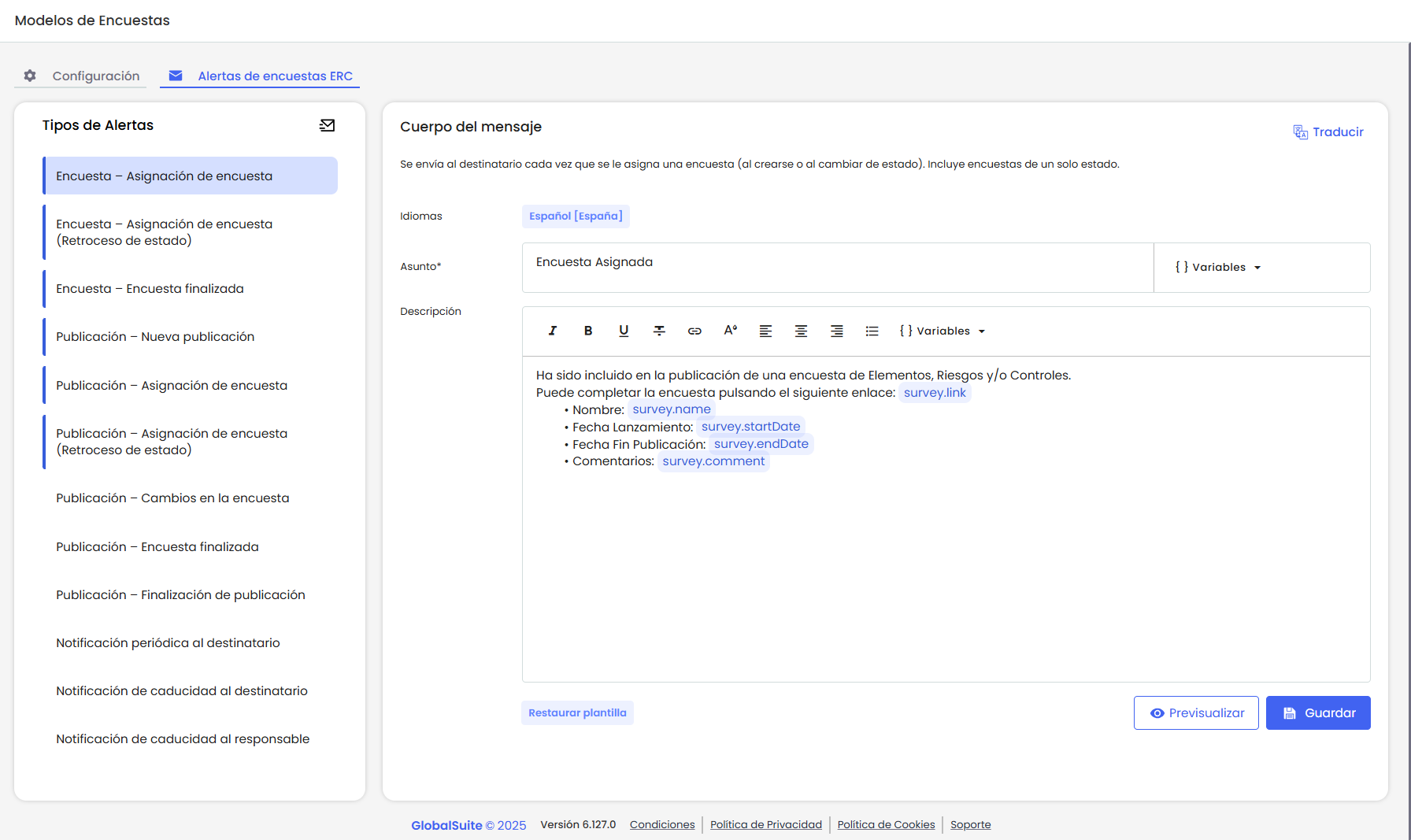
Additionally, the ability to define the email content in different languages has been added, so messages are sent adapted to the recipient's language.
Available Alerts
On the left panel, all available alerts for configuration are listed. Those that already have at least one defined template are displayed with a highlighted left border.
It is important to clarify that if an alert does not have any configured template, the system will not send an empty email: the default email model that was already active before this feature will continue to be used.
-
Survey – Survey Assignment
-
Survey – Survey Assignment (State Reversion)
-
Survey – Survey Completed
-
Publication – New Publication
-
Publication – Survey Assignment
-
Publication – Survey Assignment (State Reversion)
-
Publication – Survey Completed
-
Publication – Survey Changes
-
Publication – Publication Completion
-
Periodic Notification to Recipient
-
Expiration Notification to Recipient
-
Expiration Notification to Responsible
For more information about the templates, you can consult the section List of Available Alerts in the manual.
Configure Templates
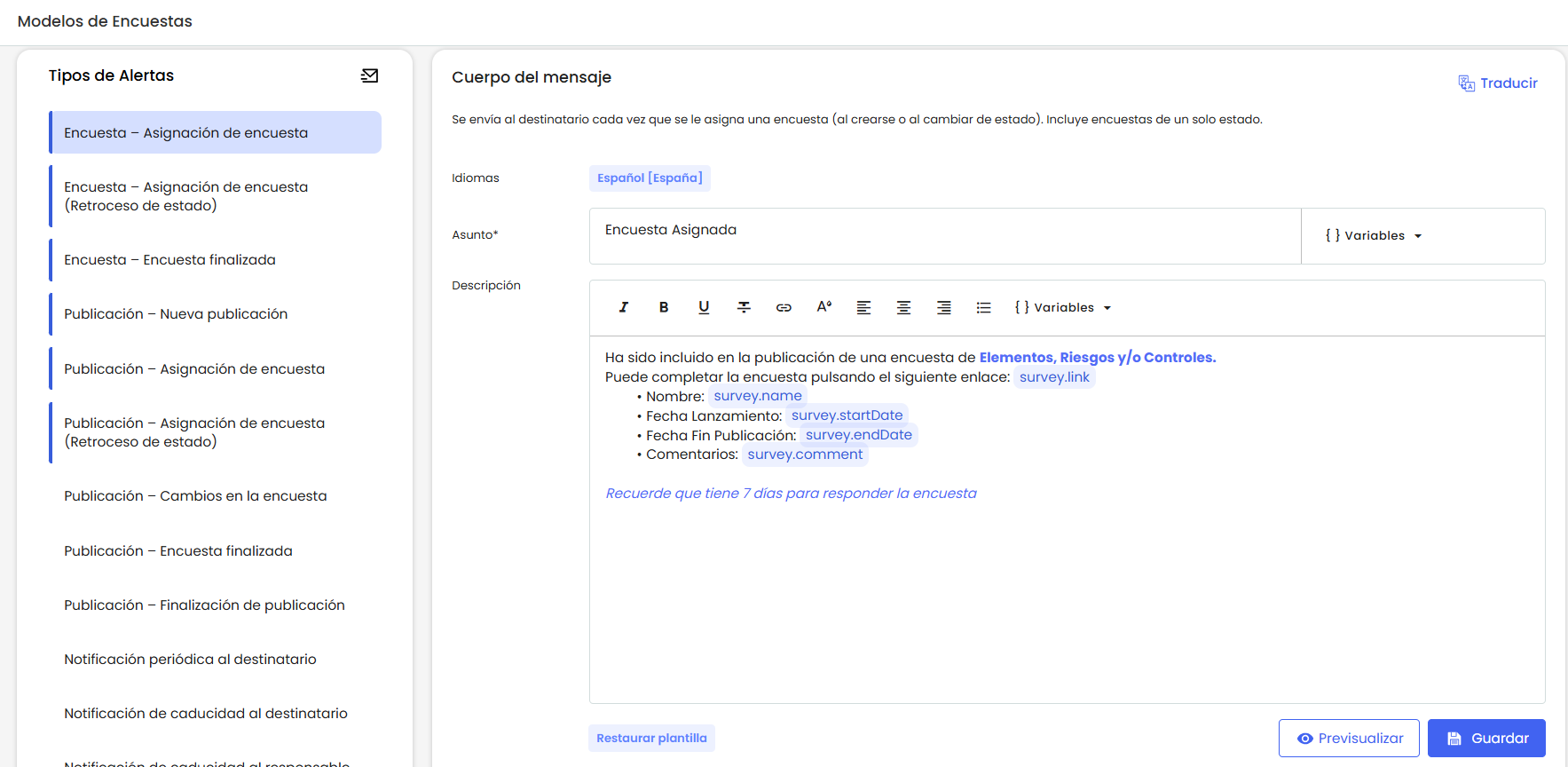
In the central part of the screen, there is an area dedicated to configuring the subject and message of each notification.
Notification Subject
The email subject can be customized using free text and dynamic variables, such as the survey name or publication date.
Variables are automatically inserted from the help menu and replaced with their real value when sending the email.
This field has a technical character limit defined by email servers, so it is recommended to keep the text brief, clear, and avoid excessive use of variables.
Notification Message
The message body can be written freely and supports rich formatting: colors, bold, underline, links, lists, among others.
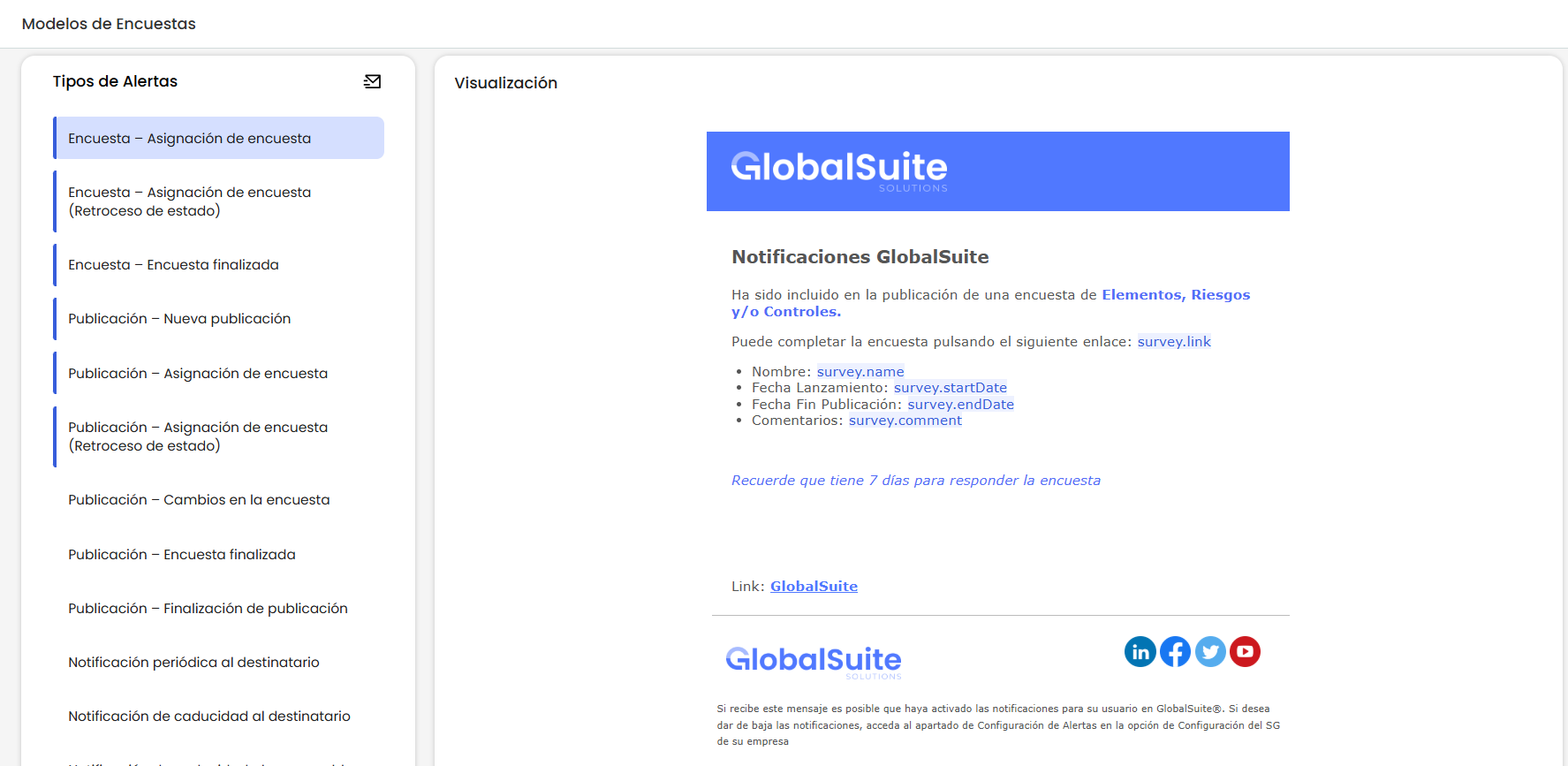
When sending the message, the header and footer configured by the company (Settings > General Settings > Email) are automatically added.
The user can preview at any time how the final message will look before saving it.
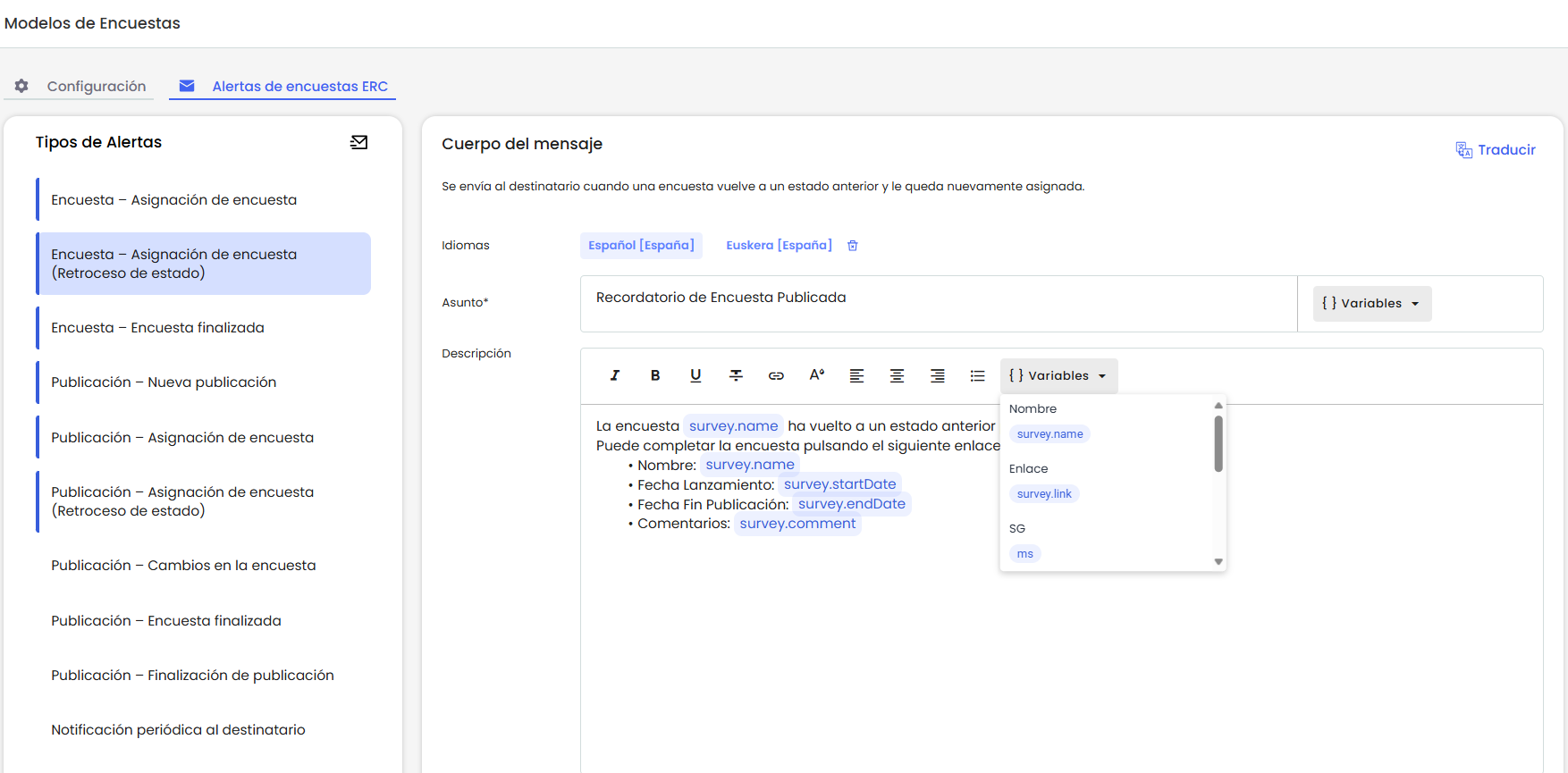
Variables
Variables must be inserted using the option called “Variable.” These are added in full and with a special format that highlights them from the text and prevents partial editing. This way, incorrect writing or partial deletion errors in the email are avoided.
Content Translation
Both the subject and the message can be translated into the languages configured by the company.
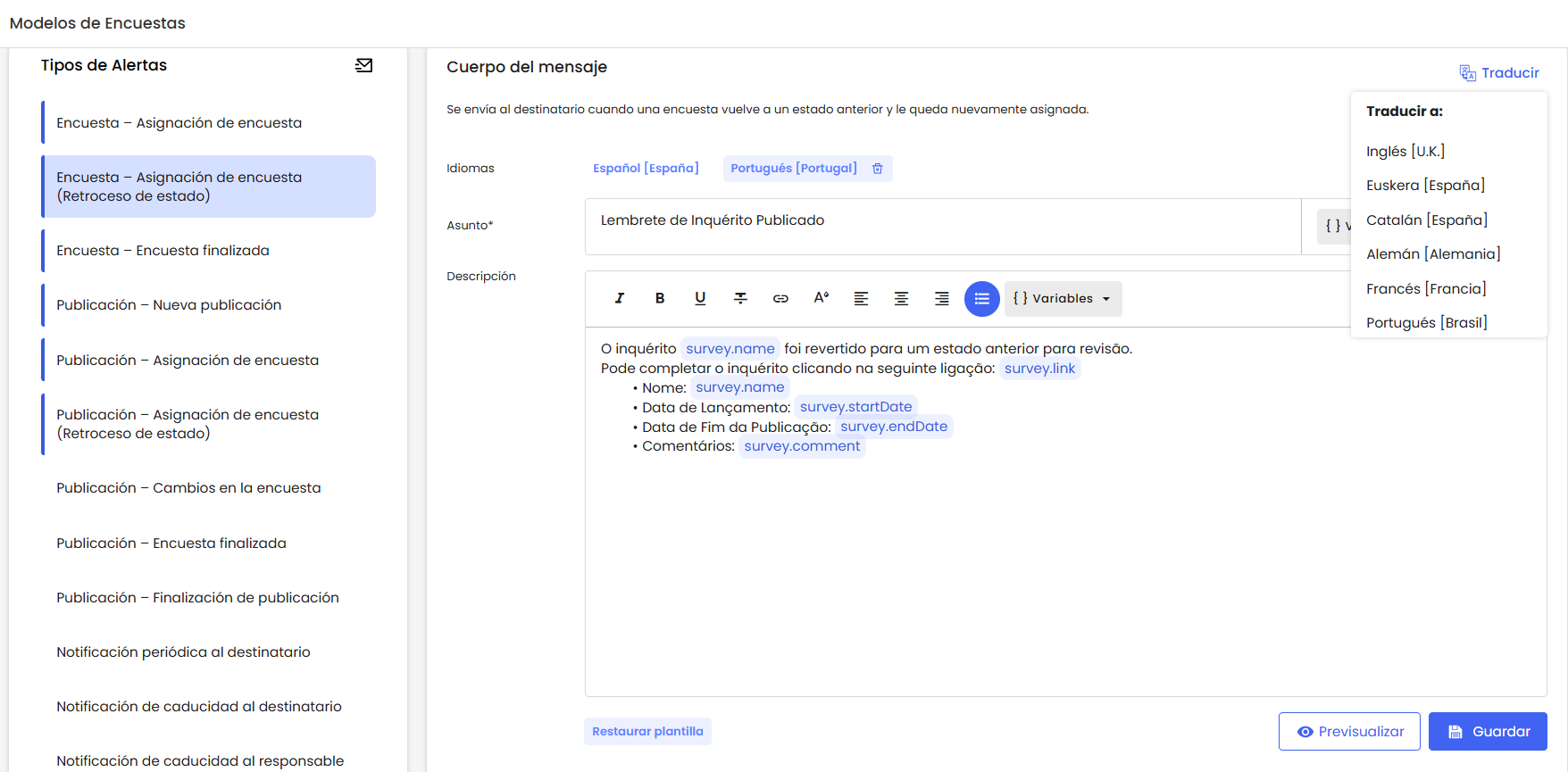
Each time a new language is added, the system automatically loads the default translated template (only the default template is translated, not the content customized by the user).
Email Sending
The current logic used by GlobalSUITE for sending notifications is maintained.
If the email recipient has a user in the platform, the sending language is determined by the one configured in their profile.
If the recipient does not have a user, the sending language is taken from the language configured in the survey.
The new feature is that now, before sending the email, the system checks if a template is defined for that language and type of notification.
If so, that template is used; if not, the default content is sent.
Other GlobalSuite® Improvements
Update of the email authentication system using OAuth2
The email server authentication system has been updated, as the use of username and password will soon become obsolete.
The new authentication using the OAuth2 protocol can be managed both at the environment level and at the Client level to allow the configuration of own servers.
Company Configuration
In Settings > Configuration > General > Company, a new option has been enabled to activate OAuth2 and complete the following fields:
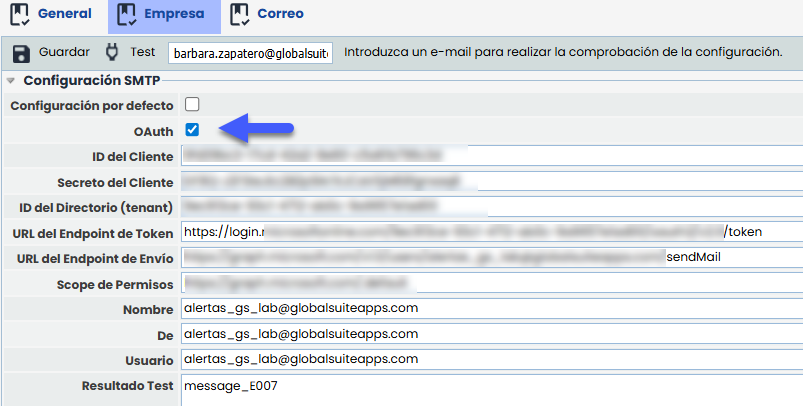
It will be possible to test that the data is correct by pressing “Test”.
Once the connection data is configured, if the information is correct, notifications will be sent using this authentication. The HTML format of the emails (defined in the “Email” tab) will continue to be used as before.
For clients who already have email sending configured through their own servers without using OAuth2, the option of authentication by username and password will remain active temporarily. This option will be available until each client completes their migration.