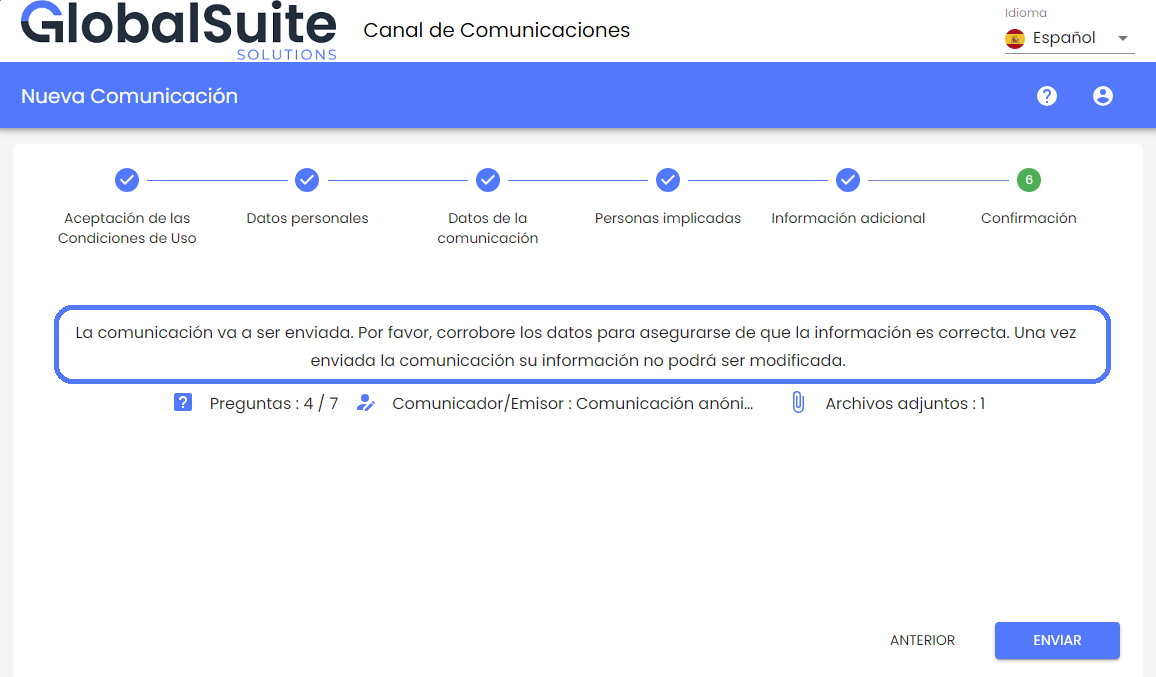
Features and improvements included:
New Summary Message of the Communication
In this version, the possibility of customizing an informative message for the communicator in the last step of registering a new report has been included.
This functionality allows you to customize and add specific instructions or notices for a channel, making the process of formulating a communication simpler, clearer, more direct, and tailored to the needs of each company.
To use this functionality, the Summary of the Communication must be activated in the section Settings > Questions.
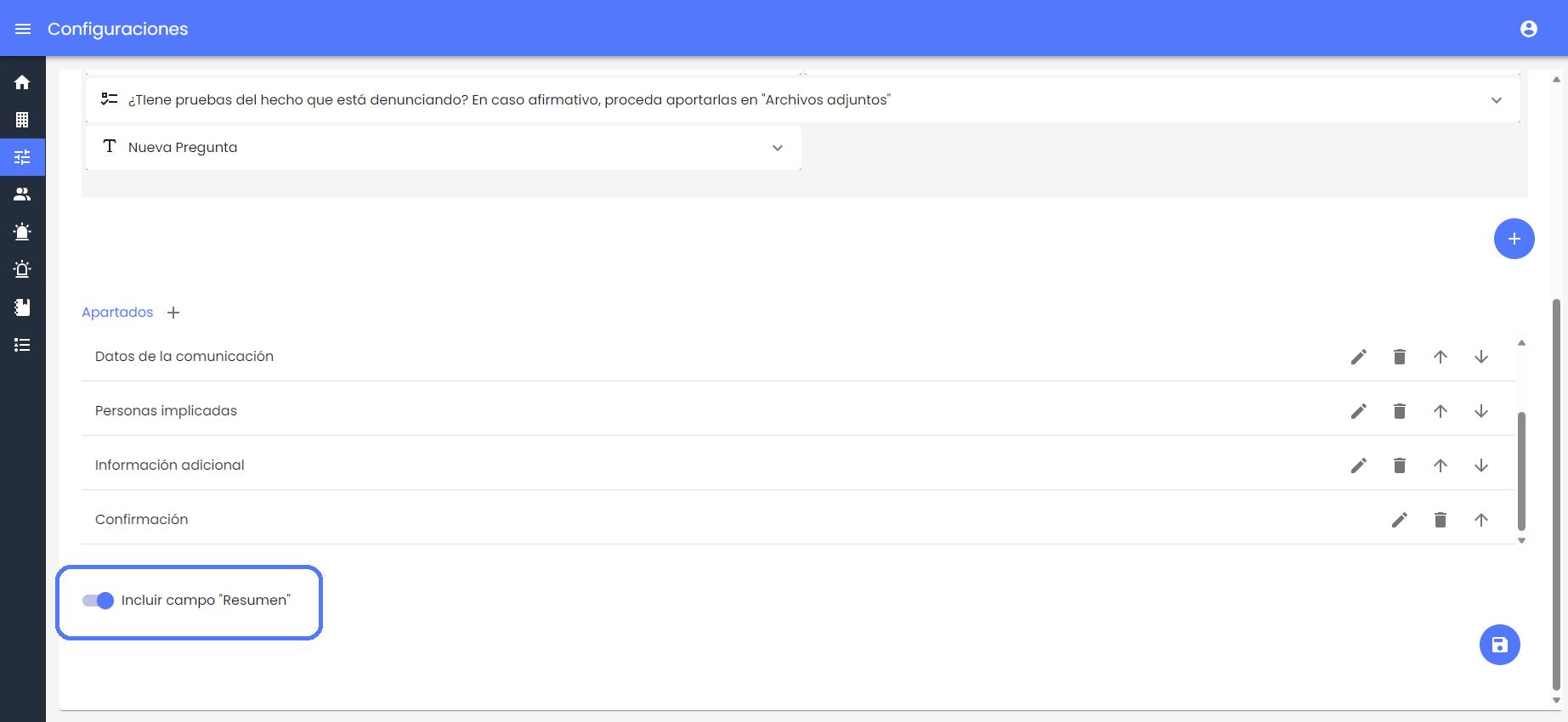
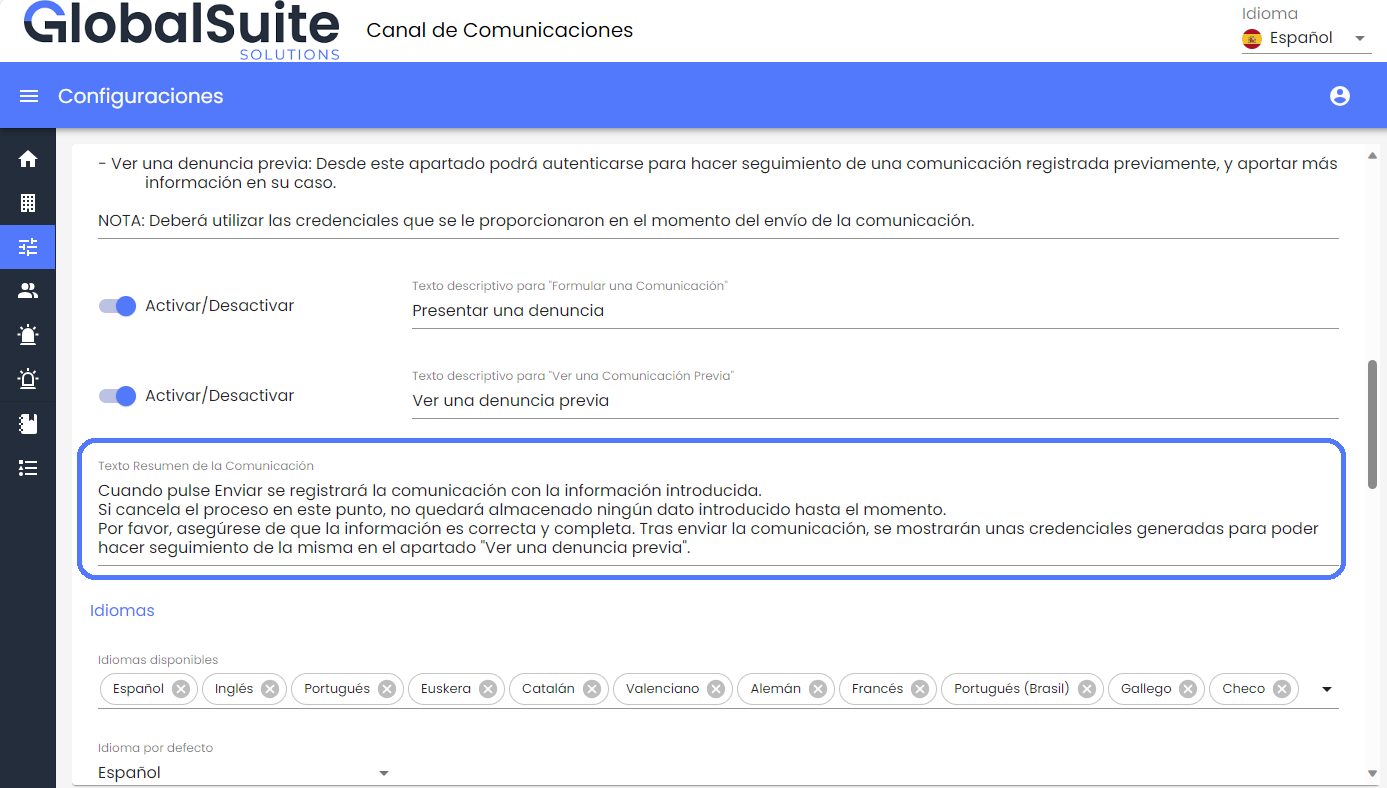
And this message can be customized in the field "Summary Text of the Communication" in the section Settings > Customization. The main features include:
-
The links or URLs included in the field will be accessible by clicking directly, and they will open in a new tab.
-
The format, including line breaks and tabulations, will be respected and visible on any device.
-
This text can continue to be customized for any of the languages available in the environment, and it will appear to the communicator based on the selected language.
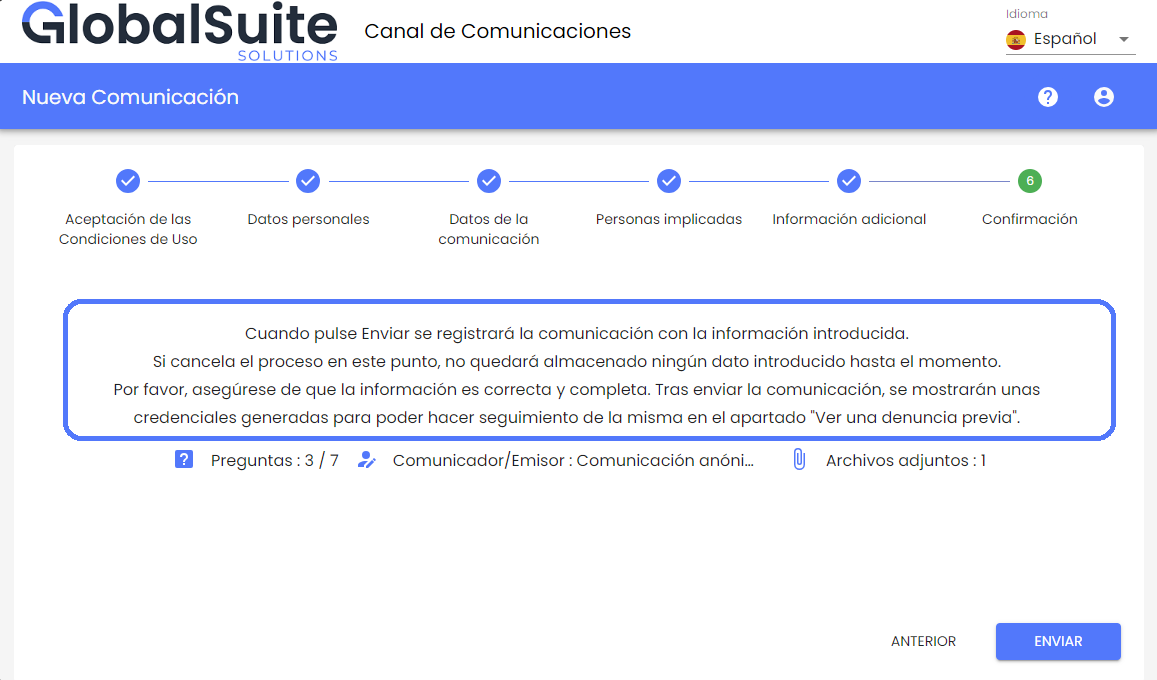
Once the field is configured, the configured text will be displayed in the summary section, along with information on how many fields or questions have been completed, whether the report will be registered anonymously or identifying the communicator, and the number of attached files.
If this Summary Text field is not configured, the default message that currently exists will be displayed.