
New features and general improvements of GlobalSUITE® GRC
- Ticketing Module: Optimization of the association of roles/employees to a ticket, based on the Workflow used.
-
Performance improvement with a high volume of employees in the organization.
-
Enhanced usability, split into two columns allowing searches by role and by employee simultaneously.
-
Reduced loading time for the ticket record.
- CSV Download: Optimization of the generation of the Risk Assessment > Risk Map report. 
-
The report with the information of Elements, Risks, and Controls evaluated in the risk analysis is now generated in CSV format instead of .xlsx format.
-
If the risk analysis is very extensive, all records will be included in a single file, instead of being divided into several separate Excel files, making it easier for subsequent consultation.
This CSV format is a standard that allows the exploitation and transfer of risk information to other systems, facilitating interconnection and exploitation.
In upcoming versions, new reports in this standard CSV format will be incorporated.
If you want to convert the downloaded report into Excel format, you can do so by following these steps:
-
Open the .csv file downloaded from GlobalSUITE® that you want to convert.
-
Click on File > Save As.
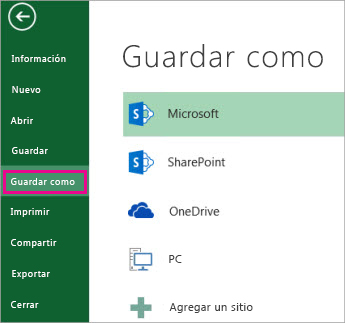
-
In Locations, select the place where you want to save the file.
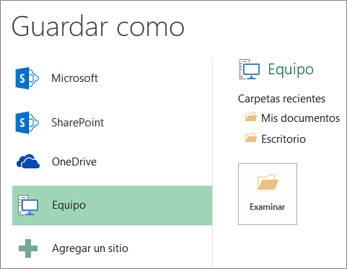
-
In the Save As dialog box, navigate to the desired location.
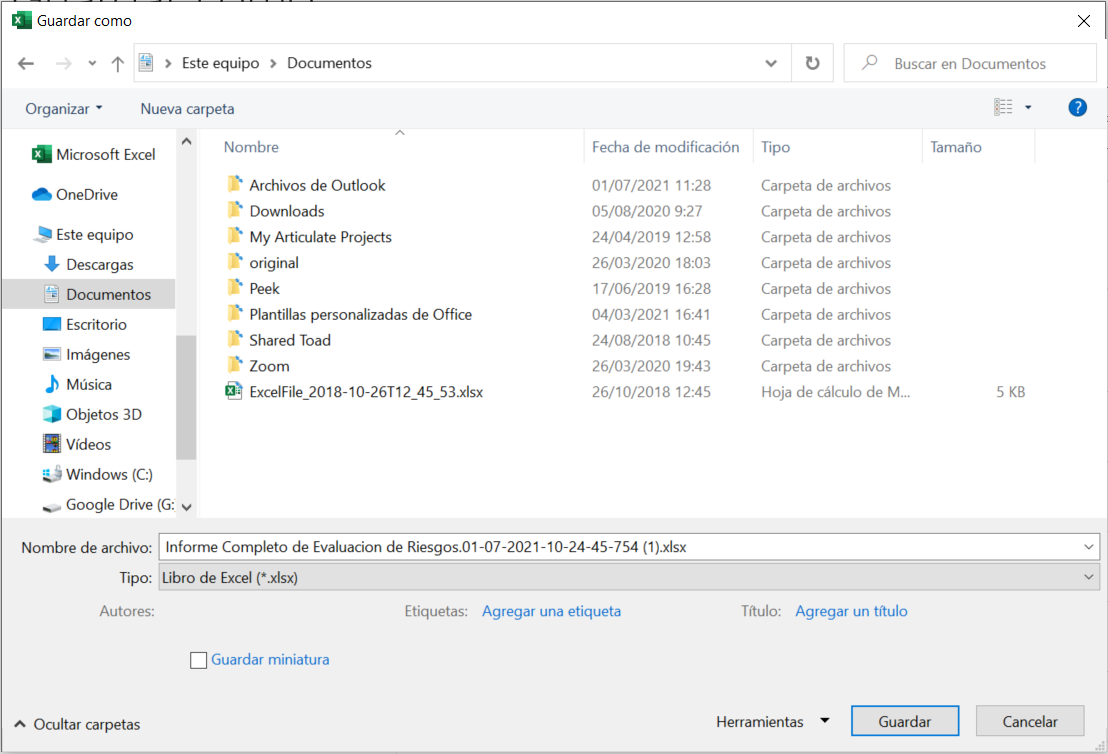
-
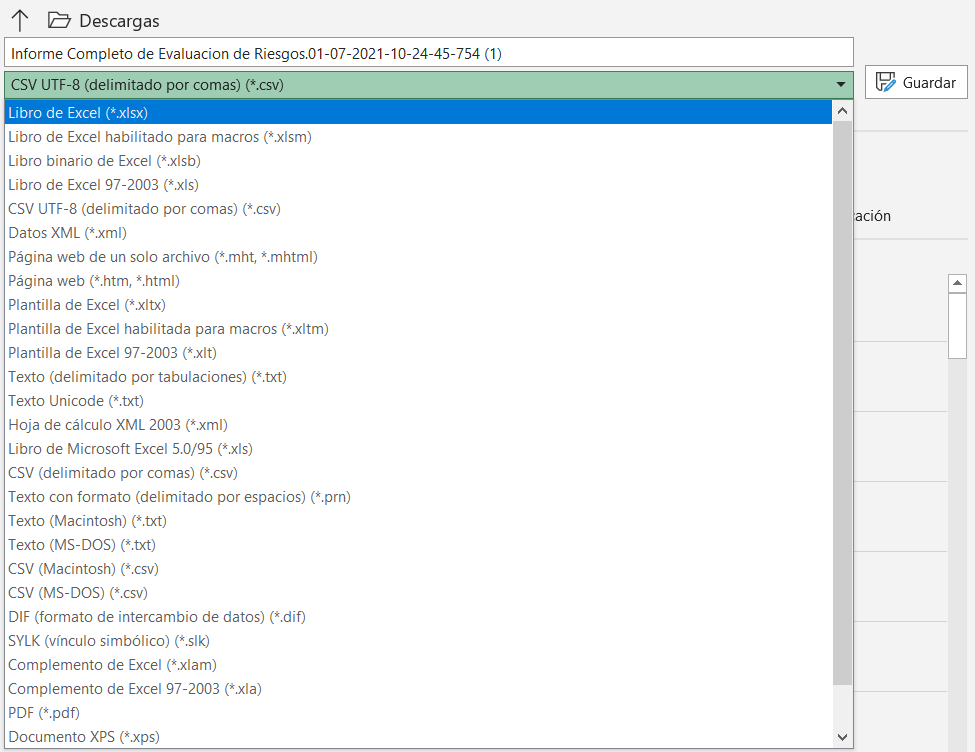
In the list Save as type , click on the file format " Excel Workbook (*.xlsx) ". Click the arrows to scroll to file formats not visible in the list.
More information: https://support.microsoft.com/en-us/office/save-a-workbook-in-another-file-format-6a16c862-4a36-48f9-a300-c2ca0065286e