
New features and general improvements in GlobalSuite® GRC
New Evidence-Controls View
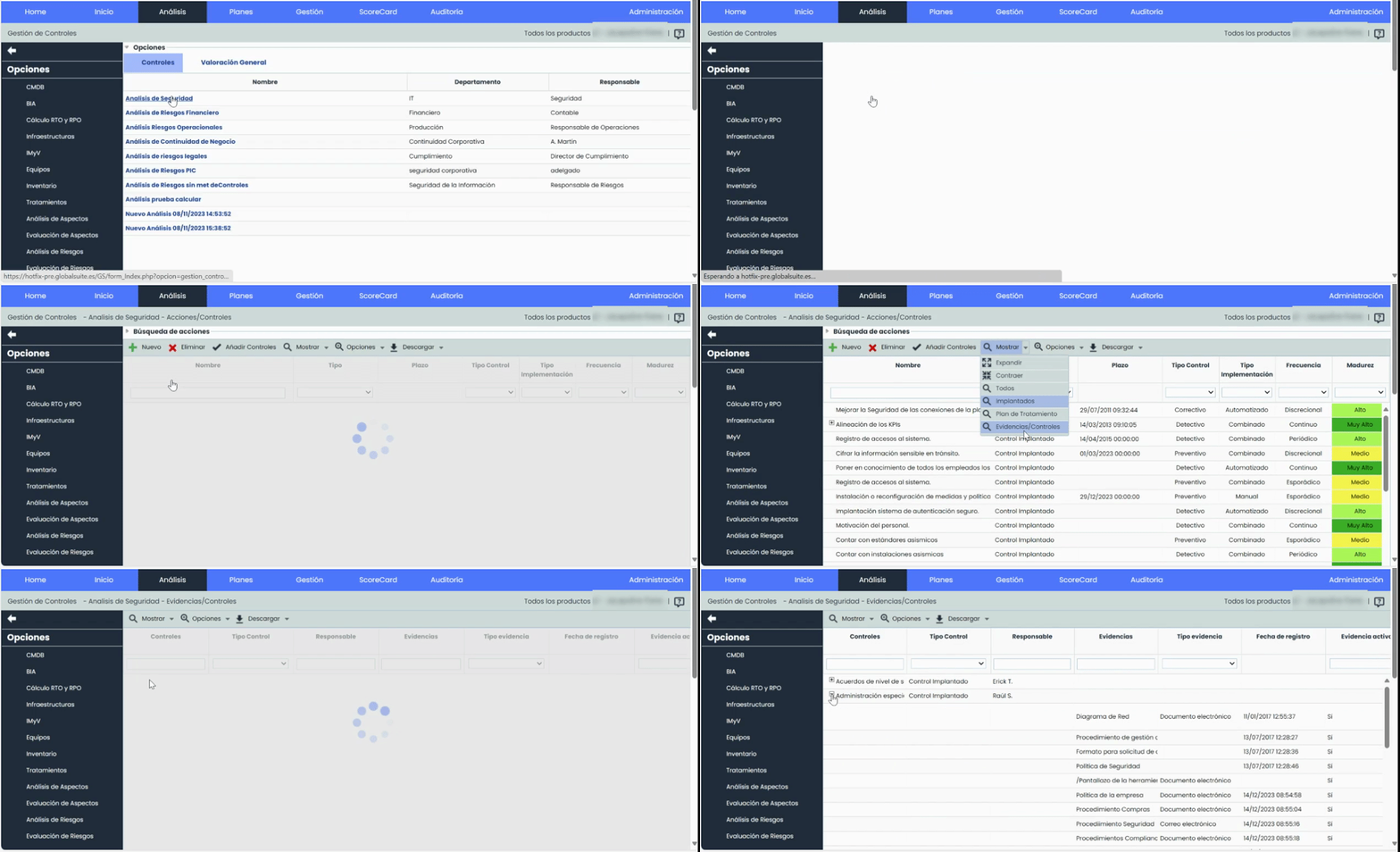
This new view enhances the user experience by facilitating the visualization and management of evidence related to controls in the Control Management section > Controls-Actions List.
This functionality provides a consolidated view that clearly and accessibly displays the evidence associated with each control, without the need to delve into the details of each control. This way, users can quickly get an overview of the available evidence without having to perform multiple individual accesses.
This improvement not only saves the user time by avoiding the need to review each control separately but also provides greater transparency and efficiency in control management by enabling faster identification of those with associated evidence.
Main Features
-
Consolidated View
-
Allows easy visualization of which controls have associated evidence and which do not, from the main table.
-
Visualization of evidence without the need to access the details of each control individually.
-
Both the information of the evidence and that corresponding to the controls and their dimensions will be displayed.
-
-
Add new evidence
-
Possibility to add new evidence directly from the Evidence-Controls view, accessible from the Options > Details section.
-
-
Attachment Download
-
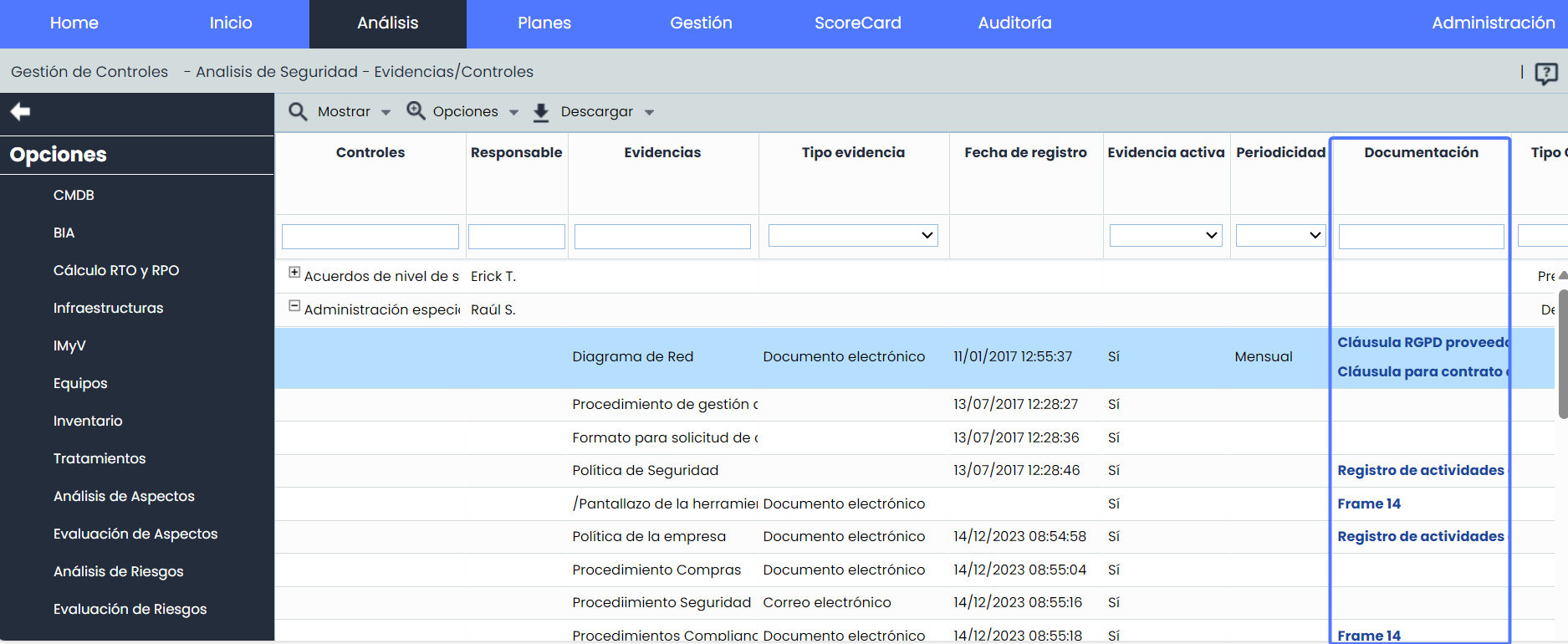
It will be possible to directly download from the Evidence-Controls view the attached documents linked to each piece of evidence, from the “Documentation” field.
-
-
CSV Report Download
-
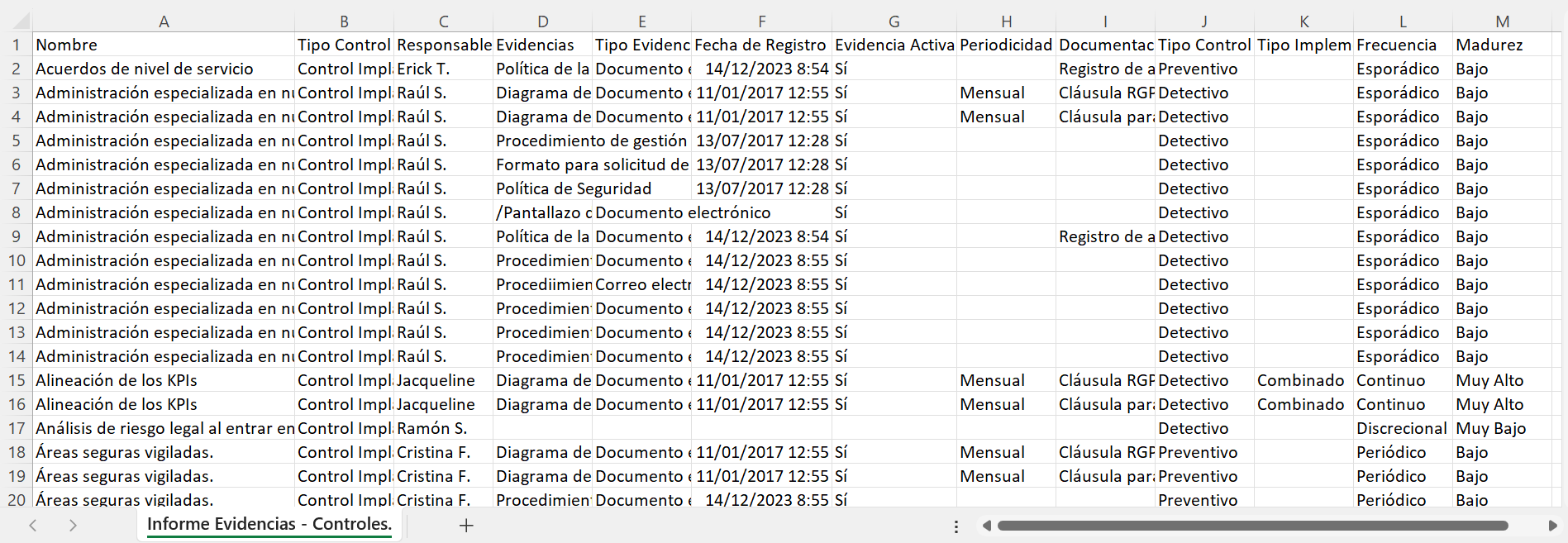
A CSV Report of the new Evidence-Controls view can be downloaded.
-
Customization of the fields included in the report according to user preferences.
-
Access to the New View
To access this new option, go to Control Management, and upon entering the Controls/Actions view of a risk analysis, click on Show > Evidence/Controls.
Attachment Download
CSV Report
In upcoming versions, we will also incorporate the possibility of generating Historical Records from this view.
Integration API with Risk Analysis
With the aim of further expanding the possibility of connecting GlobalSuite® with other proprietary or third-party information systems, automating updates to keep them always up-to-date, or automating the extraction of information for further study, in this product version we have incorporated capabilities to interact with the Risk Analysis of GlobalSuite®, allowing various actions to be automated.
Main Features
-
The consultation and retrieval of risks from an analysis, with the dimension assessment defined in the associated Risk Methodology, is available.
-
Risk analyses can be created automatically, including in the scope the elements to be evaluated.
-
It is possible to create, modify, and delete risks and assess their manual dimensions, being able to update the automatic dimensions using the GlobalSuite® calculation engine whenever desired.
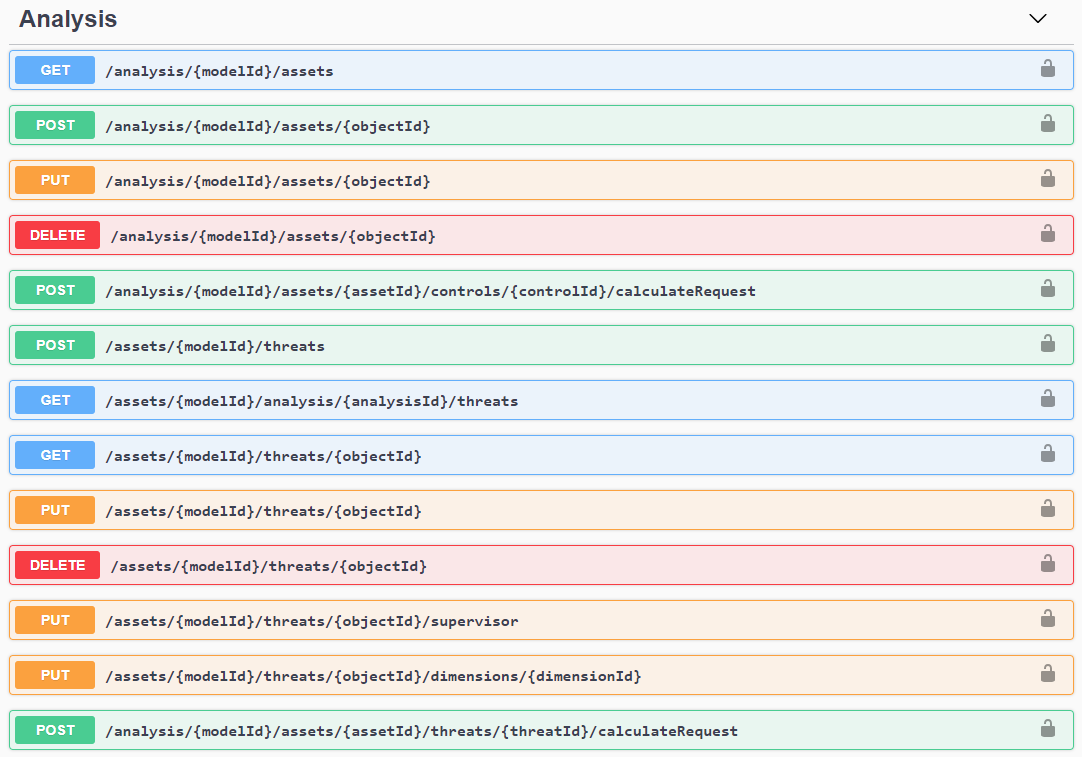
By using the APIs, you can integrate GlobalSuite® with other applications, tools, or systems in your corporate ecosystem. For example:
-
You can automate the creation of records from other tools.
-
Synchronize information to export it to another tool for its data processing.
-
Export records to store them in a repository or data lake (EDL).
You can consult the GlobalSuite® API through the documentation repository GlobalSuite® API.
If you want to start testing or using the GlobalSuite® APIs, contact your provider.
In upcoming versions, we will incorporate additional capabilities for the automatic interaction of the product. If you want more information about the APIs, you can consult it here.