
New features and improvements in GlobalSuite® GRC
Textual Dimensions in Risk Methodology
This improvement introduces the possibility of configuring text-type dimensions within risk methodologies, aiming to enhance flexibility and customization in the analysis, visualization, and management of data related to risk management.
This functionality allows:
-
Possibility to intersperse textual fields with other types of qualitative or quantitative dimensions.
-
Ability to rename them and customize which ones are included in templates and Reports.
-
Possibility to include them as mandatory dimensions in surveys, and they can be edited for existing risks.
Key Features
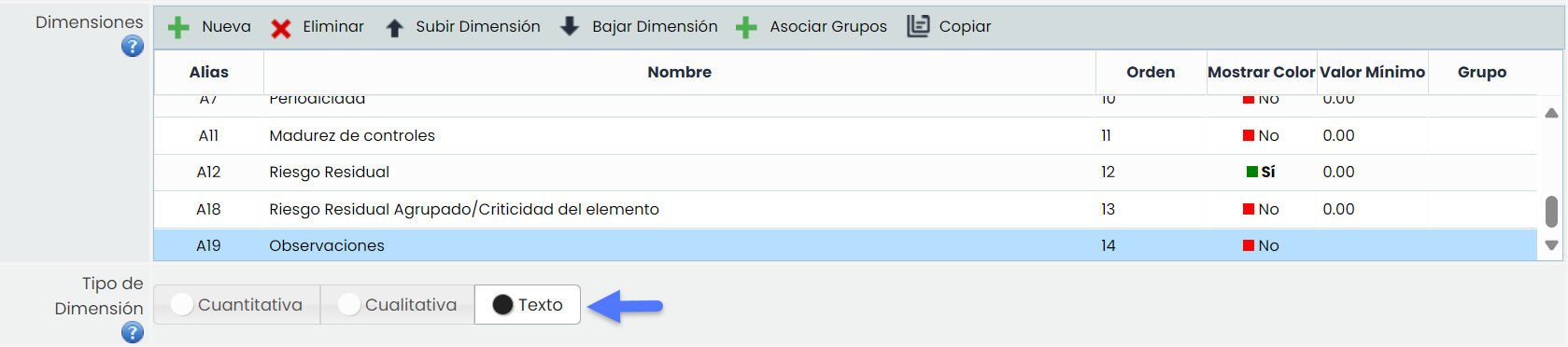
Configuration of textual dimensions in risk methodology
It is allowed to create text-type dimensions from Settings > Methodology > Risks
Visualization
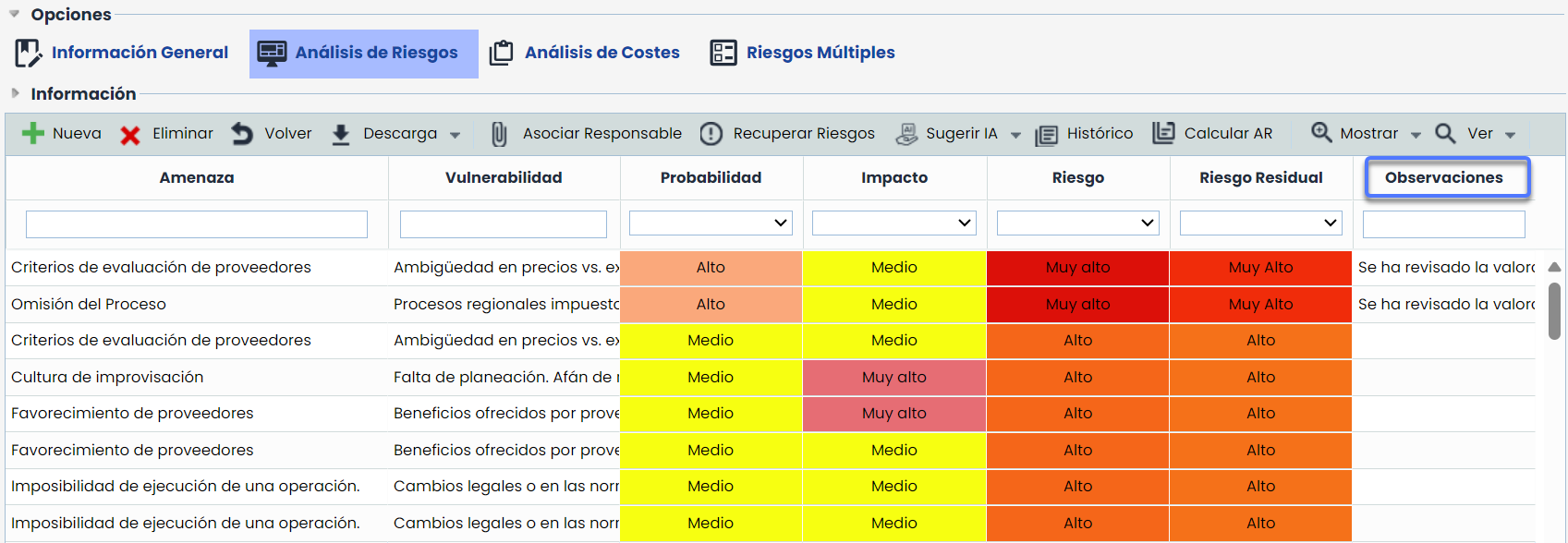
Textual dimensions can be visualized in the following options:
Table and form
Import
-
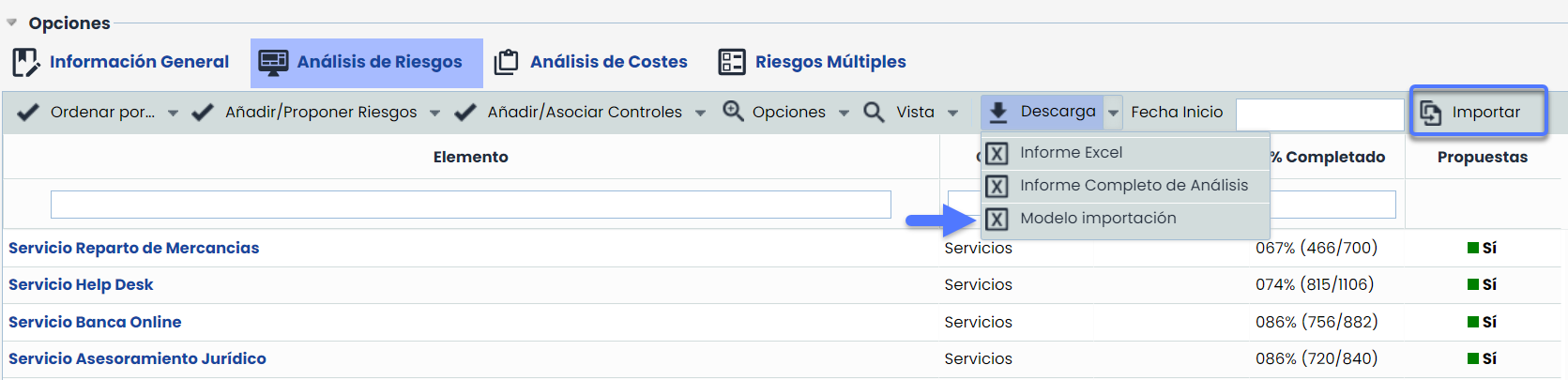
Textual dimensions have been incorporated into the import model.
-
Textual dimensions can be mapped and imported like any other dimension.
-
Risk Assessment: Textual dimensions will be displayed in risk assessments to facilitate their analysis. Specifically in the options of Risk Summary and View Risk Map.
-
Historical Records: The record of textual dimensions is included in the historical records, allowing their evolution to be consulted.
-
Surveys: These dimensions can be included in the survey models for risks, and their content can be visualized in survey forms.
-
-
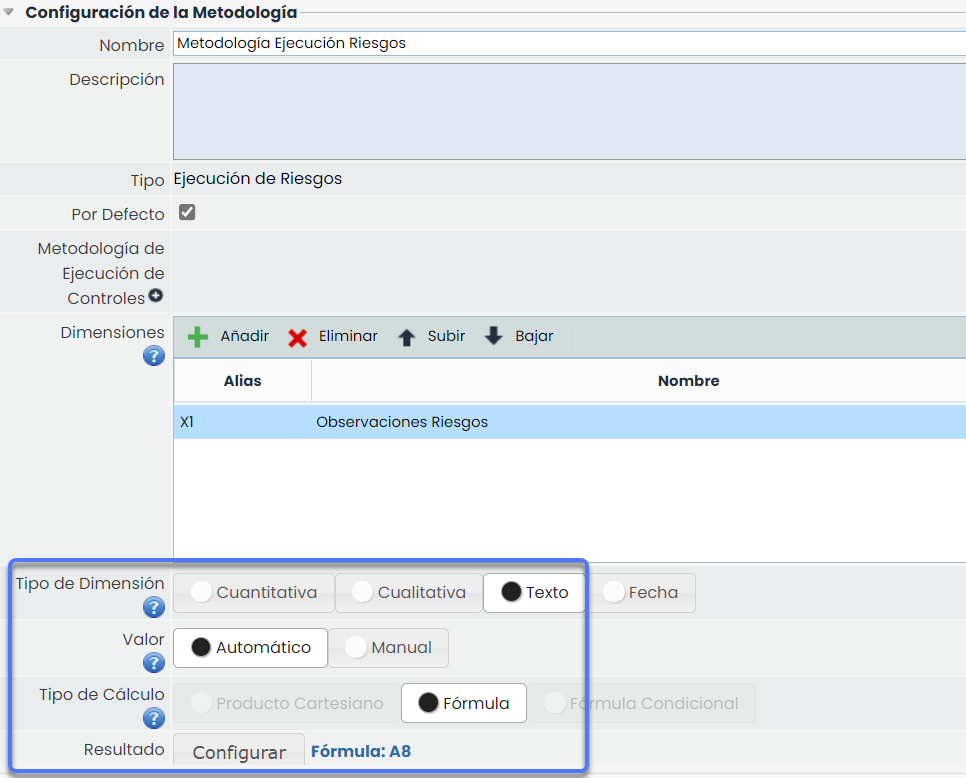
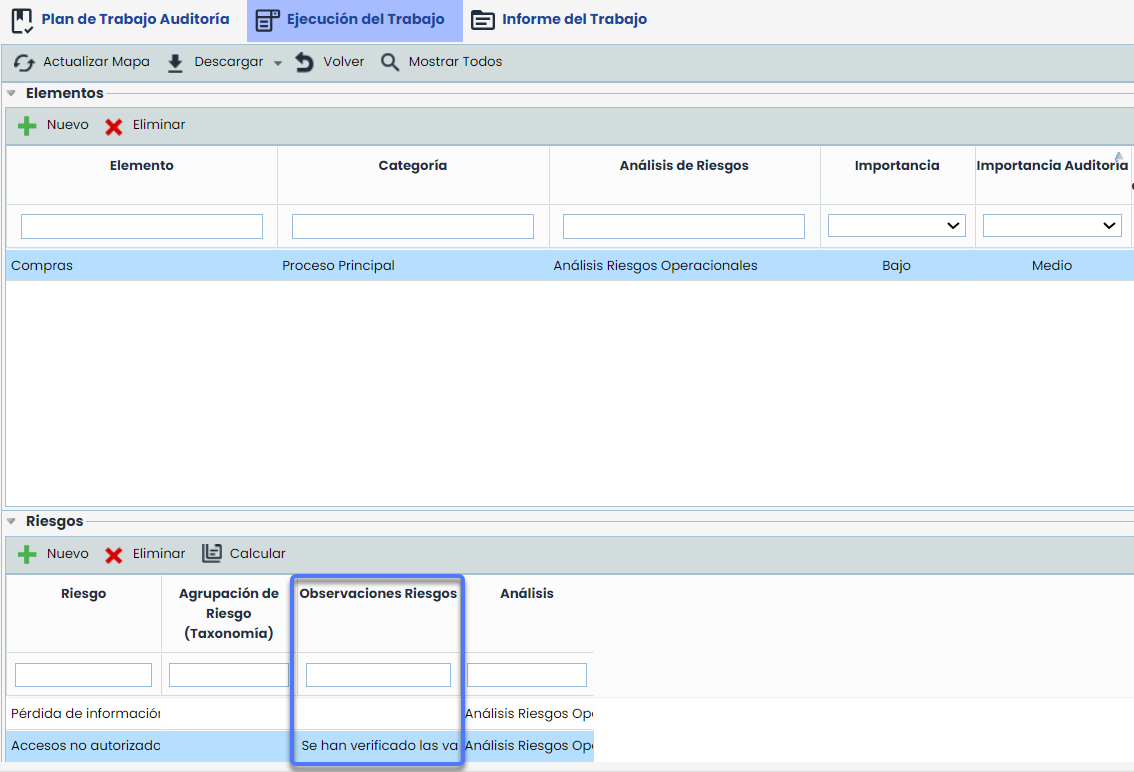
The possibility of selecting textual risk dimensions in the execution methodology is enabled.
-
These dimensions are automatically integrated into audit tasks along with their information.
-
-
Tickets: For tickets with fields of type SIMULATION RISK or THREATS, text dimensions will be displayed with their corresponding assessment.
Compatibility in reports
Textual dimensions are included in the reports generated for all the aforementioned options, ensuring their visibility and traceability.
New Features and Improvements in GlobalSuite® Audit
Audits – Code in Audit Plans and Tasks
This improvement introduces the "Code" field in audit plans and tasks to uniquely identify them. In this update, the possibility of defining these codes manually is included.
In future versions, the option to configure the automatic generation of codes for tasks will be added, and these will be constructed uniquely for each task in the Audit Program without manual intervention.
Manual Code Configuration
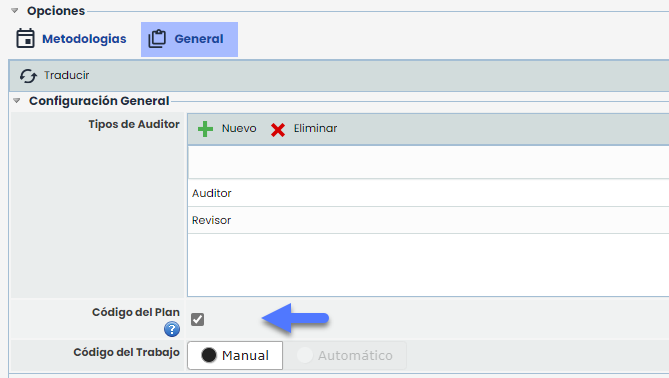
To enable this functionality, go to Settings > Audits > General and activate the Plan Code checkbox. By doing so, the "Plan Code" and "Task Code" fields will be available in the plan and task forms, respectively.
Functionality
The "Plan Code" and "Task Code" fields will be visible in the plan and task forms once enabled and can be edited while the plan or task remains open.
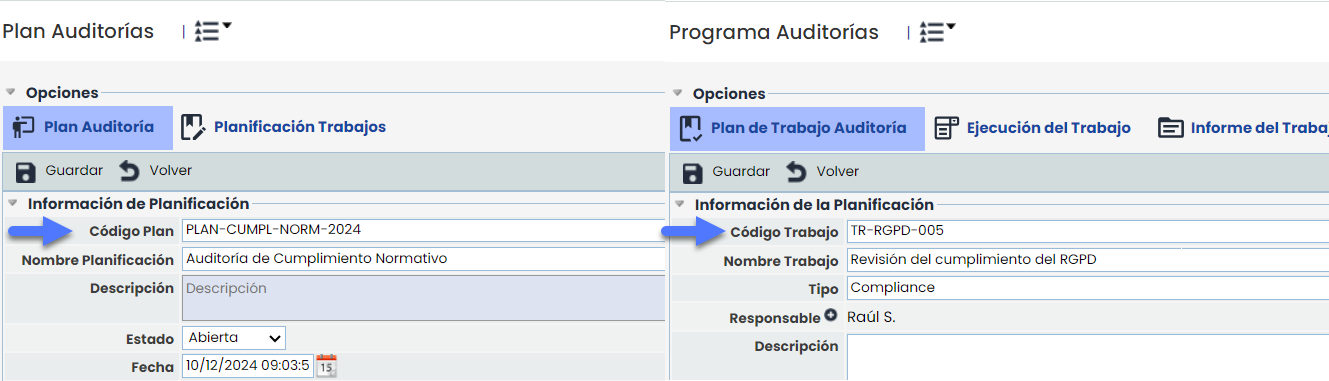
The codes will be visible in tables, tickets, and reports related to audits.

Plan/Task Copy: When copying a plan or task, the codes will not be duplicated and will remain blank to be completed later.
Propagation: When propagating a plan, it and its tasks will be copied along with their codes.