New features and general improvements in GlobalSuite® GRC
New Project Management Reports
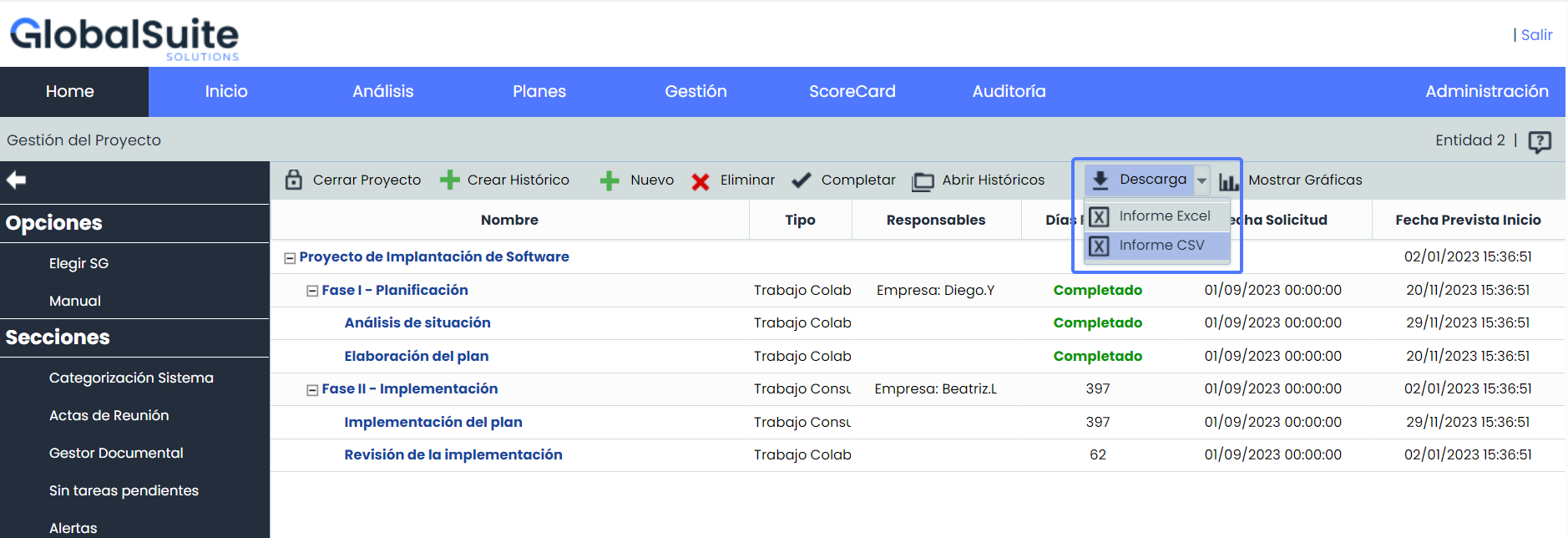
From now on, it will be possible to download reports containing complete information about the management and progress in the implementation of a specific project.
This new functionality offers the ability to generate Project reports tailored to specific needs, either by consolidating information from lower entities into a single report or by providing detailed information about a particular entity.
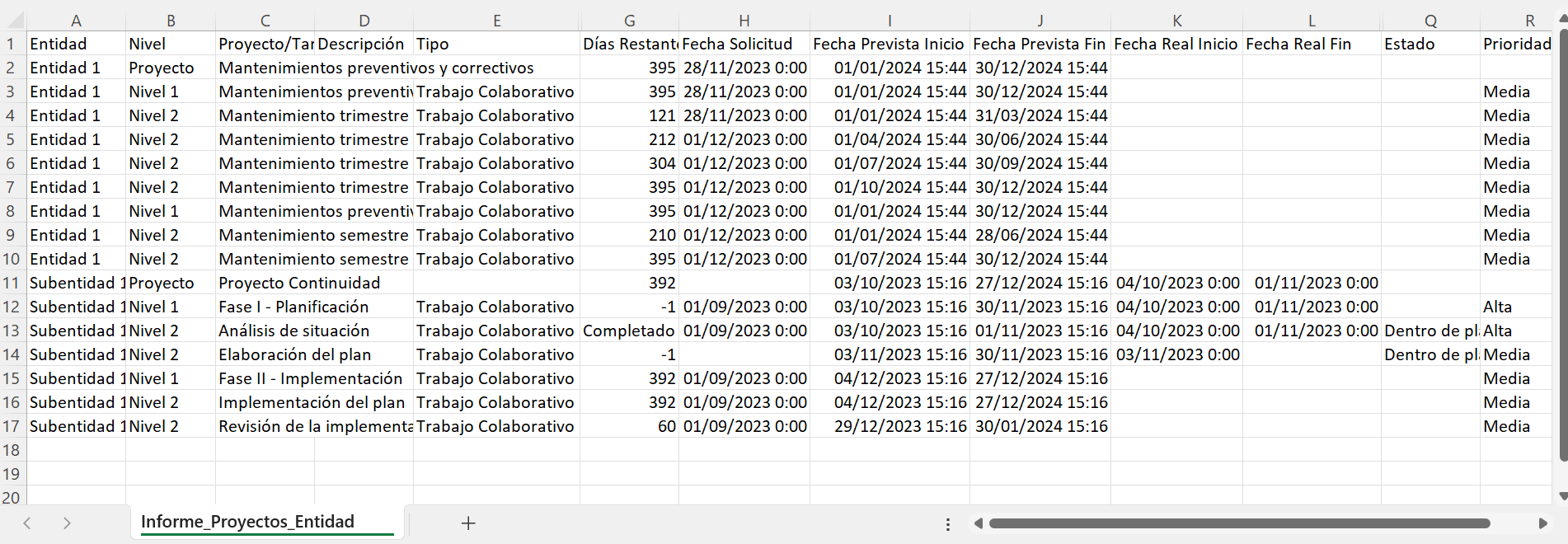
Additionally, a new field "Level" is added, indicating the level of each task, which will facilitate data exploitation.
This improves data exploitation capabilities, decision-making, and facilitates monitoring and management.
Consolidated Project Report
-
This report is useful when using the "Subentities" option and you want to consolidate information from some or all lower entities into a single report.
-
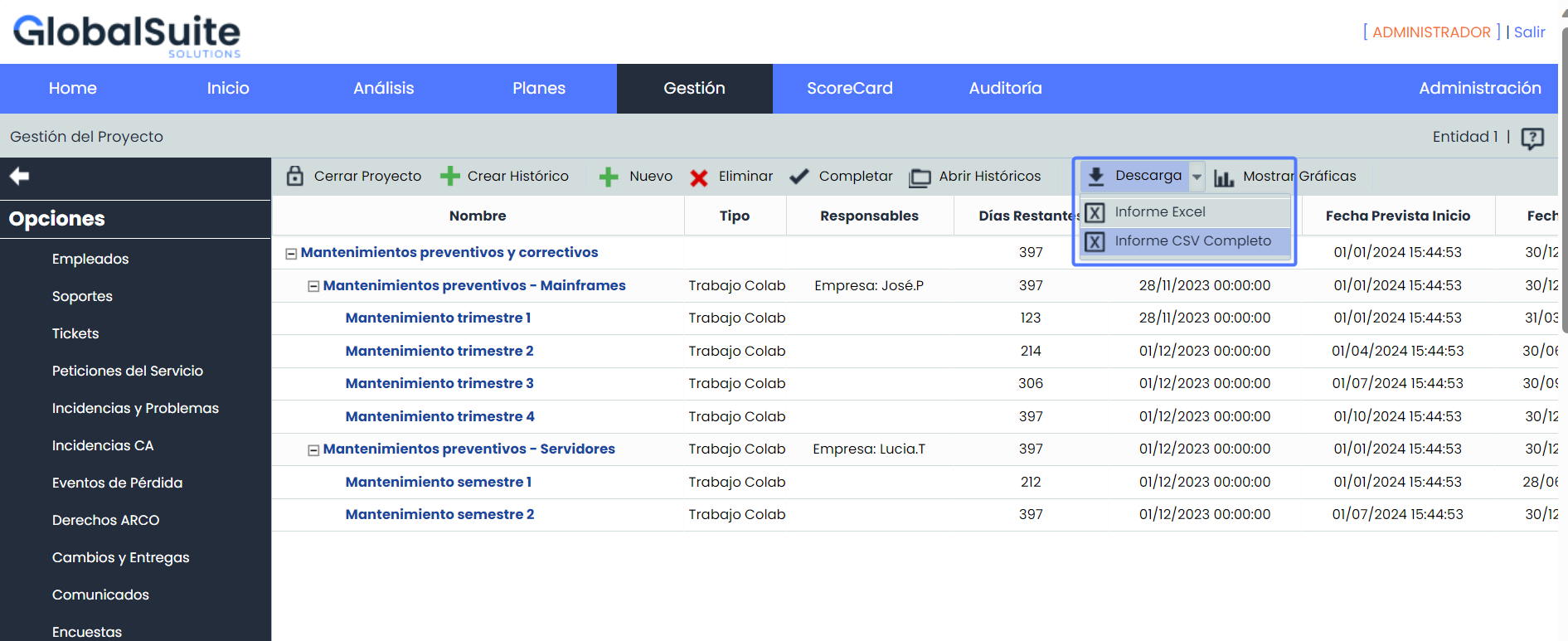
Allows downloading the project status from the current management system with all its information.
-
Tasks are organized into levels within the report to facilitate subsequent exploitation.
-
Provides an overview of all projects from lower entities and consolidates them into a single report.
-
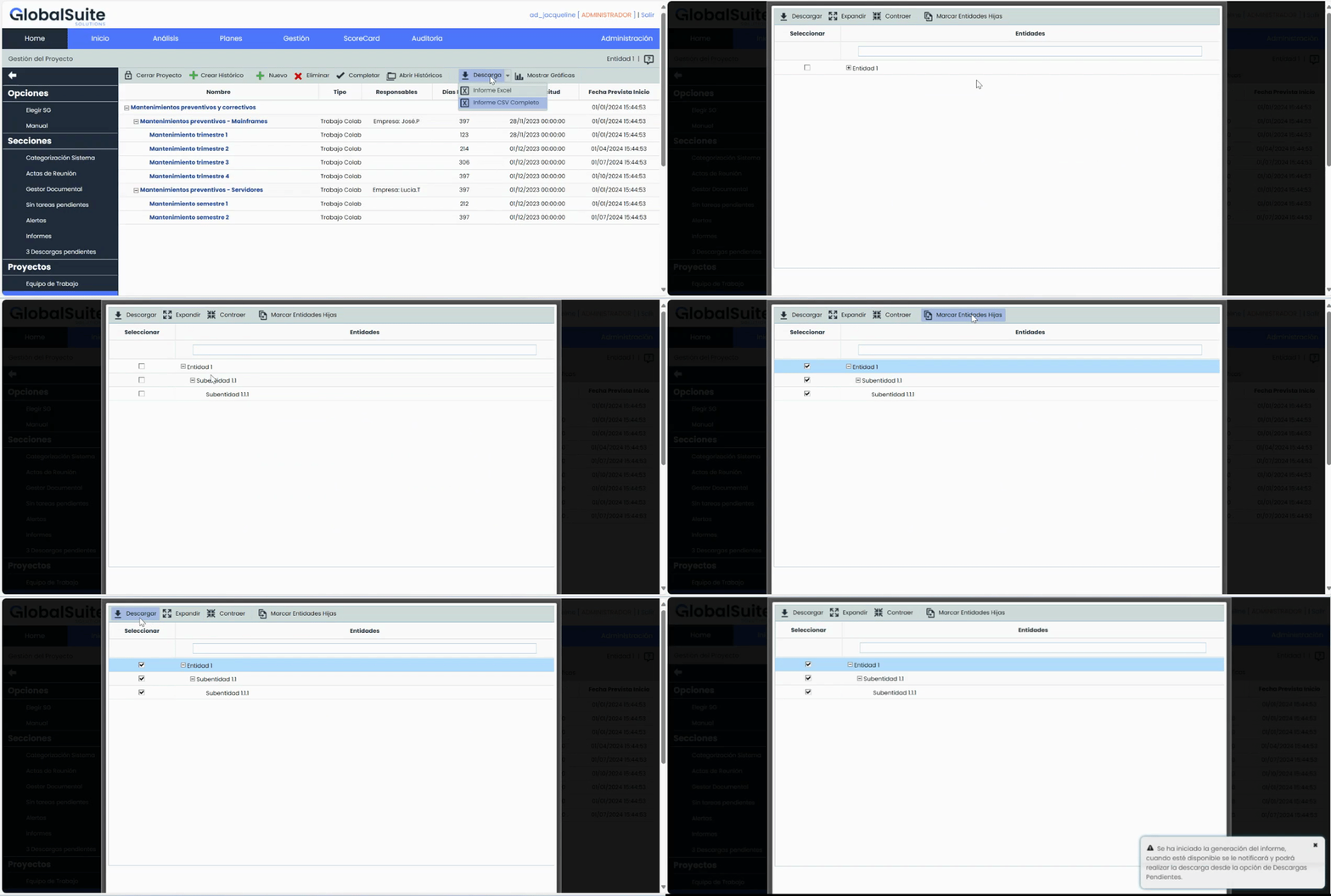
Option to choose which entities will be included in the report.
-
The report will be downloaded in CSV format and will be available in Pending Downloads.
Individual Project Report
-
This report is suitable when the "Subentities" option is not used or when there are no lower entities in the configuration, although it will be available to all users regardless of the use of subentities.
-
Allows downloading the project status from the current management system with all its information.
-
Tasks are organized into levels within the report to facilitate subsequent exploitation.
-
The report will be downloaded in CSV format and will be available in Pending Downloads.
New features and improvements in GlobalSuite® Audit Management
Include new records in audits
This latest update introduces a key functionality designed to provide even greater control over the planning and execution of audits, allowing the incorporation of new records of items, risks, and controls, even if they are not within an existing risk analysis in the Audit.
These new functionalities and improvements not only offer greater flexibility and adaptability in audit management but also provide a more efficient and comprehensive experience for users.
Main Features
-
Flexibility in Planning and Execution: the ability to add new records provides additional flexibility in the planning and execution of audits, allowing dynamic adaptation to changing requirements.
-
Category Association: the new records can be associated with categories, just like those originating from a Risk Analysis. This provides an organizational structure and facilitates their identification and classification within the Audit.
-
Dimension Assessment: the items are fully adaptable to the dimensions of the methodology. They can be assessed according to the specifications of the relevant dimensions, allowing for a more precise and detailed evaluation during the planning and execution of audits.
-
Propagation of Items and Assessments: We introduce the ability to propagate these items, their assessments, and the category associated with them.
-
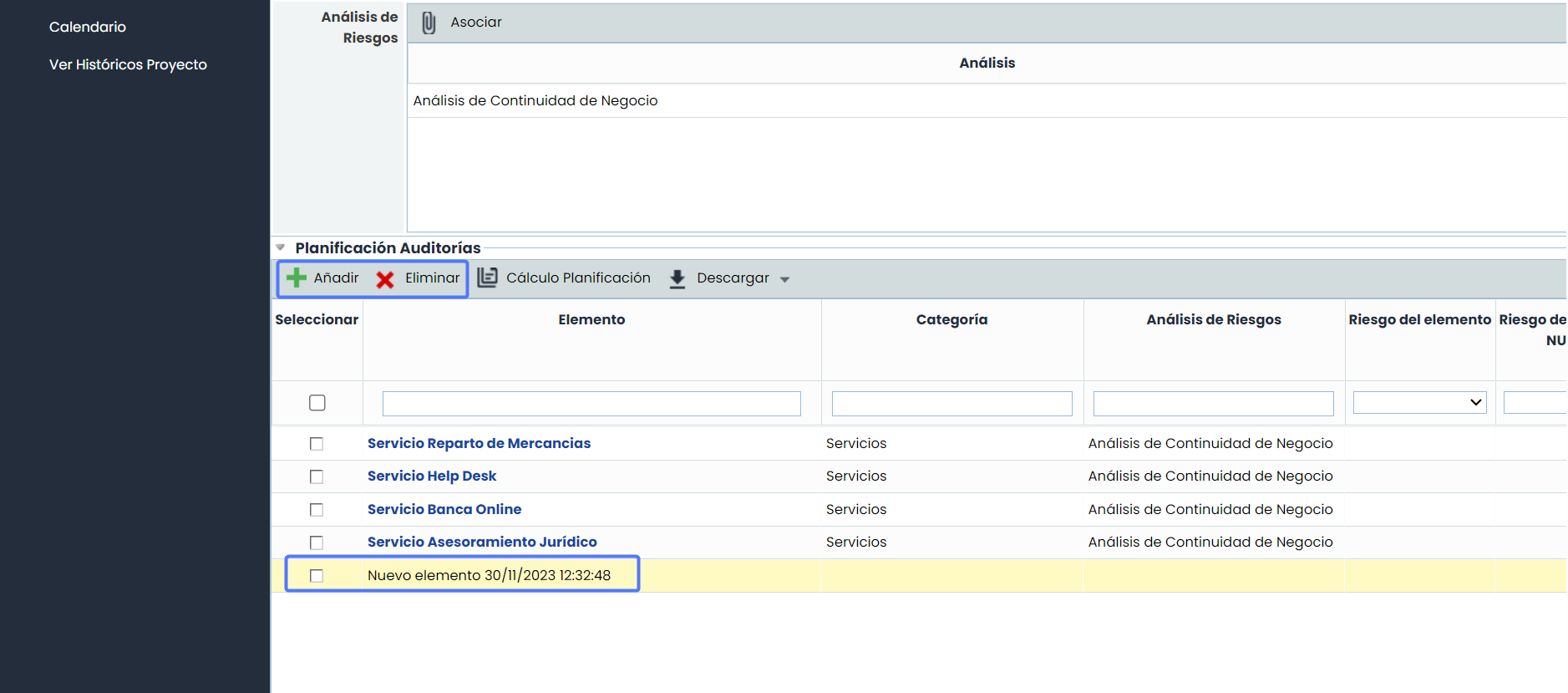
Visual Identification: the new items are visually highlighted with a yellow background during the planning process. This differentiation facilitates the quick and easy identification of new items compared to existing ones, improving management efficiency.
-
Inclusion in Reports: the new records and their assessments are automatically incorporated into all reports generated from the audit module.
-
Integration into Dashboards: the new records are included in all existing dashboards under the Audit Programs option.
Configuration
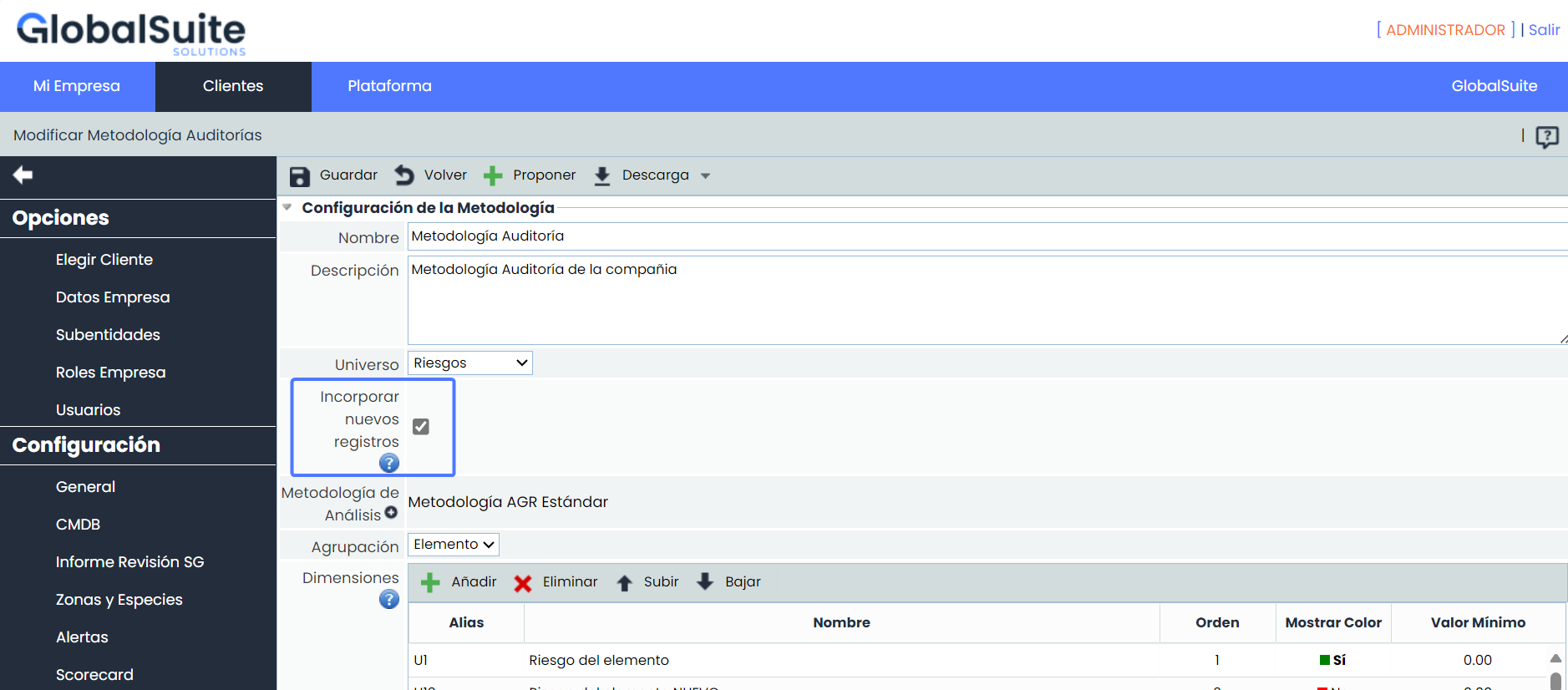
The activation of this functionality is done from Administration > Methodologies > Audits
Audit Planning
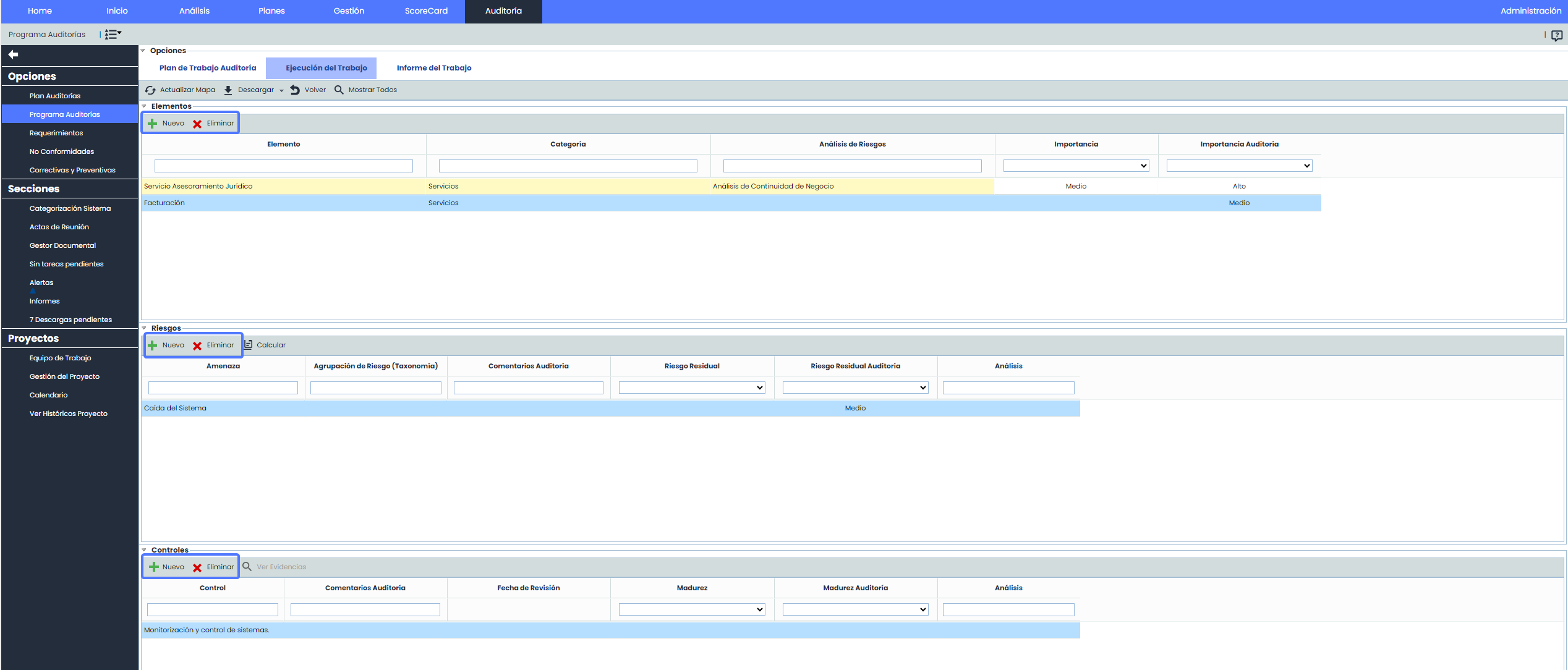
Once the option is selected, the "Add" and "Delete" buttons will be activated to facilitate the inclusion of new items in the audit plan.
Work Planning
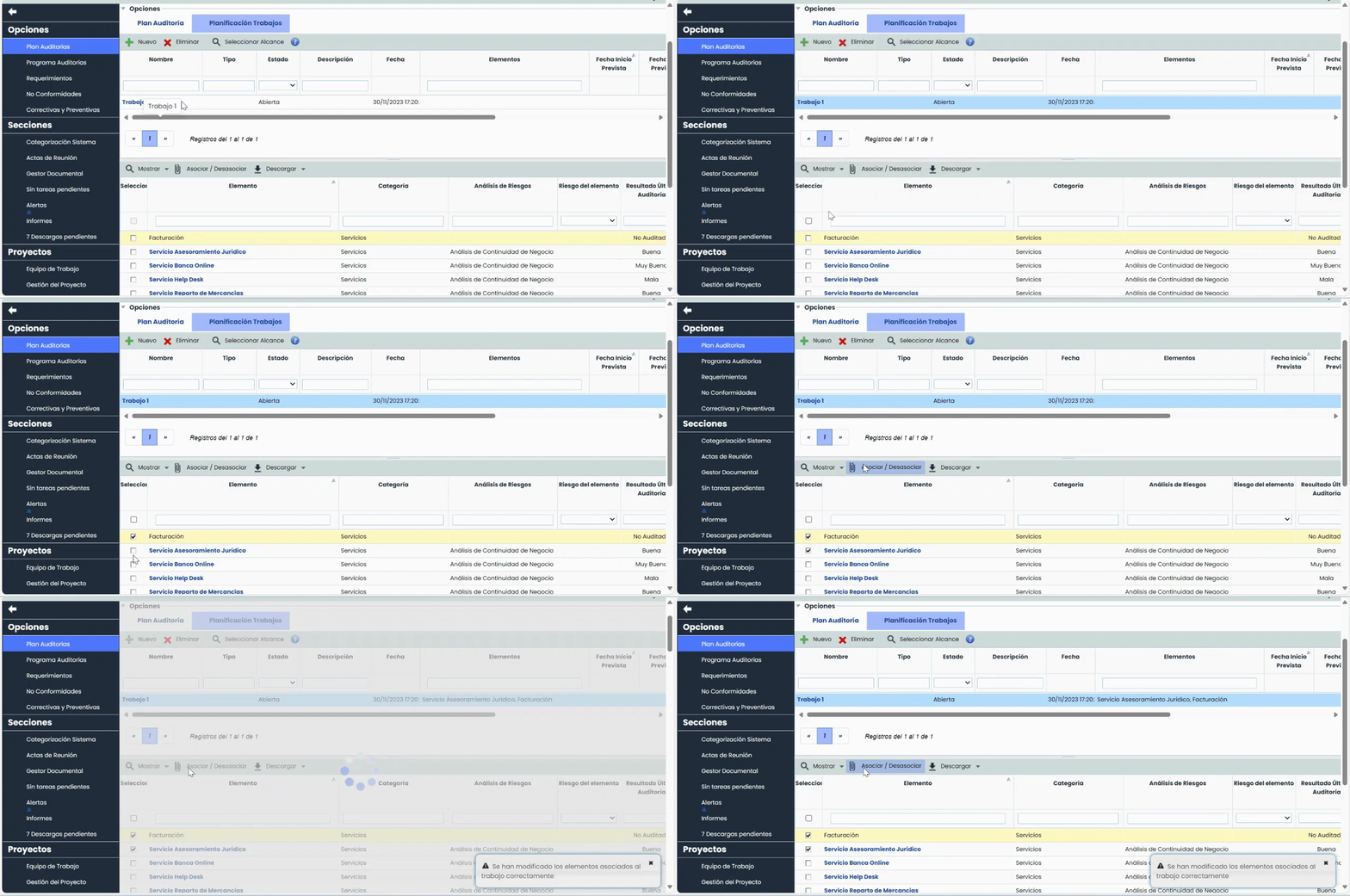
These items can be assigned to audit work using the same procedure as those originating from a risk analysis.
Work Execution
In this phase, in addition to adding new items, it is possible to add new risks and controls in the corresponding tables.