
New features and improvements – Login via Single Sign-On (SSO)
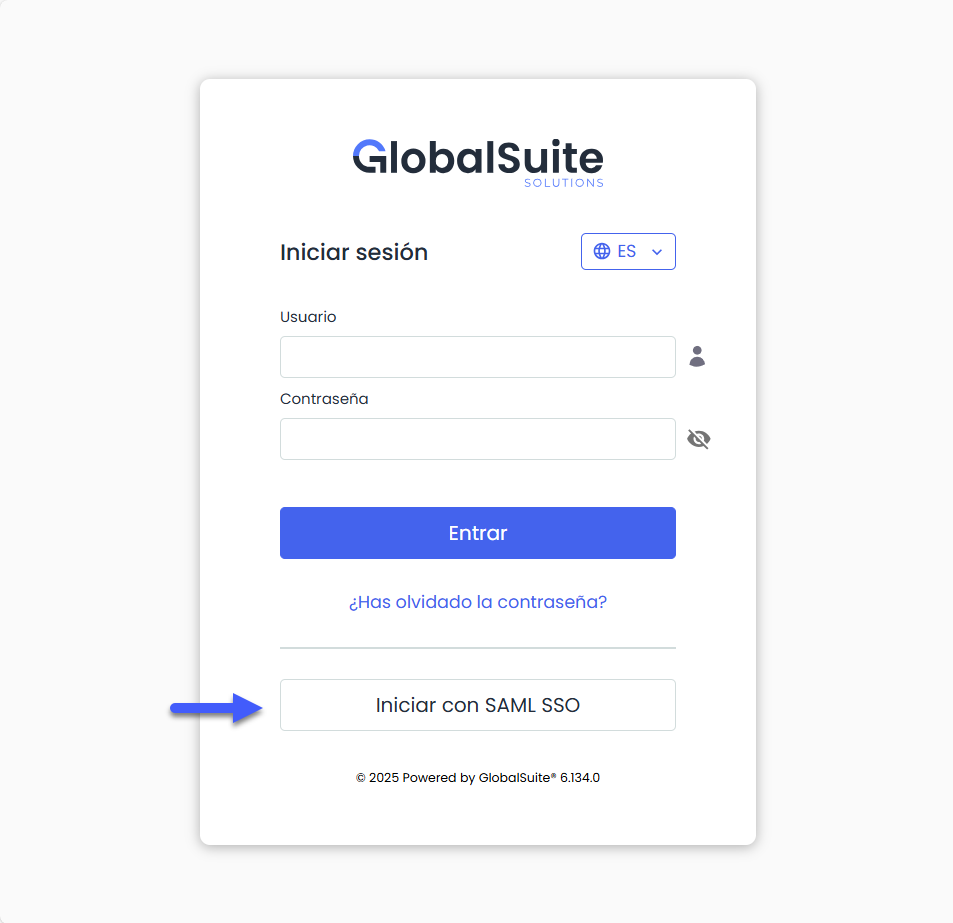
The functionality of login via Single Sign-On (SSO) with SAML authentication is expanded, now allowing direct access from the standard GlobalSuite® login screen by entering only the email address.
Existing URLs will continue to work without changes. This improvement adds a new way to access using the standard environment URL and the “Login with SAML SSO” button.
As an improvement, all connections configured with SAML authentication can now access directly from the standard GlobalSuite® login screen, using the “Login with SAML SSO” button.
When selecting this option, a field will appear to enter the user's email address.
The system will automatically identify the corresponding connection, authenticate against the organization's server, and allow access without the need to use external URLs or additional parameters.
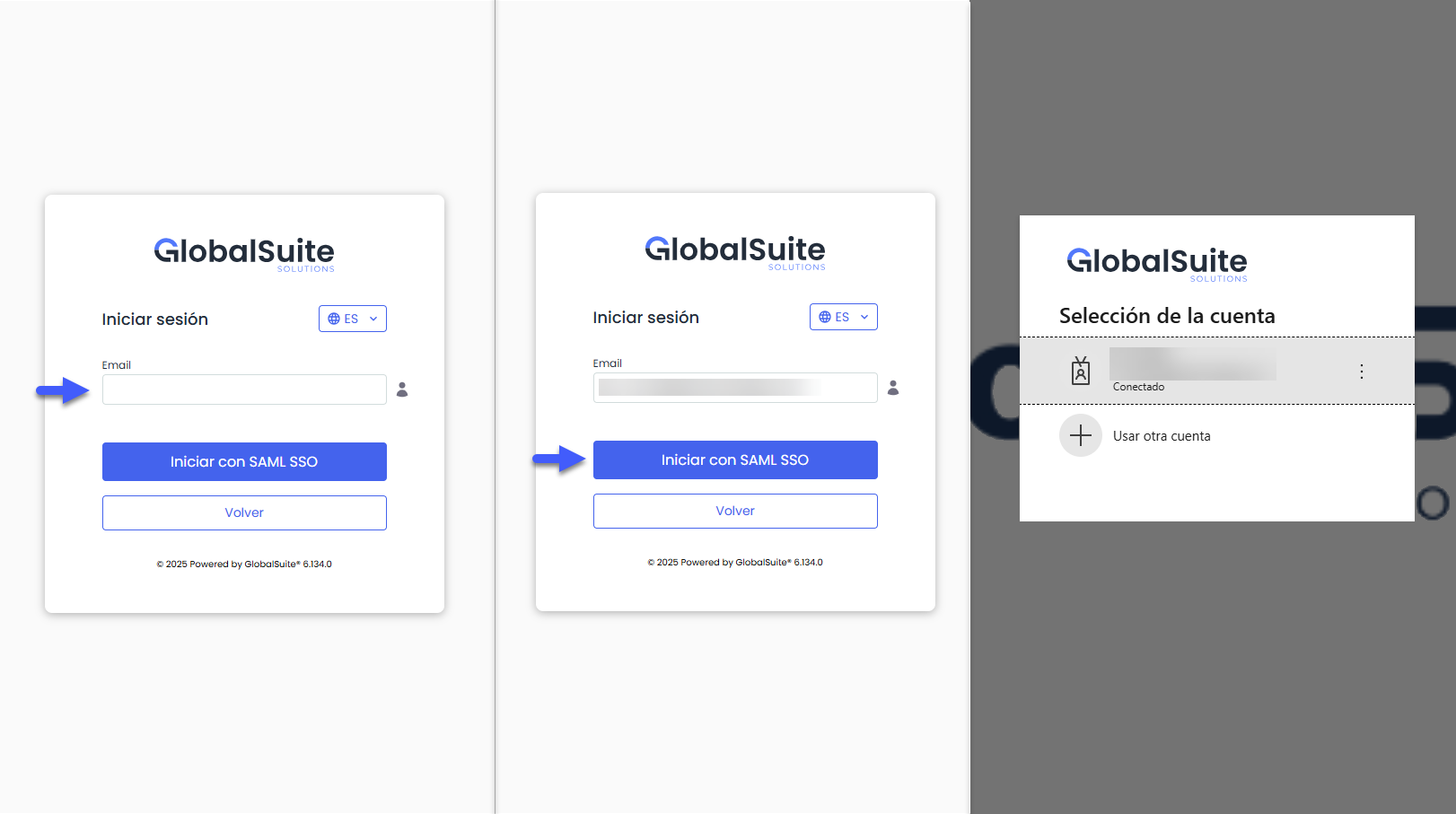
Users with multiple accounts associated with the same email
In cases where the same email address has multiple users associated within the MS, GlobalSuite® will log in using the primary user (the one that groups the rest of the linked users).
Once authenticated, the usual screen will be displayed for the user to select which associated user they wish to work with, maintaining the current system behavior.
New users
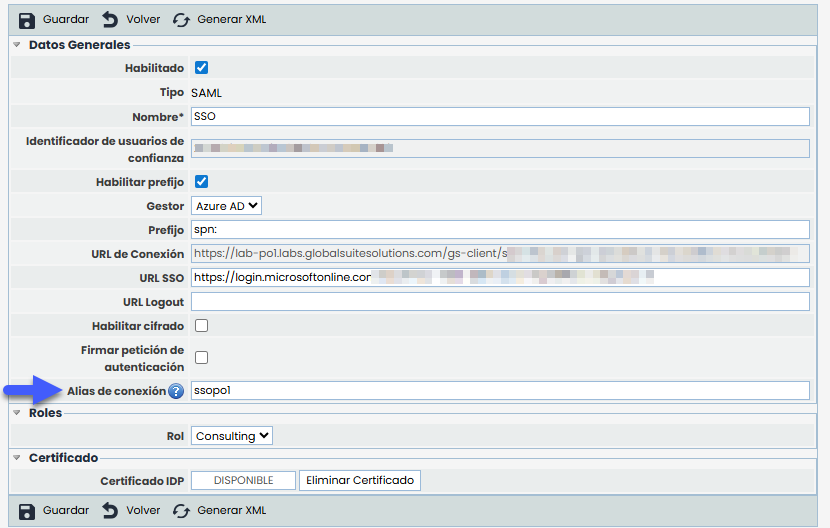
For users accessing for the first time — that is, those who have never logged in and do not yet have a user created in the system — an additional piece of information called “Connection Alias” will be requested.
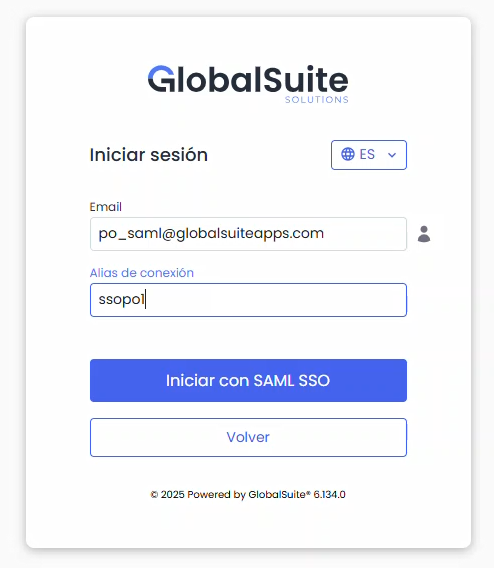
This alias allows identifying in which MS the user should register and is defined during the connection configuration.
New Dynamic Reports in Excel
Improvement in dynamic reports for Elements, Risks, and Controls
The capabilities of dynamic reports for Elements, Risks, and Controls are expanded, which until now allowed their generation in Word , now incorporating the possibility of creating reports in Excel to extract information from an element with the applied risks and controls in a structured format .
Additionally, the set of available variables is expanded, offering more information on management, tracking, and elements associated with tickets, increasing flexibility in the creation and customization of templates.
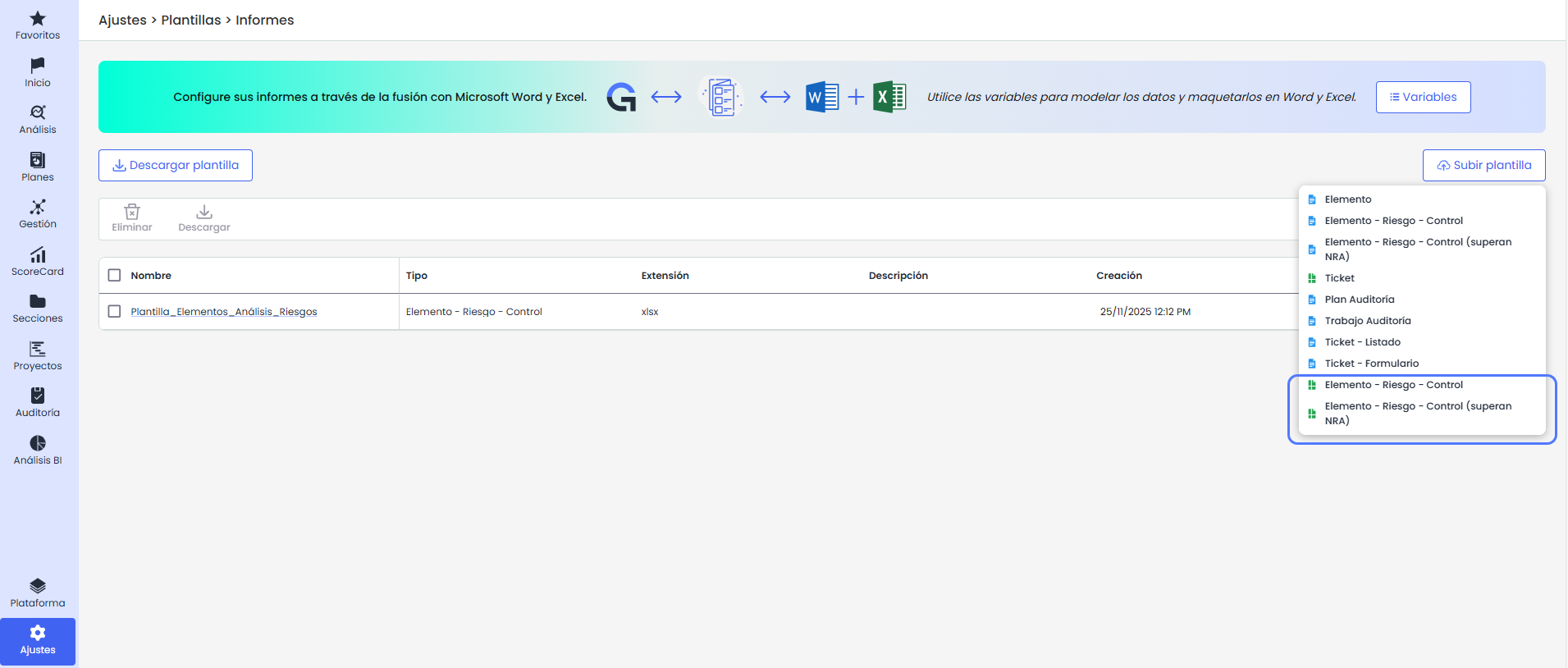
Main features:
-
Dynamic templates: It will be possible to create Excel documents with aggregated information from an element and its various risk analyses, enabling content automation.
-
Integration with GlobalSuite®: Pre-configured data on the platform can be used to generate reports without the need for manual editing.
-
Flexibility in customization: It will be possible to adapt the design and structure of the reports according to needs.
-
Variable listings: A complete catalog of variables for elements, risks, and controls will be accessible, cross-referencing information for massive data extraction.
More Information
For more details on what data can be exported in the templates for Elements, Risks, and Controls, you can check the manual details here.
New GlobalSuite® GRC improvements
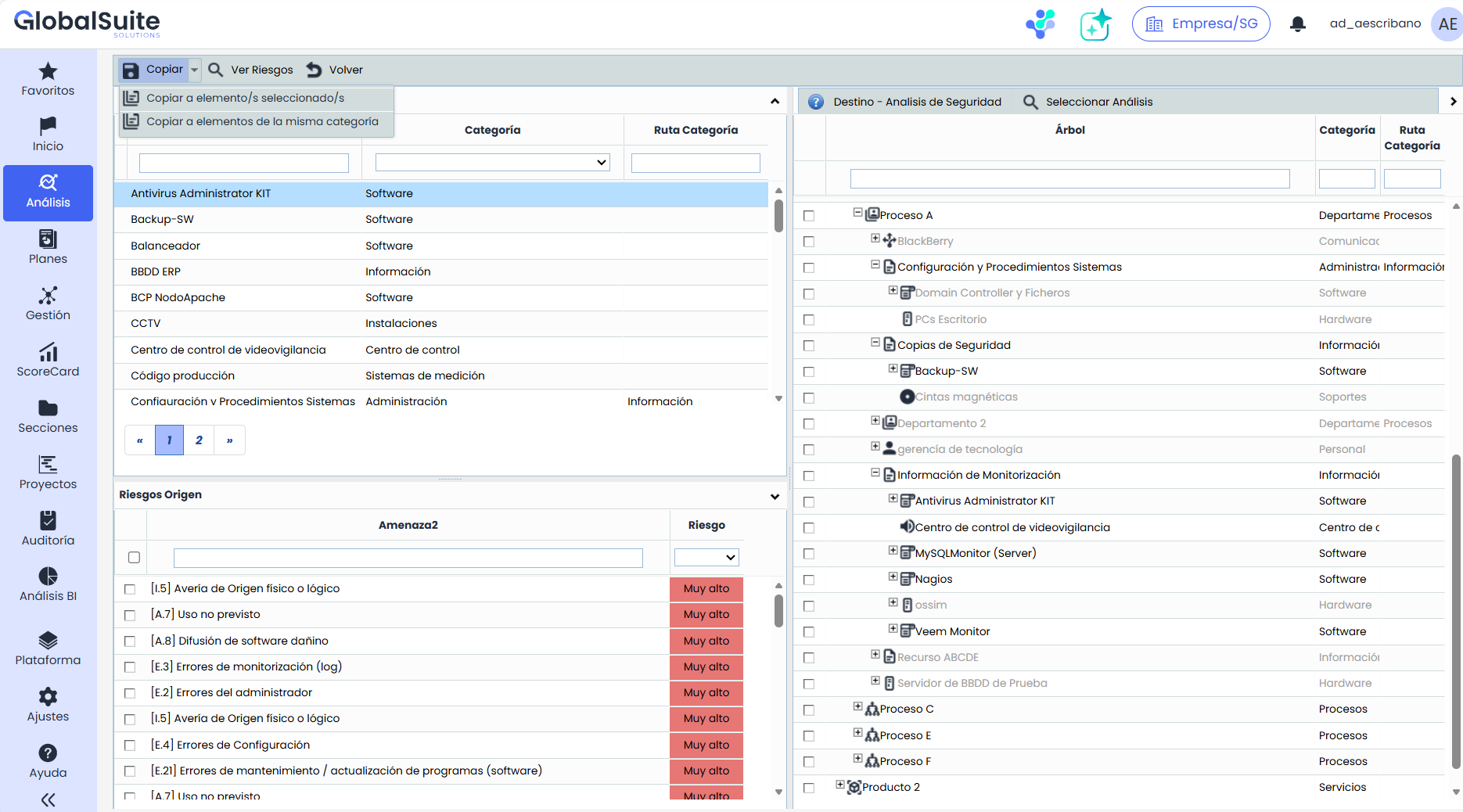
Improvement in Risk Copy by Category
The capabilities of Risk Copy in the GlobalSuite® Risk Analysis module are expanded to apply directly to other elements of the same category.
The Copy button becomes a dropdown menu with two alternatives: Copy to selected element(s) and Copy to elements of the same category.
-
Copy to selected element(s) maintains the current functionality: the source element, risks, and destination elements must be selected in the tree.
-
Copy to elements of the same category allows copying the risks of the source element to all elements in the analysis that share its category, without the need to manually select destinations.
This new improvement is available whether you want to copy risks within the same analysis or to all elements of that category in a different risk analysis.