New features and improvements in GlobalSuite® GRC
Documental AI Assistant
A first version of the Documental AI Assistant is introduced, a beta feature that allows processing documents directly from the Document Manager.
This assistant uses artificial intelligence to analyze documents and extract relevant information, identify improvements in their content, propose possible action plans, and generate automatic summaries. Its goal is to facilitate document updating and management, optimizing the time spent on analysis and review tasks.
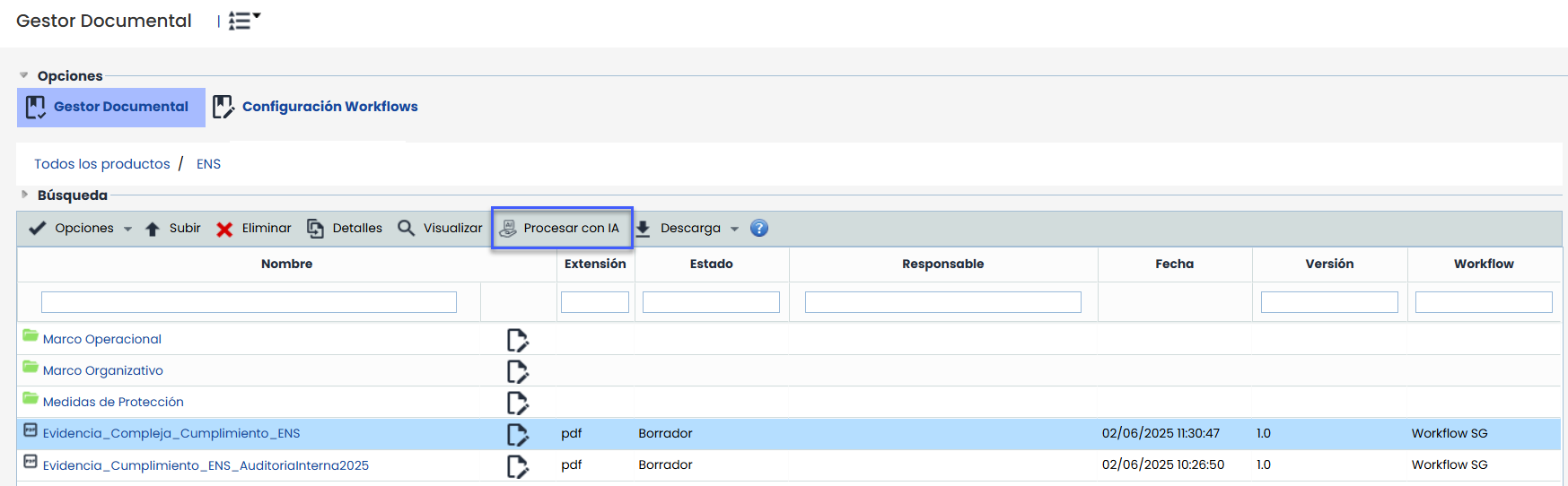
When uploading or selecting a document, the “Process with AI” button is enabled, allowing access to the assistant's various capabilities, including:
-
Content summary.
-
Extraction of key data such as names, dates, figures, or relevant terms.
-
Trend and pattern analysis in structured files (Excel, CSV).
-
Answering questions about the content.
-
Comparison with defined regulatory models.
-
Spelling and grammar review.
-
Improvement suggestions and contextualized comments.
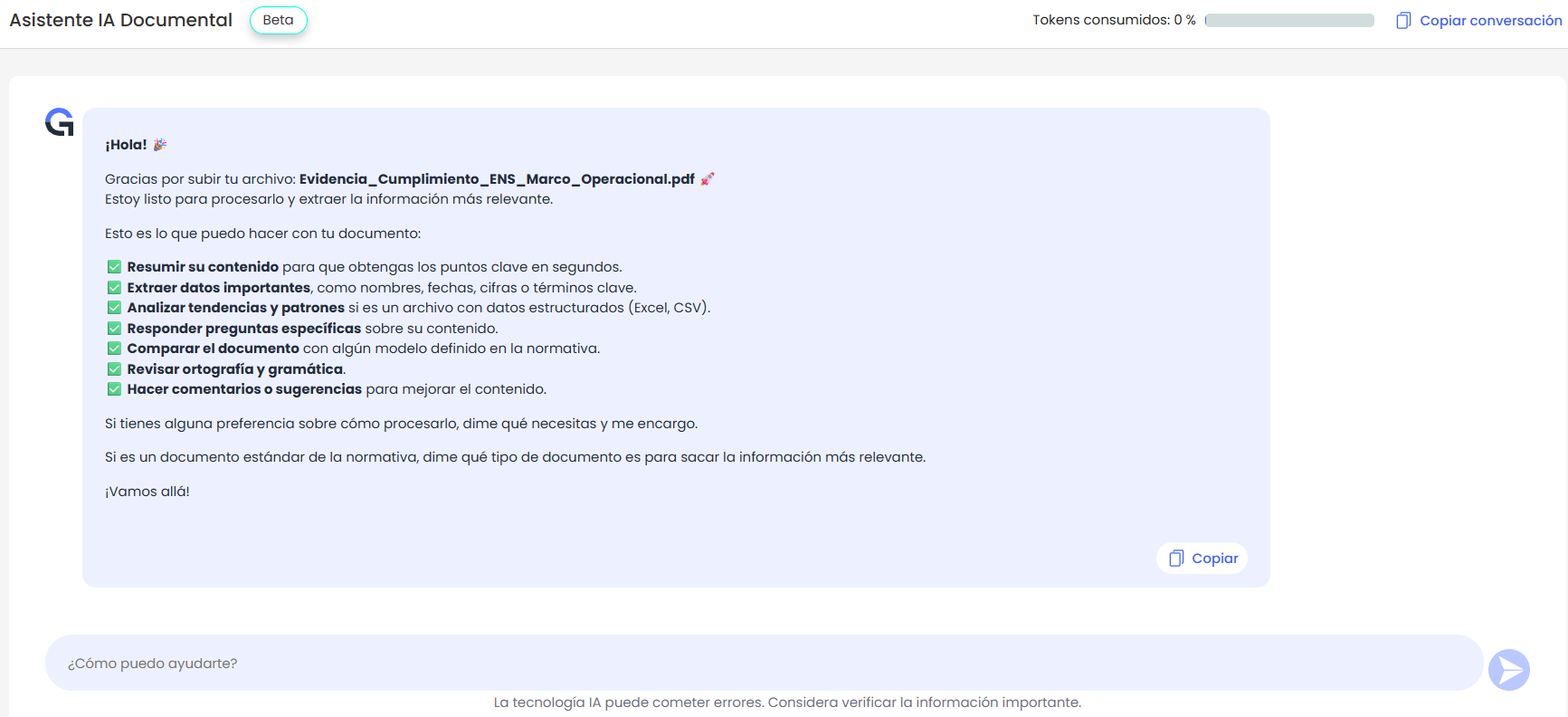
The generated responses can be easily copied for reuse in other environments or documents.
Only files with the following extensions are allowed for processing: pdf, doc, docx, txt, pptx, xlsx, png, jpg, jpeg, csv, and zip.
Association of evidence folder in survey submissions from Risk Analysis
An improvement is introduced in survey submissions from the Risk Analysis, allowing the association of a folder in the Document Manager where evidence attached to controls will be stored.
The field “Evidence Documentation” is displayed only when selecting templates of type Risks-Controls or Elements-Risks-Controls, provided the model has the option “Include evidence documentation” enabled.
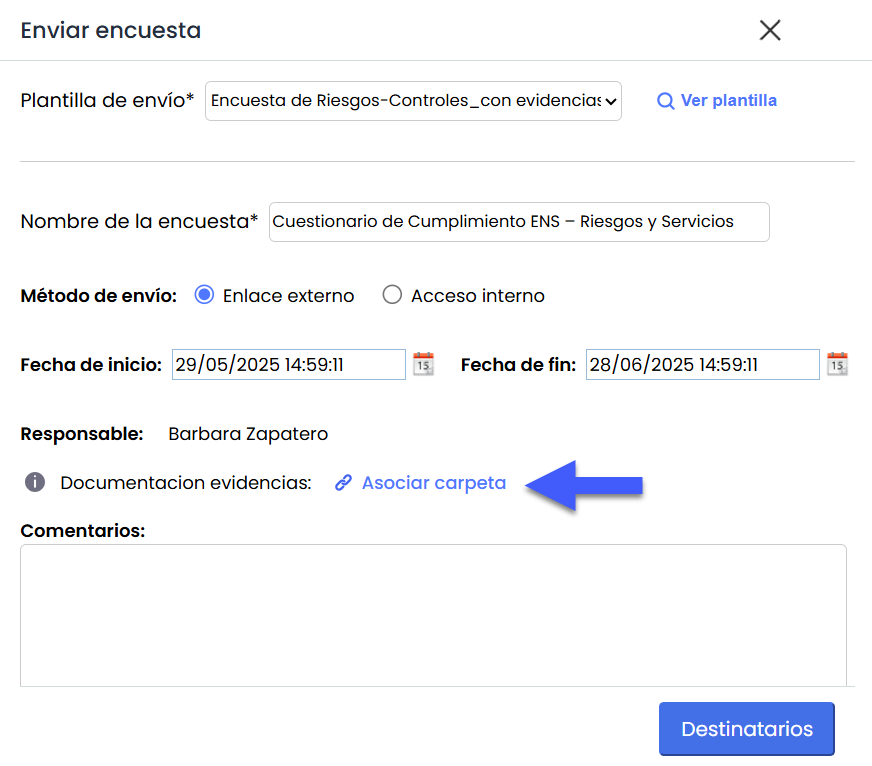
This field will allow selecting the site in the Document Manager where the evidence associated with the controls evaluated in the survey will be uploaded. Document uploads will apply the same workflow validations and visibility rules defined in the survey configuration.
-
If the Workflow is active in the Document Manager, only folders with a valid workflow can be selected.
-
Administrators will be able to see all folders.
-
Basic users will only be able to see:
-
With active WF: folders where they are responsible for a specific state.
-
Without active WF: folders where they have full access or read-only access.
-
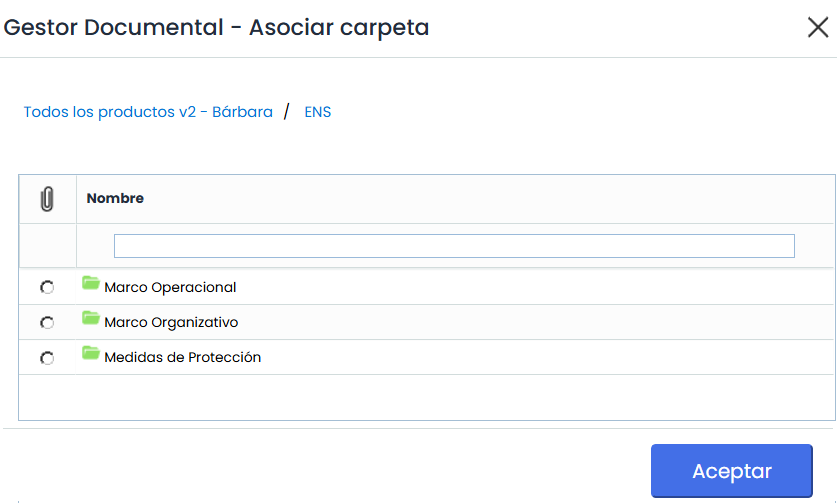
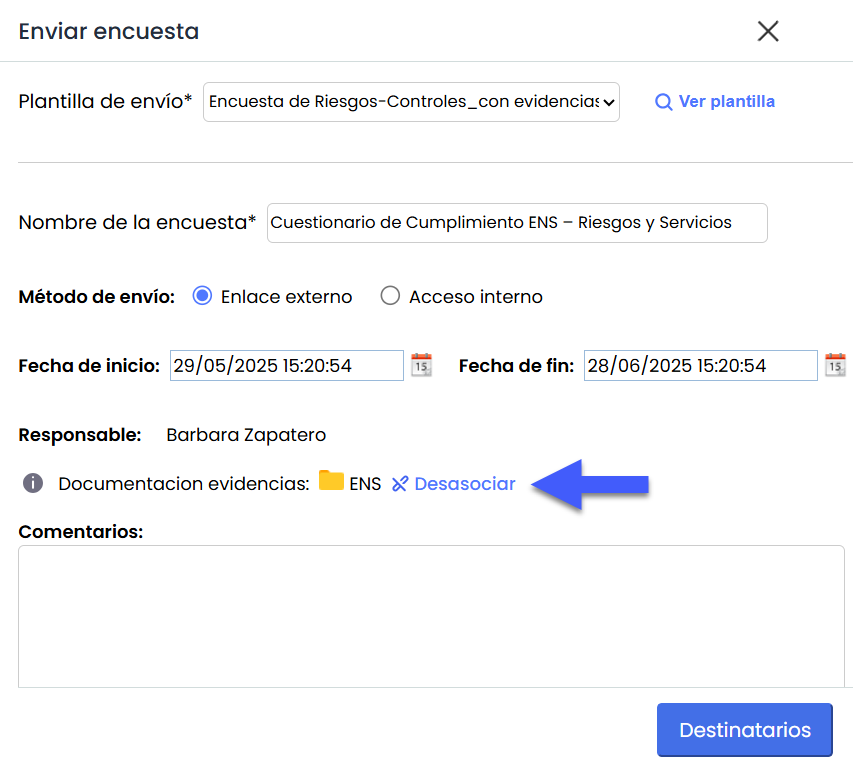
When selecting a valid folder and clicking “Accept,” it becomes associated with the submission. If the template already has a predefined folder, it will appear selected by default. In any case, a link will be displayed next to the name to easily disassociate it.
New features and improvements – GlobalSuite® BI Plus
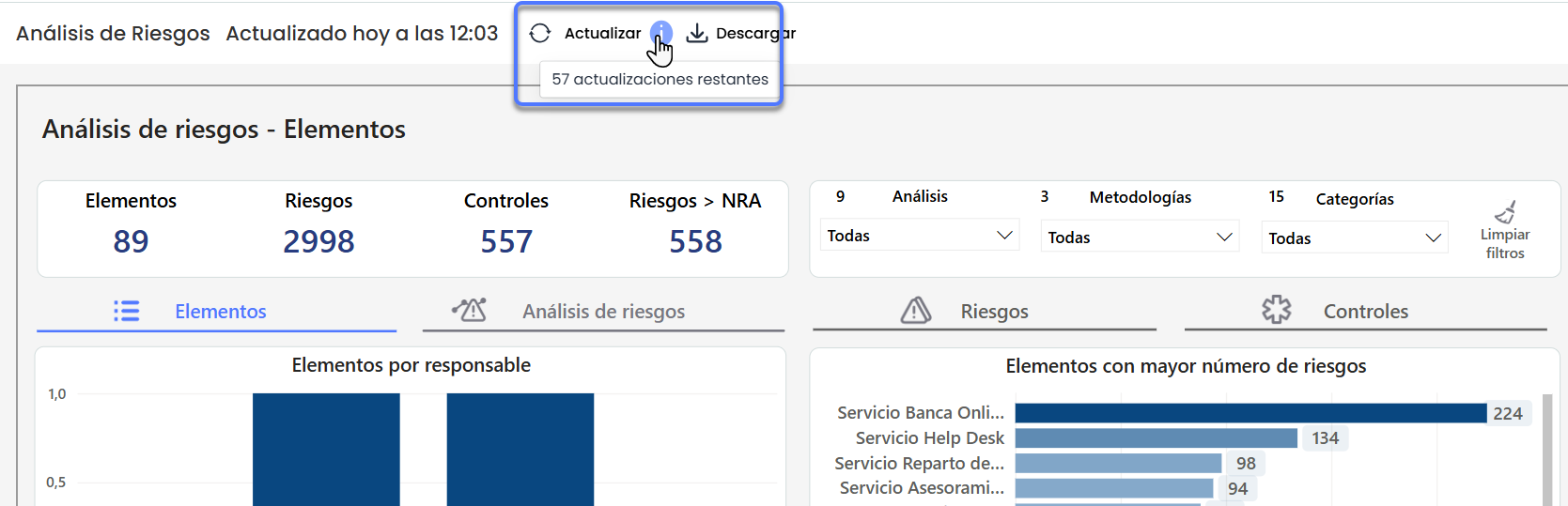
On-demand dashboard updates
This improvement introduces a new feature that allows users with a BI Plus license to manually update dashboards, aiming to provide up-to-date information on demand without waiting for the daily automatic update.
Key Features
-
Inclusion of an "Update" button visible on all dashboards in the environment for users with a GlobalSuite BI - Plus license.
-
Allows up to 60 updates per environment per month. Clicking it on any dashboard will automatically update all dashboards in the environment.
-
In addition to manual updates, dashboards will continue updating automatically once a day.
-
All manual updates performed will be recorded in the system log.