New features and general improvements in GlobalSuite® GRC
Inventory and Treatments: Associate and attach Documentation
This improvement optimizes document management by allowing the inclusion of a documentation table in the forms of the items from the Inventory and Treatments options.
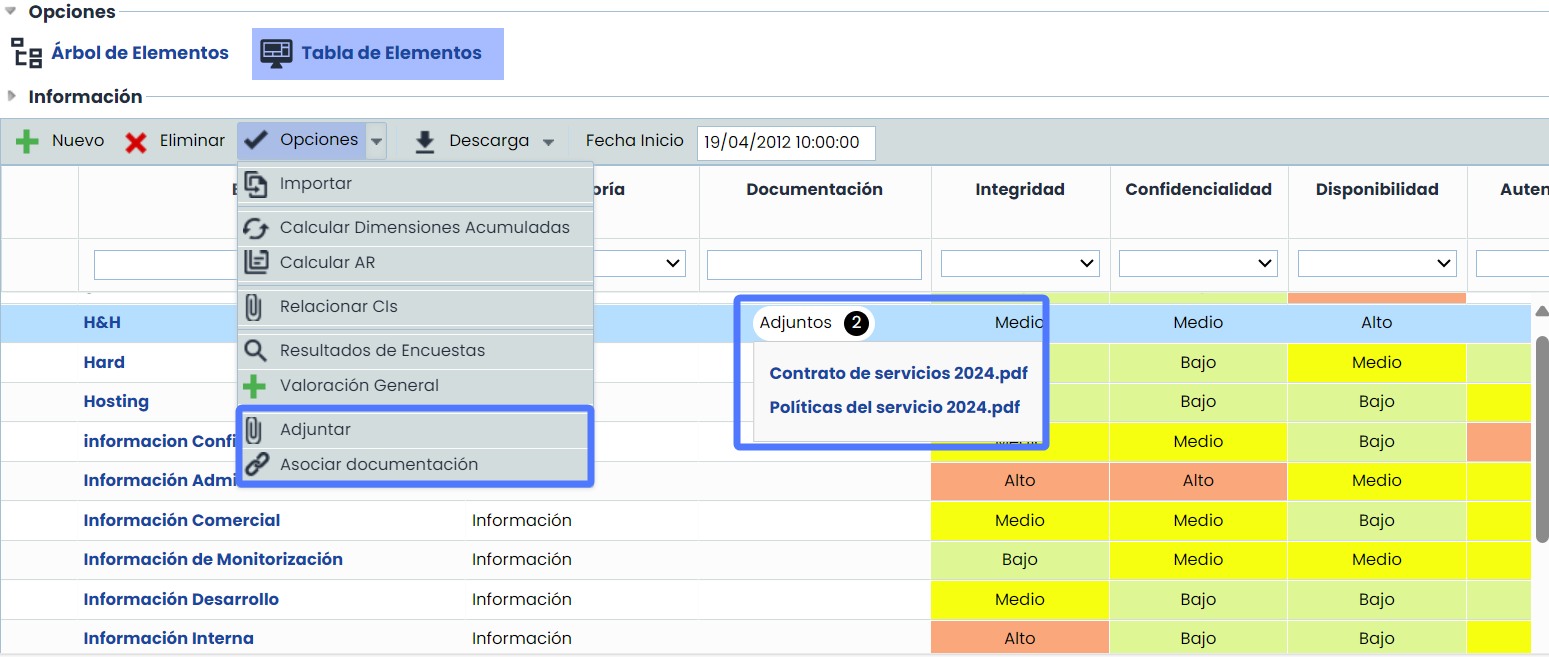
From now on, it will be possible to attach documents from the local device or associate existing documentation from the Document Manager. This will facilitate better organization and access to relevant documentation, thereby improving efficiency and effectiveness in managing the items.
Additionally, this improvement is designed to integrate with the TPRM (Third-Party Risk Management) module.
Key Features
-
Attach and associate documentation: By incorporating the Documentation table, it will be possible to include documentation from two sources:
-
Attach Documents from the Local Device: It will be possible to attach documents directly from each user's local device, simplifying the inclusion of new relevant documentation.
-
Associate Documents from the Document Manager: Documents previously stored in the Document Manager can be associated, as well as disassociated when necessary. This allows centralizing and facilitating access to all relevant documentation.
-
-
Inclusion of Documentation in Reports
-
Form Reports: The documentation table will be included in the reports generated from the form view, providing a complete overview of the documentation associated with each item.
-
Reports of the Items and Treatments Table: Reports generated from the Items Table and Treatments Table will also include the information from the documentation table.
-
-
Configuration and visibility
-
Visible in form: Selecting this option will add the possibility to include documentation in the inventory elements and treatments form.
-
Visible in items table: By selecting this option, the possibility of adding documentation will be added to the Items Table and the Treatments Table.
-
Configuration
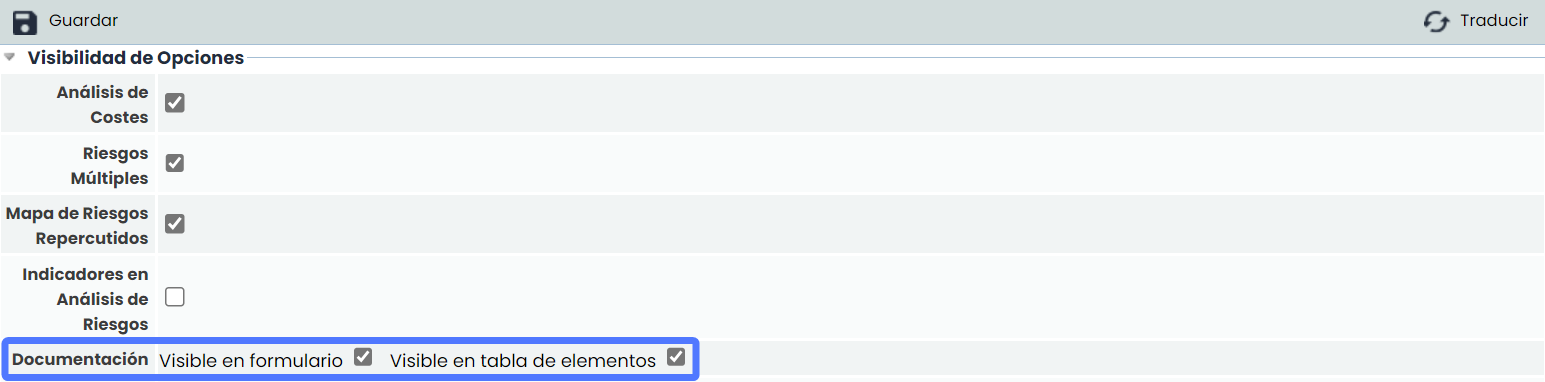
Visibility of documentation table in form

Visibility in items and treatments table
-
Integration with the TPRM Module
This improvement is designed to integrate with the Third-Party Risk Management (TPRM) module, enhancing the management and access to documentation related to the evaluation and management of supplier and third-party risks.
Improvements in RCE surveys: New form format
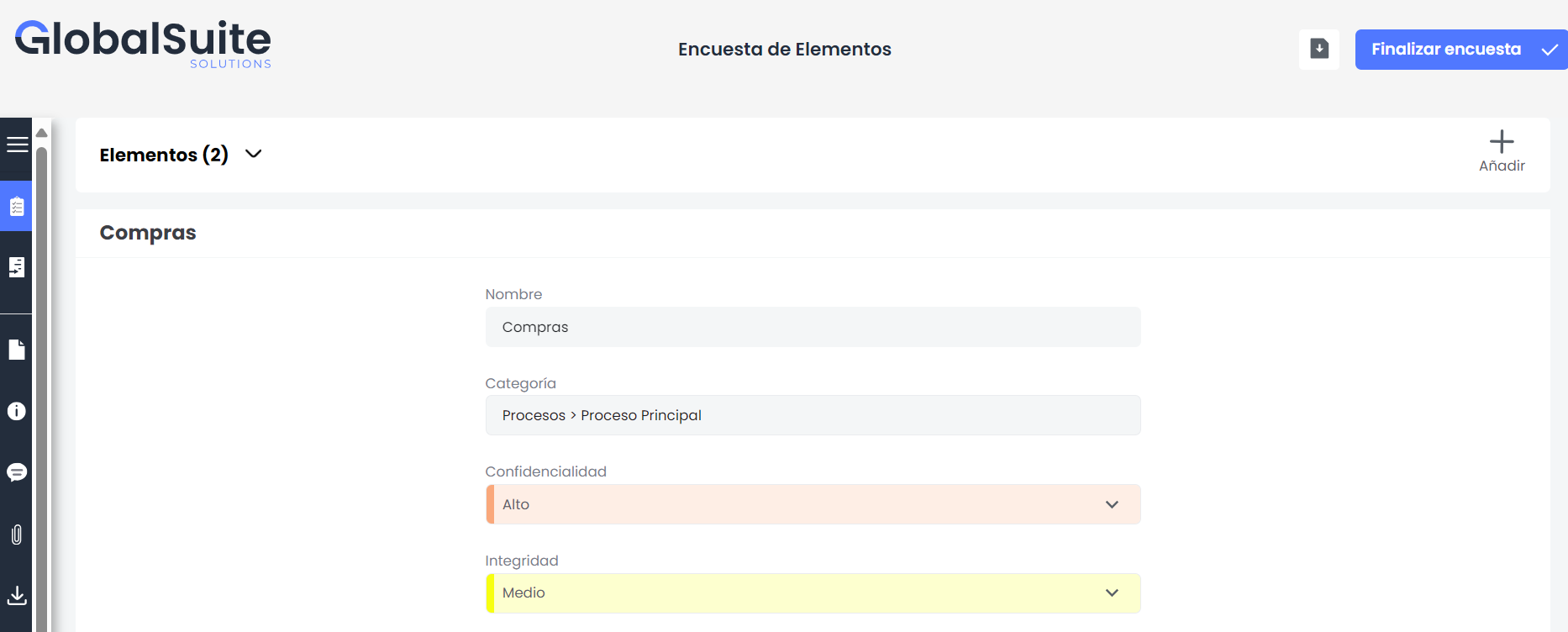
In this improvement, a new form-type format has been implemented.
From now on, in addition to the table format, it is possible to present surveys in a structured form format. This type of format will be available for item surveys and enhances the TPRM (Third-Party Risk Management) module.
Key Features
-
Format Options: Users will have the option to choose between the table format and the new form format for item surveys.
Configuration
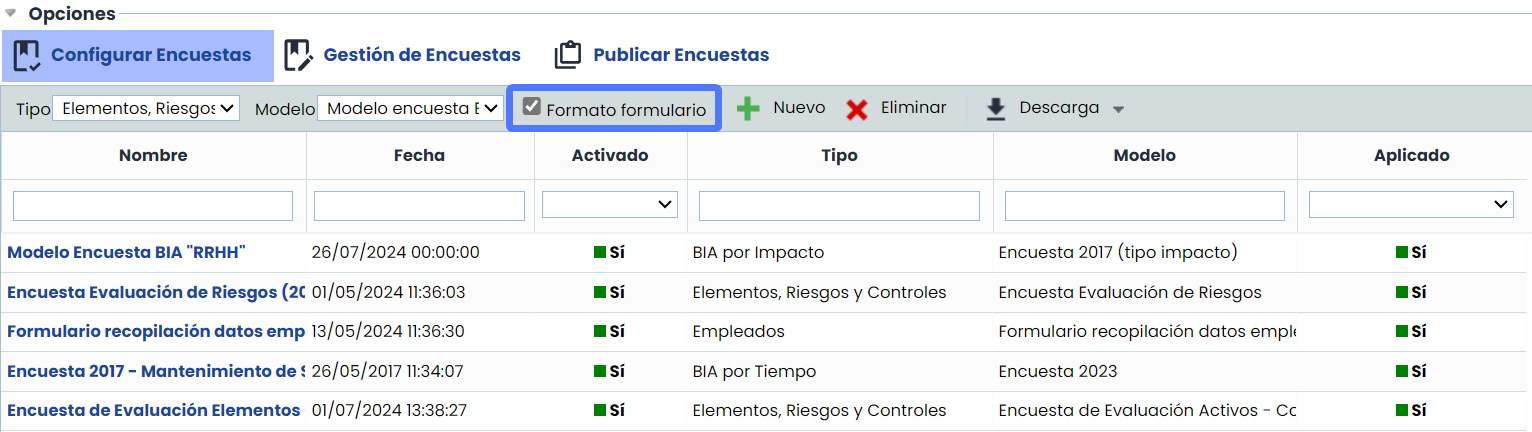
In the Survey Configuration tab, if the associated model is only for items, a new checkbox called "Form Format" will be enabled.
-
Form Format:
-
By checking the "Form Format" checkbox, the survey will adopt the new format, allowing users to complete all questions in a structured and efficient manner.
-
-
Enhancement of the TPRM Module
-
This improvement is directly related to the Third-Party Risk Management (TPRM) module, optimizing the collection and handling of essential data for the evaluation and management of supplier and third-party risks.
-
It automates the collection of first-hand data and massively imports from various sources through different types of automated surveys, improving efficiency in information gathering.
-
-
Information Download
As with the table format, it will be possible to download the survey information in Excel format, facilitating the analysis and management of the collected data.
-
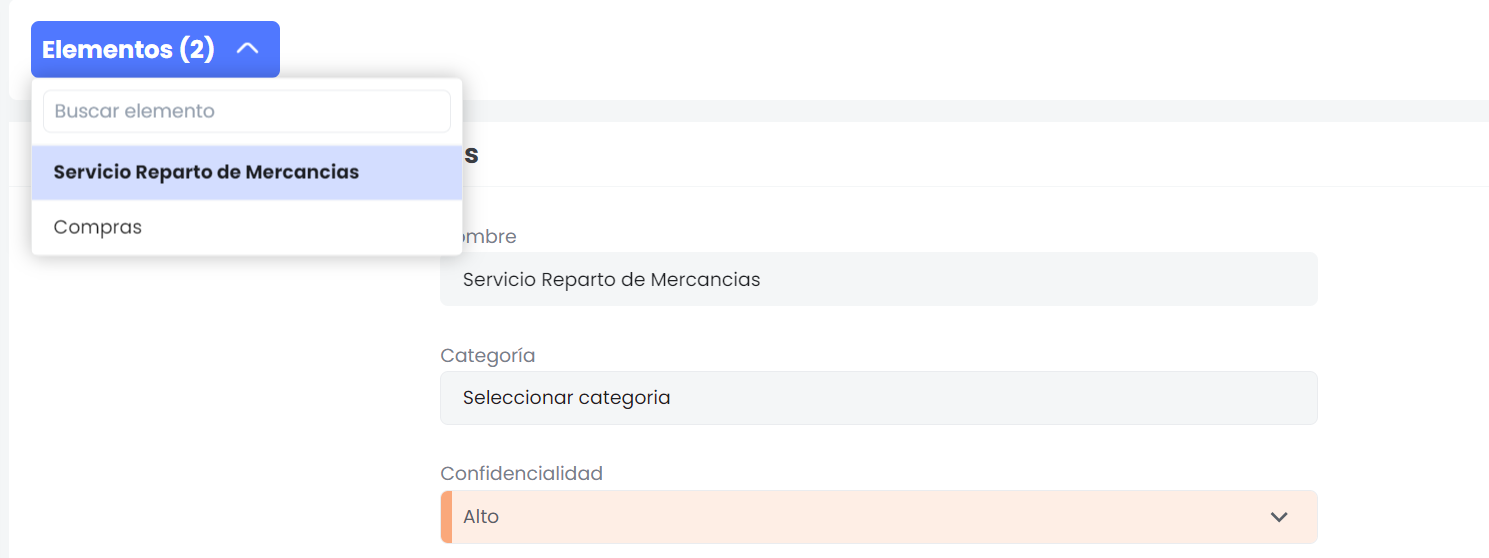
Filtering by Item:
In case of having multiple items, it will be possible to filter the information by each item, providing greater precision and ease in the visualization and analysis of the data.
Improvement in Inventory – Predefined Filters
The new predefined filters functionality replaces the old functionality of creating Dimension Groups. This improvement allows creating more complex filters that include both dimensions and inventory categories, providing a more flexible and robust tool for managing the Inventory.
Key Features
-
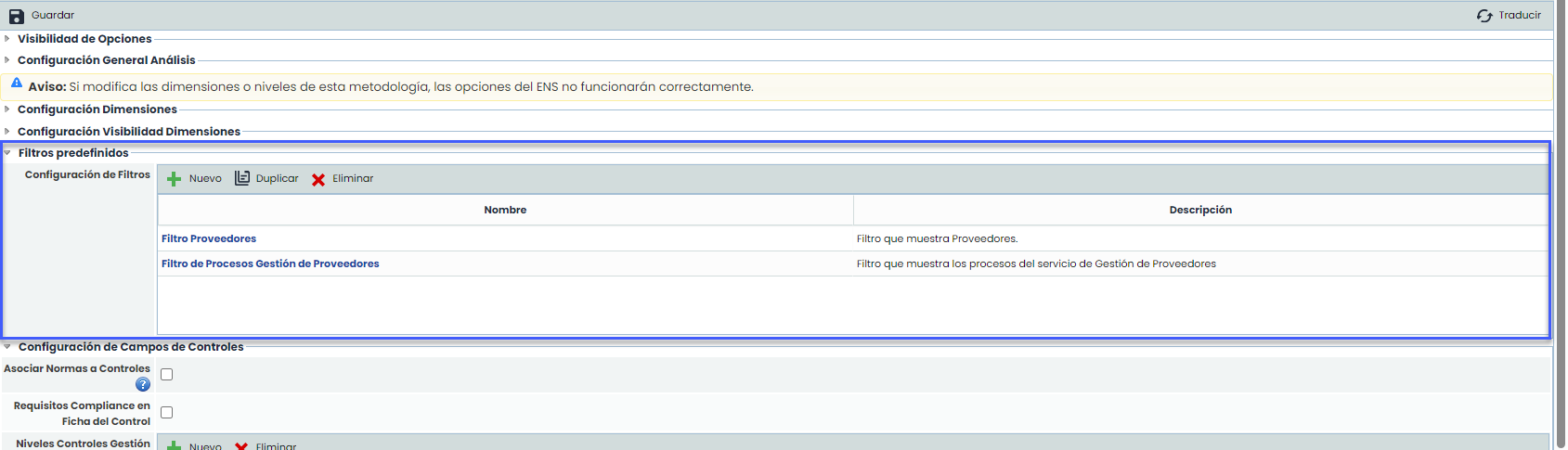
Predefined Filters Configuration:
In Administration > Methodologies > Items, a new fieldset called "Predefined Filters" has been added. Users will be able to create, configure, copy, and delete predefined filters through this new section.
-
Filter Details:
-
When creating a new filter, users will see a detailed configuration screen with the following fields:
-
-
Filter Name: Unique identification for the filter.
-
Filter Description: Brief description of the filter's purpose.
-
Configuration Tabs:
-
Categories: Tree that shows and allows selecting one or more categories to filter.
-
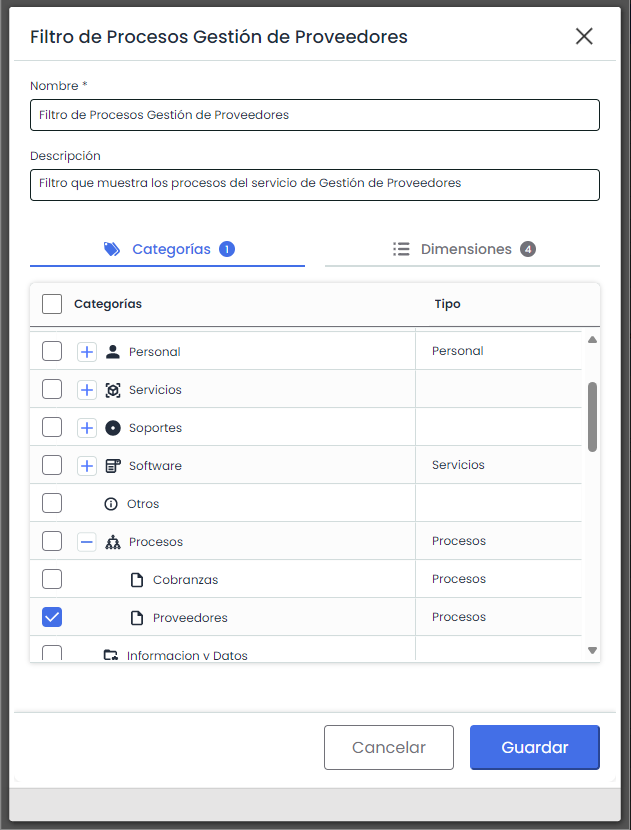
Dimensions: Allows selecting which dimensions will be visible for the selected categories.
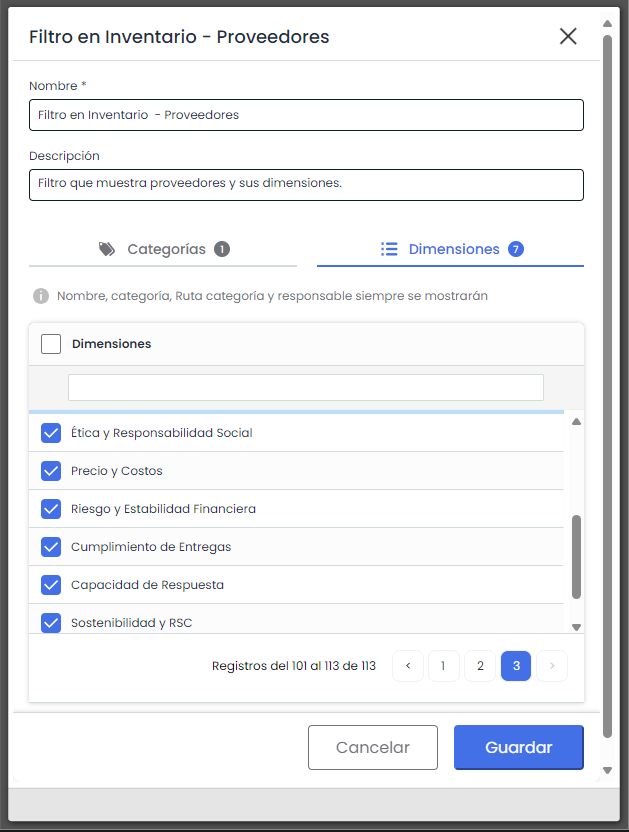
As the message indicates, when applying the filter in the results table, the fields of the item name, category path, and responsible parties will always be visible.
-
Replacement of Groups by Filters:
All existing dimension groups were automatically migrated to the new "Predefined Filters" option. Users will find their previous configurations under this new functionality, ensuring a smooth transition.
-
Translation of Filter Names:
Filter names can be configured in all languages set for the MS.
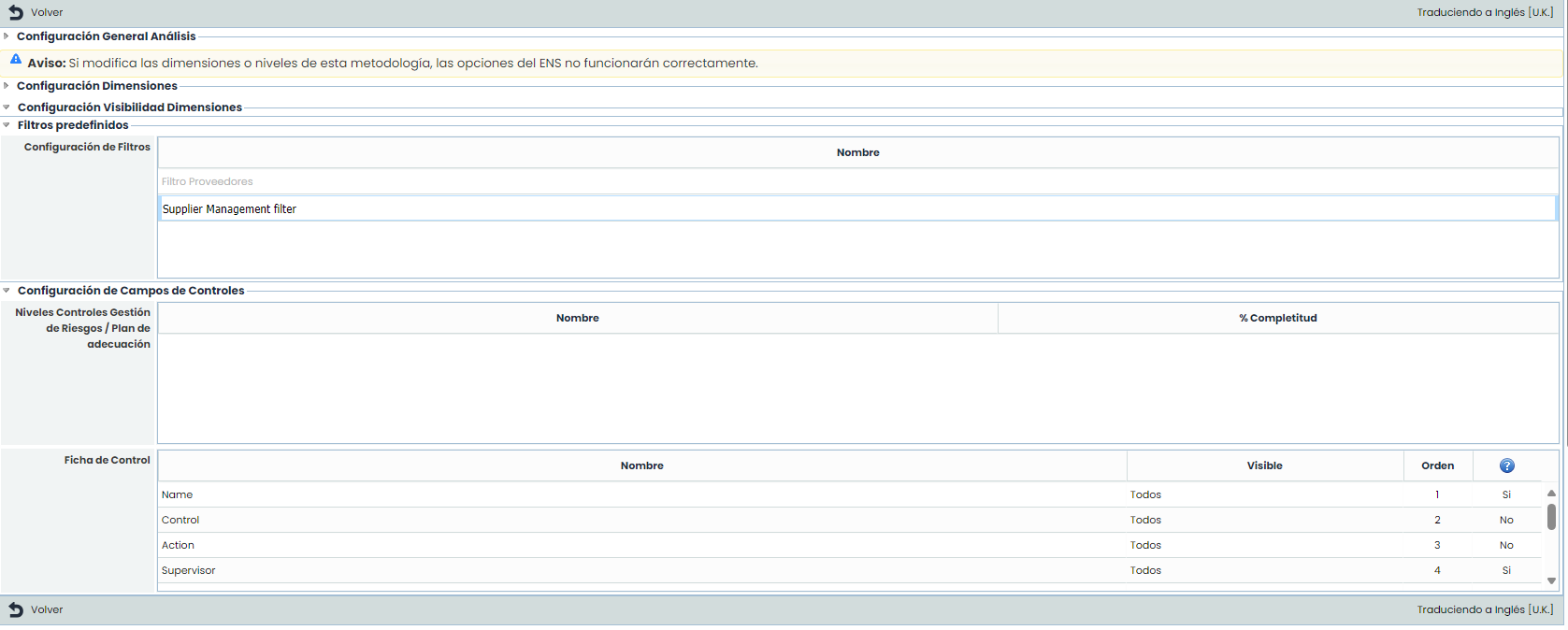
-
Application of Predefined Filters.
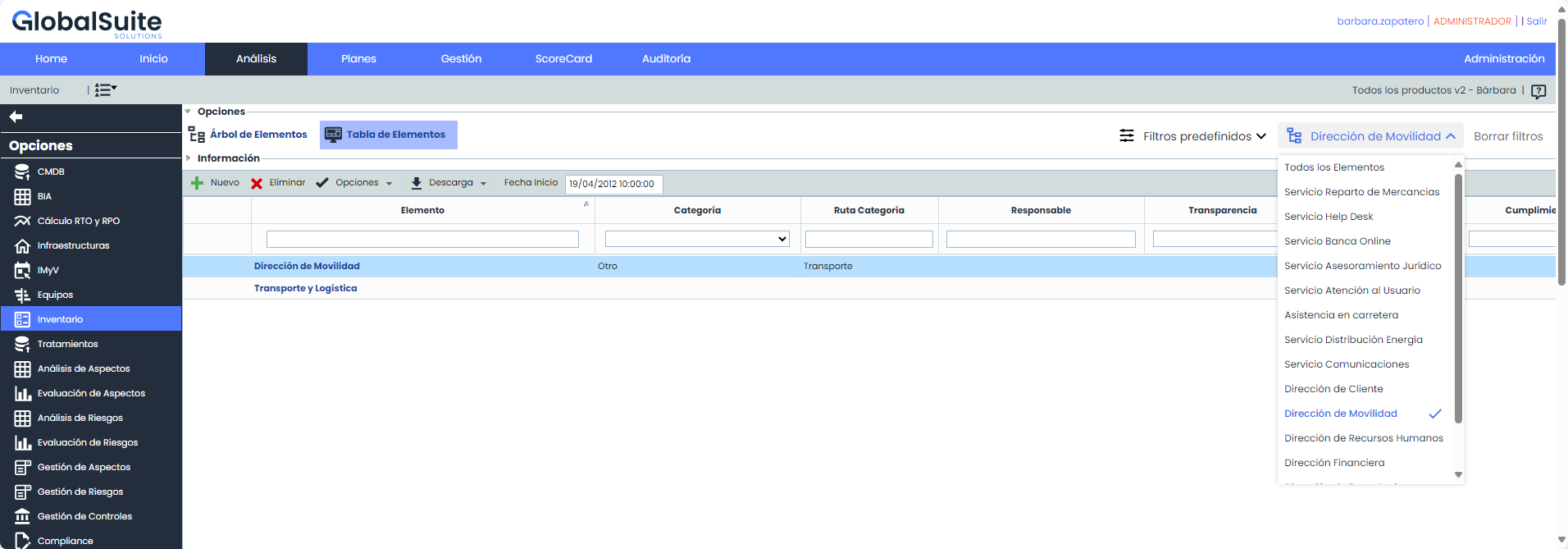
Once the filters are configured, they can be used in Analysis>Inventory> Items Table.
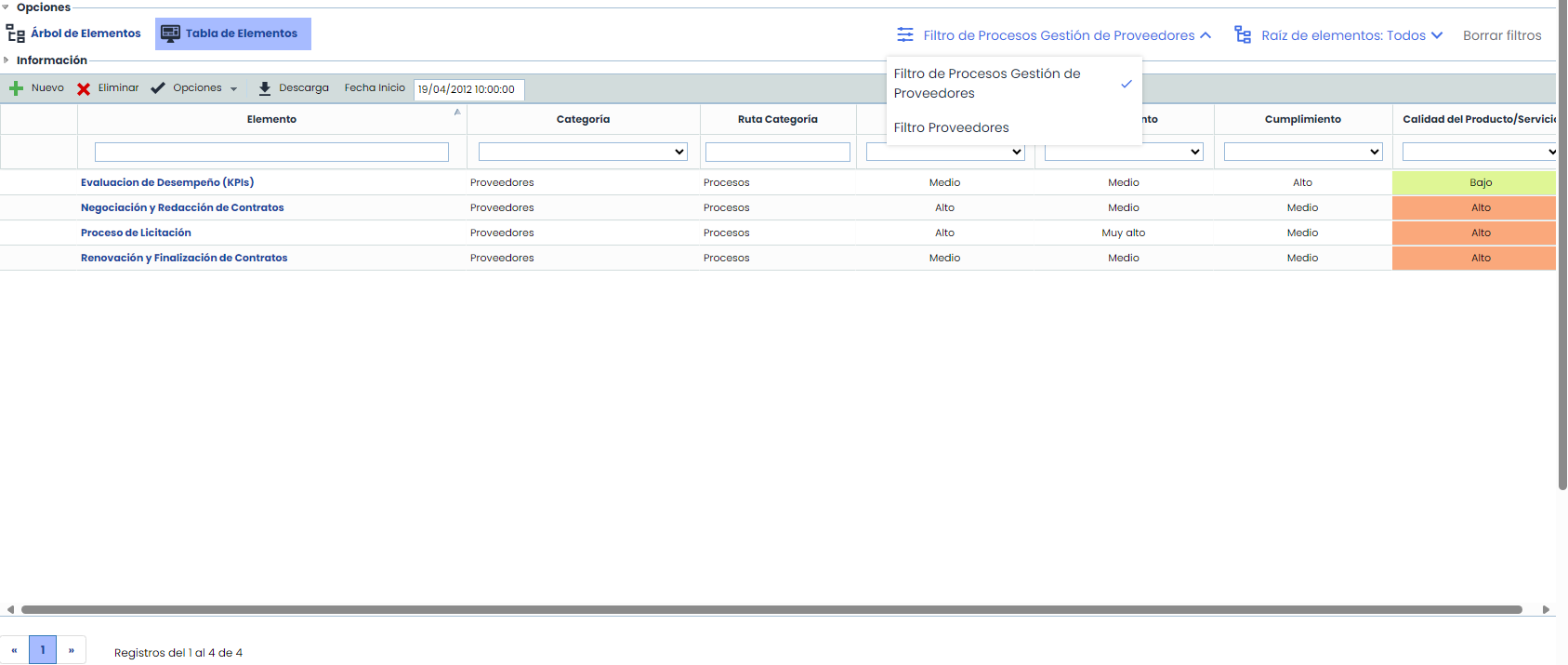
-
New filter “Item Root”
We have added next to Predefined Filters, the Item Root option, where all root items (services) can also be filtered within the table. When selected, the system filters the inventory items of that service.