
New features and general improvements in GlobalSuite® GRC
AI Risk and Control Recommender
We have implemented an advanced recommendation engine based on Artificial Intelligence that allows for the automatic and precise generation of potential risks and controls that can be incorporated into risk analysis.
This functionality is integrated into the GlobalSuite® GRC solution, offering a dynamic and personalized approach to risk identification, without requiring exhaustive knowledge or relying on static catalogs.
Key Features
-
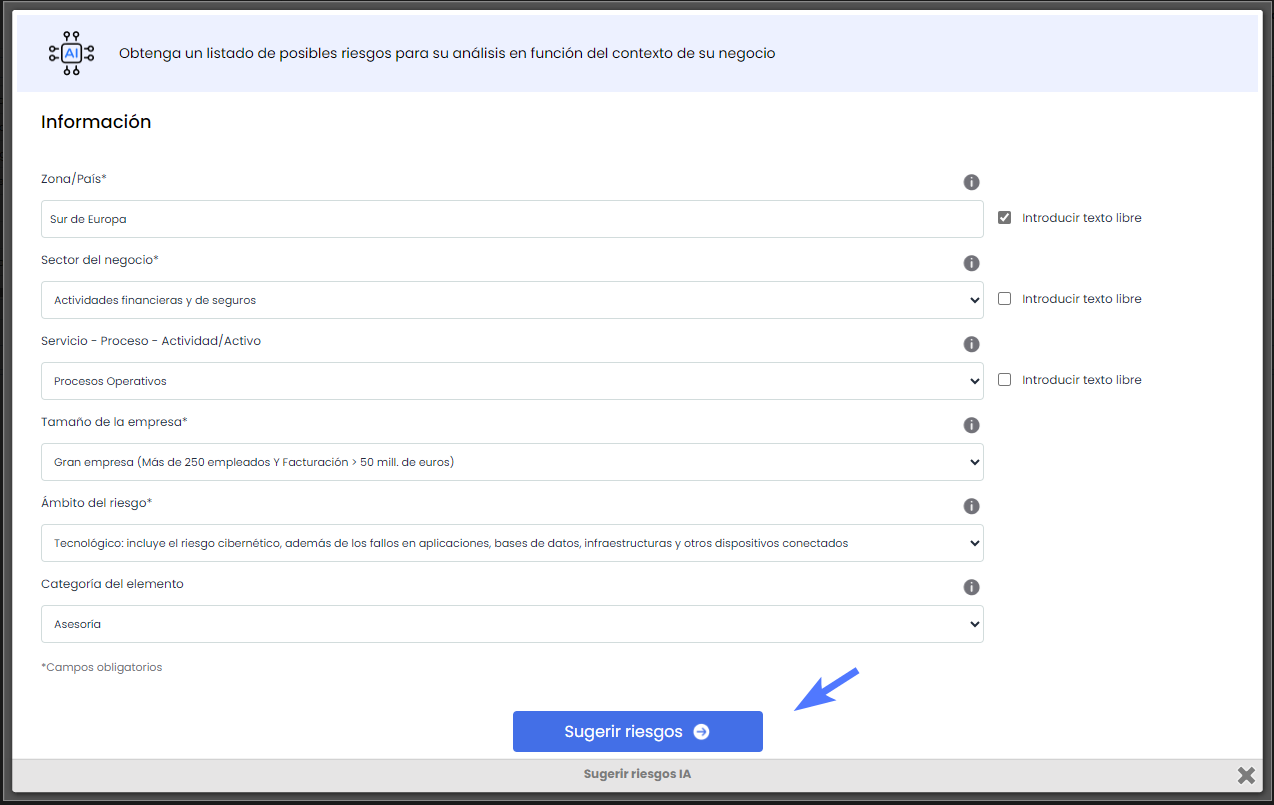
AI-Based Recommendations: The tool suggests risks and controls tailored to the specific context of the company, taking into account the country, sector, process, company size, and risk scope.
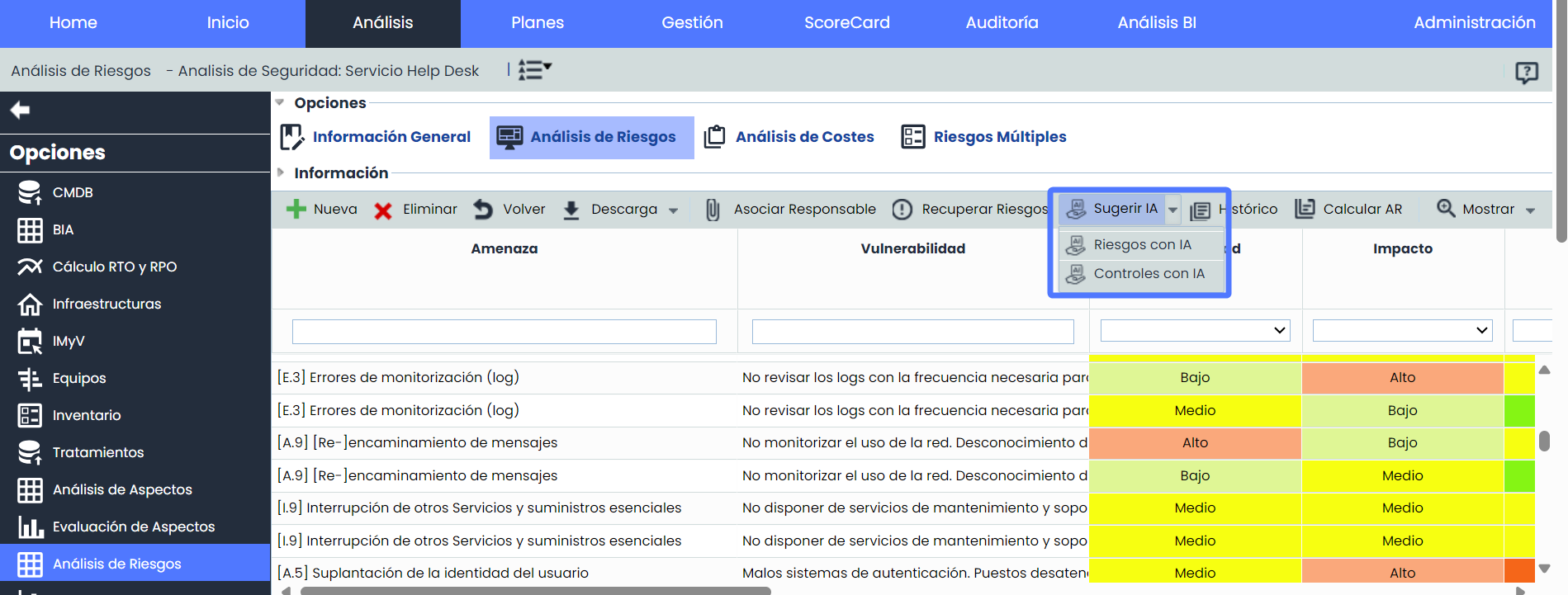
-
Dynamic Risk and Control Identification: The tool facilitates the automatic and dynamic identification of risks and controls, without the need to rely on static catalogs, improving the adaptability of the analysis.
-
Time and Effort Optimization: By leveraging the power of AI, the manual effort required to identify risks and controls is minimized, providing quick results tailored to the company's needs.
-
Configurable Parameters: Allows adjusting and refining context parameters to generate more accurate and personalized results, with the option to modify data to obtain new suggestions in real time.
-
Flexibility in Application
-
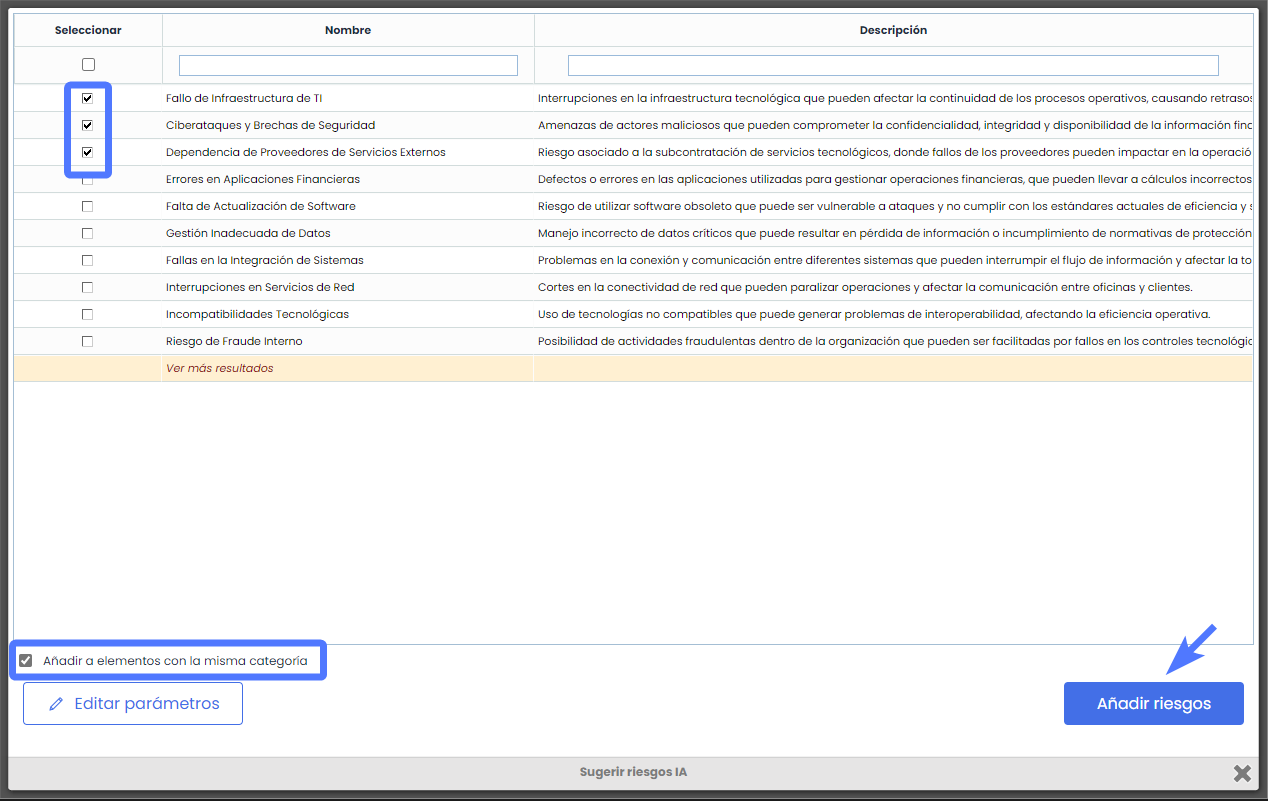
The suggested risks can be easily incorporated into the risk analysis, allowing selective application to different elements or applying these risks to all elements with the same category included in the scope of the analysis.
-
-
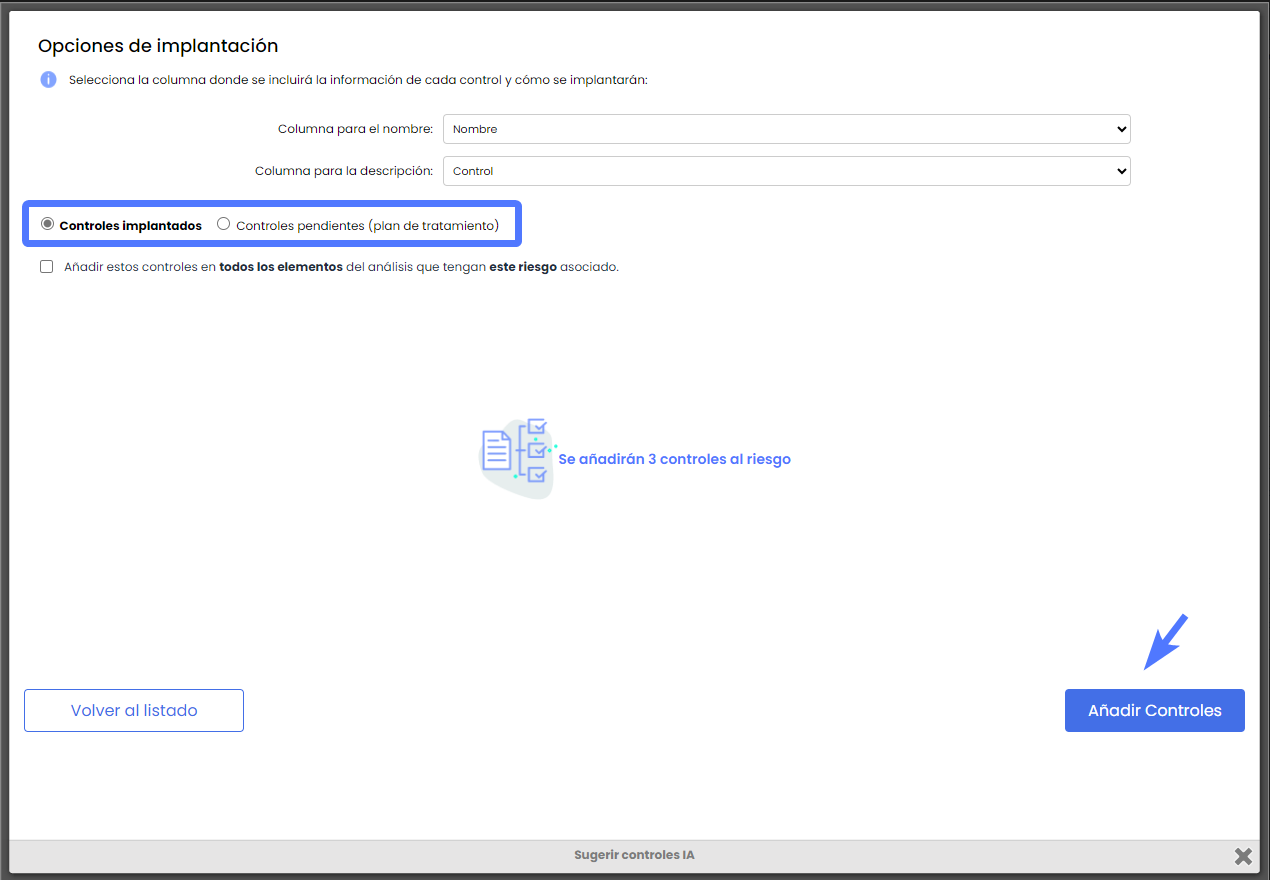
The recommended controls can be managed flexibly, either as implemented controls or as part of a treatment plan, thus integrating the recommendations into the risk management strategy with the aim of mitigating them.
Improvements in RCE surveys: Include documentation in Elements
This improvement introduces the ability to include documentation associated with survey elements, expanding functionalities and enabling better management and tracking of relevant documentation.
From now on, users will be able to view previously associated documentation for elements from the Inventory, as well as attach new documentation directly in RCE-type surveys.
This update facilitates more efficient tracking of critical information related to survey elements.
Main Features
Documentation Incorporation
-
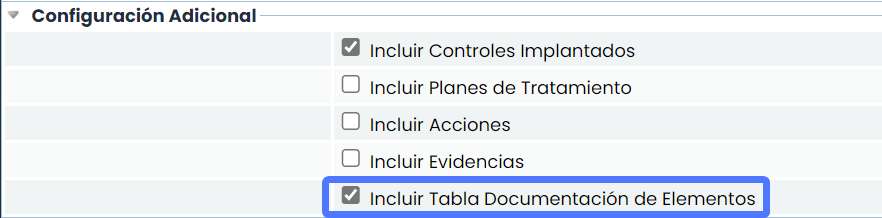
Activate Include Documentation Table: By activating the option, the ability to attach new documentation and view previously associated documentation that survey elements have in the Inventory is enabled.
This option can be enabled by accessing Administration > Templates > Survey Models
Document Management
-
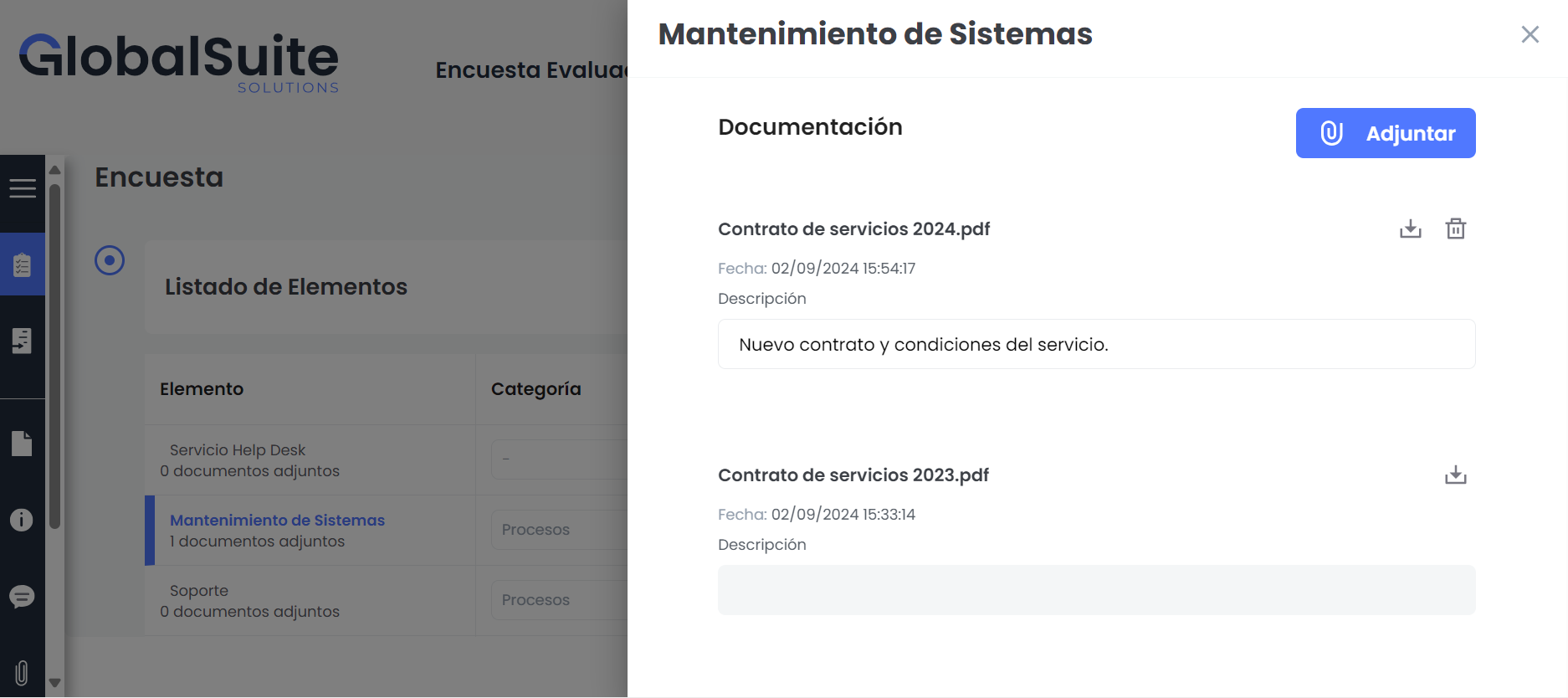
New Documentation: It will be possible to attach new documents to survey elements. Additionally, these documents can be downloaded and modified directly from the survey.
-
Preexisting Documentation: Documentation previously associated with elements from the inventory will be displayed as a reference. These documents can be downloaded for consultation.
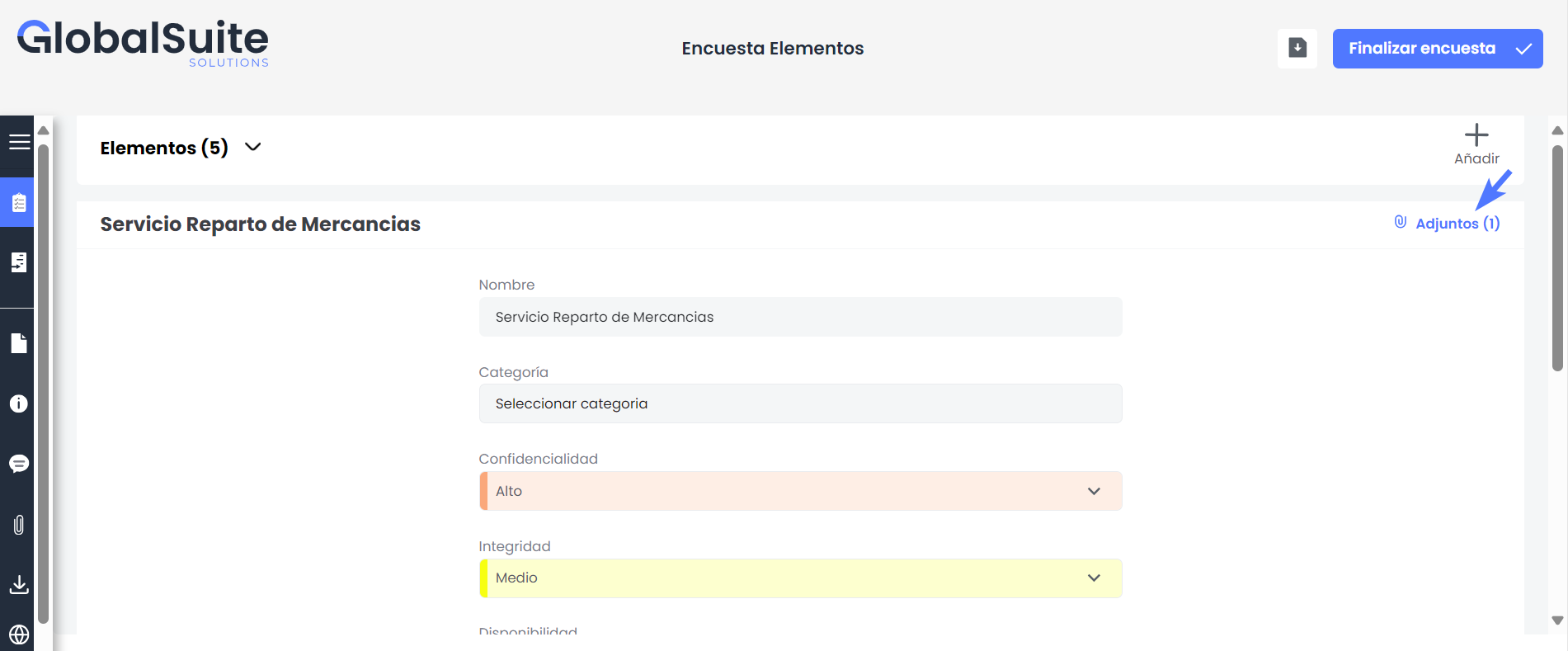
This option will also be available in surveys with a form format
Consolidation
-
When consolidating the survey, the attached documentation will be automatically integrated into the corresponding element in the Inventory > Element Table, ensuring that all information is centralized and updated.
Tracking and Traceability
-
Attachment Log: Each time a new document is attached to an element, it is automatically recorded in the survey, ensuring complete traceability of changes and additions made.