
New features and general improvements in GlobalSuite® GRC
We have implemented new functionalities for the Suppliers Module. Below are the details of these improvements:
Customization of the Suppliers Table
To enhance the Suppliers module of GlobalSuite, the ability to configure which dimensions will be displayed in the main suppliers table has been included.
These dimensions can be viewed in the list, filtered by them, and downloaded in a report for further processing.
-
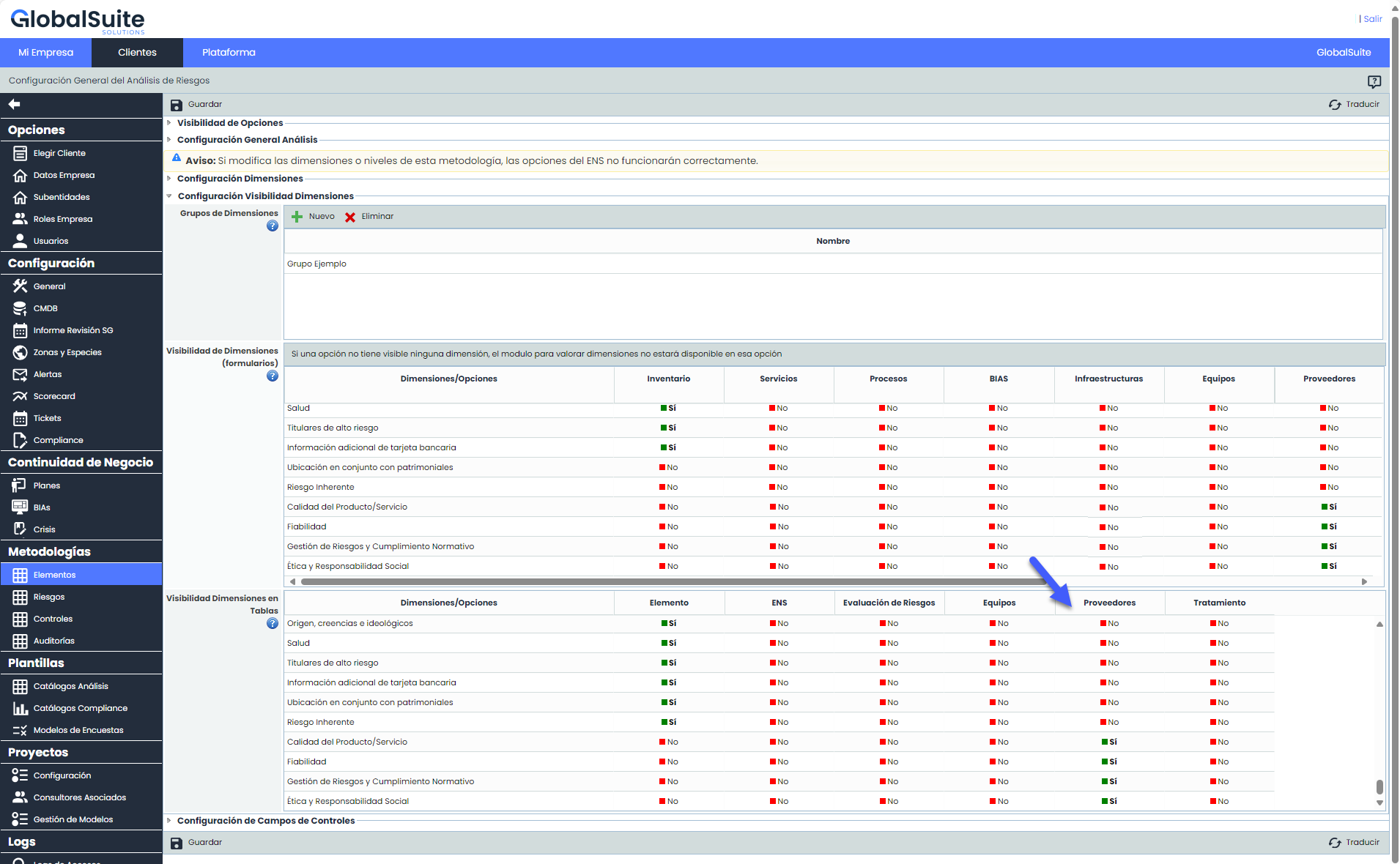
Configuration from Administration: In Administration > Items, we have added a column in the table "Visibility of Dimensions in Tables" called "Suppliers." Here, users can configure which dimensions to show or hide in the main suppliers table according to their preferences.
-
Customized view of the main Suppliers table: The dimensions configured as "Visible=YES" will be added to the table after the suppliers' attributes.
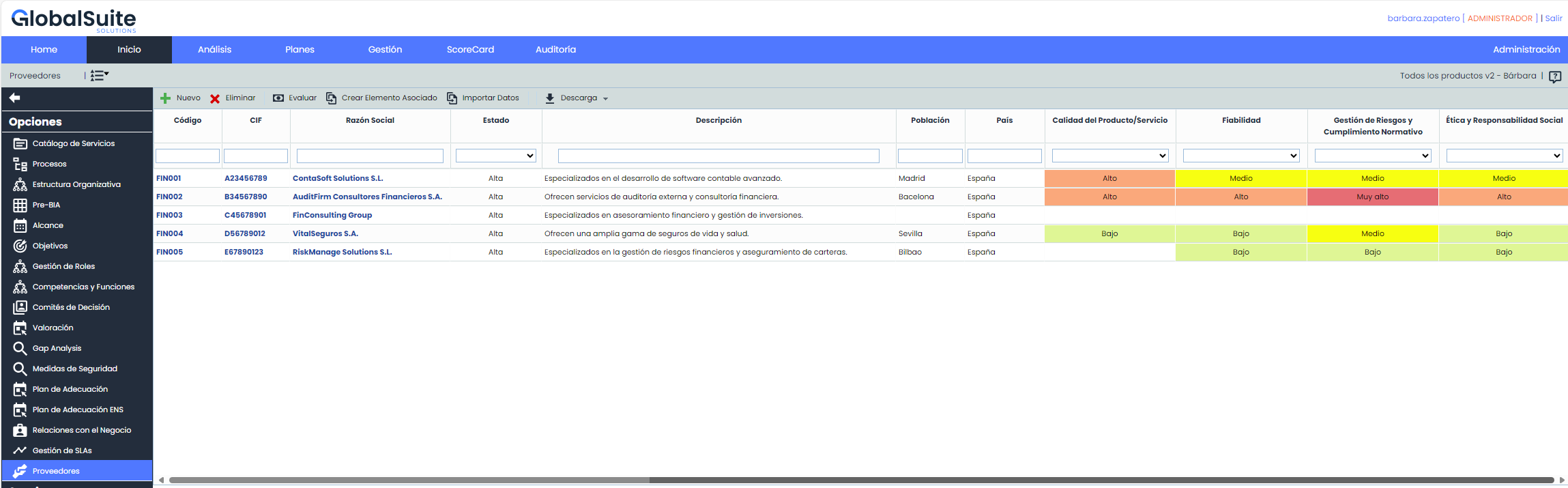
Empty fields will be displayed for those suppliers that do not have related items or are not evaluated in the visible dimensions in the table.
-
Download of the suppliers list: The functionality of Download - Excel Report, used to download the suppliers list, has been updated to include the fields added as visible in the table.

For more information about the Suppliers module, you can view the corresponding manual in our Resource Center.