New features and improvements in GlobalSuite
Compliance - Improvements in the requirements catalog view
The Compliance catalog view —table, index, and detail panel— has been redesigned to work more clearly and quickly with extensive and mixed catalogs (DORA, GDPR, ISO 27001/9001, etc.). Each row shows its role at a glance, columns have fixed headers, non-applicable requirements are correctly displayed, index and table are synchronized, and node applicability is more precise. Additionally, the landing page gains new filters. The compliance calculation engine remains unchanged.
Clearer orientation in the catalog
-
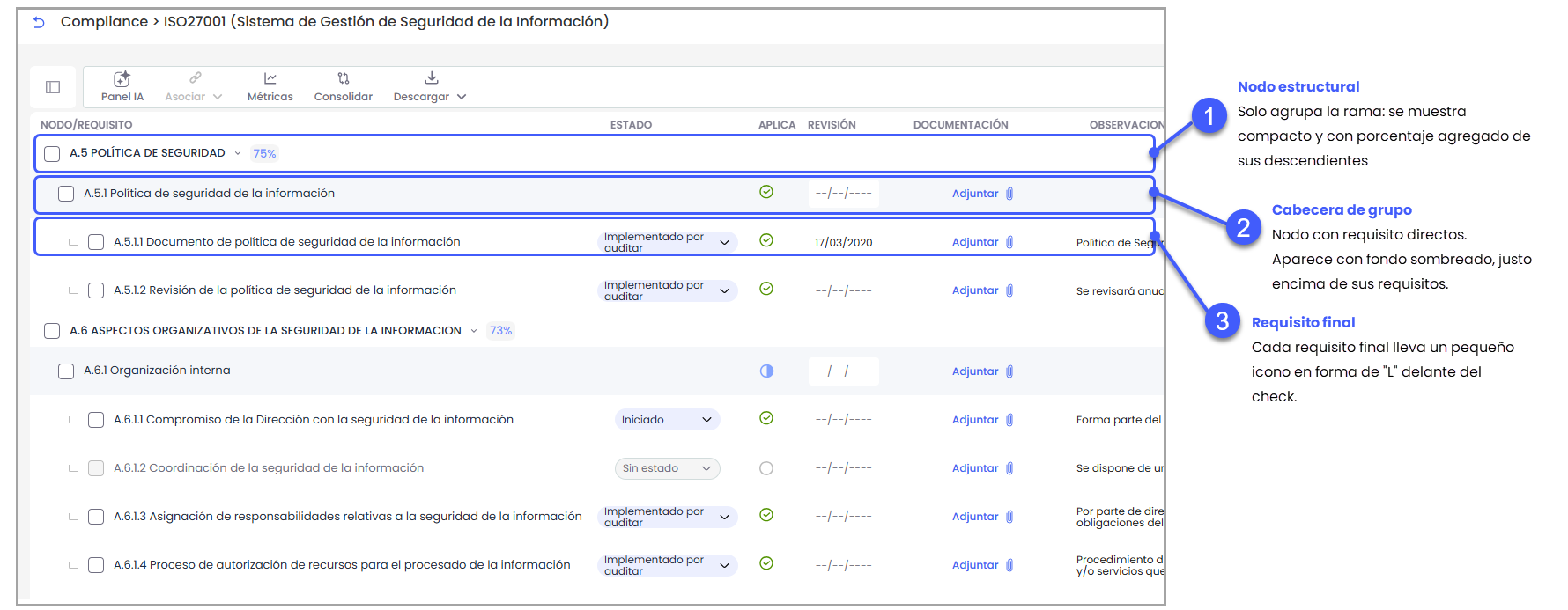
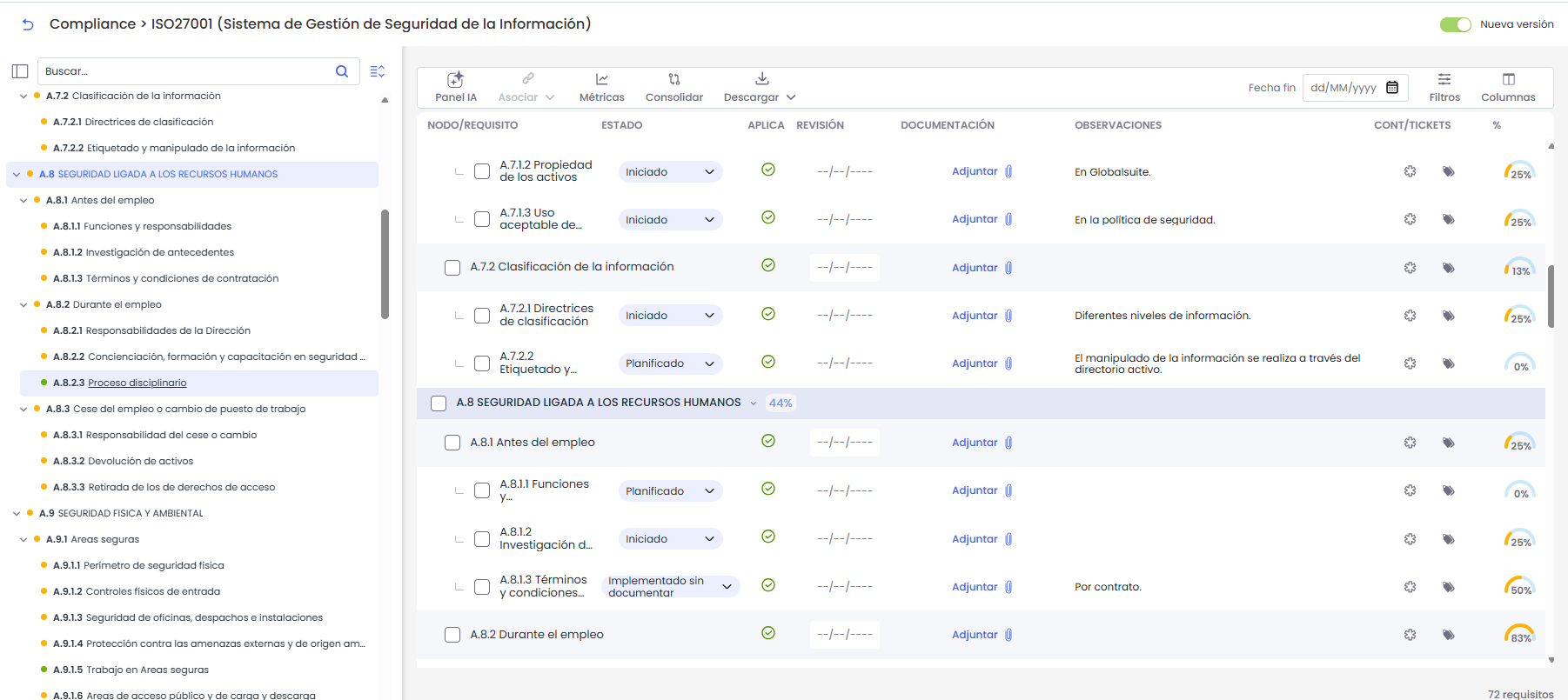
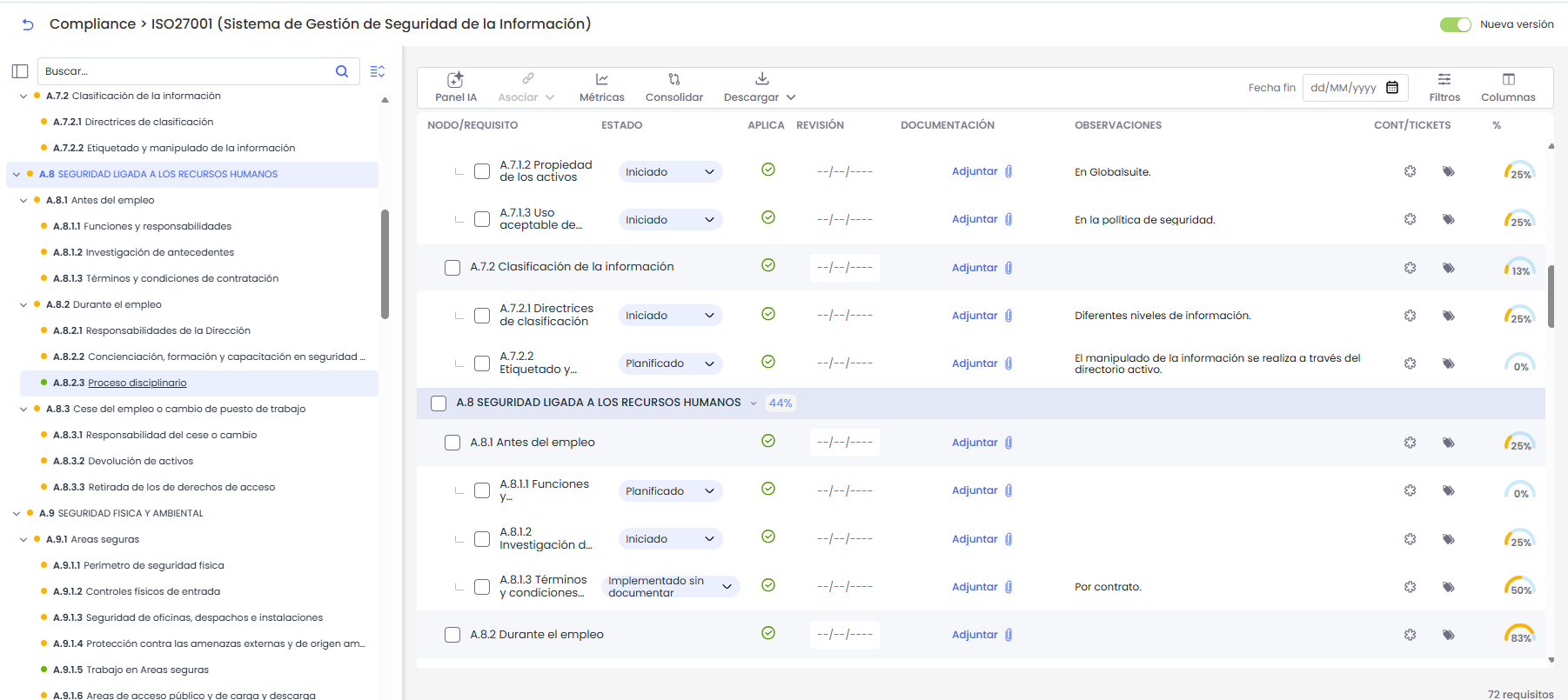
Each row indicates what it is: nodes that only group are displayed compactly with their percentage, requirement group headers appear with a tinted background just above their requirements, and each final requirement carries a small "L"-shaped icon in front of the check.
-
The table no longer folds or unfolds: all content is always visible, and scrolling is enough to navigate through the requirements.
Fixed column headers
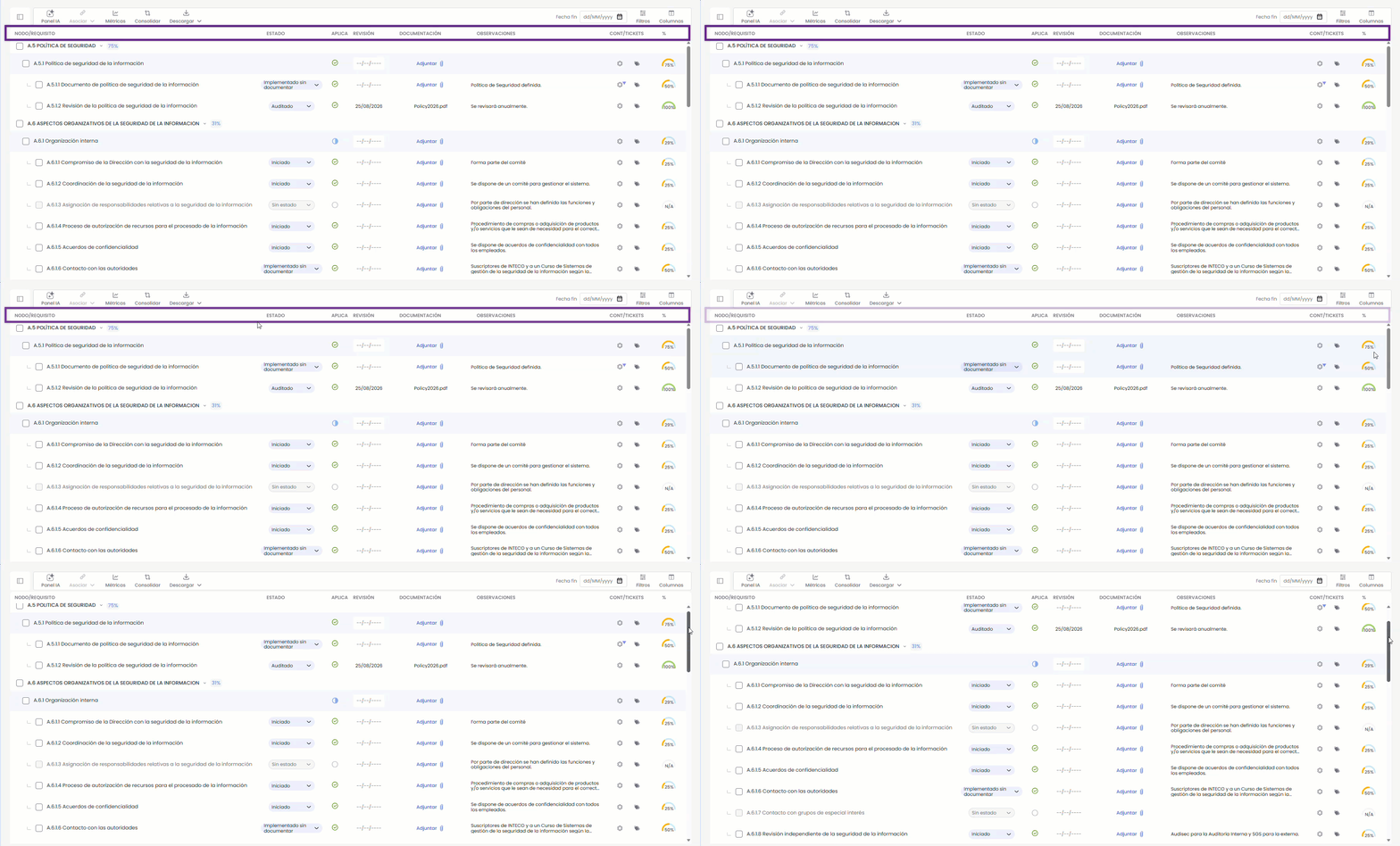
The table includes a row of headers that remain visible throughout the scrolling.
-
Identify each column in the table: Node/Requirement, Status, Applies, Review, Documentation, Observations, Cont/Ticks, and %, with labels aligned with their values and translated into the language in use.
-
Remains fixed (sticky) while scrolling through the catalog, so you always know what each value corresponds to, no matter how extensive the list of requirements is. It is purely informative: it does not include actions or allow sorting by column.
Synchronized index and table
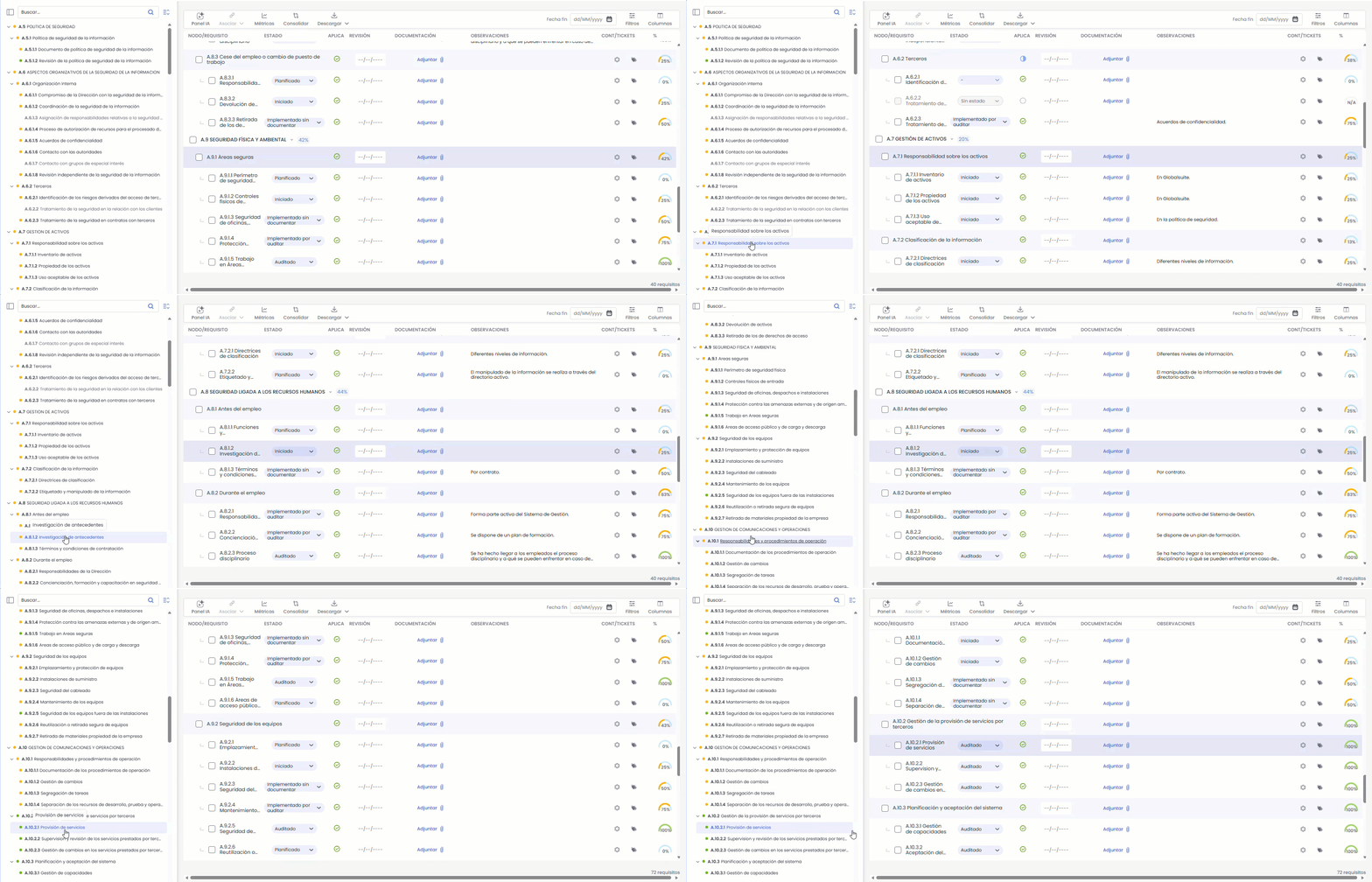
The side index and the table act in coordination, making it immediate to locate a requirement. When entering an evaluation, the index is shown open and expanded by default.
-
When selecting a node or requirement in the index, the table automatically updates: it scrolls to it (autoscroll) and highlights it. Scrolling responds only to your clicks in the index.
-
You can minimize and expand branches in the index to navigate comfortably, without altering the content displayed in the table.
Redesigned detail panel
-
Header with the code/section as a chip (e.g., "5.1.c") next to "Requirement Detail"; expand and close controls are moved to the right.
-
Single box with name, % compliance meter, applicability, and status (editable as before).
-
New Description block in read-only mode, reusing catalog data (with "View All"); applies to requirements and nodes.
Node applicability and compliance reading (N/A)
-
Now, when part of the branch applies and part does not, there are requirements that apply and do not apply. A new status appears indicating partially applies, represented by a blue icon before filling. Clicking on this icon opens a menu showing the counter of requirements that apply relative to the total.
-
New derived status Partially Applies —when part of the branch applies and part does not—, alongside "Applies to All" and "Does Not Apply."
-
Three-state selector with counter "X/Y requirements apply," in the table and panel, with a half-filled icon for the partial state.
-
Propagation to descendants and confirmation when marking a branch or requirement as "Does Not Apply"; associated documentation, controls, tickets, and observations are preserved.
-
Non-applicable requirements show N/A in the % column (and in the panel), instead of 0%, with explicit text and neutral styling.
More filters on the Compliance landing page
-
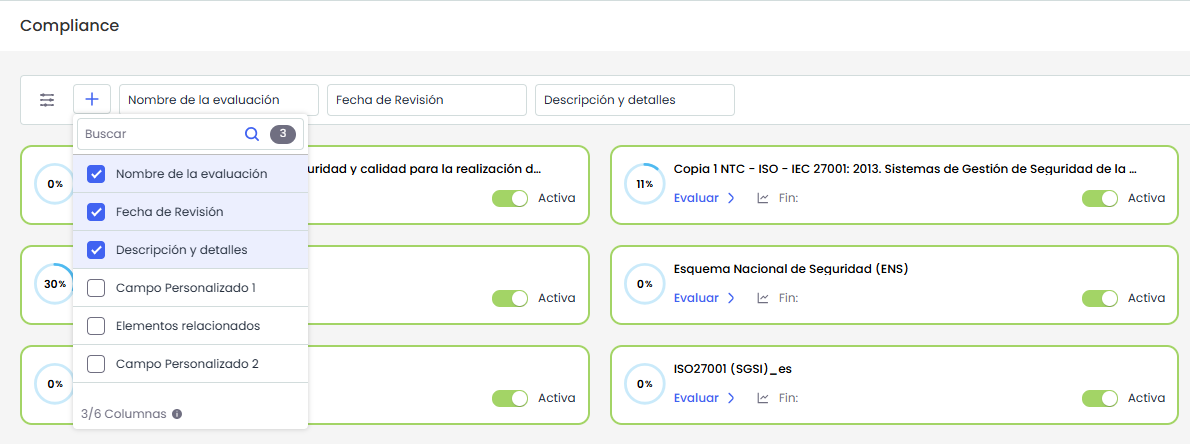
You can filter by more fields configured in Settings > Compliance, including custom ones (in addition to Catalog Name, End Date, and Related Items).
-
The "+" selector allows you to show or hide each field as a filter, with the appropriate type (text, date, or numeric, such as Compliance Level, now displayed in %).
-
Active filters are applied in combination.
Benefits
-
Less cognitive load and fewer errors when delimiting the scope in large catalogs: each row and each action are understood at a glance.
-
More reliable compliance: partial applicability and N/A better reflect the actual state of each branch.
-
Faster navigation with synchronized index and table and always visible headers.
-
More flexible search on the landing page, with filters for any configured field.
Suppliers - News and Compliance for Due Diligence
The Suppliers option incorporates a News and Compliance section that centralizes in GlobalSuite® the monitoring and screening information of third parties received from Marketplace connectors.
Until now, continuous supplier monitoring was done outside the platform: the Due Diligence analyst reviewed the portals of each intelligence source in parallel, the supplier list did not indicate who had pending alerts, and there was no record of the review. With this functionality, news lands in the supplier's file, pending items are highlighted, and they can be archived once addressed.
Key features
-
Activation by company from Settings > Configuration > Suppliers, in the new Due Diligence section, using the News Section option.
-
New Monitoring column in the Suppliers list, with the News link and the number of pending news items to review. For suppliers without news, the cell remains empty.
-
Access from the supplier's file with the View Updates button, which shows pending news in parentheses.
-
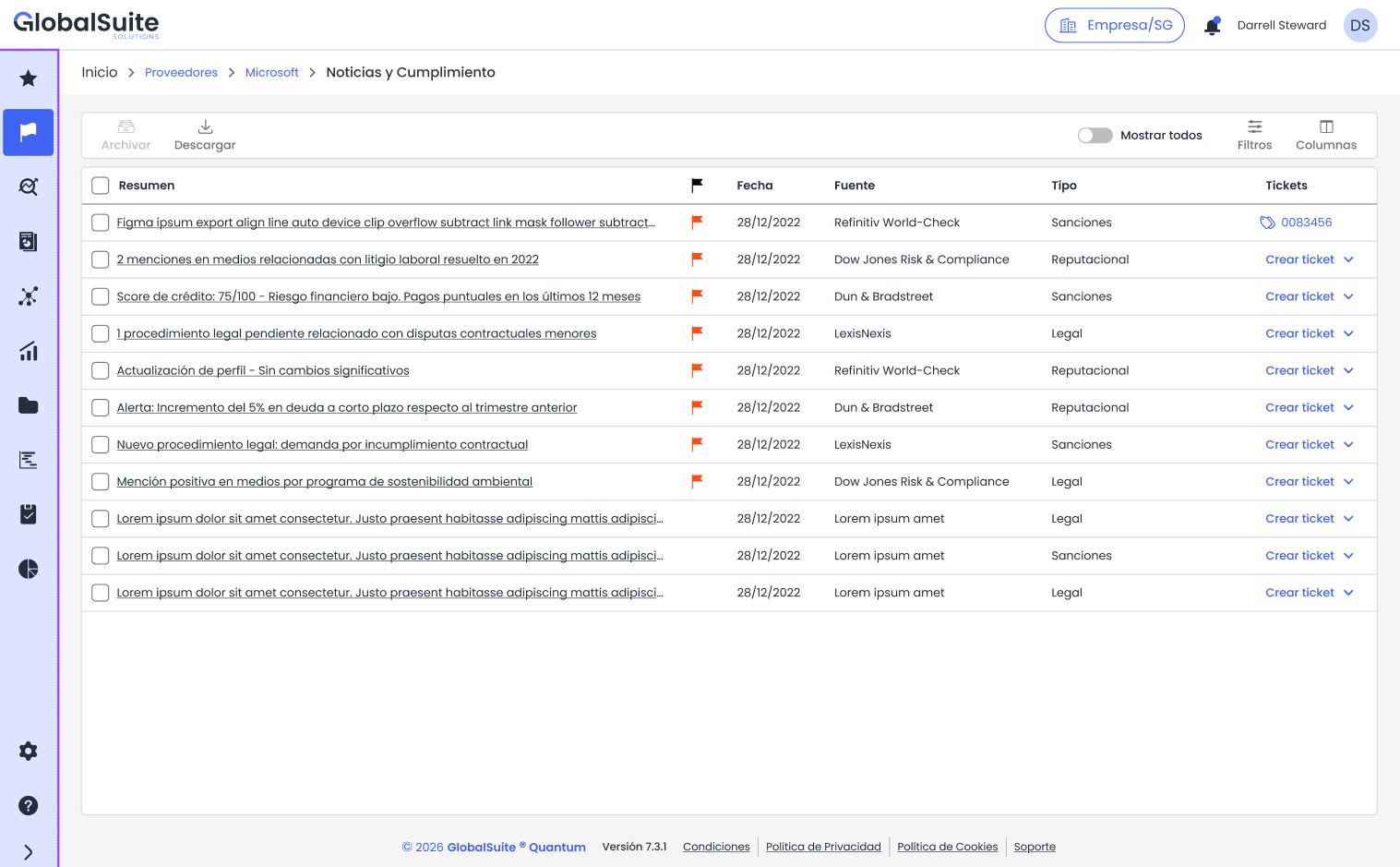
Supplier-specific News and Compliance view with columns Summary, pending indicator, Date, Source, Type, and Tickets, along with Filters and Column selector.
-
News Detail in the side panel, with the summary, type, criticality indicator, date, source, link to the original news, and associated ticket.
-
Creation of a ticket directly from the news row, selecting the type of ticket to generate.
-
Action Archive for one or more news items: they are no longer displayed by default and are deducted from the pending counter. The Show All toggle allows you to view them again.
-
Download the supplier's news list with the Download action.
-
Due Diligence connectors published in the Marketplace to feed the section: Dow Jones Risk & Compliance, Axesor, and Dun & Bradstreet.
Benefits
-
Continuous monitoring within the platform: the analyst works in GlobalSuite® and not in the portals of each source.
-
Visible priority: the supplier list indicates who has pending alerts and how many, without reviewing supplier by supplier.
-
Traceability: a record is kept of reviewed and archived news and tickets opened from them.
-
Independent of the source: the same section serves for any screening connector activated in the Marketplace.
For more information, you can consult:
Risk Scenarios - Visual improvements
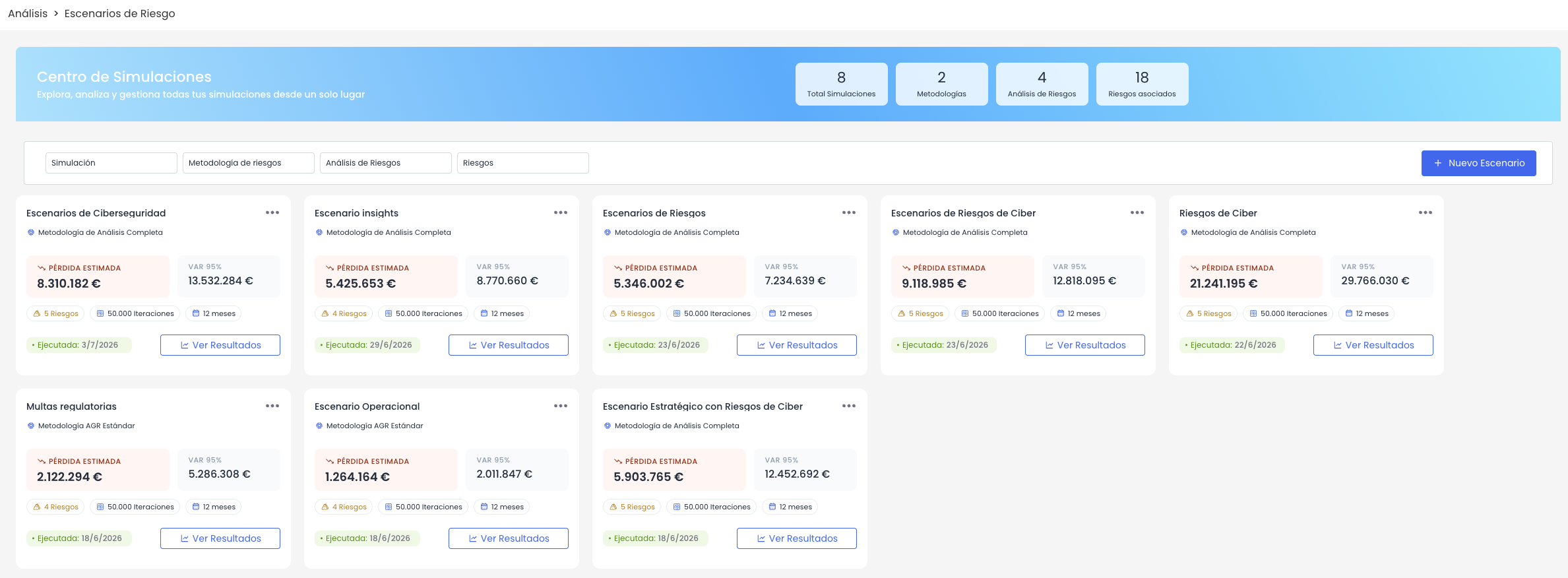
Simulation Center - Scenario card redesign
The risk scenario cards already simulated in the Simulation Center have been redesigned to visually highlight the most relevant information of each simulation, such as expected loss, VaR 95%, or the scope of the simulation.
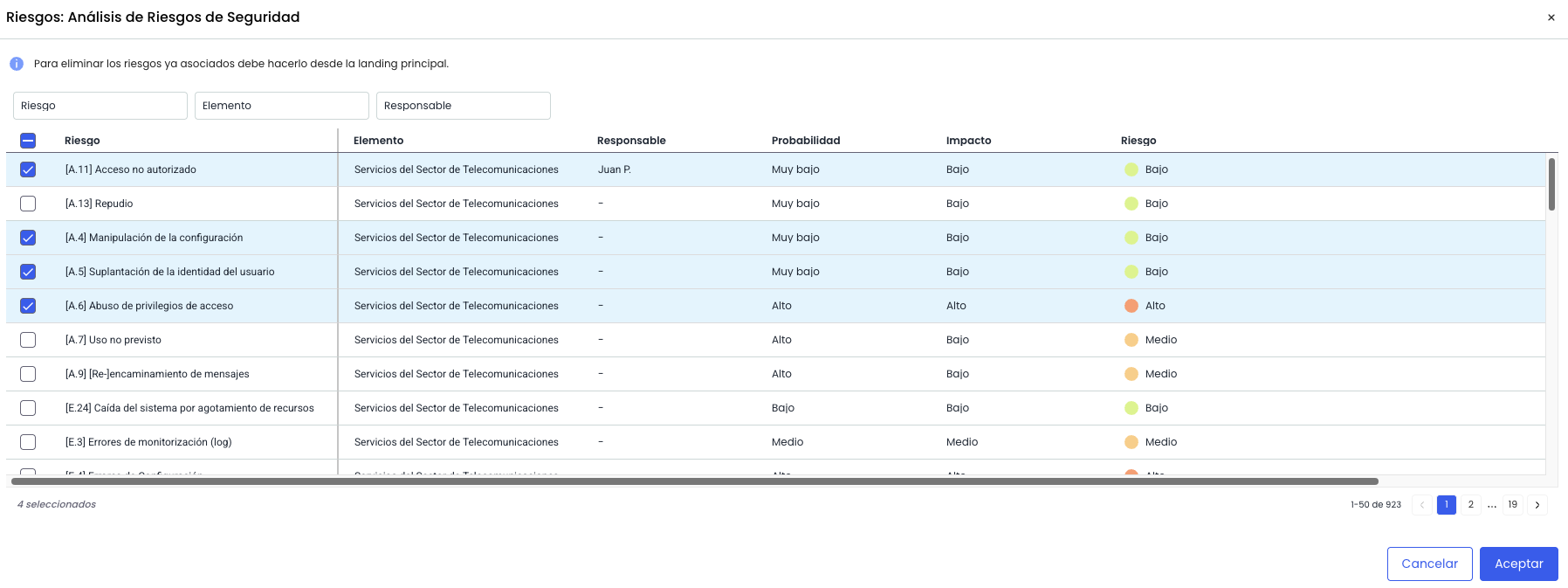
Risk selection - Expanded consulted information
When selecting the risks to be part of the scenario, the list of available risks now displays more information, incorporating the values of the selected frequency and impact dimensions, as well as the current risk level.
Document Manager - Improved storage information
Used space card - Clearer indicators
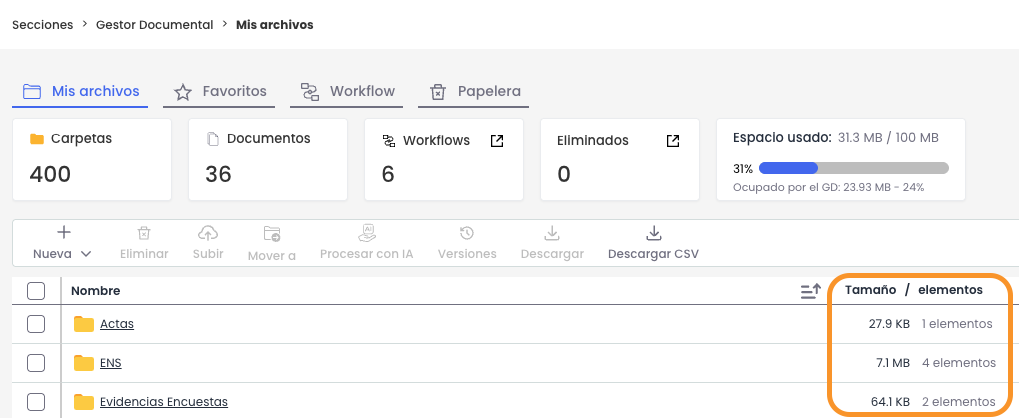
The used space card has been updated to more clearly display the storage status of the environment. As the main indicator, the amount of space consumed relative to the total contracted space is now shown. Alongside this, the space consumed by the Document Manager is maintained, with the percentage it represents of the total contracted.
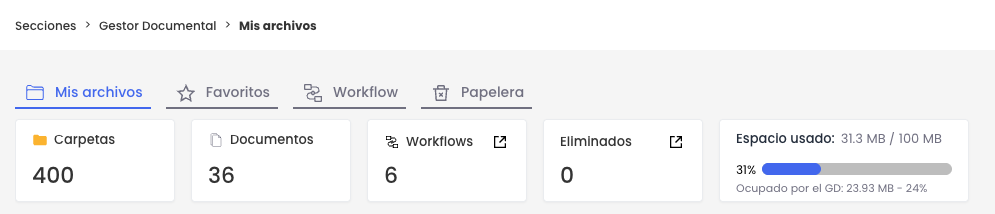
Additionally, if storage exceeds 85% of the total contracted space, a warning notice appears upon entering the document manager.

Folder list - Size by folder
The column Size/items in the folder list has been updated to include, alongside the number of items it already displayed, the size occupied by each folder in the manager.