
First functionalities adapted in the new Interface: evolution of GlobalSuite Quantum
As we mentioned a few months ago, at GlobalSuite Solutions we aim for significant progress in the evolution of the solution, framed within GlobalSuite Quantum .
In this version, we are launching the first package of functional options that have been redesigned and implemented from scratch, completely renewing functionality, technology, and visual design comprehensively to offer a more modern, clear, and coherent experience, as well as incorporating various improvements and new capabilities.
These options are Document Manager, Compliance, and Inventory.
Main features
Within the specific capabilities incorporated in each section, there are a series of general improvements, such as:
-
Advanced filters
The ability to filter and search records by different fields, responsible parties, date ranges, or matches across multiple fields has been added to facilitate locating desired results. -
Space optimization
The interface has been restructured to improve information distribution, keep current information always visible, and allow comfortable work on different screen sizes. -
Automation and efficiency
Available actions and button placement have been improved, incorporating contextual menus to facilitate use, and the ability to perform bulk actions (association, deletion, etc.) on multiple records at once has been included where feasible. -
Performance improvements
Technological enhancements have been made, increasing the solution's robustness, allowing fast and direct work even with very large volumes of information.
Below, we present the main features of the improved options.
Document Manager
In this Document Manager option, several improvements have been included, such as:
-
Document tagging, allowing multiple tags to be applied to files and folders for classification
-
New Favorites functionality for direct access to the most used documents and folders
-
New Trash where deleted documents and folders remain for 30 days, allowing restoration to their original location
-
Embedded Word Editor to modify docx documents online while maintaining traceability.
Inventory
Specifically, in the Inventory option, the following has been incorporated:
-
Associate multiple items to the dependency tree in bulk.
-
Attach multiple documents to an item (up to a maximum of 10).
-
Multilevel dimensions in the Item Methodology, allowing multiple options to be assigned within a dimension, and even used in the automatic dimension calculation methodology, in which case the highest assigned level is taken.
-
This new type of manual multi-selection dimensions is also available in other sections that use this item methodology, such as Service Catalog, Processes, Treatments, Providers, and IRC surveys (items, risks, and controls).
-
They have also been considered for mass importation from Excel files.
-
Compliance
In the Compliance section, several capabilities and improvements are added:
-
Advanced visualizations, to view all applicable final requirements of the regulation at the same level
-
Detailed navigation, simplifying access to the custom fields of each evaluation
-
Bulk assignment of documents, tickets, or common controls to multiple requirements at once
-
Ability to have multiple active evaluations of the same regulation or catalog
-
New AI Assistant to identify applicable requirements of a regulation based on the company's context
Return to previous view
While we trust that these redesigned and restructured GlobalSuite® options, as well as the changes and new functionalities we have incorporated, are interesting and improve the user experience, if necessary, each user can choose which version of the interface to use, switching in the selector available at the top right of the menu.
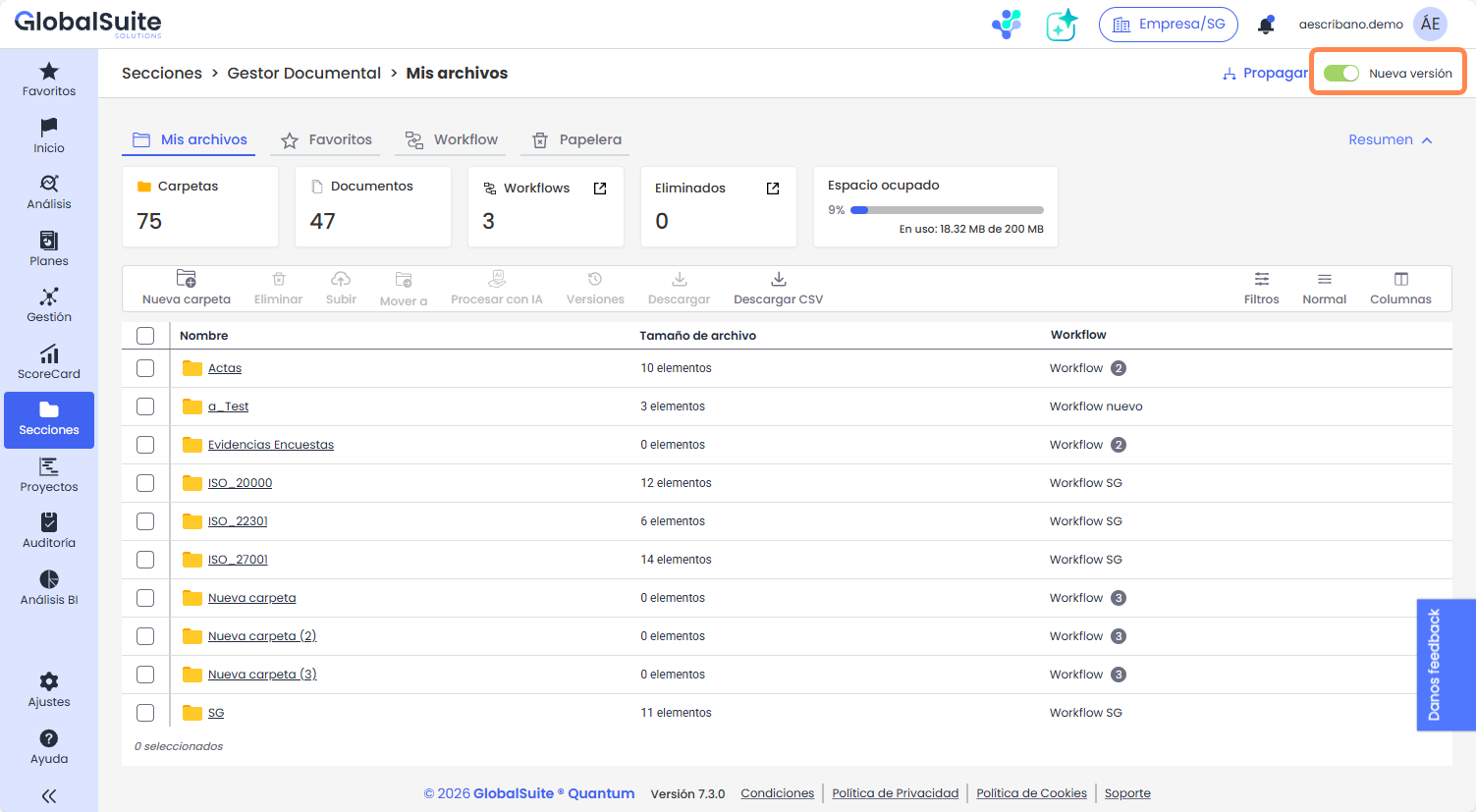
This option will be available for several weeks to facilitate the transition and allow users to maintain their operations.
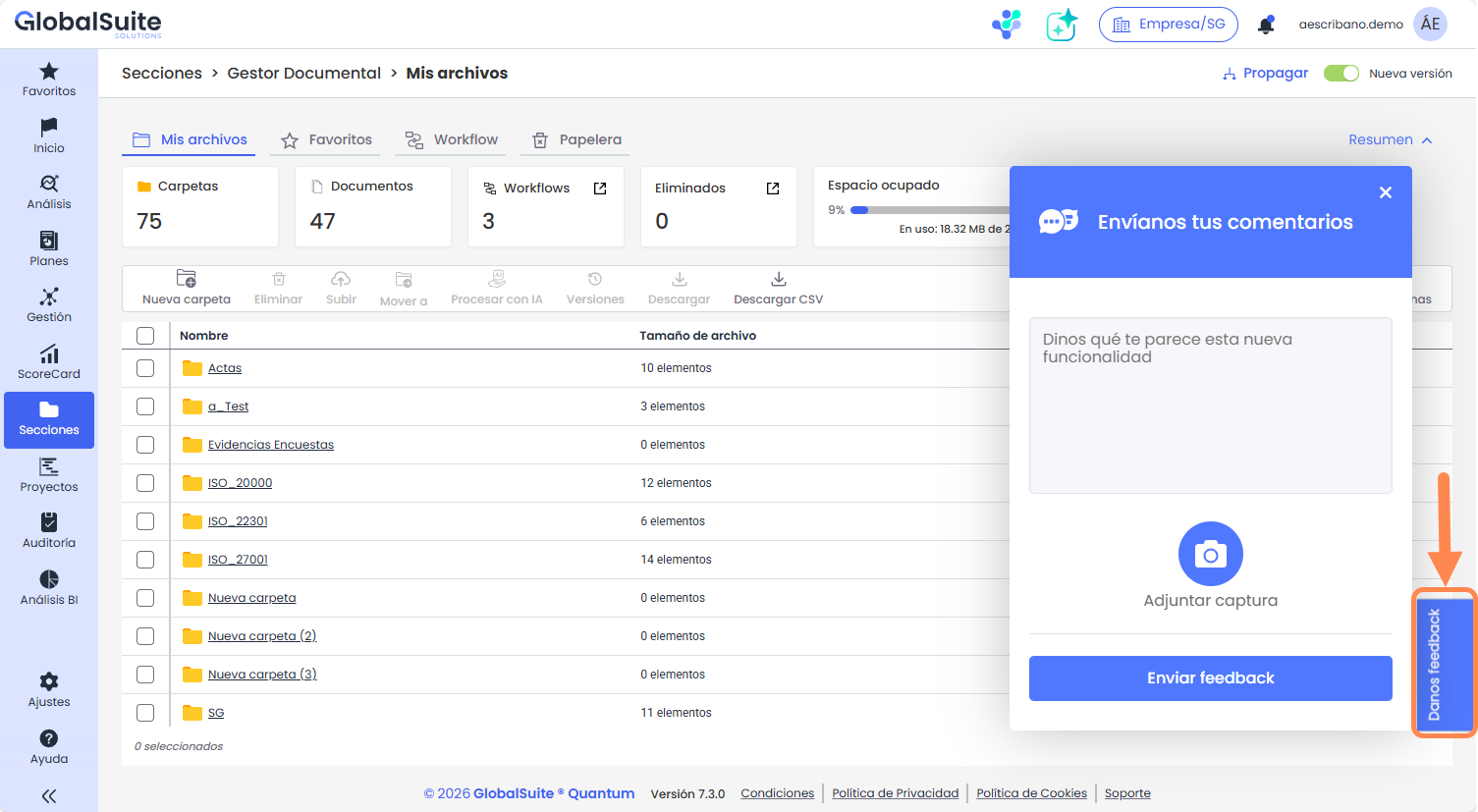
Similarly, we have enabled a mechanism to receive feedback directly from users about these new functionalities, so we can take it into account for continuous product improvement and evolution.
Note: Starting with version 7.3, in on-premise distributions, GlobalSuite® will only distribute the product image. The client will be responsible for provisioning and maintaining the underlying technological stack required for its proper functioning.