
New features and improvements
This version includes improvements in various areas of the product. In Ticket management, configuration and automation options are expanded to enhance event tracking and operations on different types of tickets. These changes address needs raised by several clients regarding the management and exploitation of loss event information, aiming to facilitate compliance with reporting obligations and regulatory requirements defined by supervisory bodies and applicable regulatory frameworks.
Additionally, the AI Assistant for IRC survey analysis has been expanded, now allowing the complete report generated by Artificial Intelligence to be downloaded in Word format, and new capabilities have been added to the GlobalSuite® API to interact with the Document Manager, expanding integration and automation possibilities with other systems.
Tickets - Calculation operations on subevents: summation, counter, minimum, and maximum
|
Calculation operations for numeric fields of loss events are expanded, allowing subevent values to be aggregated through summation, counter, minimum, and maximum. Among other uses, the summation of subevents enables obtaining the net amount of the root event. |
|---|
Calculation capabilities for numeric fields (NUM) of loss events are expanded with new attributes and operations that allow obtaining the aggregated net amount at the root event level. This way, information distributed between an event and its subevents is automatically consolidated, reducing manual calculation and providing a reliable figure for reporting processes. This functionality is only available for numeric (NUM) fields of loss events.
The calculation is configured from Administration > Tickets > Fields > Loss Events. By marking a NUM field as Automatic and defining its formula, the constructor now incorporates a new group, Numeric fields of subevents, along with a selector Quantifier that determines how subevent values are aggregated.
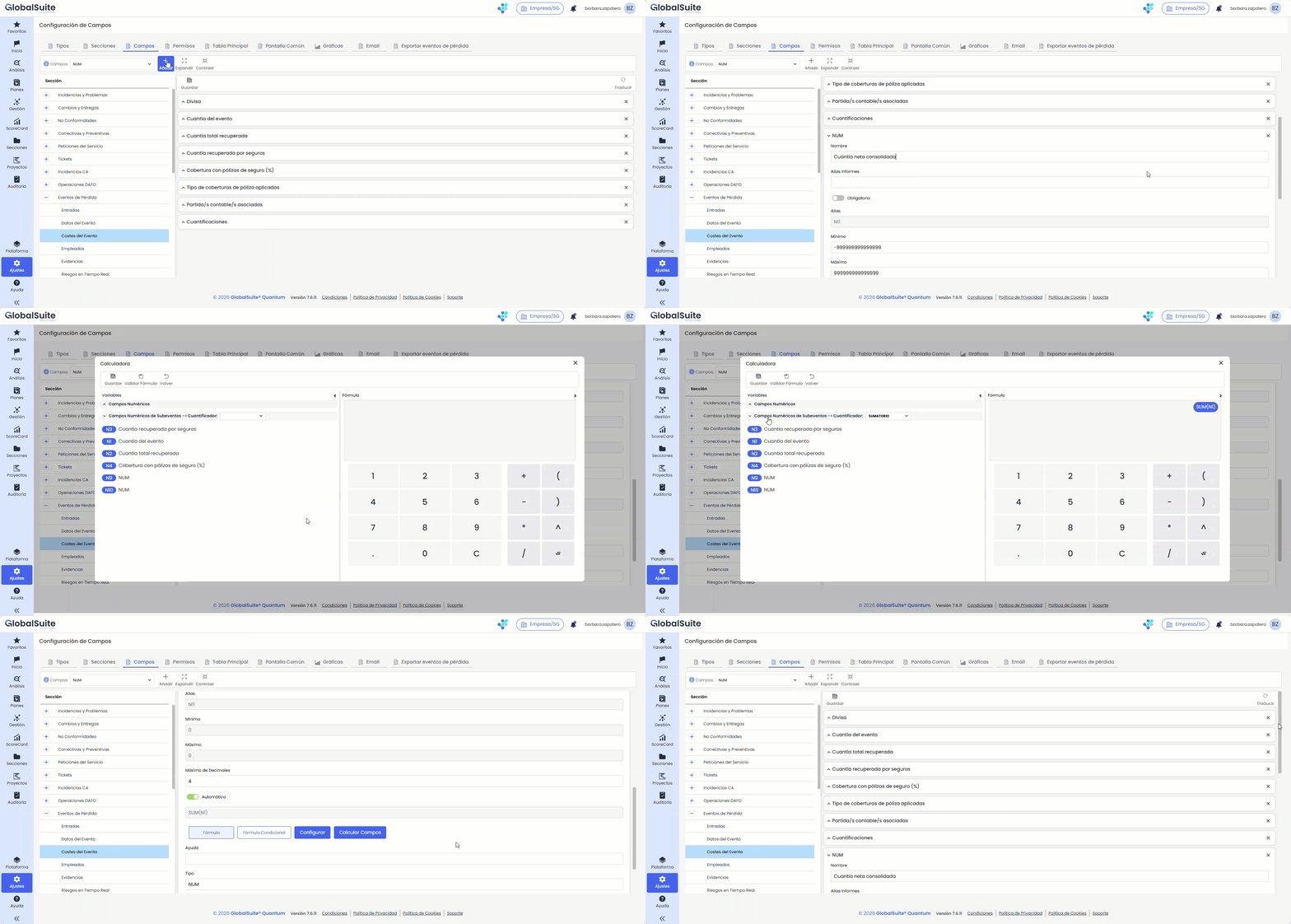
Key features
-
Four quantifiers available for numeric fields of subevents: Summation, Counter, Minimum, and Maximum.
-
The calculation aggregates the values of the active subevents (children) of the event, excluding the value of the root event itself; empty values are considered 0.
-
When the event has no subevents, the quantifier is evaluated on the event itself: Summation, Minimum, and Maximum return its value, and Counter returns 1.
-
The result respects the signs and decimals of the source values and adjusts to the decimal configuration of the destination field, just like other automatic NUM fields.
-
Recalculation is executed upon opening and saving loss event tickets (previously, it was only calculated upon saving). If the event has a parent event, it is recalculated subsequently.
-
The Calculate Fields option applies the calculation to existing tickets.
-
Each execution is logged with its trace in Work Processes, under the process "Calculate Ticket Fields".
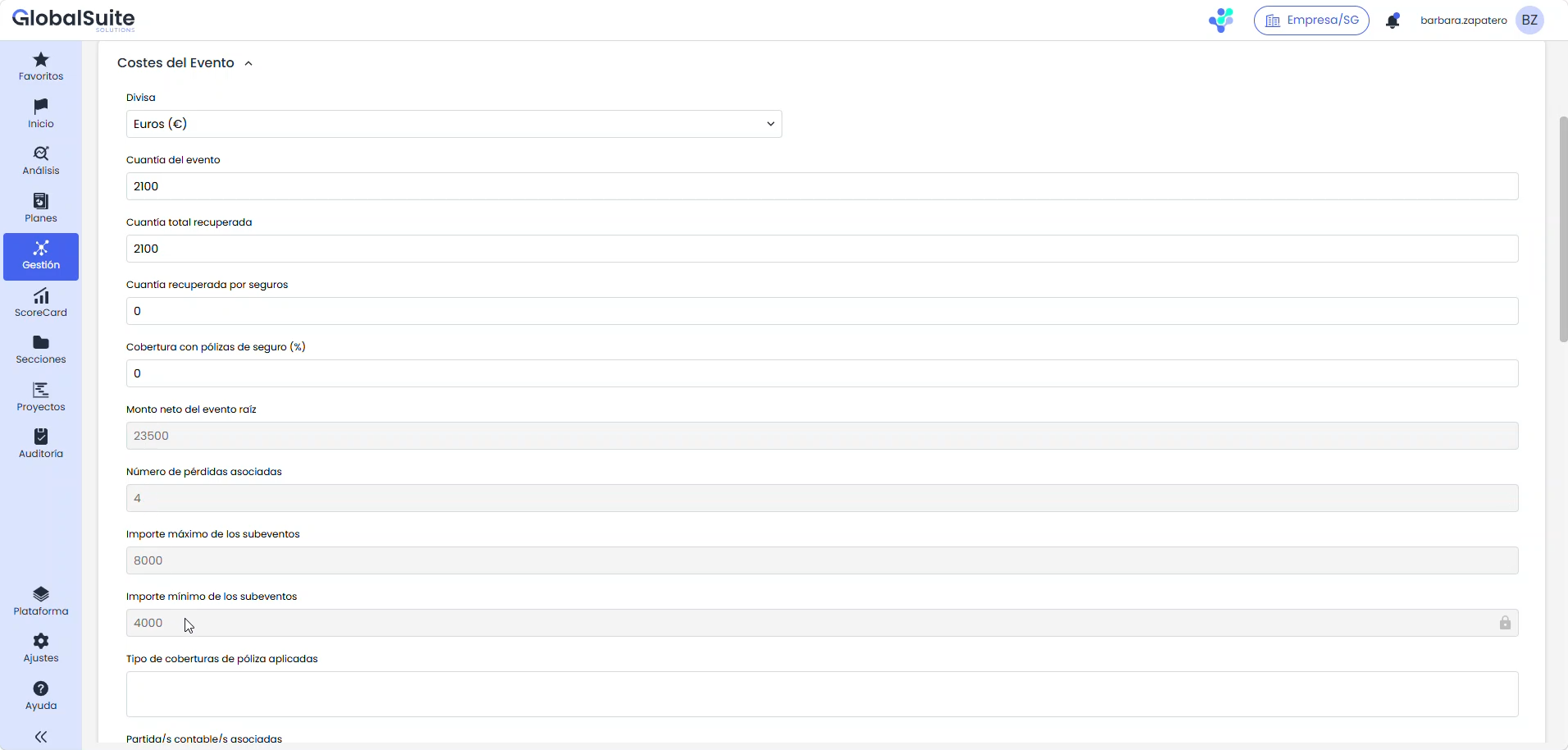
User benefits
-
Fewer manual calculations to consolidate the amount of an event and its subevents.
-
Coherent and traceable aggregated figures for regulatory reporting processes.
-
Greater control over operations, as the data is also recalculated when opening the ticket.
Tickets - New "Export" date type
|
A new automatic date type, "Export," is introduced, which records the date tickets are exported in a report, facilitating traceability of reporting activity. |
|---|
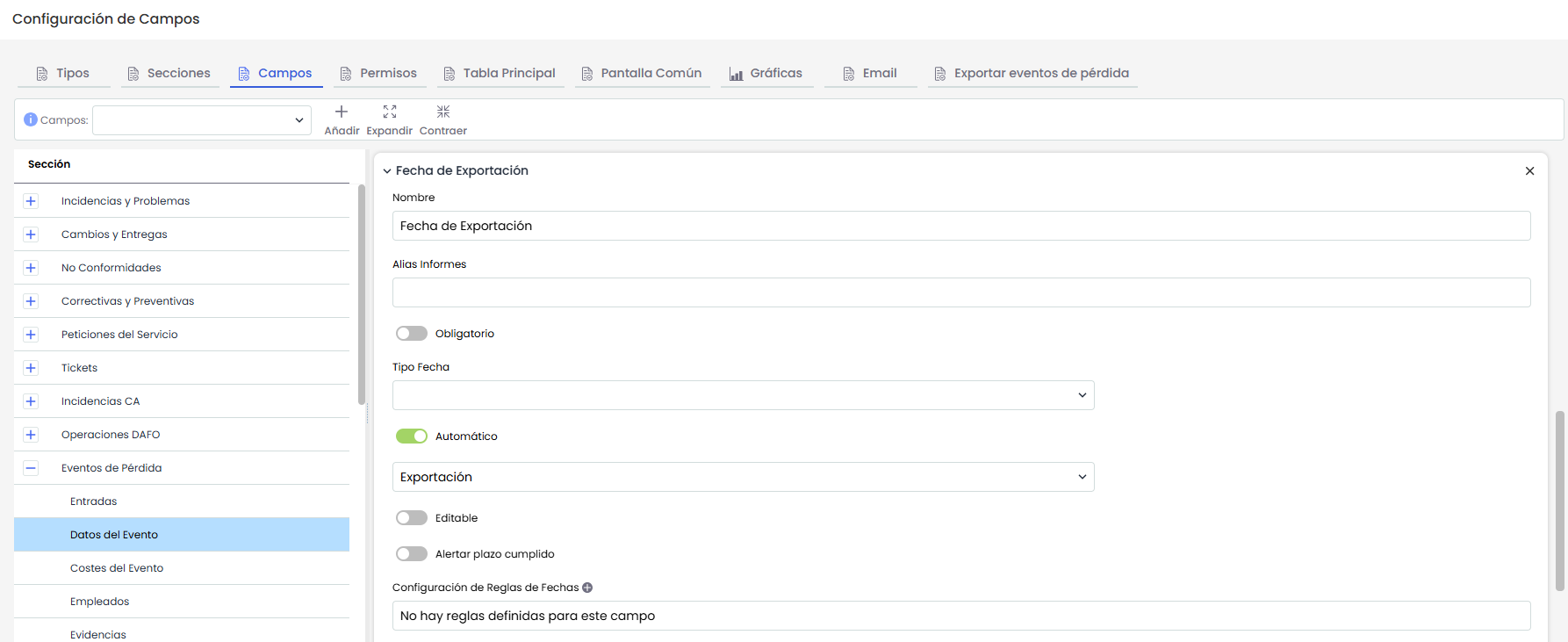
A new type of automatic date field is added, called "Export", which records the date when ticket information is exported through a report. It is aimed at reporting processes and provides a useful temporal reference to demonstrate compliance with information obligations. It applies to all ticket types.
The field is created from Administration > Tickets > Fields, marking a date-type field as Automatic and selecting the Export option. It is a read-only field due to its automatic nature—it cannot be edited in any context—and only one "Export" field can exist per ticket. Once created, it can be displayed in the Main Table, in the ticket form, and in the Common Screen, respecting the configured order in each, and allows filtering by date ranges when displayed in the Main Table.
The date is recorded when downloading a report generated from a template . When the ticket has the "Export" field configured, a modal is displayed before the download—regardless of whether the template includes that column or not—that allows deciding how the date is completed in the tickets included in the report, considering the template filters, not the table filters:
-
Draft (default option): the report is downloaded without completing any export date.
-
Export: fills in today's date for tickets in the report that do not yet have it. This change is irreversible.
-
Rectification: updates today's date for all tickets in the report, overwriting existing dates and completing missing ones. This change is irreversible.
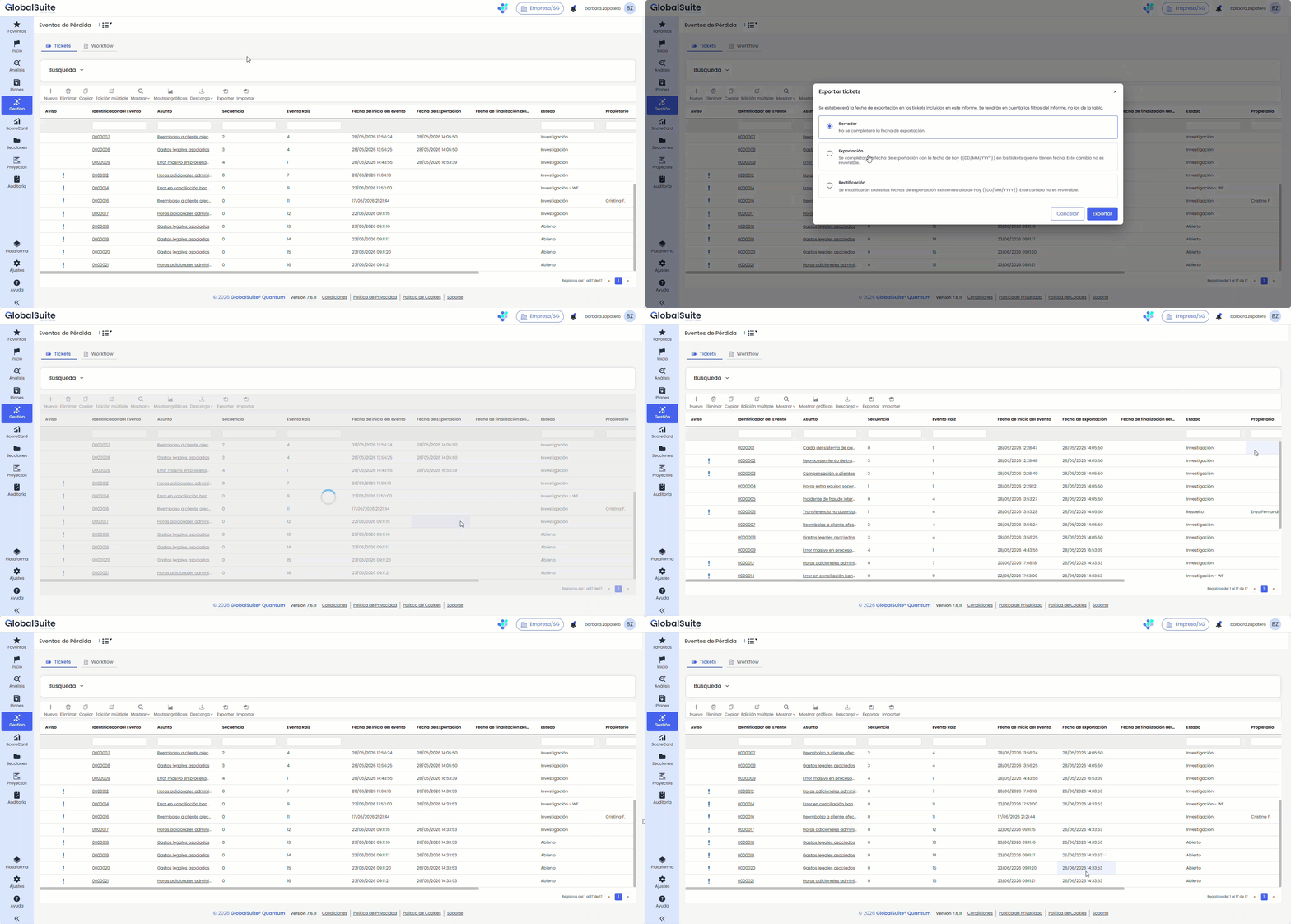
This functionality is designed to be combined with the report template configuration. Since filters and conditions can be defined in a template—for example, tickets opened during the last month—when exporting from it, the export date is assigned only to tickets that meet those criteria, allowing precise control over which records it applies to. The export date is only recorded for downloads made from a report template.
For more information on template configuration, you can consult the documentation at the following link: Ticketing Report Templates - GlobalSuite® Documentation - Confluence
Tickets - Bulk status update
|
Bulk status modification is introduced, allowing the status of multiple tickets to be changed in a single controlled and traceable operation, with tracking in Work Processes and a downloadable result report. |
|---|
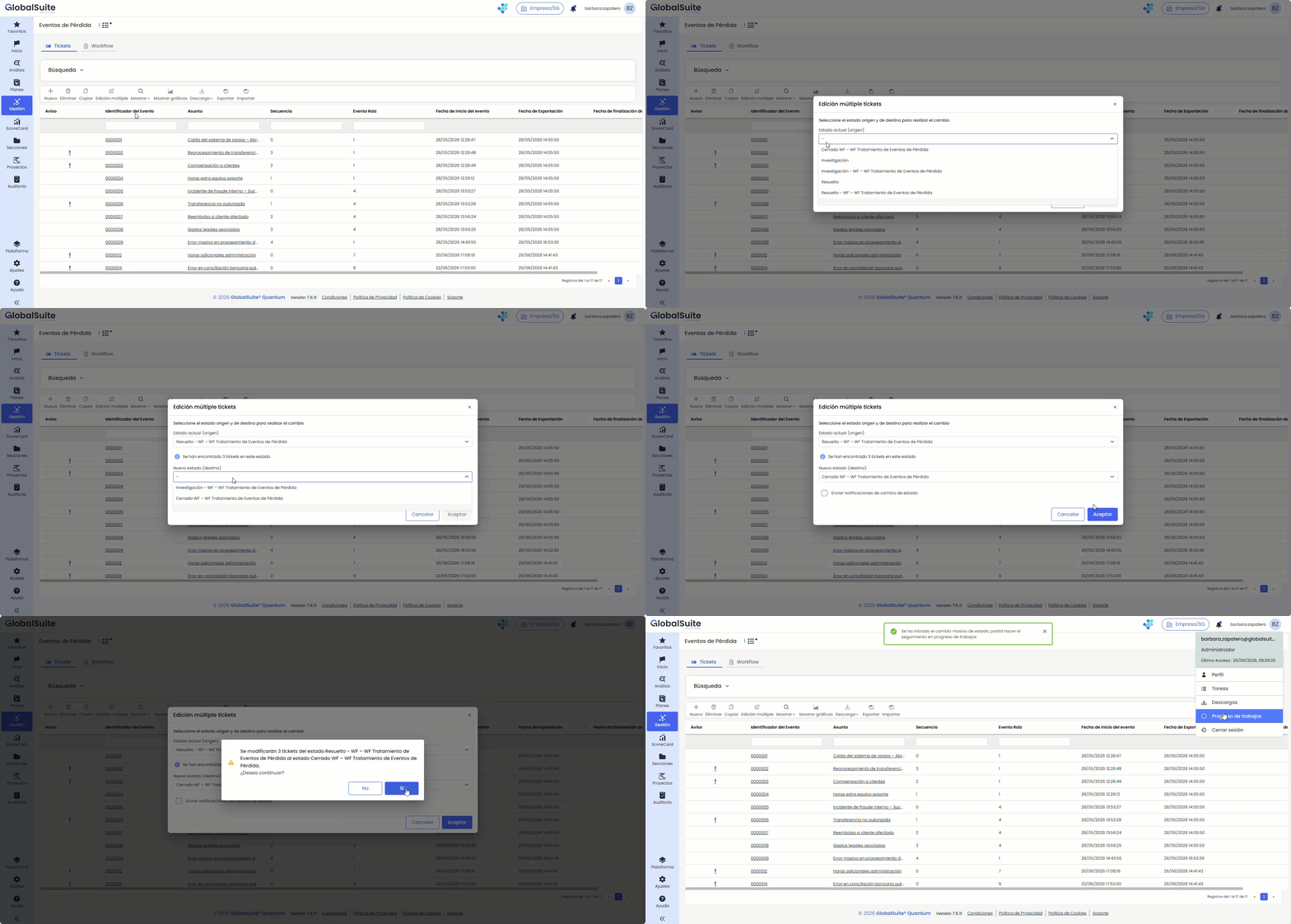
The ability to change the status of multiple tickets in a single operation is introduced, centrally and controlled. The action is initiated from the Multiple Edit option, available in the toolbar of the main table for each ticket type that has a status field configured. It applies to all ticket types.
The process is carried out from a modal: the current status (source) is selected—accompanied by its workflow when applicable and the number of tickets in it—and then the new status (destination), which the system proposes according to the configured workflow. It can also be decided whether to send status change notifications, which are enabled by default.
Before execution, the system displays a confirmation message with the number of affected tickets and the transition to be applied. Upon confirmation, the operation is executed in the background—its progress can be tracked in Work Processes—allowing continued work while it completes.
Key features
-
The available source statuses, their ticket counts, and the records being acted upon respect the user's visibility and permissions, following the same logic as individual ticket management.
-
The change is applied only to eligible tickets at the time of execution.
-
Notifications associated with the change (status change, closure, assignment of responsible party, etc.) are sent or omitted based on the selected option.
-
The operation is logged for auditing (user, date, source and destination status, and operation identifier), enabling subsequent traceability.
-
Upon completion, a downloadable result report (.txt) is generated, available in pending downloads, whether the operation ends in total success, partial success, or errors. It includes a summary (processed totals, successful and erroneous) and details by ticket, indicating the final status achieved or the reason for the error.
User benefits
-
Status change for large volumes of tickets in a single action, avoiding record-by-record work.
-
Clear visibility of impact before execution, thanks to the count and confirmation message.
-
Greater control and traceability, with audit logging and detailed result report by ticket.
AI Assistant Expansion - IRC Survey Analysis - Word Report
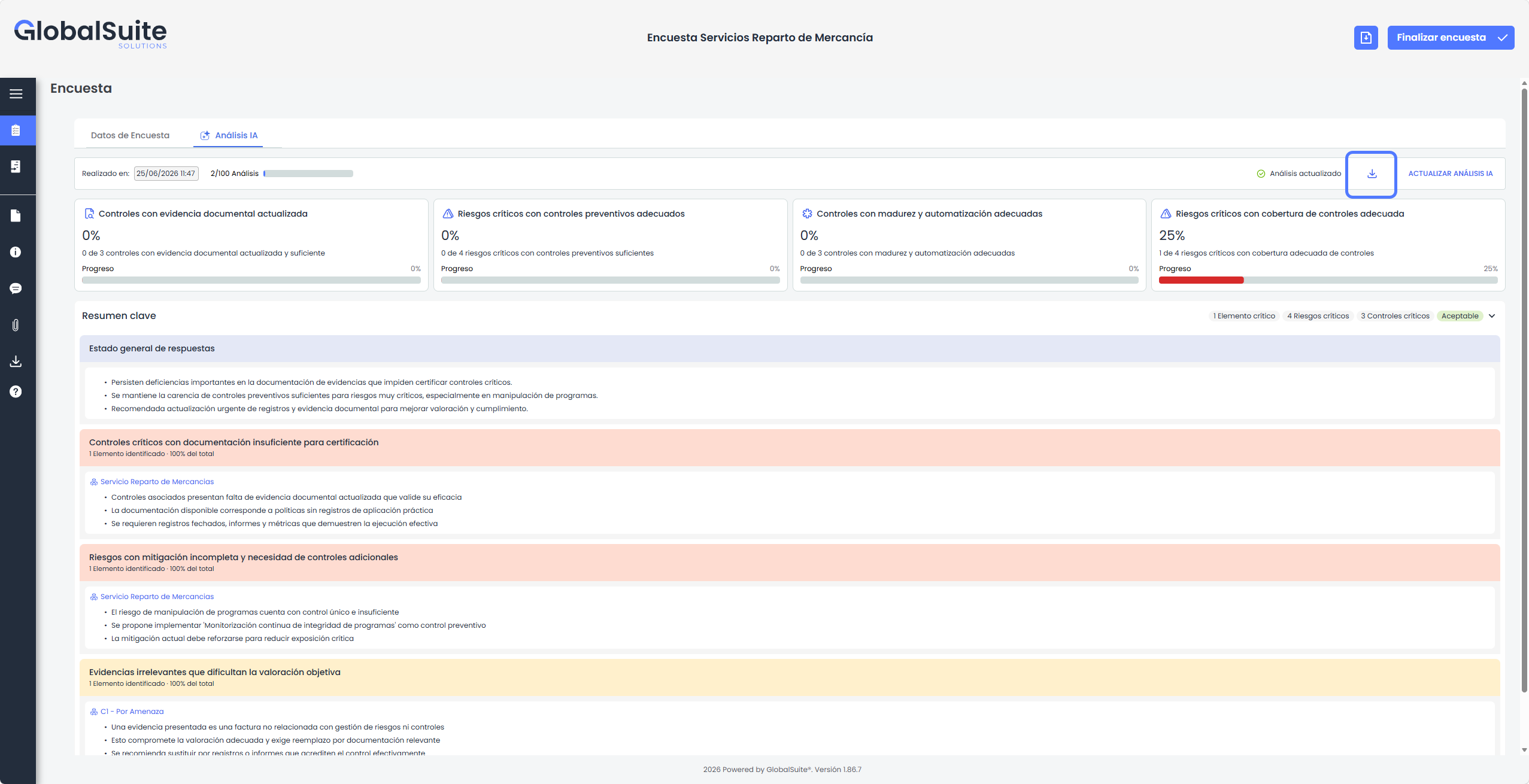
An improvement is introduced in the AI Assistant for IRC survey analysis from the previous version ( Quantum 7.4), allowing the complete report generated by AI to be downloaded in Word format.
In this version, the AI Assistant for survey analysis of Items, Risks, Controls, and Evidences is expanded, allowing the complete report generated by Artificial Intelligence to be downloaded in Word format.
With this evolution, analysis results are no longer available only within the survey screen and can now be shared as a formal document, facilitating review, presentation, and follow-up by other business areas or interested profiles.
Additionally, the generated report is available in the Downloads section of the survey itself, allowing it to be retrieved later without the need to regenerate or manually copy the information.
Main features
-
A new download button is added in the AI Analysis tab, visible when the survey already has a generated analysis.
-
The report can be downloaded in Word format, facilitating its use as a formal working, review, or delivery document.
-
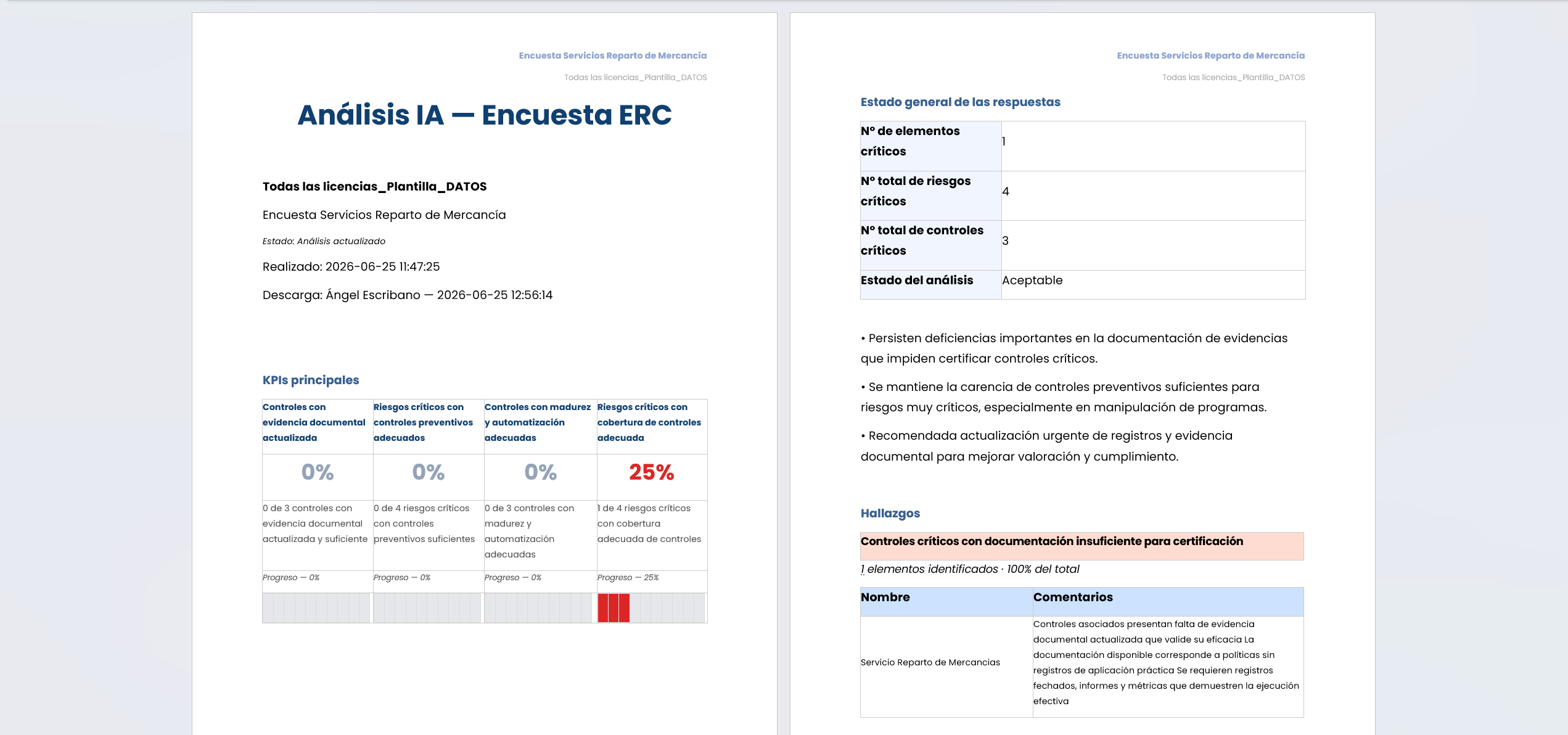
The generated document includes the main information of the AI analysis, such as survey data, analysis date, user performing the download, analysis status, and key KPIs.
-
The main KPIs are incorporated with their completion percentage, allowing quick identification of the level of coverage, maturity, or sufficiency of the controls and evidence analyzed.
-
The report includes the key summary and the general status of responses, offering an executive view of the main points of attention detected.
-
The detail for each evaluated item is added, including risks, associated controls, reviewed evidence, and recommendations generated by the AI.
-
The detail of the information about evidence is expanded, helping to identify whether the provided documentation is sufficient, up-to-date, relevant to the evaluated control, or presents deficiencies that hinder objective assessment.
-
The report incorporates the analysis status, distinguishing whether the information is up-to-date or outdated compared to the survey information.
-
The downloaded file is available in the Downloads section of the survey, centralizing the generated reports along with the rest of the exported survey documentation.
GlobalSuite API - Document Manager Endpoints
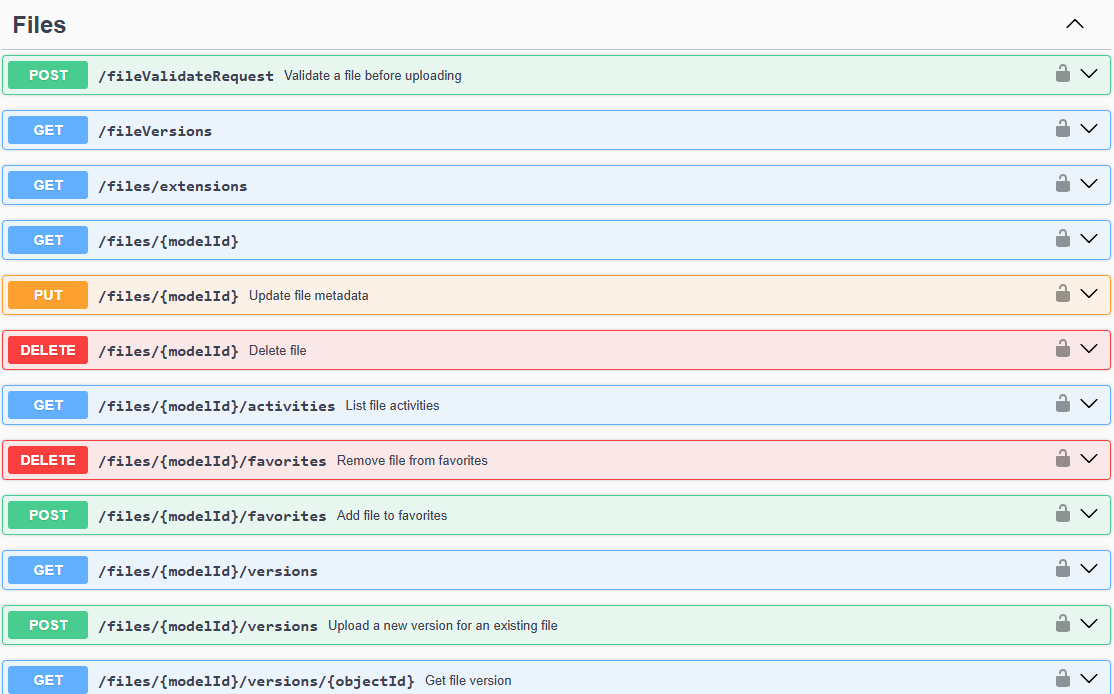
With the aim of further expanding the possibility of connecting GlobalSuite® with other proprietary or third-party information systems, delegating updates to ensure they are always up-to-date, or automating data extraction for subsequent study, this product version incorporates capabilities to interact with the GlobalSuite® Document Manager, enabling automation of various actions.
Main features
-
It is possible to query and retrieve documents and files from the management system by path, tag, responsible party, among other parameters.
-
Operations such as folder creation and deletion, file uploads, or the incorporation of new document versions can be automated.
-
Files can be tagged, classified, or moved between different paths.
By using the APIs, you can integrate GlobalSuite® with other applications, tools, or systems in your corporate ecosystem. For example:
-
The creation of records from other tools can be automated.
-
Synchronize information to export it to another tool for its treatment.
-
Export records to store them in a repository or data lake (EDL).
You can consult the GlobalSuite® API through the Endpoints documentation repository: GlobalSuite® API.
If you want to start testing or using the GlobalSuite® APIs, please contact your provider.
For more information about the APIs, you can consult it here.