New “Activity” Tab for documents and folders in the Document Manager
An activity view is added to the detail of documents and folders in the Document Manager to consult their action history directly from the view, without needing to leave the selected item.
The Activity tab in the detail panel now displays a chronological timeline with the most recent events first, making it easier to track operations performed on documents and folders. From this view, it is possible to consult, in read-only format, relevant actions such as creation, renaming, association or deletion of workflows and tags, movements, downloads, approvals, rejections, new versions, and other actions related to the content lifecycle.
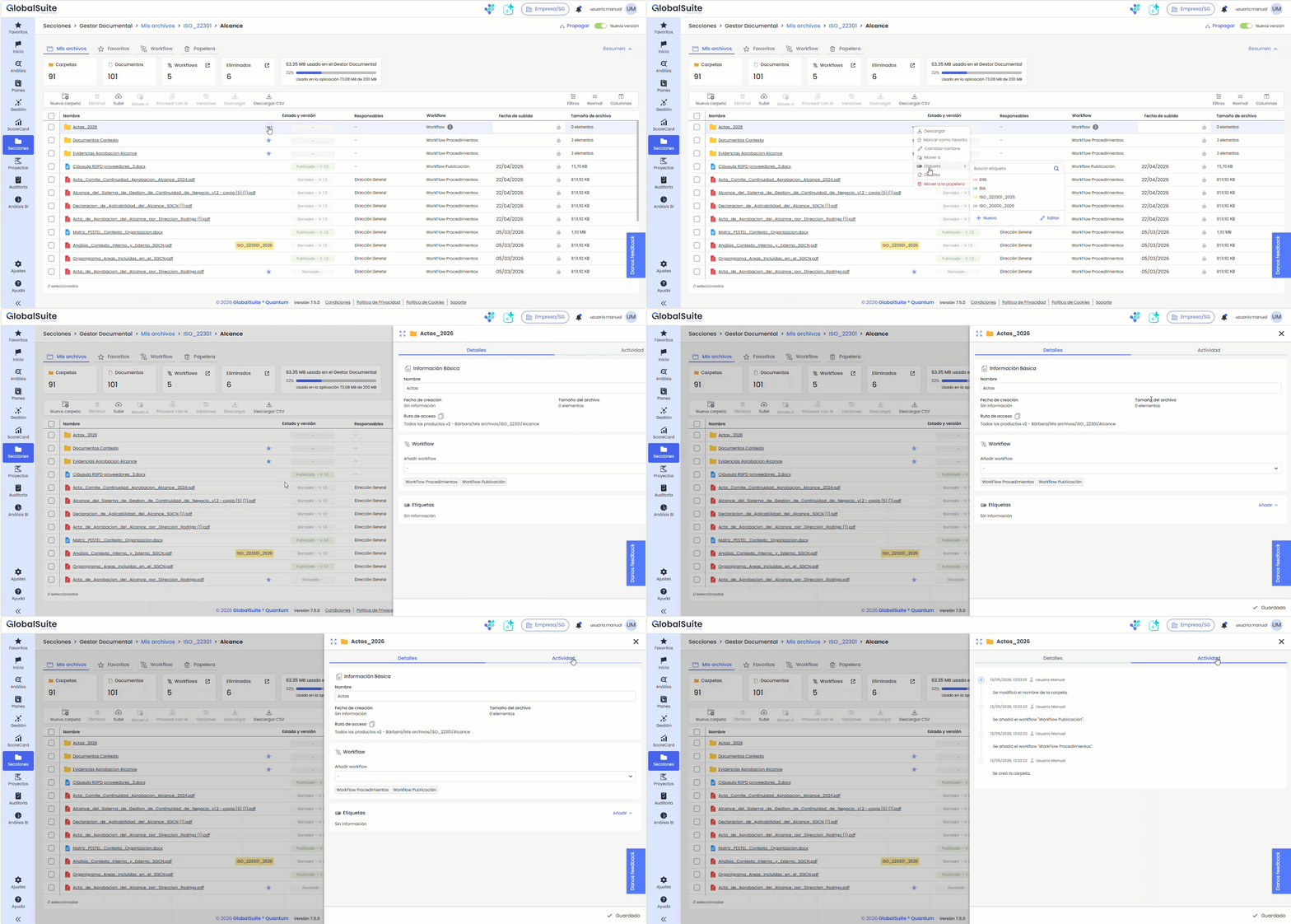
The Activity tab will display events recorded since the deployment of this functionality. Actions performed prior to this will not be available in this history and must be consulted in the Logs section.
To learn more about the details of the events covered in this view, you can consult the manual for Folder Detail and Document Detail
Improvements in Compliance catalog evaluation
The evaluation of catalogs in Compliance expands its query and editing capabilities with new predefined filters, faster document loading, and a more comprehensive visualization of key information in the main list.
Improvements in the main evaluation list
The main list of requirements expands the visible and editable information directly from the table, incorporating fields such as the review date, associated documentation, and observations.
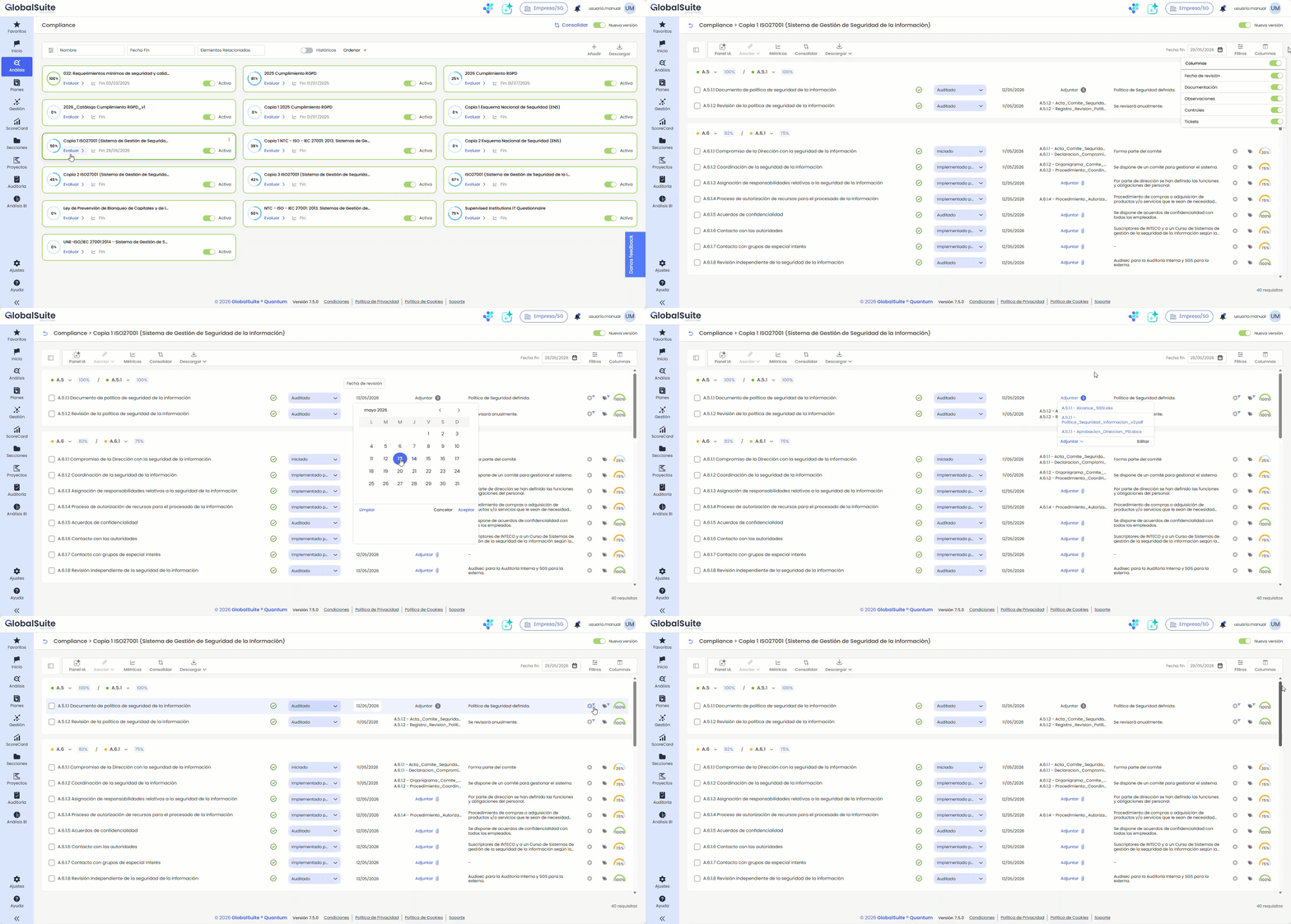
Options are also added to configure the visibility of certain columns, and automatic saving of changes is enabled, streamlining the review and maintenance of the evaluation without needing to access the detail of each requirement.
Predefined filters in catalog evaluation
The main table incorporates predefined filters to quickly locate requirements with or without documentation, controls, or tickets.
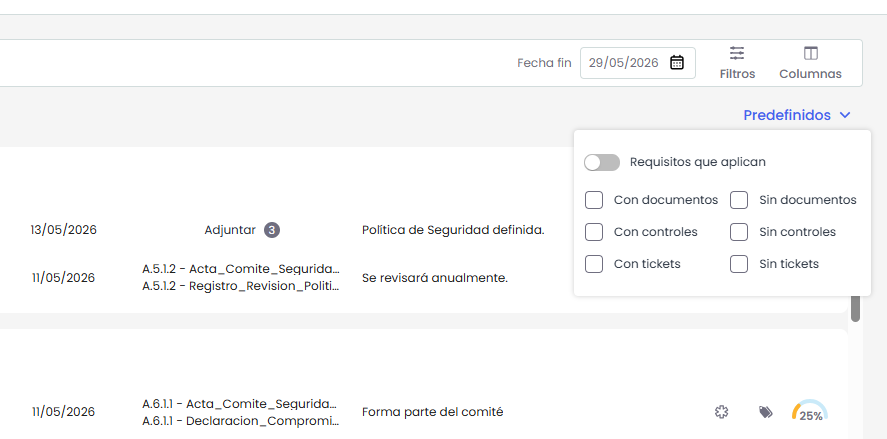
These filters can be combined with each other and used alongside other available filters, as well as narrowing the query to applicable requirements, facilitating a more agile and precise analysis of the catalog.
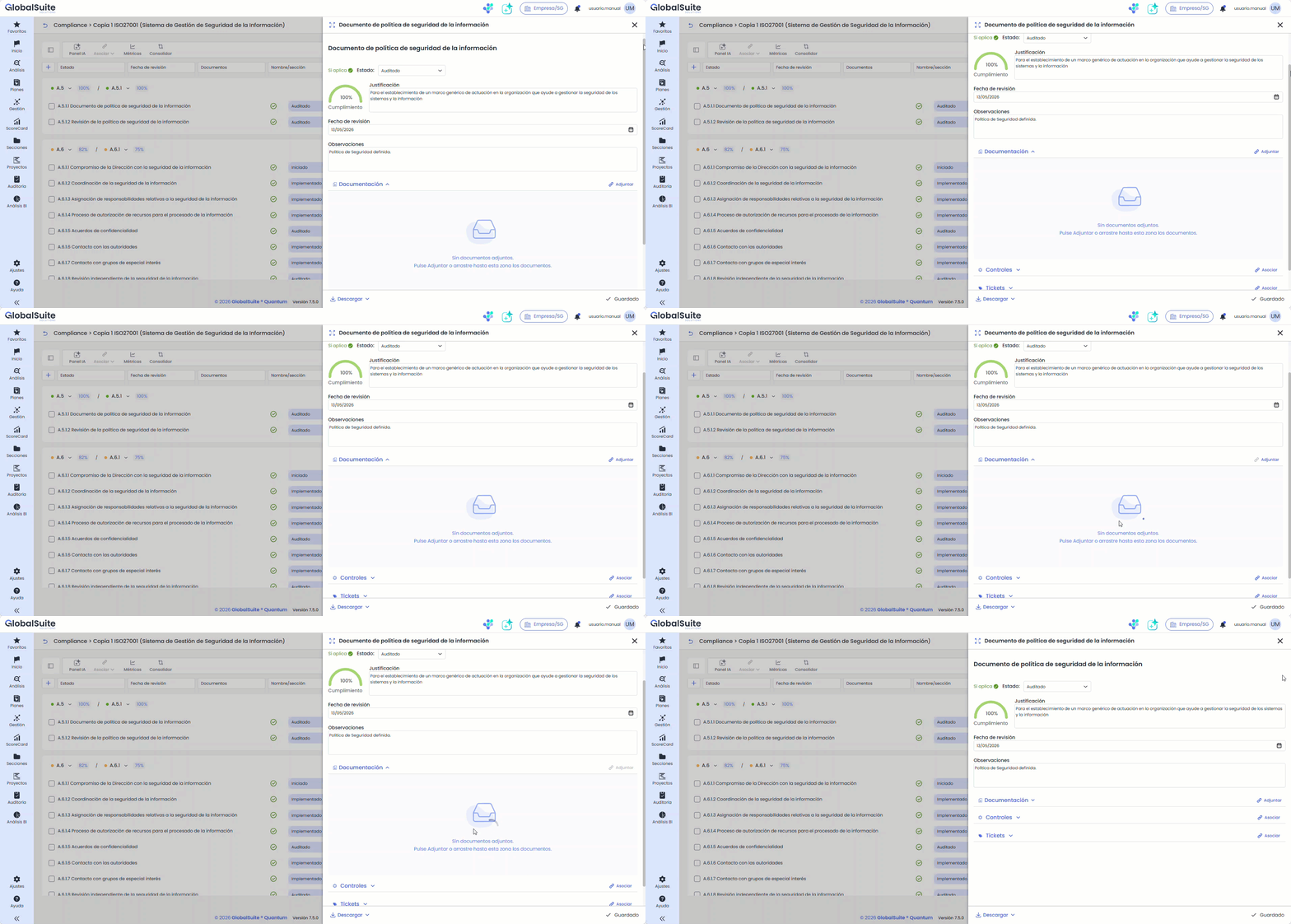
Document upload via drag and drop
The requirement detail now allows attaching documentation by dragging files directly onto the corresponding area. This improvement streamlines the evidence upload process and provides a more visual and intuitive experience during the evaluation process.