
New features and general improvements of GlobalSuite® GRC
- Improvements in the Control Management functionality: Modifications have been made in the Analysis section > Control Management, including:
-
Performance improvement with a large volume of data. If there is a high number of controls and actions, the tool will take much less time to load.
-
Ability to modify action information from the main table without needing to access the control details.
-
End Date and Status information of actions have been added to the main view.
-
Optimization of the report download for controls and actions:
-
-
The download is now generated in the background to avoid user waiting. Once generated, it can be obtained in the Pending Downloads section.
-
-
-
The structure of the information has been optimized, displaying action information in additional columns to those of the controls.
-
-
-
The generated file has been changed from Excel format to CSV format to facilitate subsequent exploitation.
-
This CSV format is a standard that allows the exploitation and transfer of risk information to other systems, facilitating interconnection and exploitation.
If you want to convert the downloaded report into Excel format, you can do so by following these steps:
-
Open the .csv file downloaded from GlobalSUITE® that you want to convert.
-
Click on File > Save As.
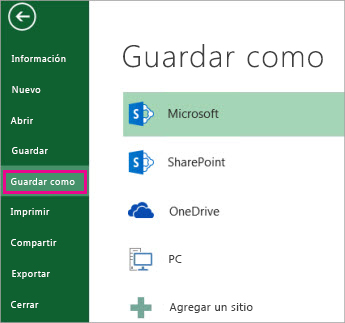
-
In Locations, select the place where you want to save the file.
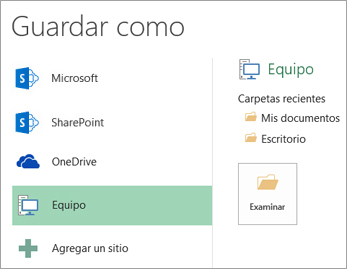
-
In the Save As dialog box, navigate to the desired location.
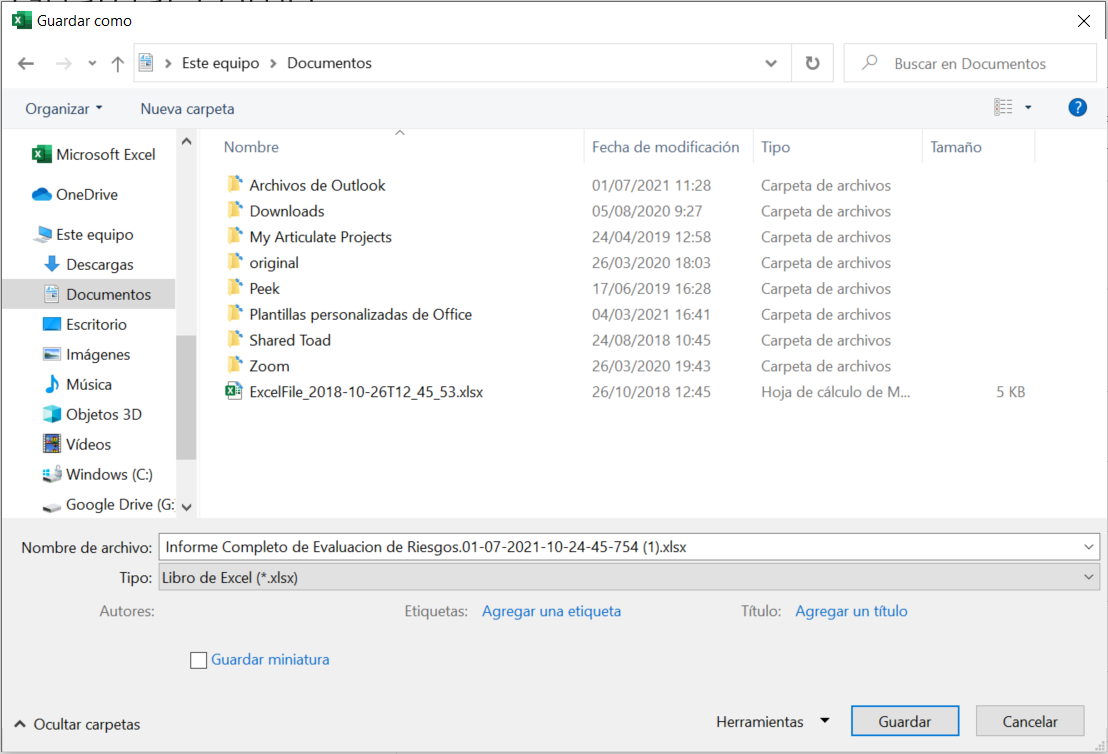
-
In the Save as type list, click on the file format " Excel Workbook (*.xlsx) ". Click the arrows to scroll to file formats not visible in the list.
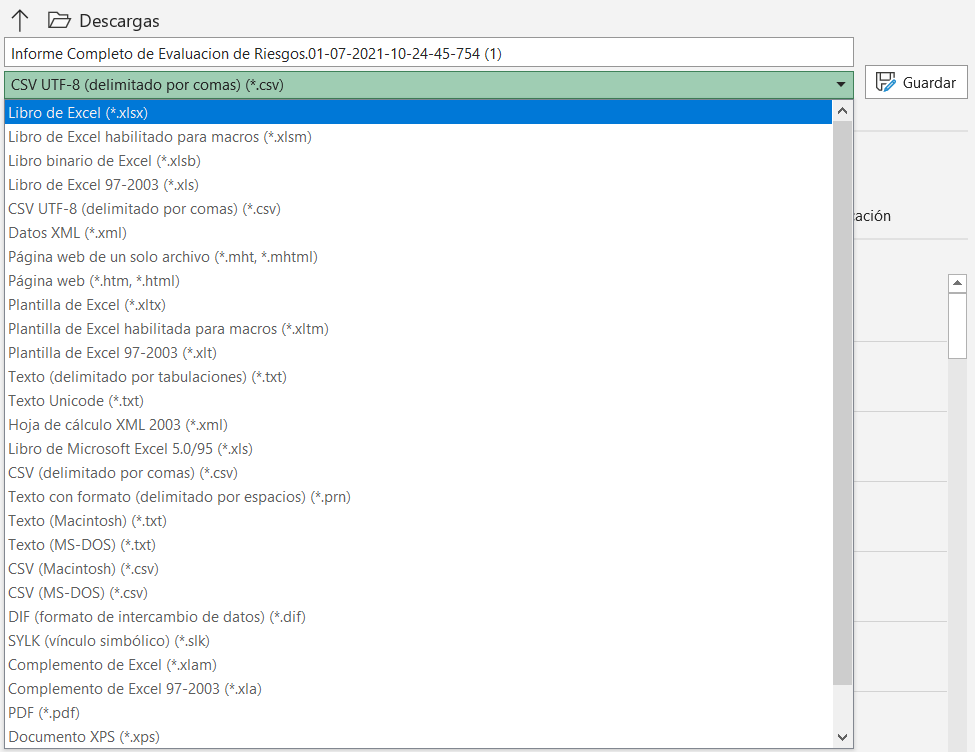
More information: https://support.microsoft.com/es-es/office/guardar-un-libro-con-otro-formato-de-archivo-6a16c862-4a36-48f9-a300-c2ca0065286e