
New features and general improvements in GlobalSuite® GRC
Improvement in the association of evidence to Controls
This improvement optimizes the Evidence Management process both in Control Management and Risk Management, increasing efficiency and reducing the time and effort required to perform this management. Additionally, it allows centralizing and simplifying several steps of the process, enabling faster and more efficient search, review, creation, and assignment of evidence.
Main Features
-
Attach Documentation: Directly from the Control Detail, it will be possible to attach documentation to the evidence from two sources:
-
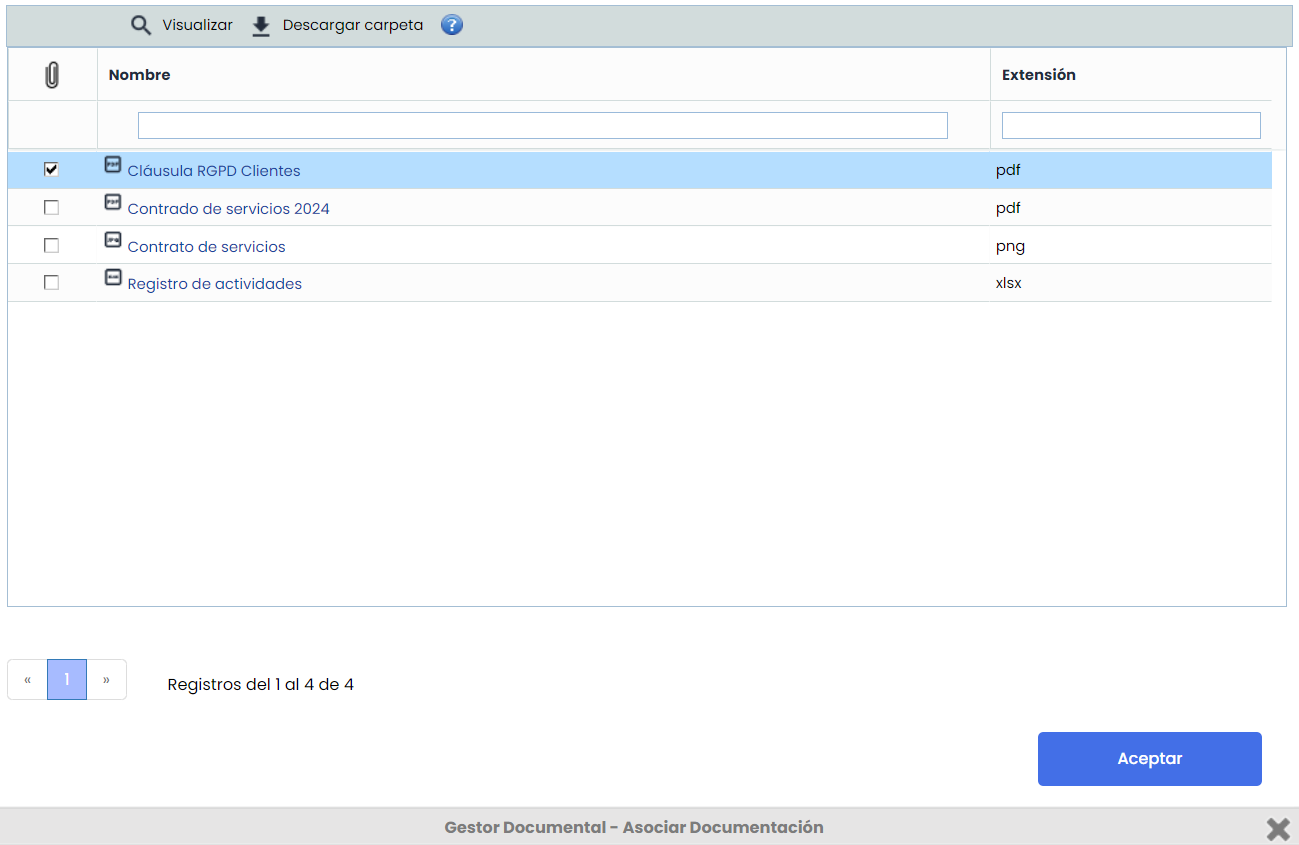
From Document Manager: Documents previously stored in the Document Manager can be associated, as well as disassociated from the evidence when necessary.
-
From Local Device: Files can be uploaded directly from the user's device.
-
-
Creation and Deletion of Evidence:
-
New evidence can be created directly from the Control Detail, improving flexibility and centralized management of evidence.
-
It is now possible to delete evidence without needing to access the Evidence Management section.
-
-
Access and Editing of Evidence:
-
Evidence can be accessed via a direct link, facilitating navigation and quick access to the necessary information.
-
The name of the evidence can be edited, simplifying the updating and maintenance of information.
-
Note
The entire process can be carried out within the Control Details > Evidence option, avoiding the need to access the Evidence Management section to create or edit it.
Access to the Control Detail View
The new improvement will be available from Control Management and Risk Management, when accessing the Control Detail.
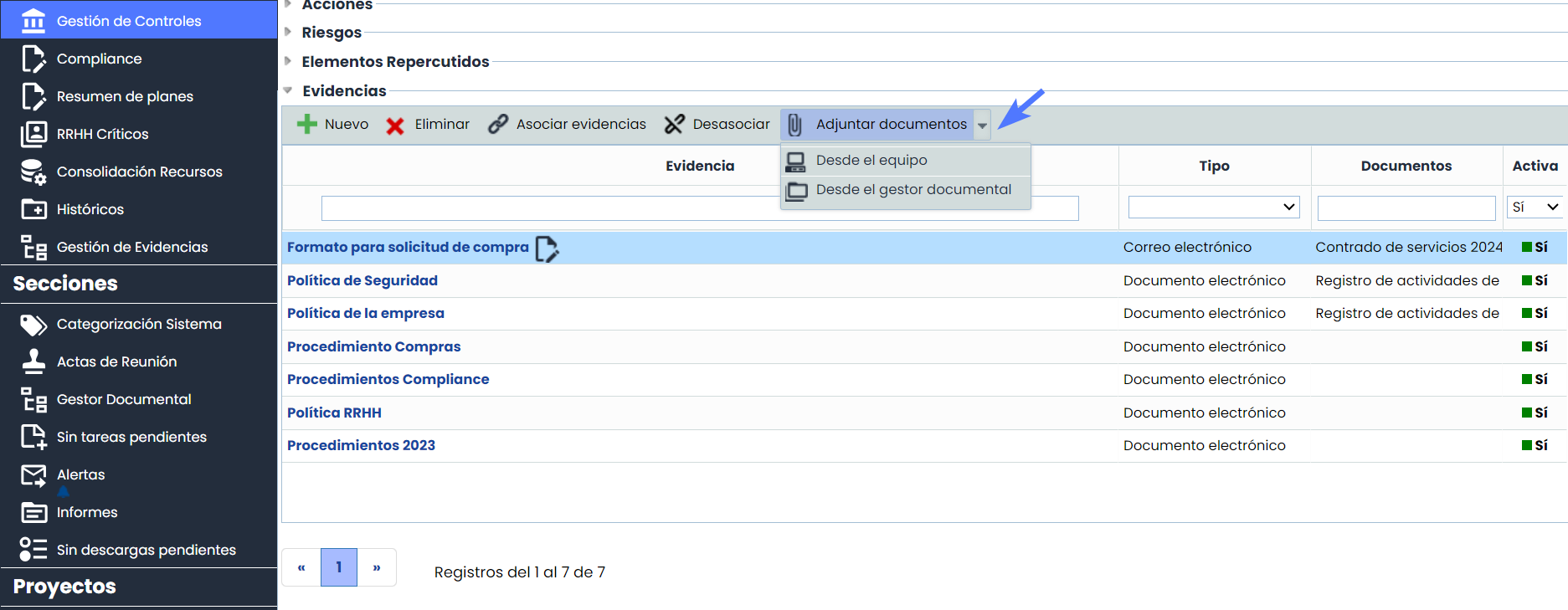
Associate documents from the Document Manager.
In addition to associating and disassociating documentation from the document manager to the evidence, it will be possible to modify the name, view, and download the documentation.
Supplier Import - Delete
The ability to delete suppliers from the system by comparing with an Excel file has been implemented:
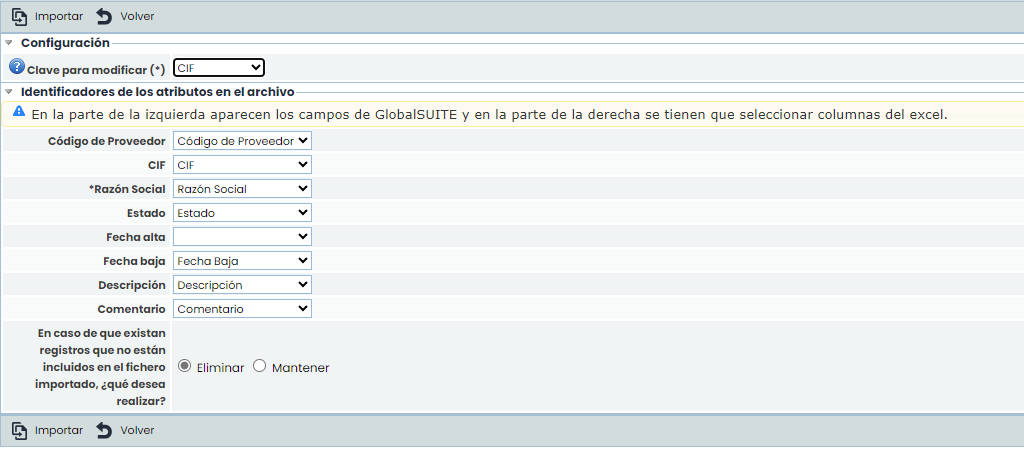
When importing and selecting “Delete,” if a supplier currently in the system does not appear in the selected Excel file, it will be removed from the system.
This function facilitates the synchronization of the supplier list with the Excel file, ensuring that only the suppliers present in the file remain in the system.
After importing, a log is left where the number of suppliers that have been deleted can be checked:
