New features and improvements in GlobalSuite® Audit Management
In this version of GlobalSuite®, we have incorporated two new features to enhance the Audit Management module, aimed at facilitating the management of audit cycles and adapting the information of audit tasks by incorporating new customizable fields.
Field Customization - Audit Program
This new feature allows the customization of fields in audit programs. Users can add additional fields of type Date, Text, and Selector, adapting both the task form and the main audit scheduling table to the specific needs of each user.
Main Features
-
Incorporation of Custom Fields:
-
Available Field Types: Users can add fields of type Text, Date, and Options.
-
-
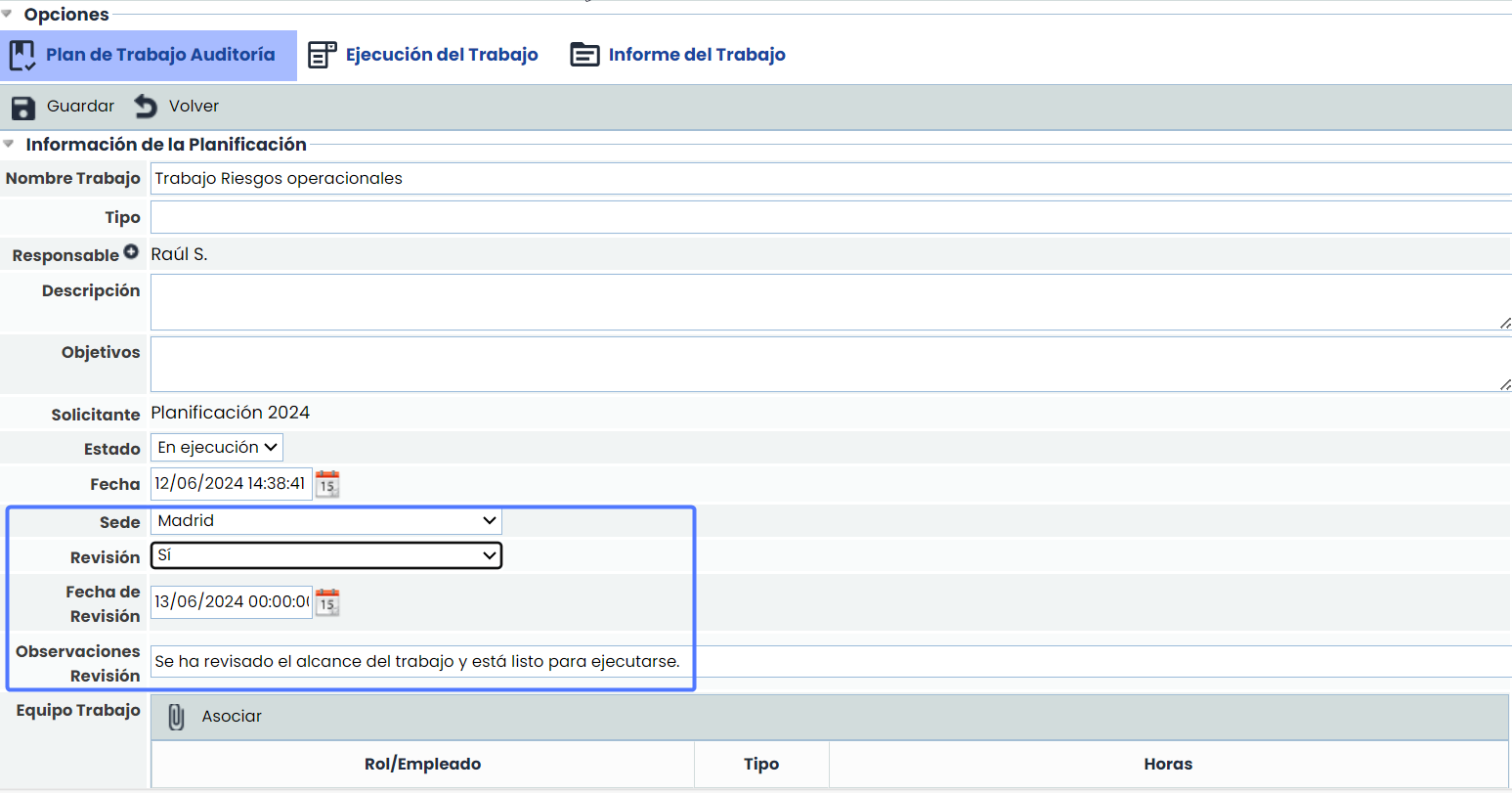
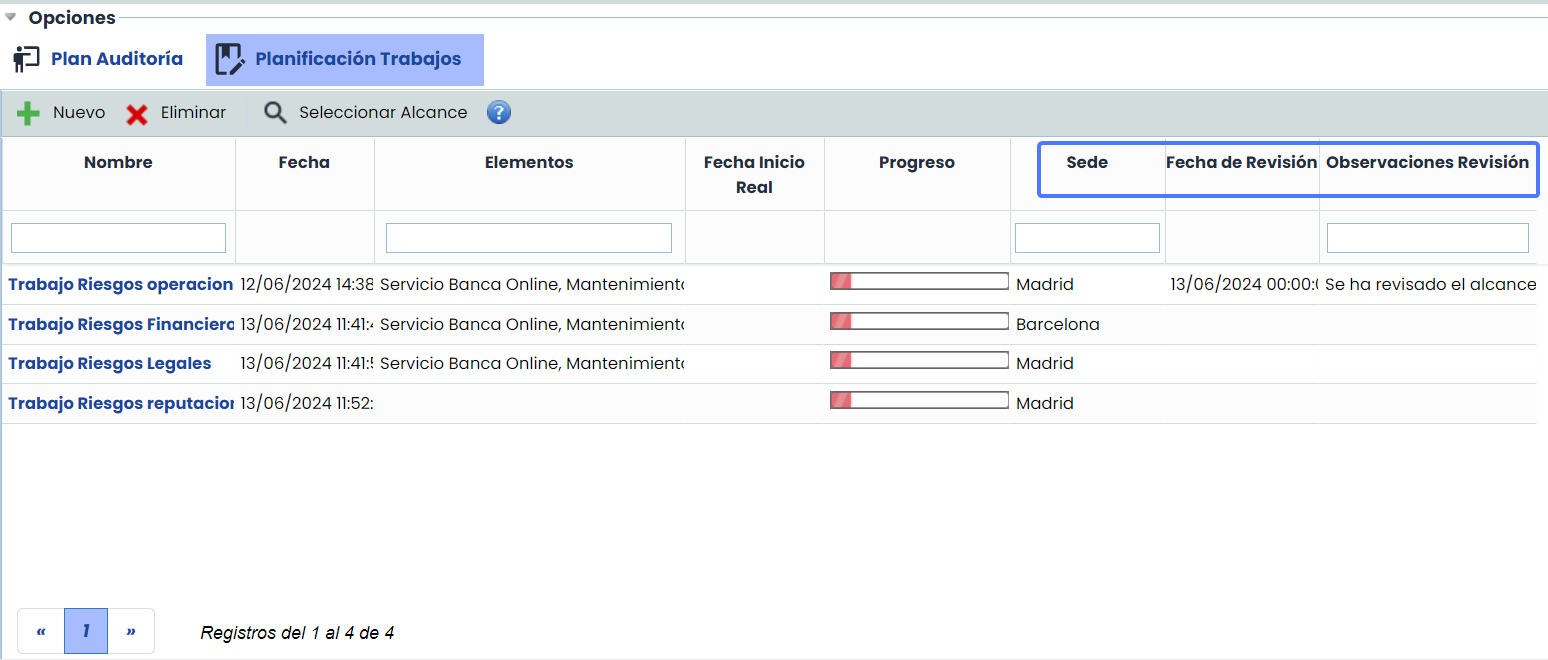
Field Visibility. These fields will be visible in the following options:
-
Audit task forms.
-
Task table, option Audit Plans > Task Scheduling.
-
Main table of Audit Scheduling.
-
-
Report Adaptation:
-
Reports have been updated to include any newly configured fields, ensuring that all customized information is adequately reflected in the generated reports.
-
-
Integration with Entities:
-
For companies working with entities, the new fields have also been included in audit propagation, allowing consistent and uniform data management across different levels and areas of the organization.
-
Configuration
These new fields can be configured in Administration > Methodologies > Audits

Visibility of customizable fields
-
Task form
-
Task table, option Audit Plans > Task Scheduling.
-
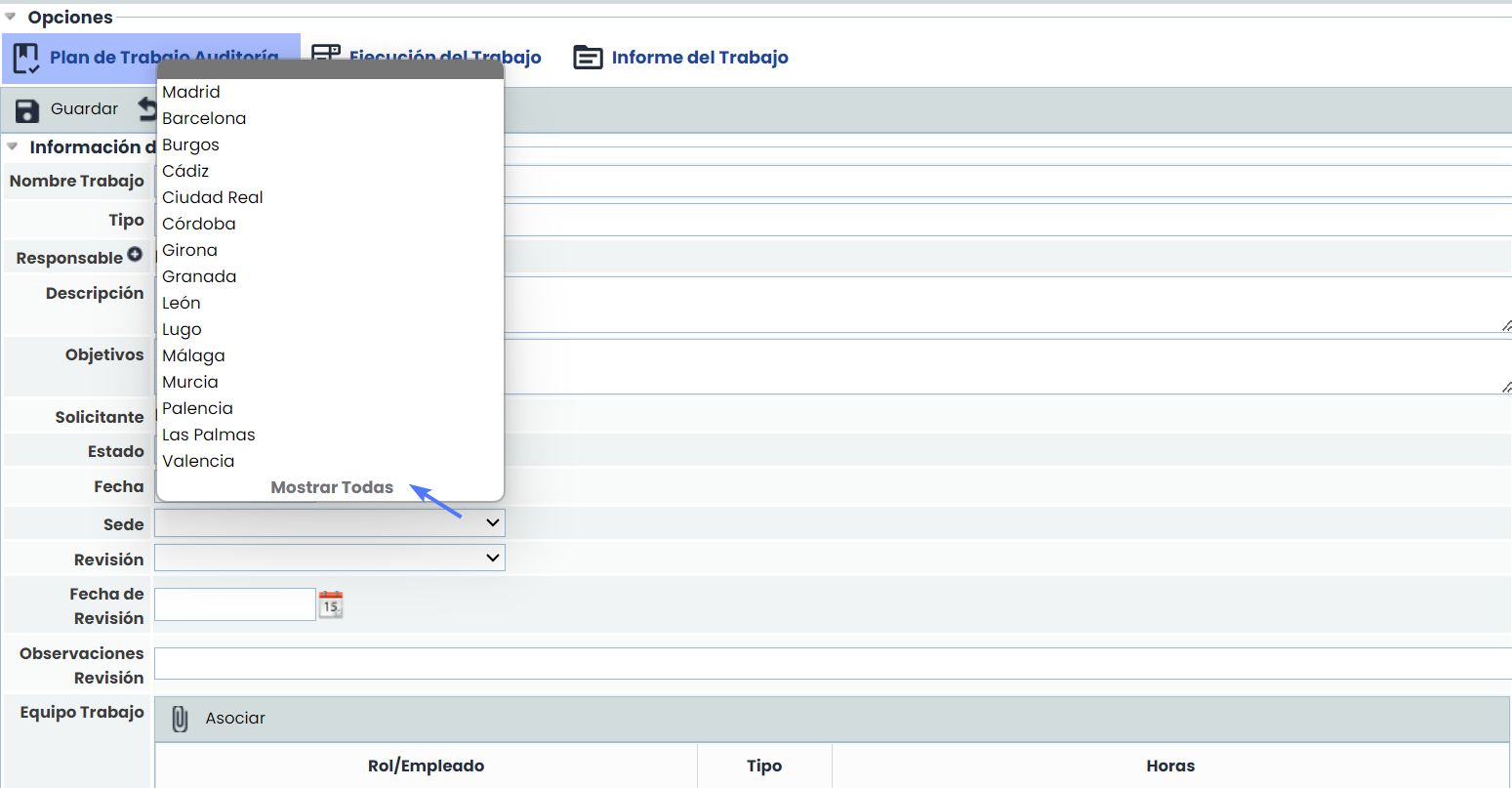
Management of Option-Type Fields:
-
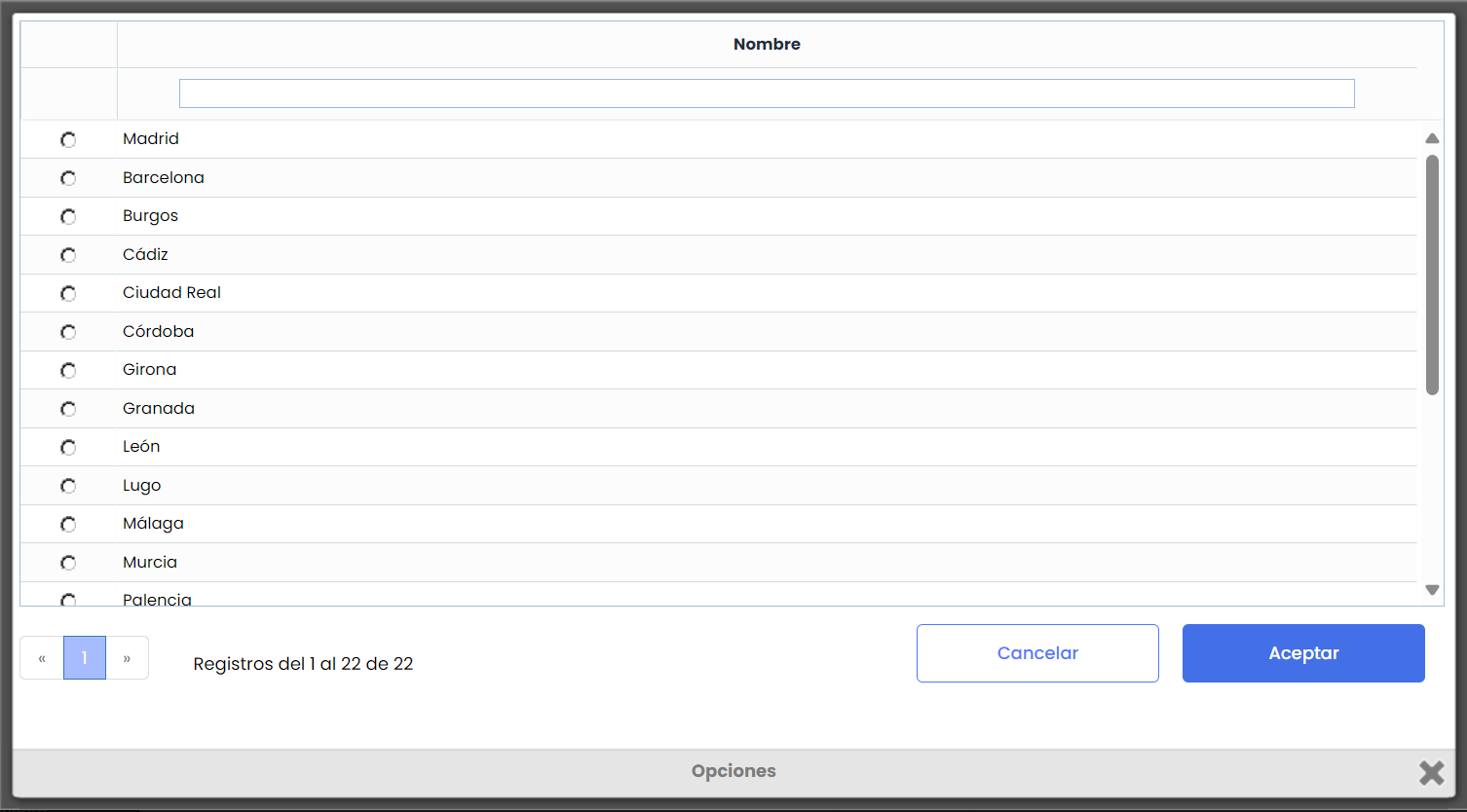
By default, the options configured for this type of field will be displayed with a selector. However, if there are many options, the “Show all” option will be automatically enabled, allowing the configured options to be displayed through a window, which will facilitate search and selection.
-
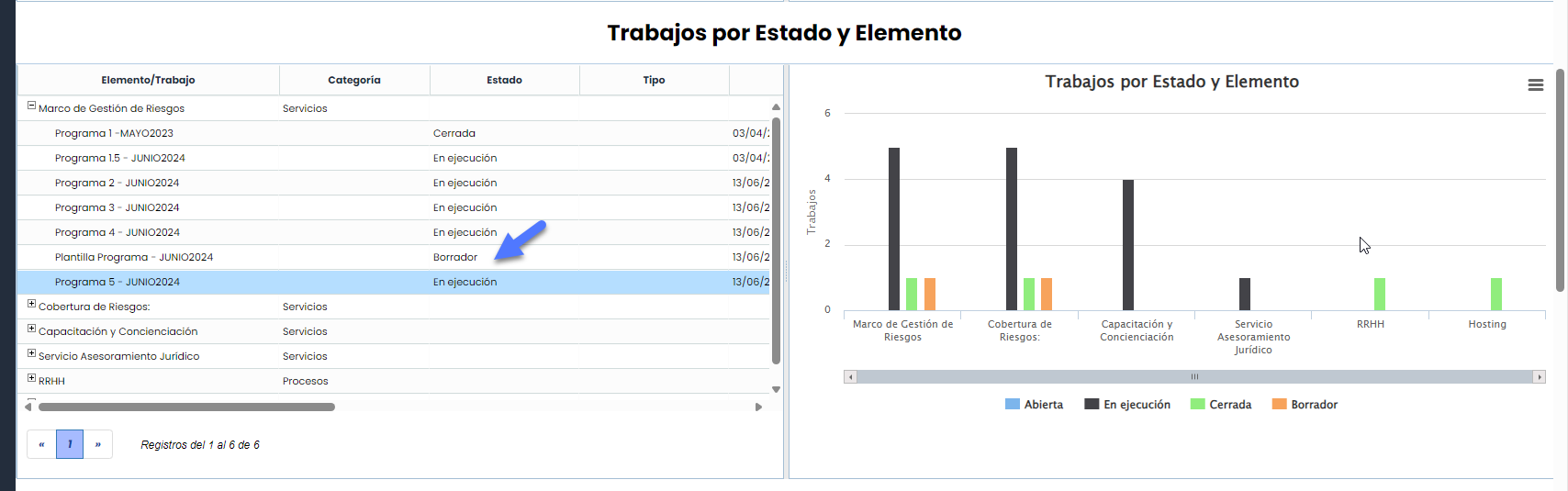
New “Draft” status in Audit Plans and tasks.
We have incorporated a new status called "Draft" in both Audit Plans and audit tasks. This new status allows the creation of audit drafts that function as templates or base audit tasks, which can be copied to avoid manually building the entire structure of the plan and associated tasks in each new audit cycle. These drafts or templates are not displayed by default in the main table to focus the information on the current data.
Draft status in Audit Plans
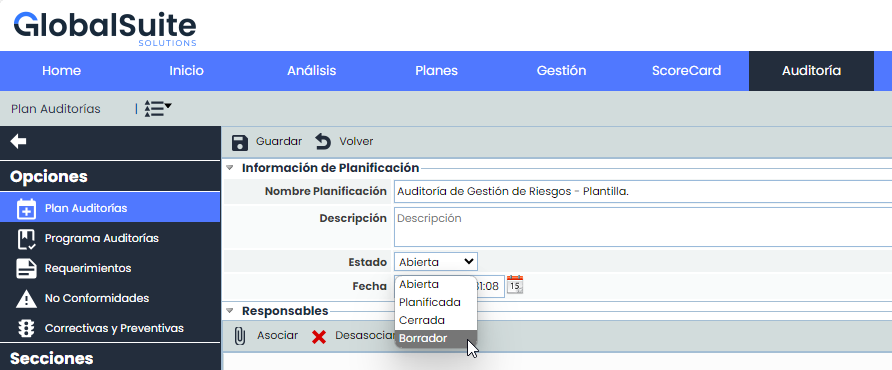
Audit schedules will continue to be created in “Open” status, but we have now added the option to create schedules in “Draft” status. For schedules in “Draft” status, the complete configuration of all fields and the creation of tasks are allowed, functioning similarly to Plans in “Open” status.
Audit schedules in “Draft” status will not appear by default in the main list. To view them, we have added a new option in the menu Show > Drafts.

This way, these schedules are not confused with ongoing or closed audits.
Copy Audit Schedules in Draft status
Schedules in Draft status can be copied like other schedules, but when doing so, they are created in Open status:
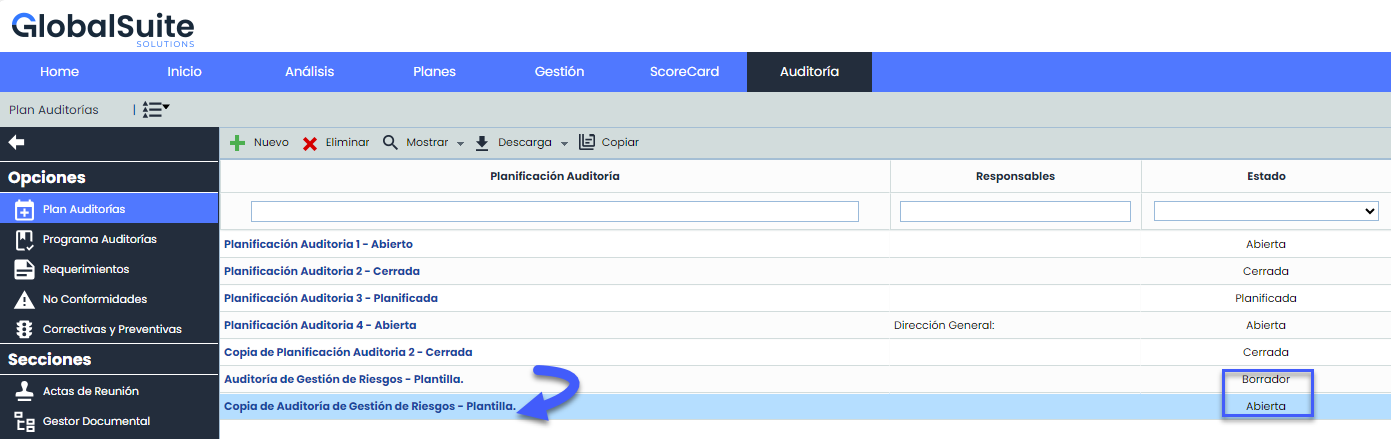
At the same time, if the Audit Plan has associated tasks in Draft status, these tasks are also created/copied in “Open” status.
Draft status in Audit Programs
As with audit schedules, Audit Programs (tasks) can be created in Draft status.
When creating a task, it will default to Open status, as before. If you want to change the status to draft, you must enter the audit program and change the status to “Draft”.
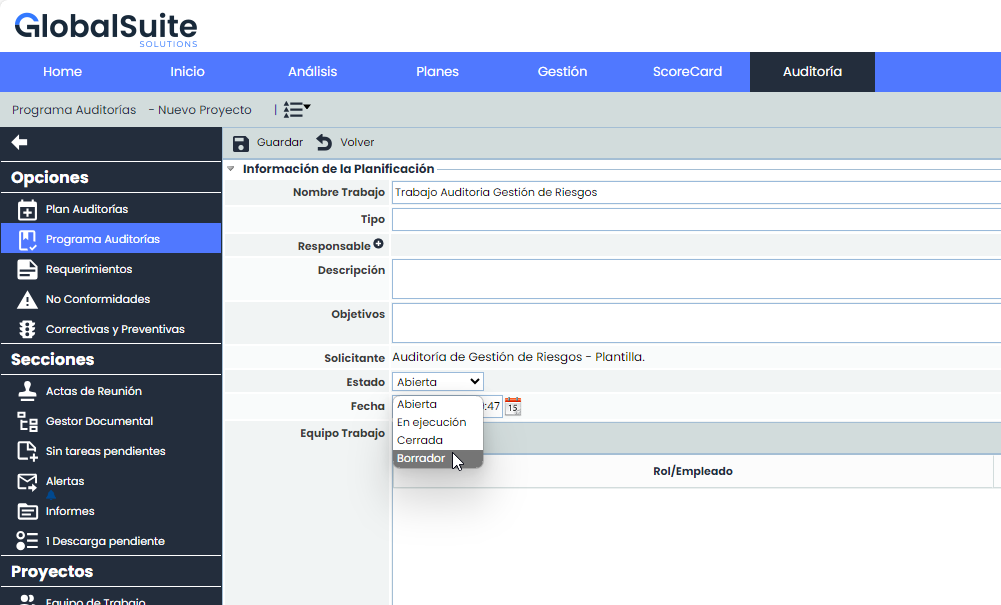
From the draft status, it can be changed to Open and In Progress statuses. However, once a task moves to “In Progress” status, it cannot return to Draft, as a copy of the information to be audited is made at that time.
To view Audit Programs in draft status from the main table, the Show > Draft option must be used:

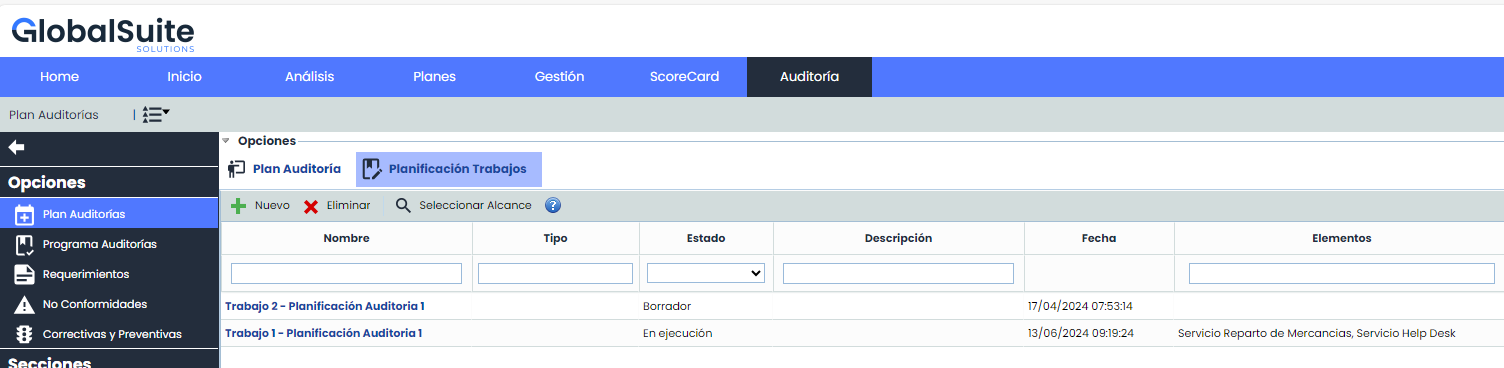
Also, if we are within an audit plan in “Task Scheduling,” we can see all the Plan's tasks, as before, including programs/tasks in Draft status:
Propagate audits in “Draft” status
Currently, Audit Plans and tasks that are open can be propagated; we have included those in Draft status.
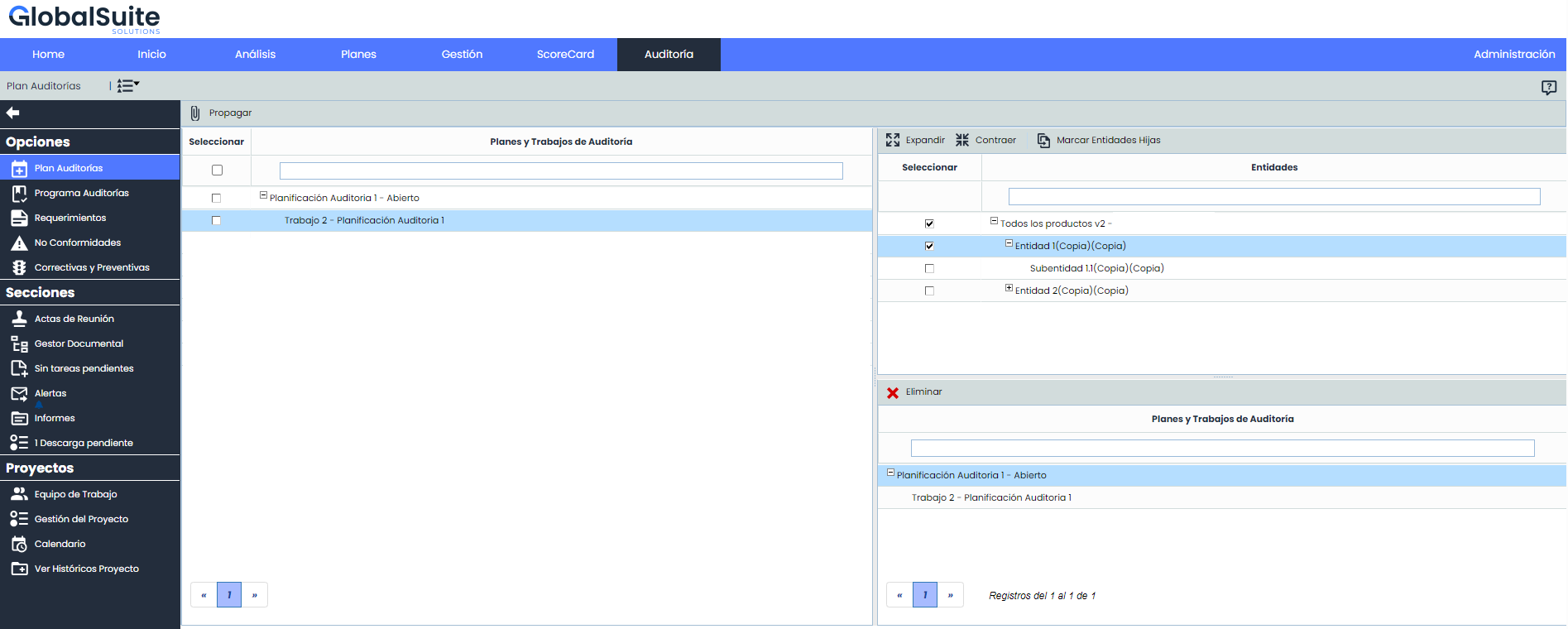
The selected plans and tasks in draft status will be propagated with the same data and will maintain their status in the destination sub-entities.
Downloads and Dashboards
All downloads and dashboards have been modified to take into account the new Draft status of Audit Plans and Programs.