New features and improvements in GlobalSuite® Audit Management
Element Audits
This new functionality enhances the versatility of the available Audits, allowing users to define their scope more precisely. This time incorporating the type of Element Audit.
From now on, it will be possible to specify the scope of audits specifically of the Element type, regardless of whether they are included in a risk analysis or not.
Main Features
-
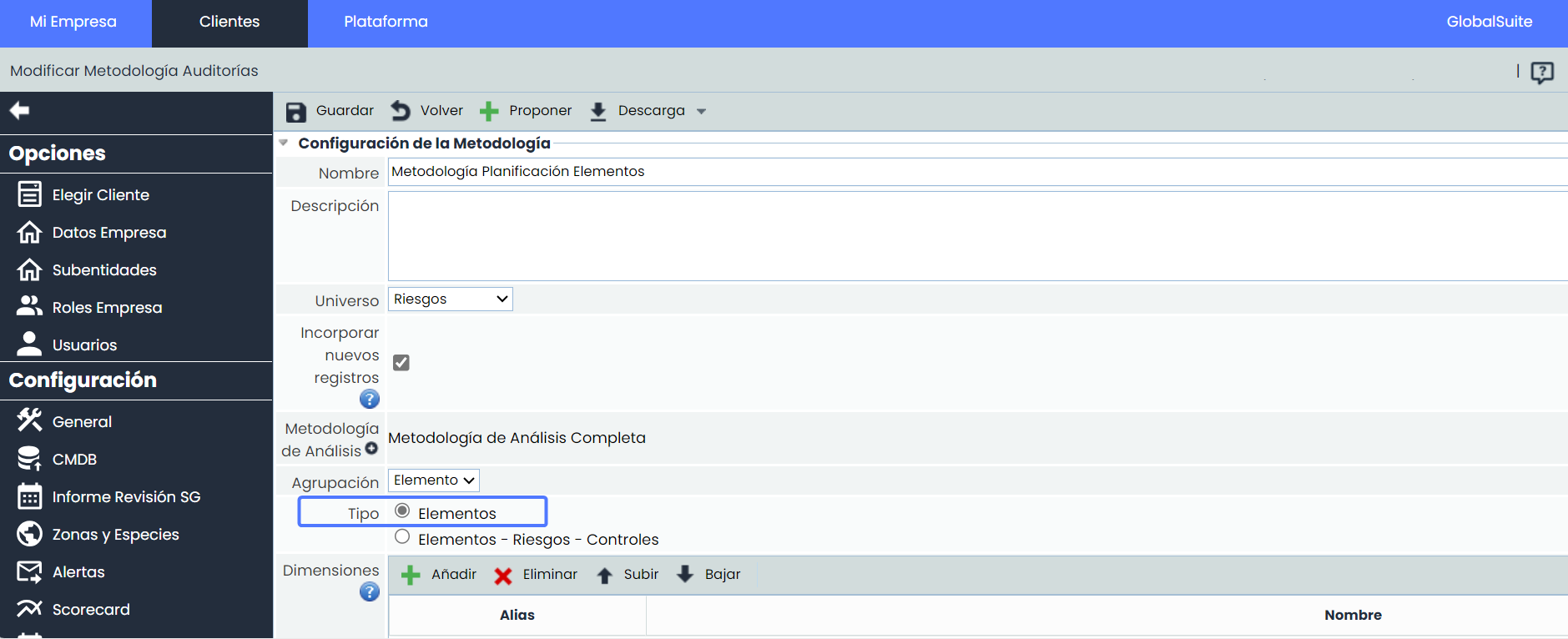
Scope Expansion: from now on, it will be possible to define the scope of audits more precisely. In addition to element-risk-control audits, audits exclusively of elements can be performed.
-
Greater Flexibility: it will be possible to perform audits of inventory elements without being limited by the dependency on a risk analysis. This simplifies the process and allows for a more direct and focused evaluation of the elements of interest.
-
Report Adaptation: the reports have been adapted to include only the relevant information for this type of audits.
-
Combination with functionality Add New Records: it will be possible to combine both functionalities for more comprehensive and efficient management, allowing new elements to be added during the audit process.
Configuration
Administration > Methodologies > Audits
Audit Plan
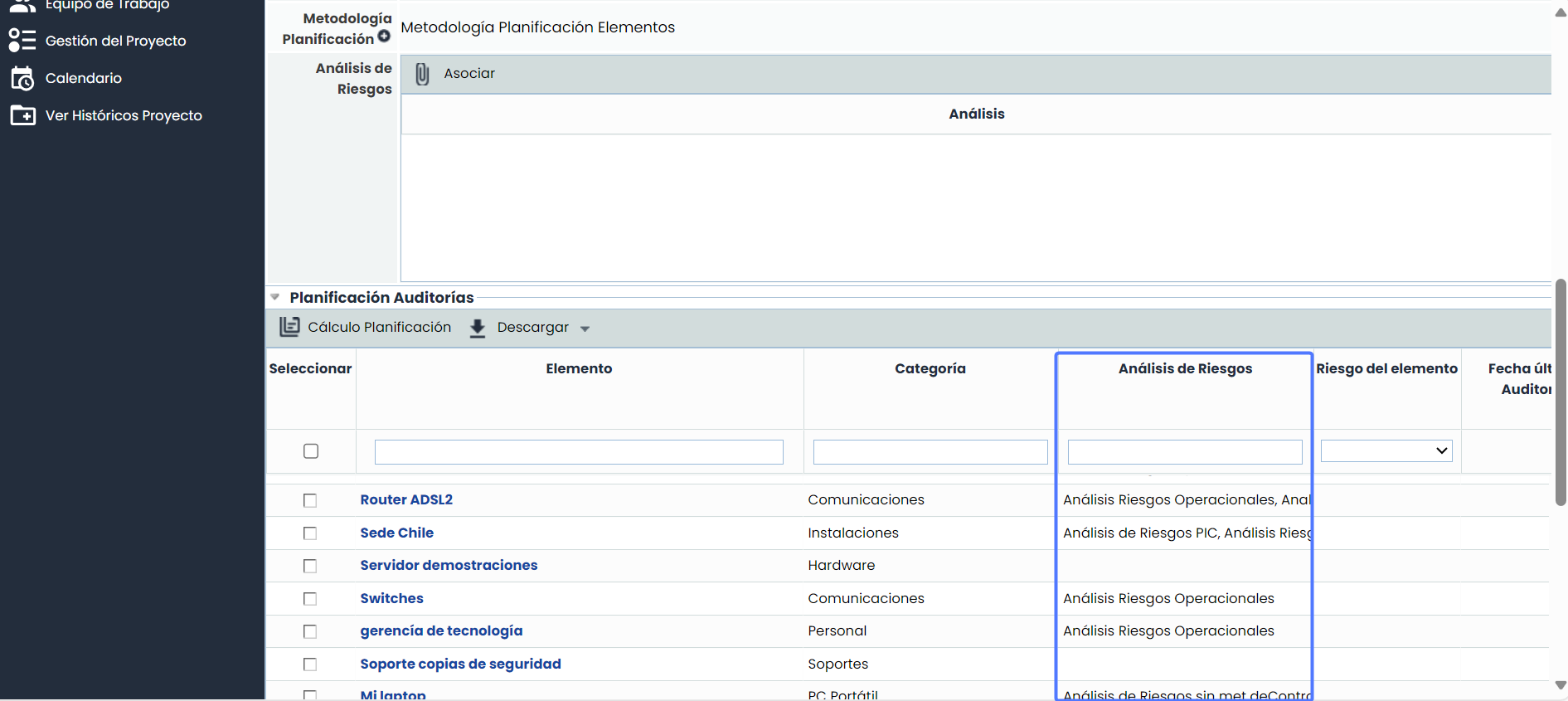
In the audit planning table, all the elements of the Inventory will be loaded by default, whether or not they are included in a risk analysis.
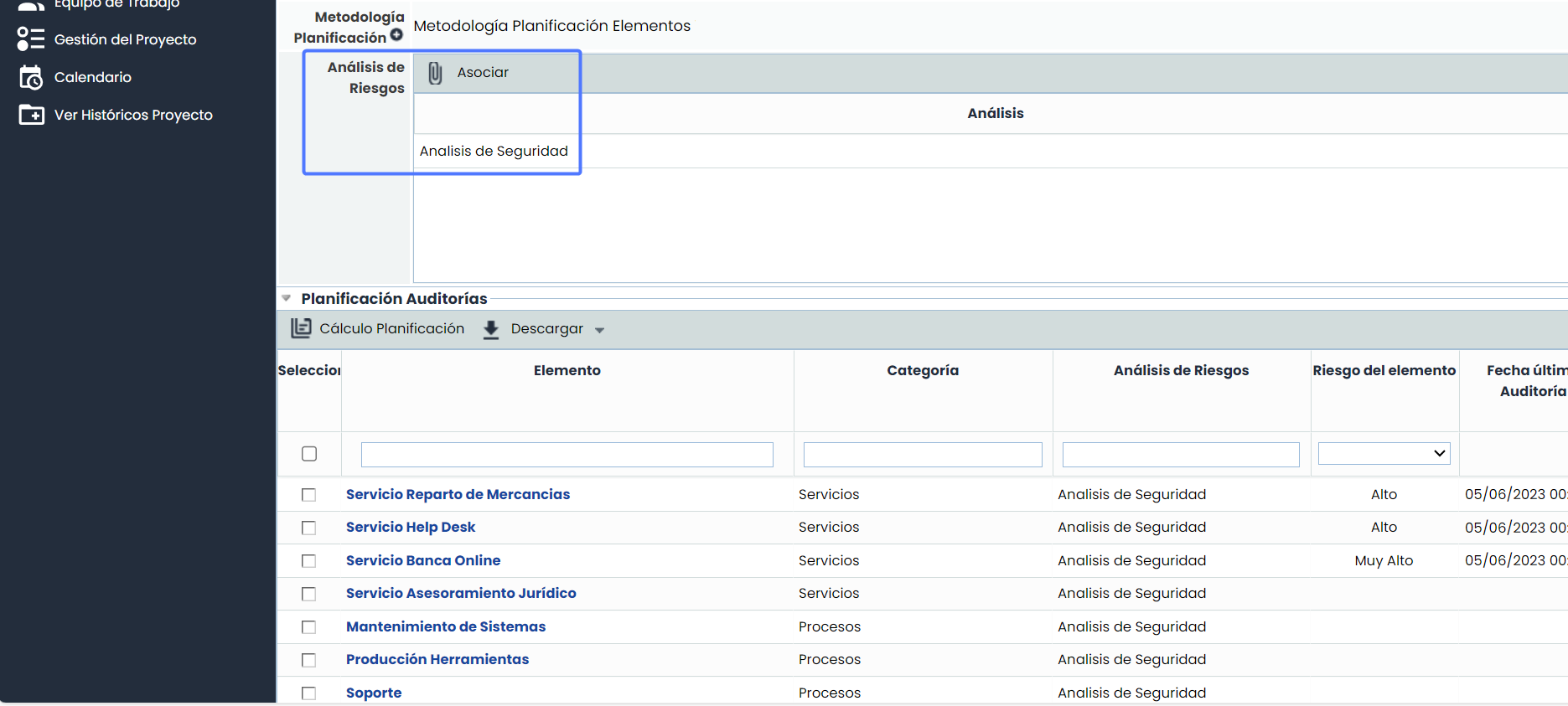
If you wish to define the scope specifically to the elements included in one or more Risk Analyses, they can be selected from the “Associate” option. This dynamic action will replace the elements loaded by default in the planning table with the elements associated with the selected risk analyses.
Audit Execution and Work Report
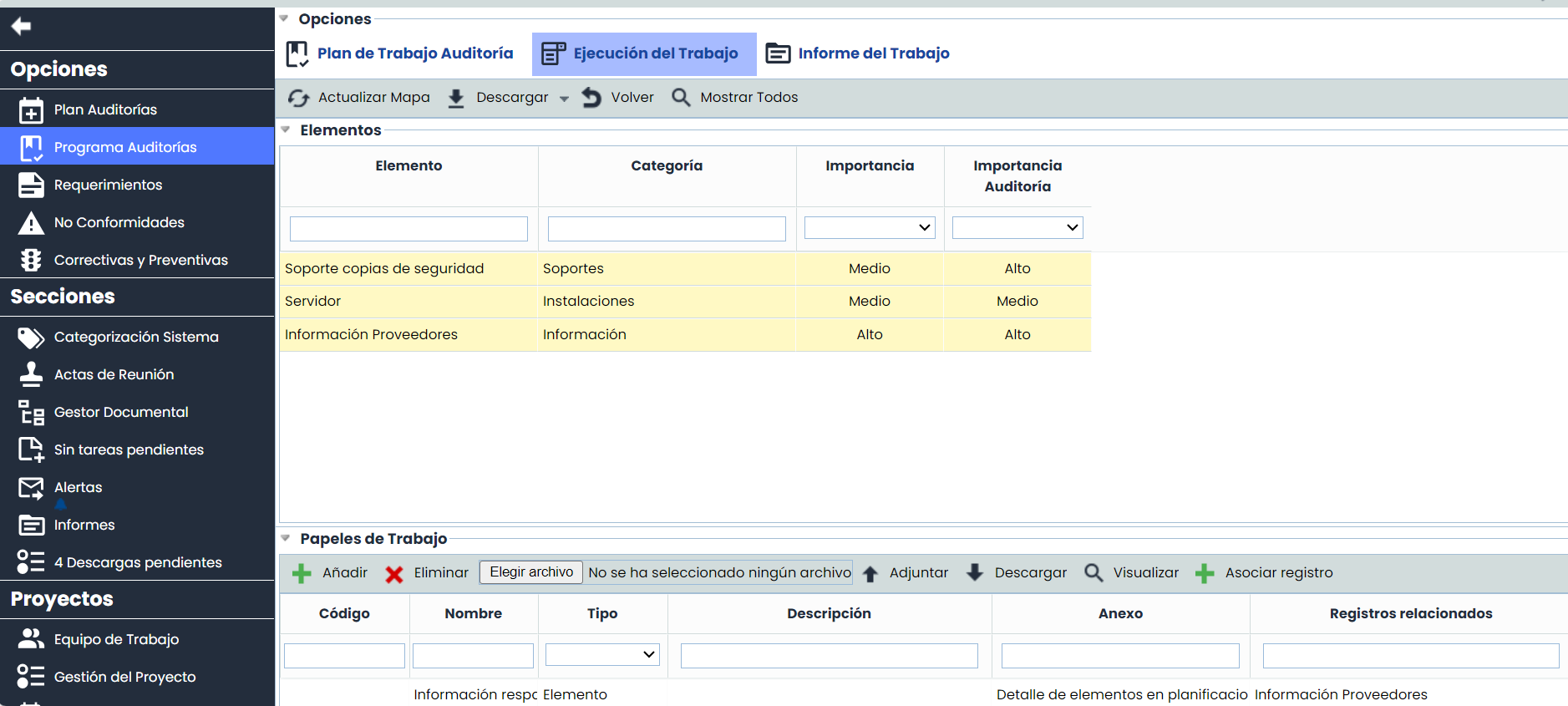
During the audit execution phase and in the generation of the work report, we have adopted a specific approach that highlights the Element table as a central component. This choice aligns with the specific scope of element audits.