New features and general improvements in GlobalSuite® GRC
Close and Archive Surveys
This new functionality incorporates the ability to close surveys and archive them at any time, according to each user's needs.
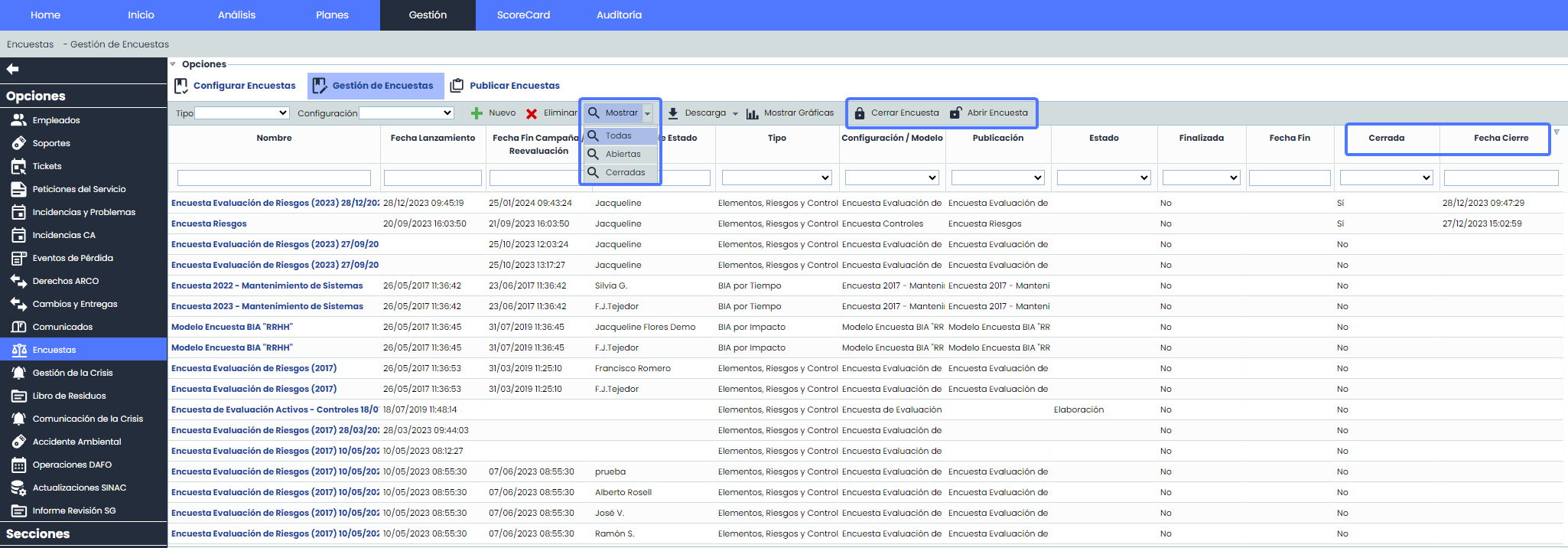
When closing a survey, any modifications to the information will be prevented, and the survey will not appear in the main list by default. The user interface has been improved with filters that allow users to view only open surveys, closed surveys, or all surveys.
These features provide users with greater control over survey management, from closing and archiving to customized viewing of active and closed surveys, and the flexibility to reopen surveys when necessary.
Main Features
-
Survey Closure: Users can now close surveys at any time to prevent further modifications by recipients.
-
Automatic Archiving: When a survey is closed, it is automatically archived, providing a record of the responses.
-
Editing Restrictions: Once closed, the survey is locked for edits, ensuring the integrity of the collected data.
-
Customized Visibility: Closed surveys do not appear in the main list by default, simplifying viewing and organization.
-
State Filtering: A filter has been added to the main Survey Management interface to toggle between:
-
All surveys (open and closed).
-
Open surveys only.
-
Closed surveys for review and analysis.
-
-
Default View: The main view defaults to showing only open surveys, improving visualization and efficiency in management.
-
Audit Log Recording: A detailed audit log is included to record actions of closing and reopening surveys, providing transparency and a history of changes.
-
Survey Reopening: It is possible to reopen previously closed surveys, allowing adjustments and updates as needed.
-
Excel Report: An Excel report can be downloaded, which will include the new fields “Closed” and “Closing Date.”
Access to these features is available from the Management > Surveys > Survey Management option.
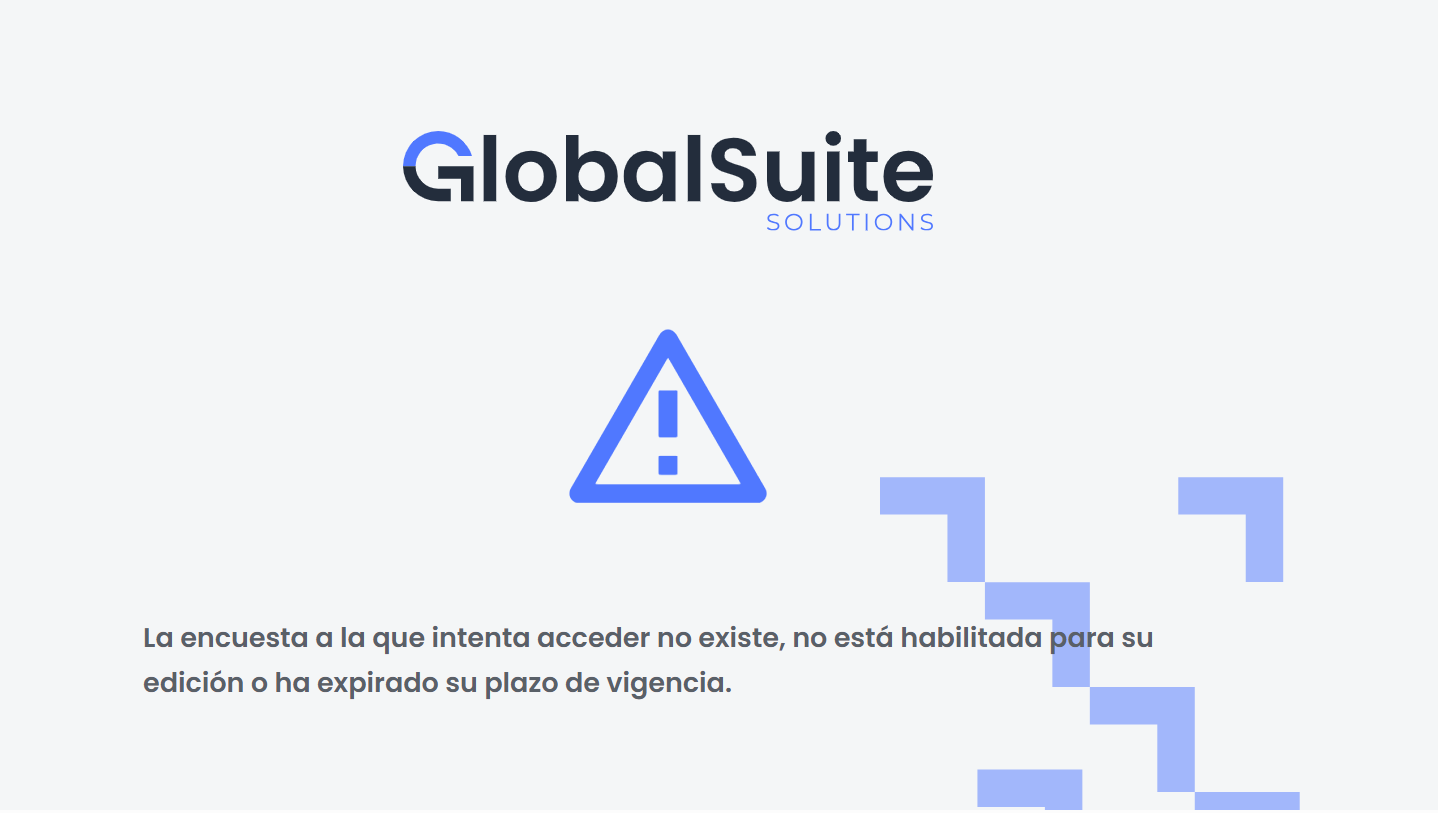
Recipient view when attempting to access a closed survey via link.
New features and improvements in GlobalSuite® Audit Management
Link Audit with Findings and Requirements
This functional improvement allows the inclusion of a new field in the form of each ticket type so that from now on, linked audit work can be viewed in the ticket.
The implementation of a new linking field in each ticket type facilitates traceability, providing a clear and accessible view of how each ticket is linked to specific audit work.
Main Features
-
Visibility: The visibility of this new field can be configured among the following:
-
Form. It will also include a link to access the work, if access is granted.
-
Common Screen, such as in Inputs and Outputs.
-
Main Ticket Table, depending on the configured option.
-
-
Notifications: This field is included in the sending of various ticket notifications:
-
Ticket assignment
-
Follow-up and client/contact alerts
-
Configured alerts for modification and closure, which are set up in Alerts > Ticket Alerts, for each type.
-
Roles and employees, assignment, and state changes for WF cases.
-
-
Reports: It is also included in the reports of the ticketing options.
-
Docx report of the ticket form.
-
Excel and CSV report of the main ticket table.
-
AUDIT-WORK Field Configuration
The new field is called AUDIT-WORK and is configured similarly to other ticket fields. The field name, help text, section, and order in which it will be displayed within each section can be defined.
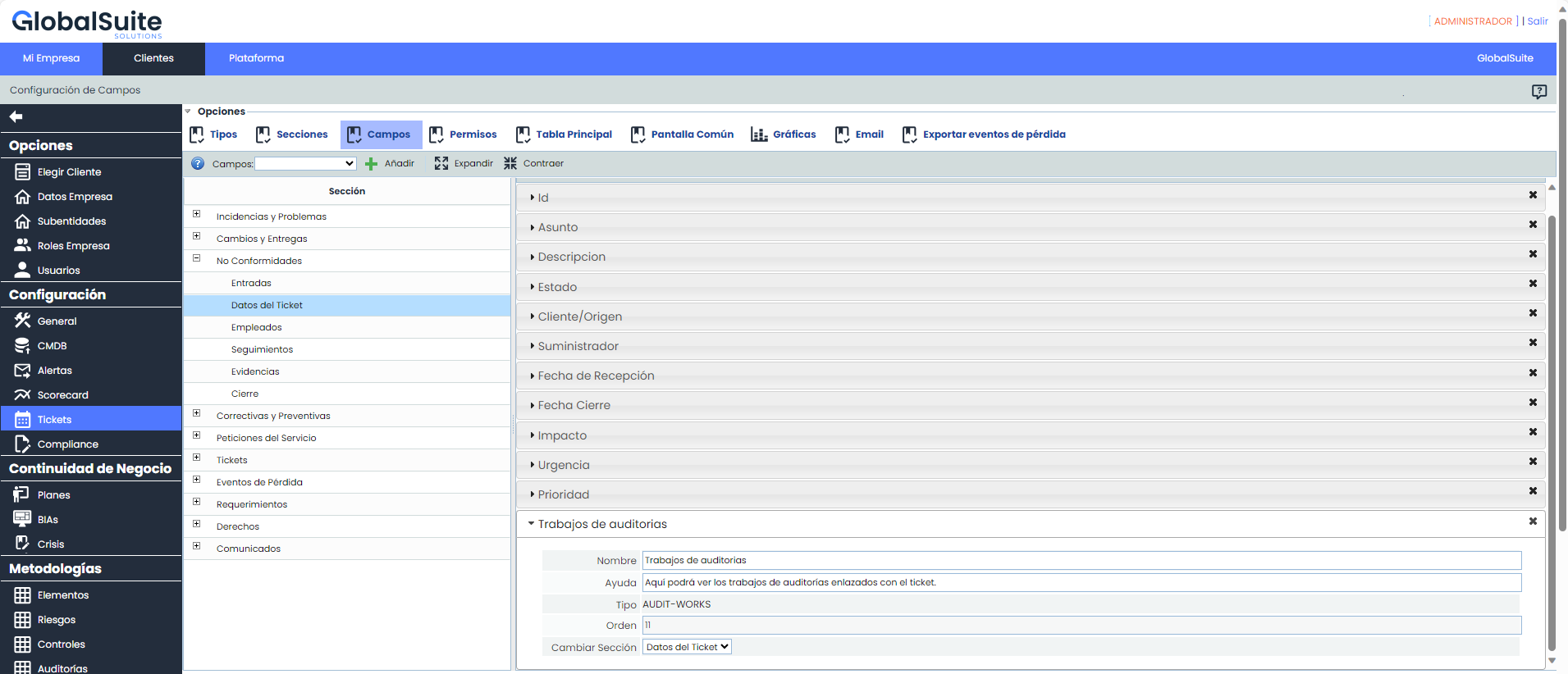
Additionally, this field can be included in the main table, on common screens, and will be included in the Ticket Report Downloads.
The new field will only be included in the default configuration for new companies or when an existing company is granted a license that includes a new ticket type. In other cases, if the field is to be added, it must be configured in Administration.
Query of work linked to a ticket
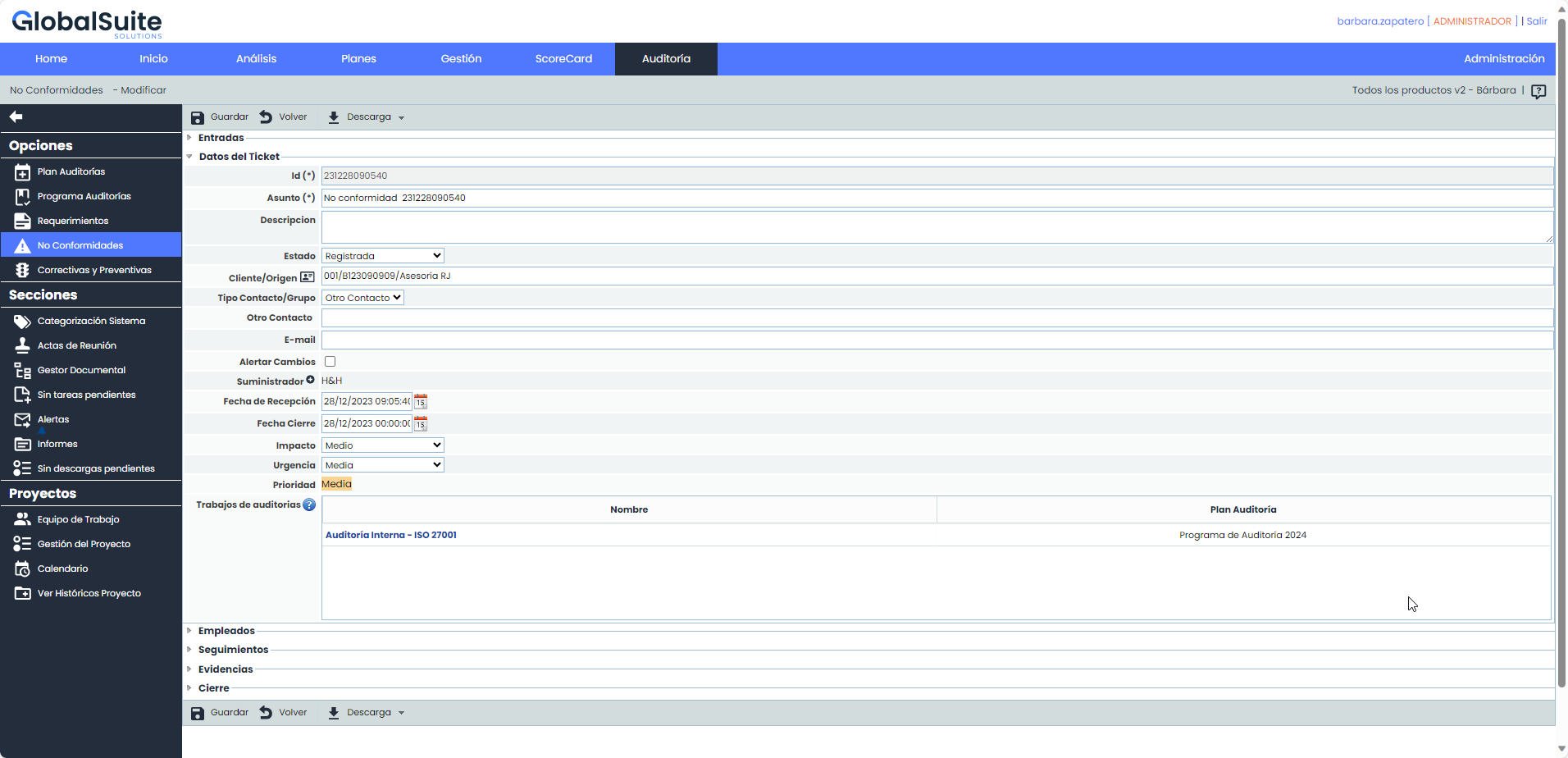
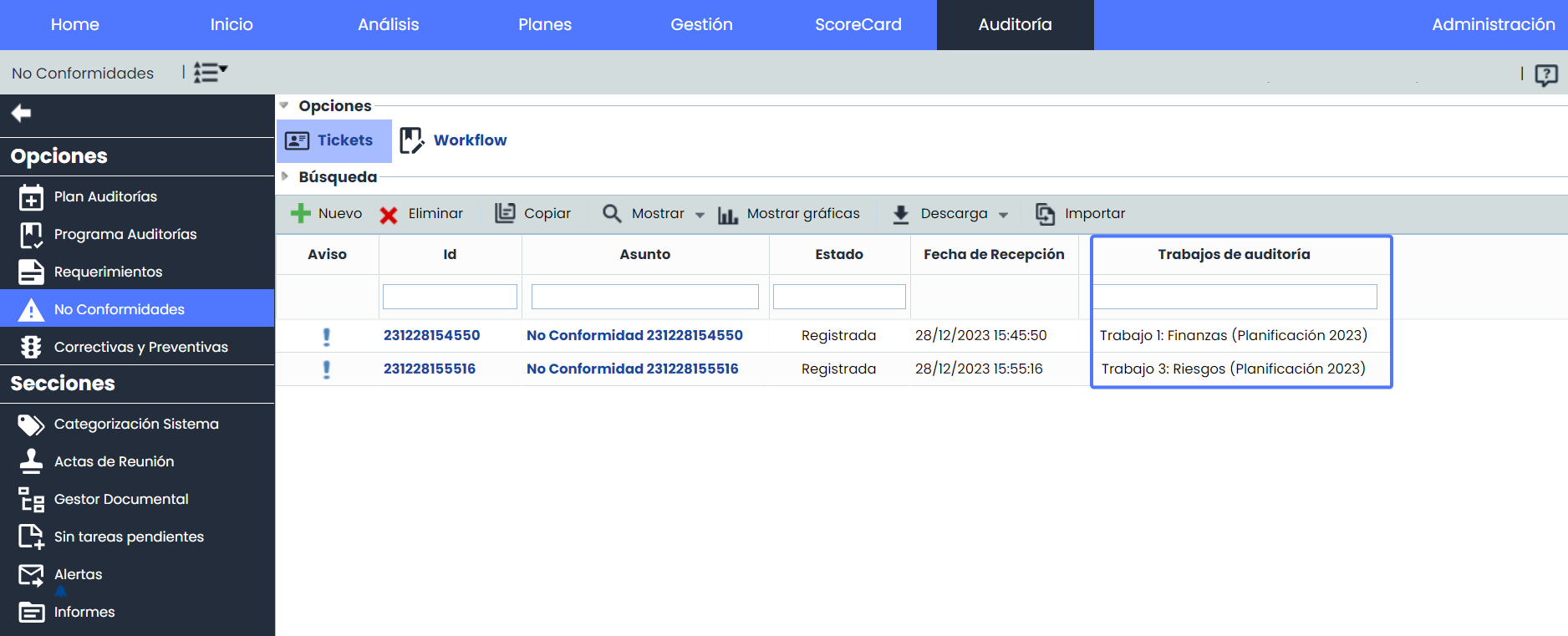
Once the field is configured, within each ticket it will be displayed in the main table, according to the established configuration, where the work associated with the ticket will be listed.
Name: Name of the work where the ticket is associated. If the user has permissions, they can access the work through the link.
Audit Plan: Displays the name of the plan to which the work belongs.
Additionally, if configured, it will be displayed in the ticket form, and the work can be accessed via the link, if the corresponding permissions are granted.