
New features and improvements – Dynamic Reports in Word
Dynamic Audit Reports
The ability to generate dynamic audit reports in Word format (.docx) is incorporated, allowing the creation of fully customizable documents for both the Audit Plan information and the Audit Work.
This functionality expands the current Word template system with two new specific report types for the Audit module, offering greater flexibility and control over the content and format, so that reports can be adapted to the methodologies and needs of each organization and exported as fully configurable Word documents.
Main features:
-
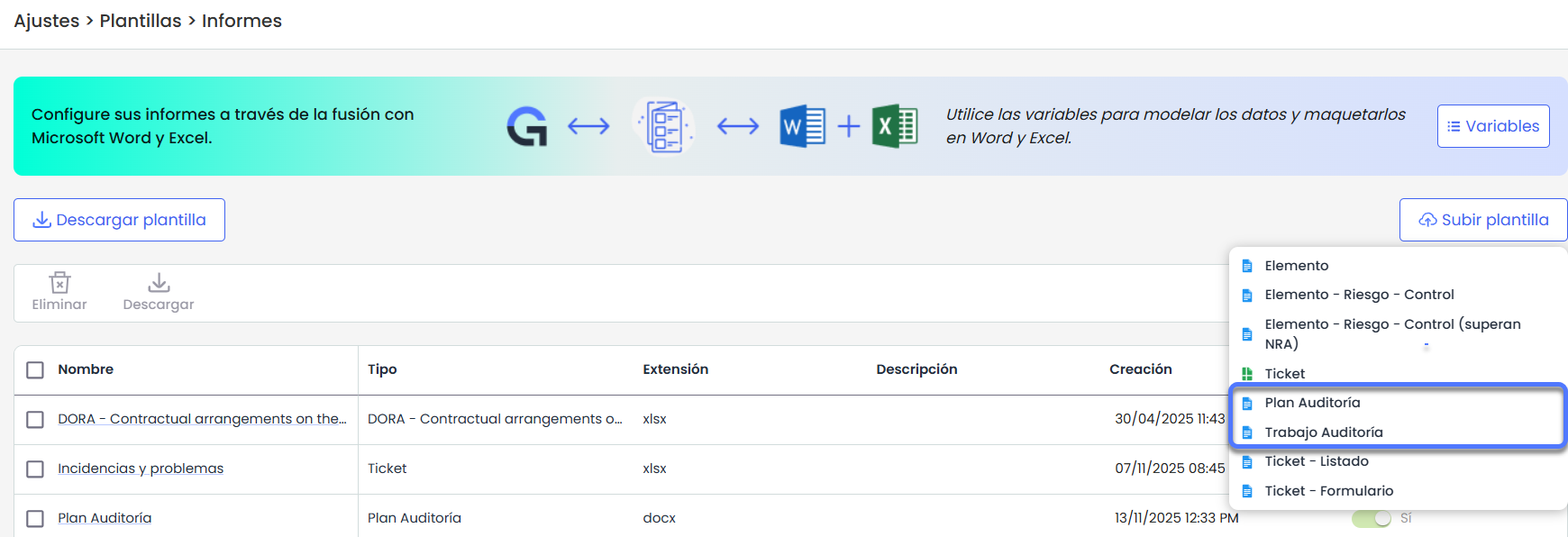
DOCX Template Management: in the Upload Template option under Settings > Templates > Reports , templates for Audit Plan and Audit Work can be uploaded, available to users with access to the Audit module and Reports license.
-
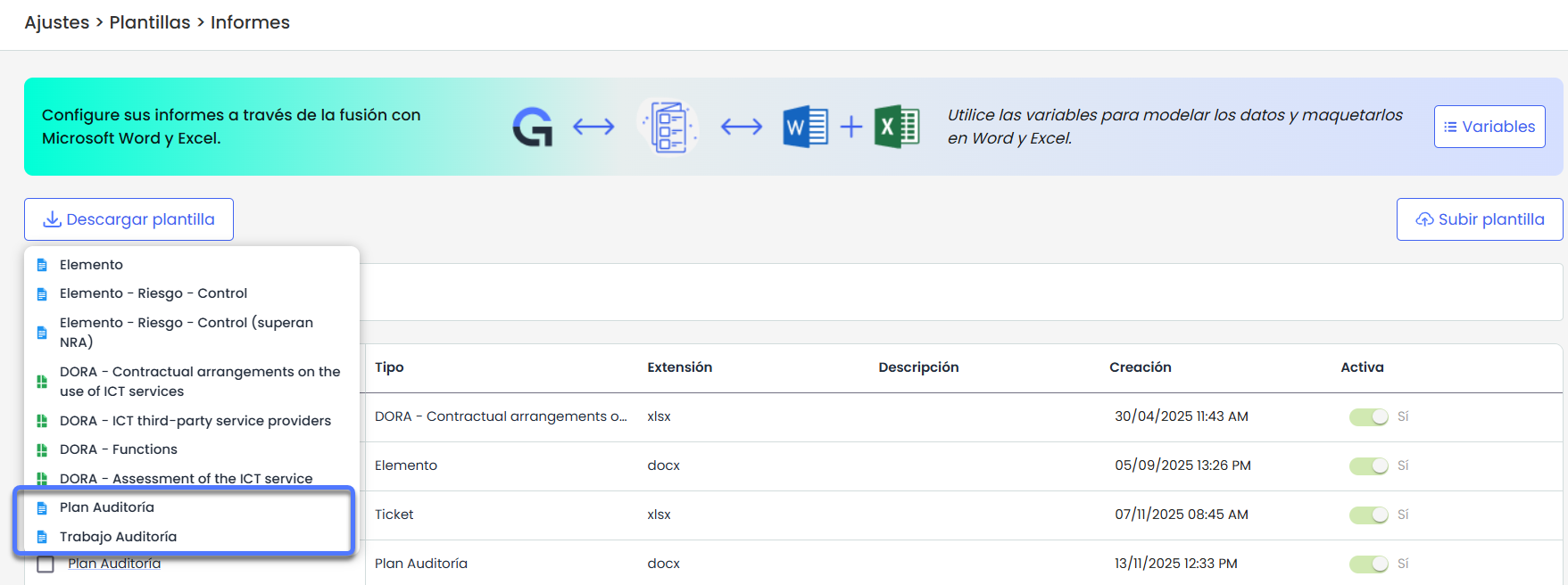
Predefined Templates: Additionally, two predefined templates are included —one for the Audit Plan and another for the Audit Work— as an initial proposal to facilitate the creation and customization of reports.
-
Content available for reports
-
In the Audit Plan reports, detailed information about the plan, its description, status, dates, responsible parties, planning methodology, and risk analysis can be included, as well as the associated work with its categories, dimensions, other linked elements, and all configurable fields defined in the audit methodology.
-
In the Audit Work reports, the main data of the work (name, type, responsible party, description, objectives, status, associated plan, and planned dates) can be displayed.
-
Both reports allow the inclusion of complete information about:
-
Work team and assigned roles.
-
Associated documentation, including files, extensions, dates, and descriptions.
-
Execution methodologies, with their elements, risks, and linked controls.
-
Scope, including elements, categories, routes, risk analysis, and configured dimensions.
-
Work execution, with information on elements, risks, controls, working papers, associated tickets, and project planning.
-
Improvement in dynamic Ticket reports
The capabilities of dynamic ticket reports, which until now allowed their generation in Excel, are expanded to now include the ability to create reports in Word for both the individual ticket form and ticket lists.
Additionally, the set of available variables for both formats (Word and Excel) is expanded, offering more information about the management, tracking, and associated elements of the tickets, and increasing flexibility in the creation and customization of templates.
Main features:
-
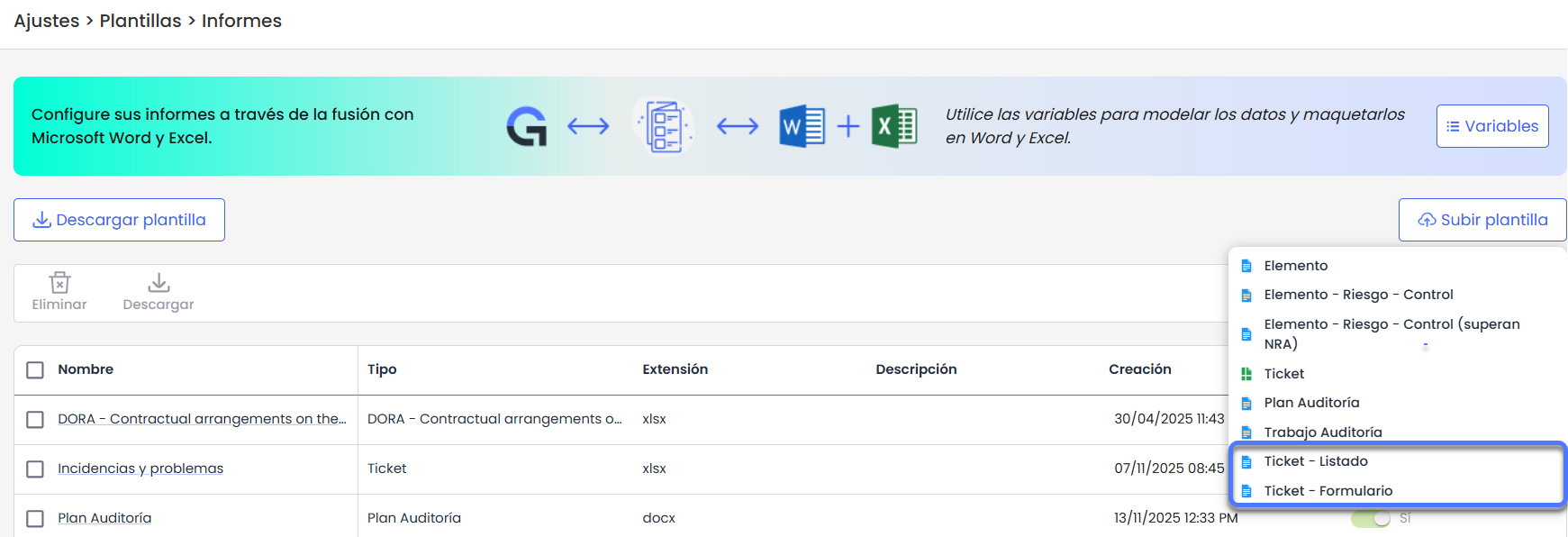
New Ticket Template Types:
-
Ticket – List, to generate Word reports with ticket lists.
-
Ticket – Form, to generate Word reports with the details of a specific ticket.
These options are available in Settings > Templates > Reports , within the Upload Template dropdown, along with the other existing types.
-
-
Ticket reports in Word: the ability to download ticket reports in Word is added, both in individual form format and list format, complementing the previous functionality of ticket reports in Excel.
-
Expansion of available fields: the set of fields/variables that can be used in ticket report templates (both in Word and Excel) is expanded, including additional information related to quantifications, linked events, impact, etc.
The complete detail of the available fields is documented in the manual, in the Variables section of the ticket reports.