New features and improvements in GlobalSuite® GRC
Automation of survey sending from Risk Analysis using templates
The purpose of this functionality is to simplify the process of sending surveys in GlobalSuite®. To achieve this, the option to send surveys from a Risk Analysis has been incorporated, using templates that serve as a generic base and can be customized in each case before sending.
Main Features.
Survey Template Configuration
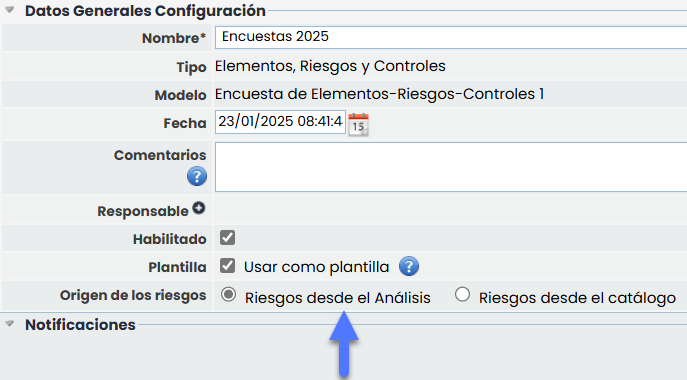
In the configuration of “Risk-Control Surveys” or “Element-Risk-Control Surveys,” a new attribute called “Template” has been added. When selecting this option, a new field named “Risk Source” appears, which includes two possible (mutually exclusive) options:
-
Risks from the Analysis
-
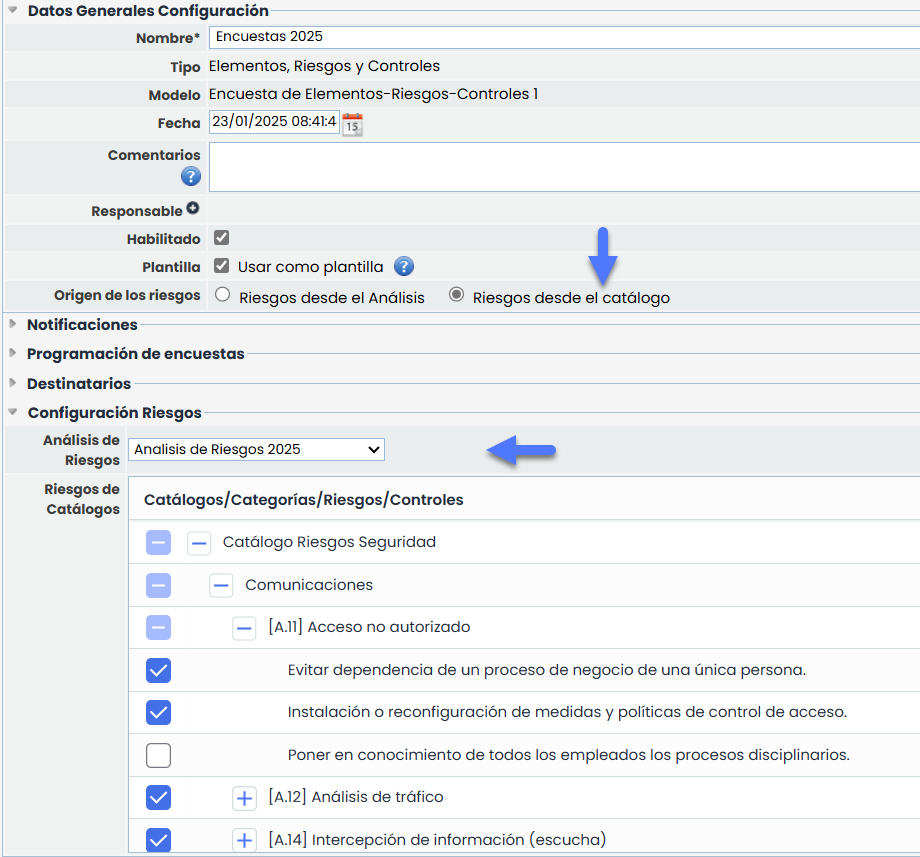
Risks from the Catalog
Template Configuration with Risks from the Analysis
Templates with risks sourced from the Analysis allow sending surveys that include the risks associated with the selected element in the Risk Analysis.
-
These templates are for general use and can be applied in any Risk Analysis (RA).
-
Recipients can be configured from the template or modified at the time of sending.
Template Configuration with Risks from the Catalog
Templates with Risk Source from the Catalog allow specifically selecting the risks on which the survey will be sent.
To do this, a Risk Analysis must be selected, and from this selection, the catalogs associated with the analysis will be displayed, allowing the selection of risks to be included in the survey.
-
These templates will be associated with the selected Risk Analysis.
-
Recipients can be configured from the template or modified at the time of sending.
Sending Surveys from Risk Analysis.
In Analysis > Risk Analysis > Within an Analysis, Tab Risk Analysis, the option “Send Survey” has been added.
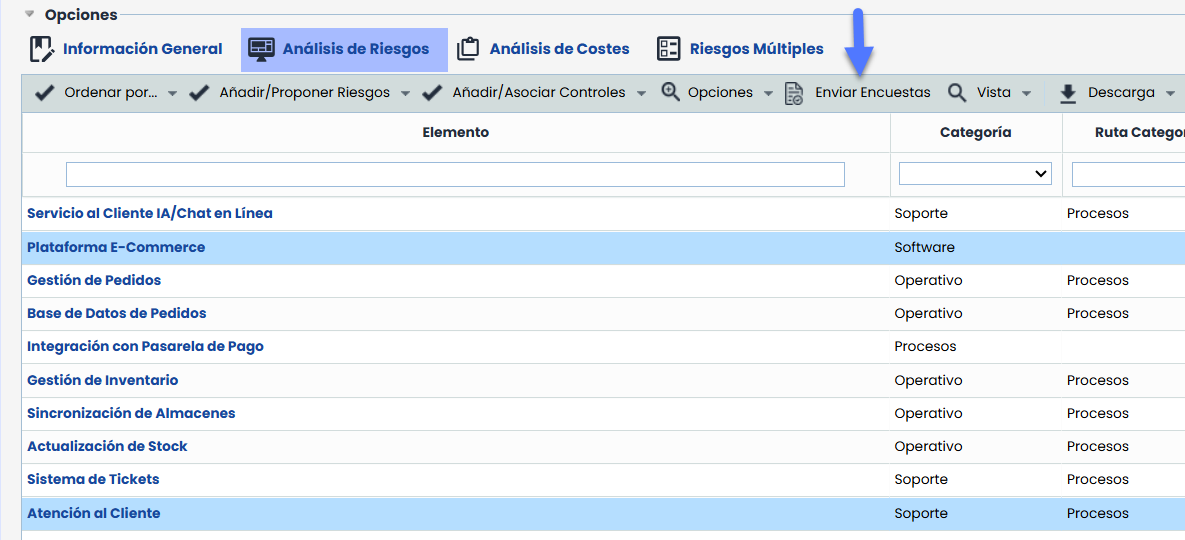
Elements to be surveyed must be selected beforehand, and then “Send Surveys.” To proceed with the sending, two steps are required:
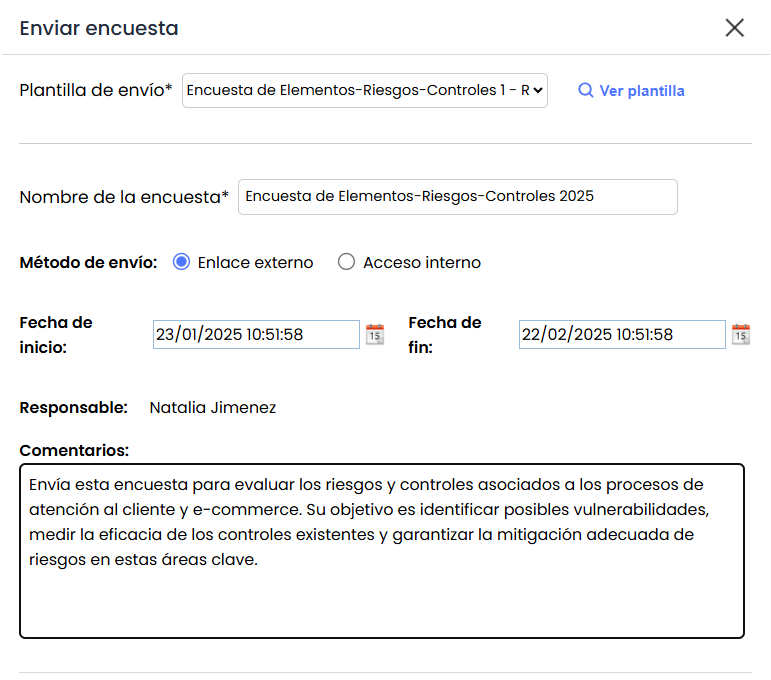
1- Survey Attributes
Before sending, the data configured in the template can be modified, such as:
-
Survey name.
-
Start and end dates. (Only available if External Link is selected)
-
Comment displayed on the survey landing page.
-
Sending method
-
Internal Access: The survey will be created within GlobalSuite for the selected recipients.
-
External Link: A publication will be generated that groups the surveys accessible from outside GlobalSuite®.
-
2- Recipients
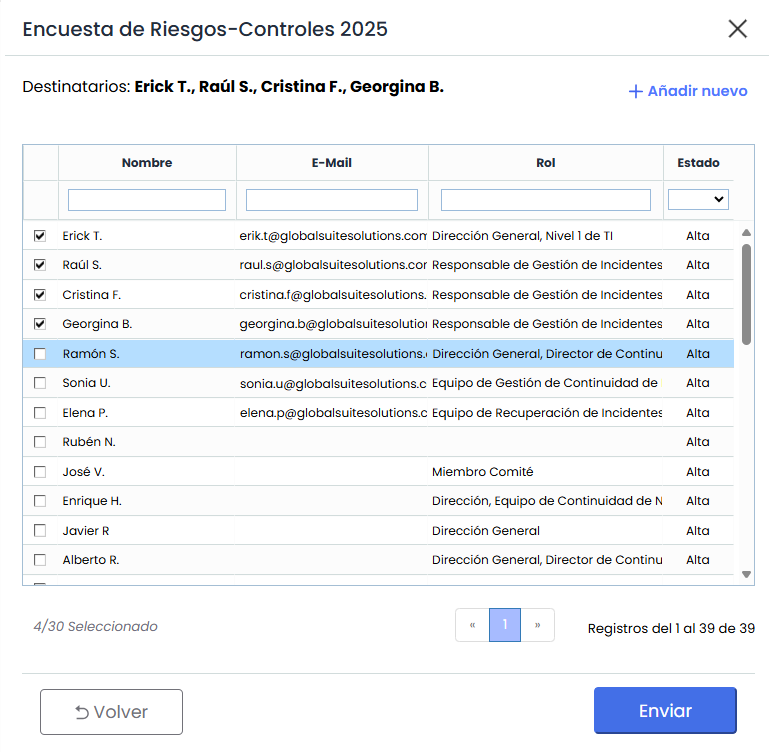
Survey recipients can be selected if not configured in the template or edited if already defined.
-
If the template does not have selected recipients, the element's responsible person will be assigned as the recipient.
-
If the template includes configured states, it will be possible to select or edit the recipient for each survey state.
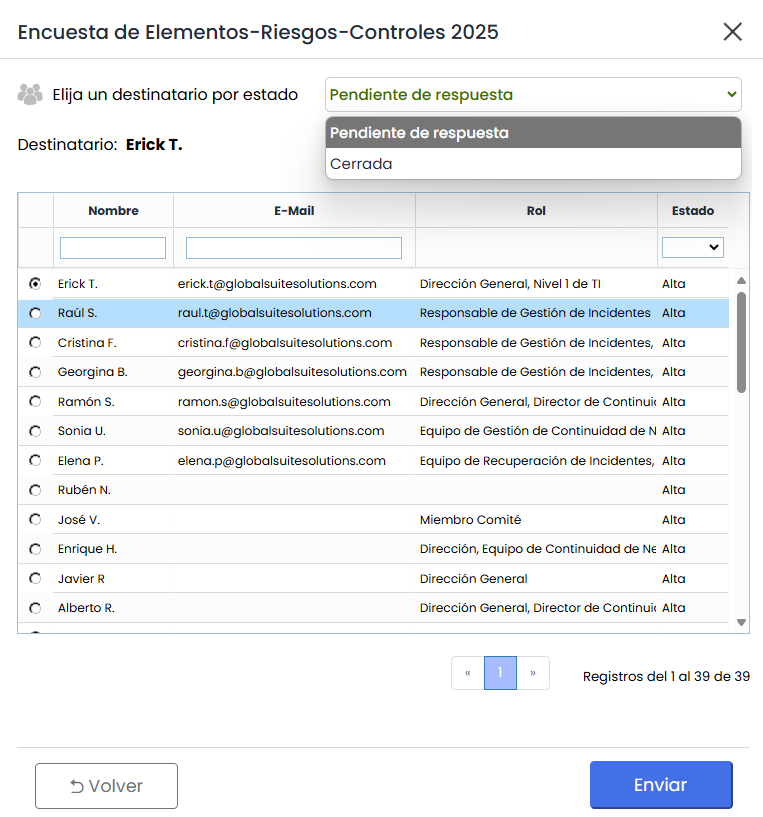
By pressing "Send," the configuration, publication, and an individual survey for each selected recipient will be automatically generated. After sending, the surveys will be available for management and consultation, following the same flow as the rest of the surveys in GlobalSuite®.
Business Intelligence Module
Improvements in the Risk Analysis Dashboard
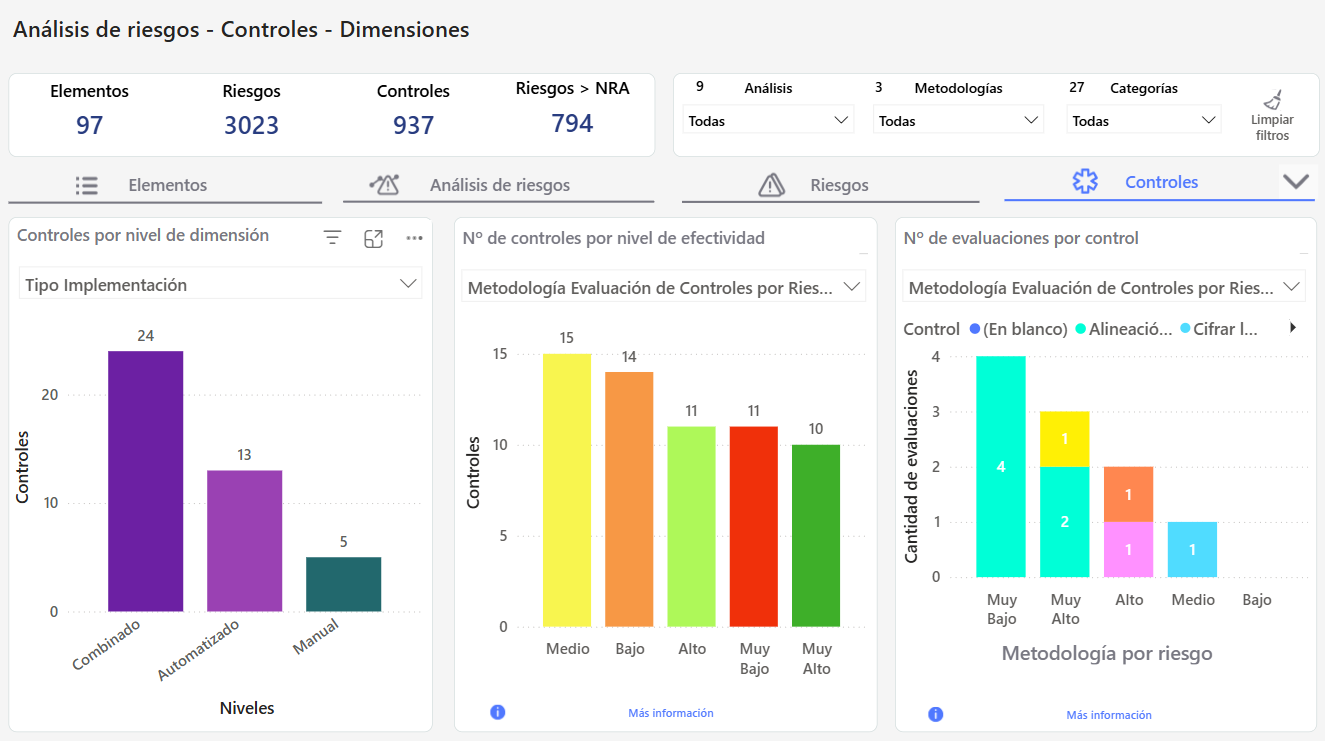
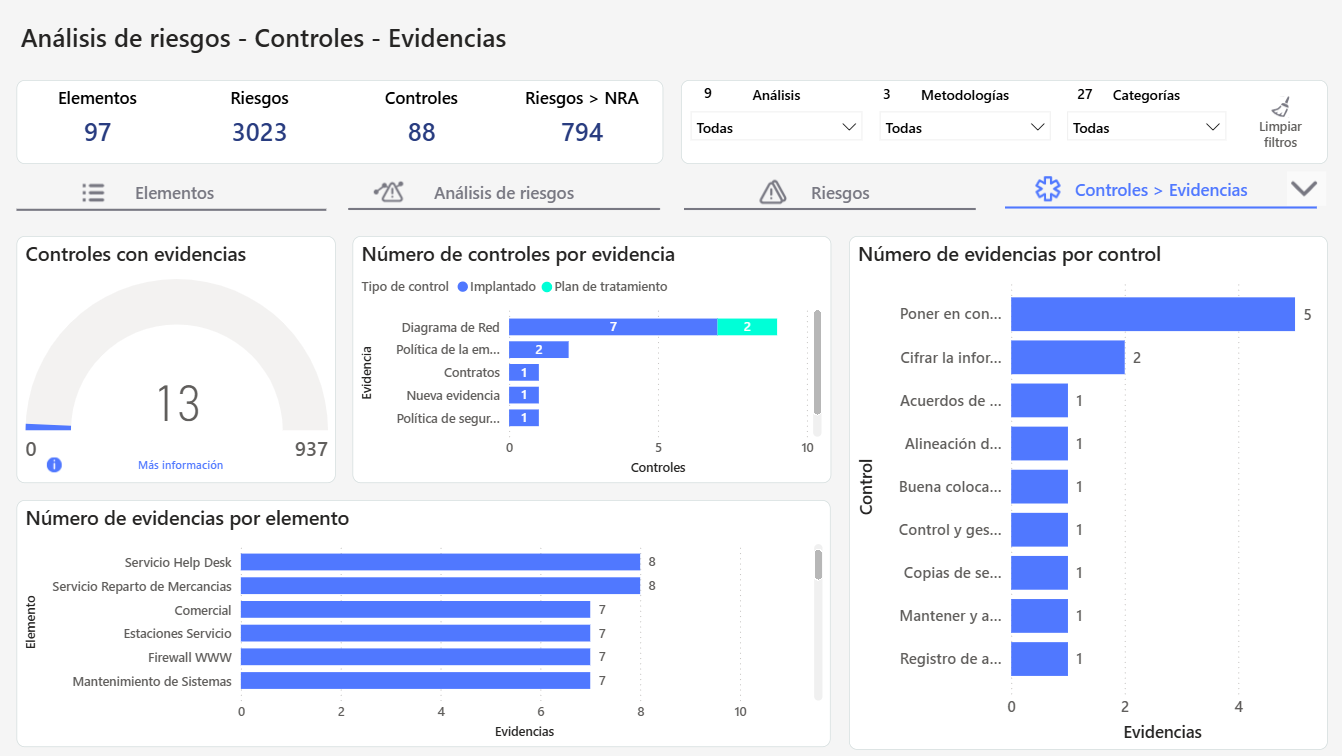
This improvement introduces new visualizations in the Controls Tab of the Risk Analysis Dashboard, allowing key information on evidence, evaluations, and control dimensions to be visualized and analyzed.
Controls - Evidence
This improvement introduces a new view that incorporates graphs related to evidence management, aiming to provide a more detailed view of the evidence associated with the controls.
Controls - Dimensions and Evaluations
This improvement expands the controls tab with new graphs aimed at evaluating the effectiveness of controls, as well as the qualitative dimensions that are configured.