
The option allows viewing the valuation of assets that have been carried out in the different surveys of the 'Items and Risks' type.
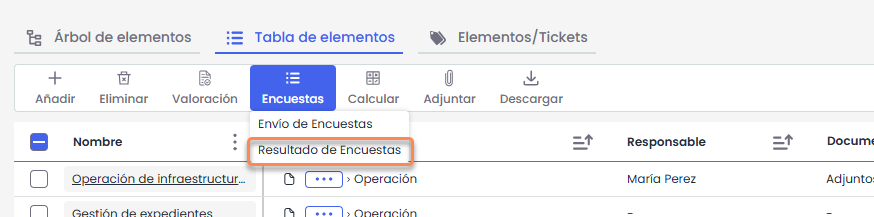
Tree of items and surveys
When accessing the option, a hierarchical tree is displayed, showing the assets and, within each one, the surveys conducted on them.
Each row can correspond to either an asset or an associated survey, displaying the following information:
-
Item: indicates the name of the asset or the associated survey.
-
Status: shows the status of the survey.
-
Date: indicates the launch date of the survey.
-
Responsible: indicates the organizational resource in charge of managing the asset.
-
Category: shows the category or subcategory to which the asset belongs.
-
Dimensions: reflects the characteristics or attributes of the asset, as well as their valuations.
In the case of assets, the dimensions shown correspond to the current valuations recorded in the inventory.
In the associated surveys, the valuations obtained in each of them are displayed, allowing comparison of the different results before consolidation.
Actions
Add new
Allows inserting into the asset inventory those new assets identified in the surveys.
-
New assets are displayed highlighted in green.
-
You can select which assets to add and which not to.

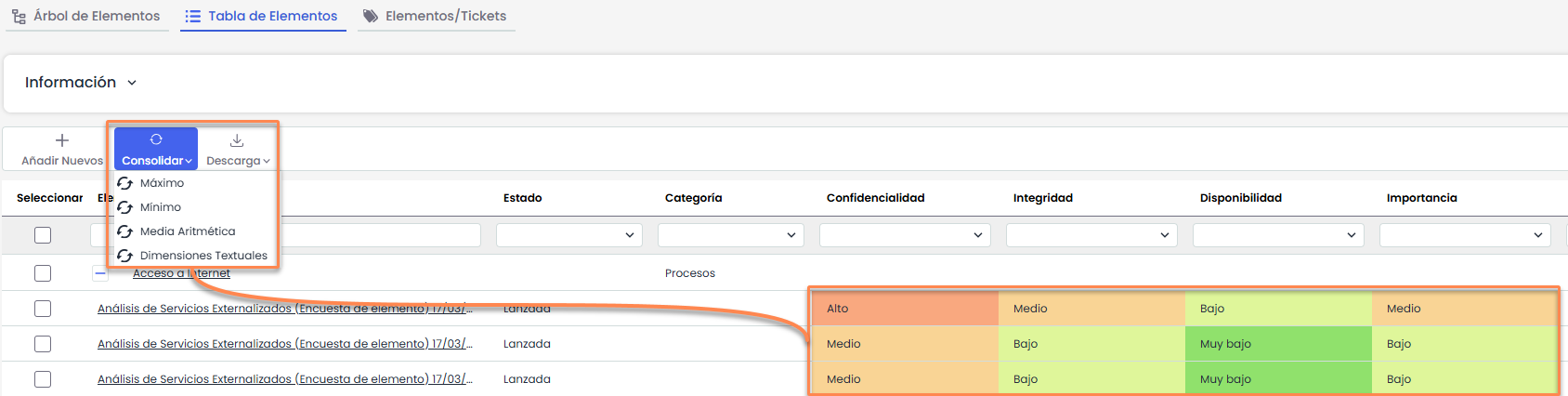
Consolidate
Allows unifying the valuations of the same asset obtained through different surveys.
This action updates the valuations in Analysis > Asset Inventory > Item Table, applying a consolidation criterion.
Available options:
-
Maximum: records the highest valuation.
-
Minimum: records the lowest valuation.
-
Arithmetic mean: calculates the average of the valuations.
The following images show a consolidation with maximum values.

-
Textual dimensions:
For this type of dimensions, no calculation criterion is applied. It is necessary to select a single survey, as it is not possible to consolidate multiple textual values.
The action takes the textual value from the selected survey and directly applies it to the asset in the inventory, overwriting the existing value.
Download
Allows exporting the survey results of assets, along with their attributes and valuations.
Available formats:
-
.xlsx
-
.PDF