
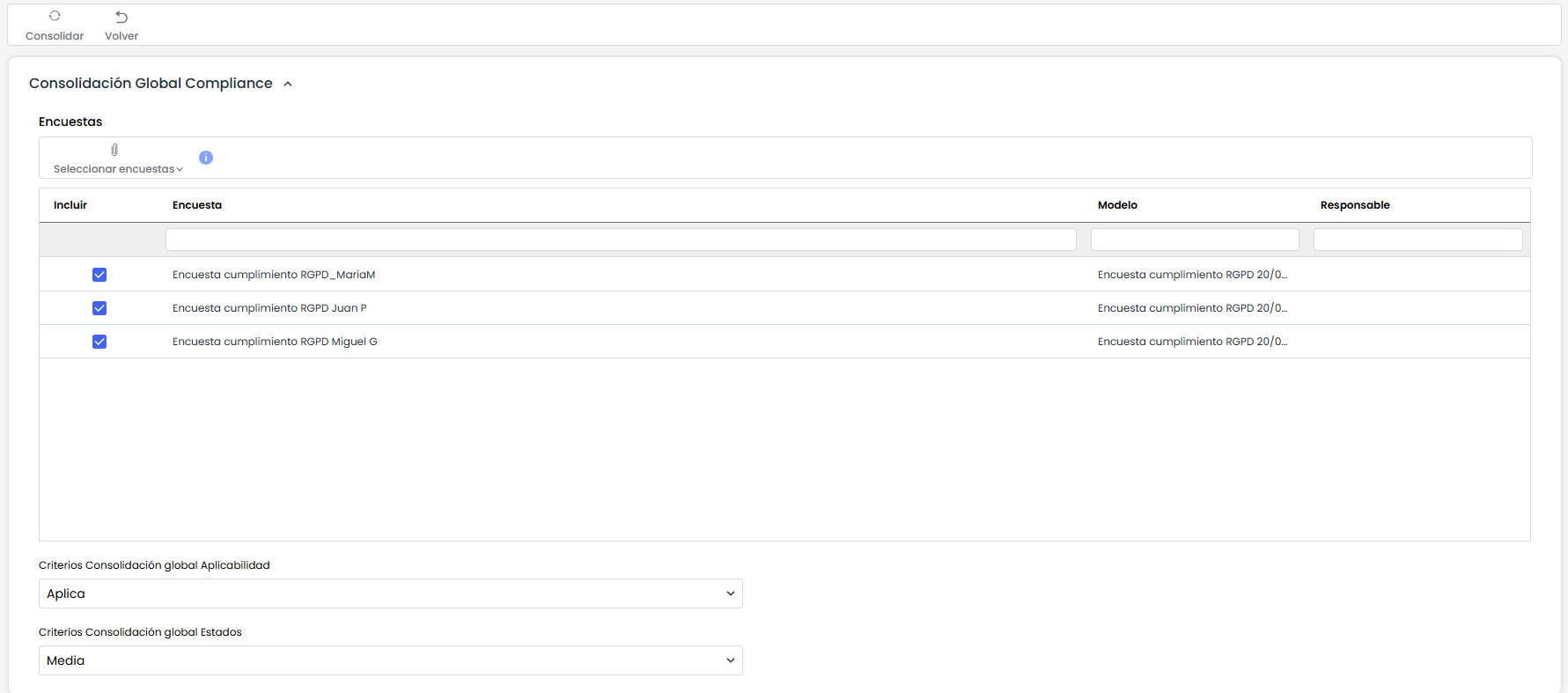
The Compliance Survey Consolidation window is mainly composed of two panels: one that allows consolidation with global criteria for all requirements or controls in the compliance catalog, and another that allows consolidation by specifying the consolidation criteria for each of the requirements or controls in the catalog.
Global Compliance Consolidation
In the "Global Compliance Consolidation" section, it is possible to perform a consolidation using the same criteria for all requirements or controls. This type of consolidation includes the following options:
-
Surveys: Allows you to select the surveys to be consolidated.
-
Global Consolidation Criteria Applicability: Allows you to define the consolidation criteria by considering the Applicability field of the controls or requirements in the compliance surveys. You can consider only the controls that Apply, only those that Do Not Apply, or both with the "Do Not Consolidate" option.
-
Global Consolidation Criteria States: Allows you to select the calculation of the final state of the consolidation by taking the minimum value of all surveys, the maximum value of all surveys, or by calculating the average state across all surveys.
Consolidation by Compliance Requirement
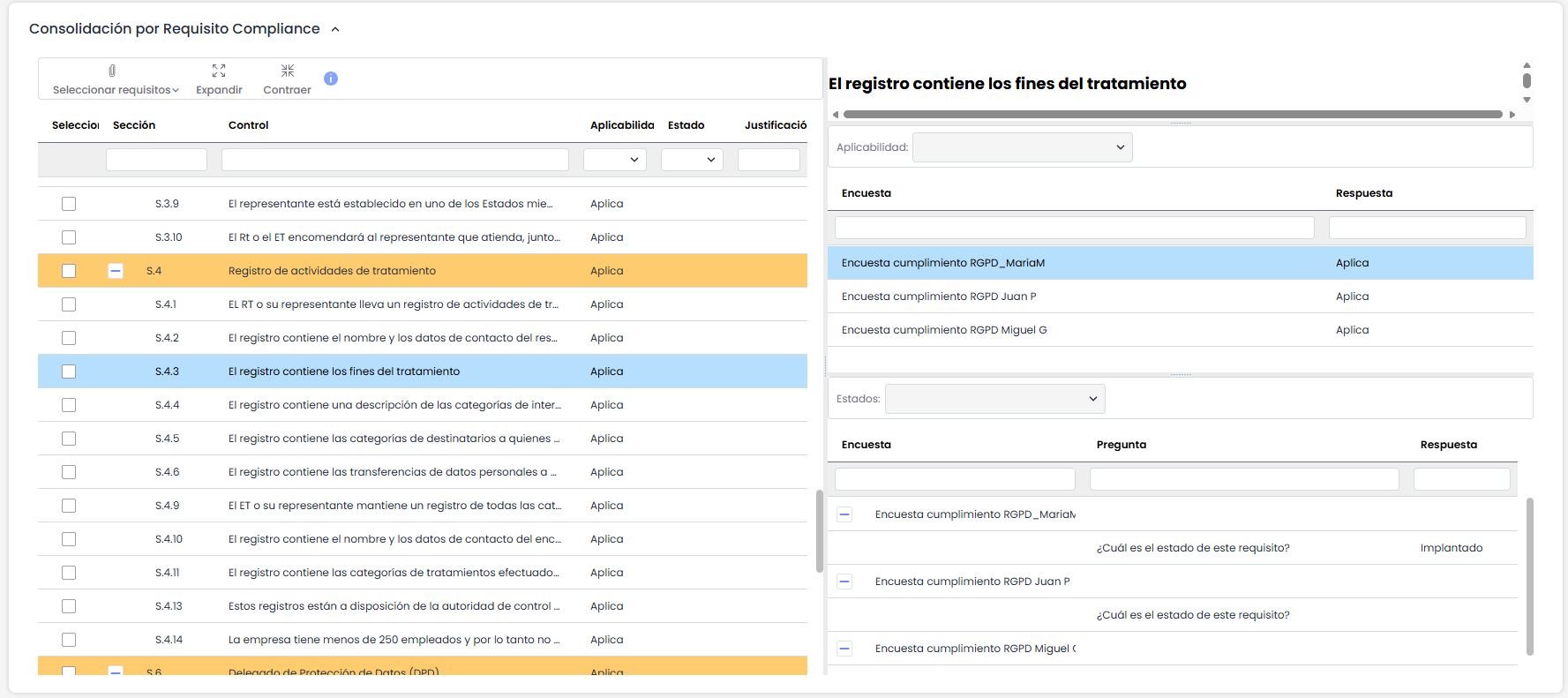
In the "Consolidation by Compliance Requirement" section, it is possible to perform consolidation by specifying criteria for each requirement or control, instead of performing a global consolidation with the same criteria for all requirements. This type of consolidation includes the following options:
-
Controls: A table is displayed on the left side of this panel with the list of controls in the catalog, as well as Applicability, State, and Justification. By clicking on any row in the table, you can customize the type of consolidation to be performed on the selected control or requirement, and the following information and options will be displayed on the right side of this panel:
-
Summary: Displays complete information about the selected control.
-
Applicability: Allows you to define the consolidation criteria for the "Applicability" field of the surveys for the selected control. The criteria are the same as in the global consolidation, but in this case, they will only apply to the selected control.
-
States: Allows you to define the consolidation criteria for the "State" field of the surveys for the selected control. The criteria are the same as in the global consolidation, but in this case, they will only apply to the selected control.
-
Once the Global criteria and/or the customized criteria by Control have been established, you must click the "Consolidate" button to start the consolidation.