
AI Compliance Assistant: What requirements apply
GlobalSuite® introduces a new AI Assistant for the Compliance module, designed to perform an initial gap analysis on a new applicable standard or regulation.
This assistant uses the information provided in the company's context to make a recommendation on applicability and justification or mechanism to indicate compliance with each requirement.
How to access the AI Requirements Identifier?
The AI Requirements Identifier assistant can be accessed from within an active assessment or catalog, in the AI Panel > What requirements apply to me?
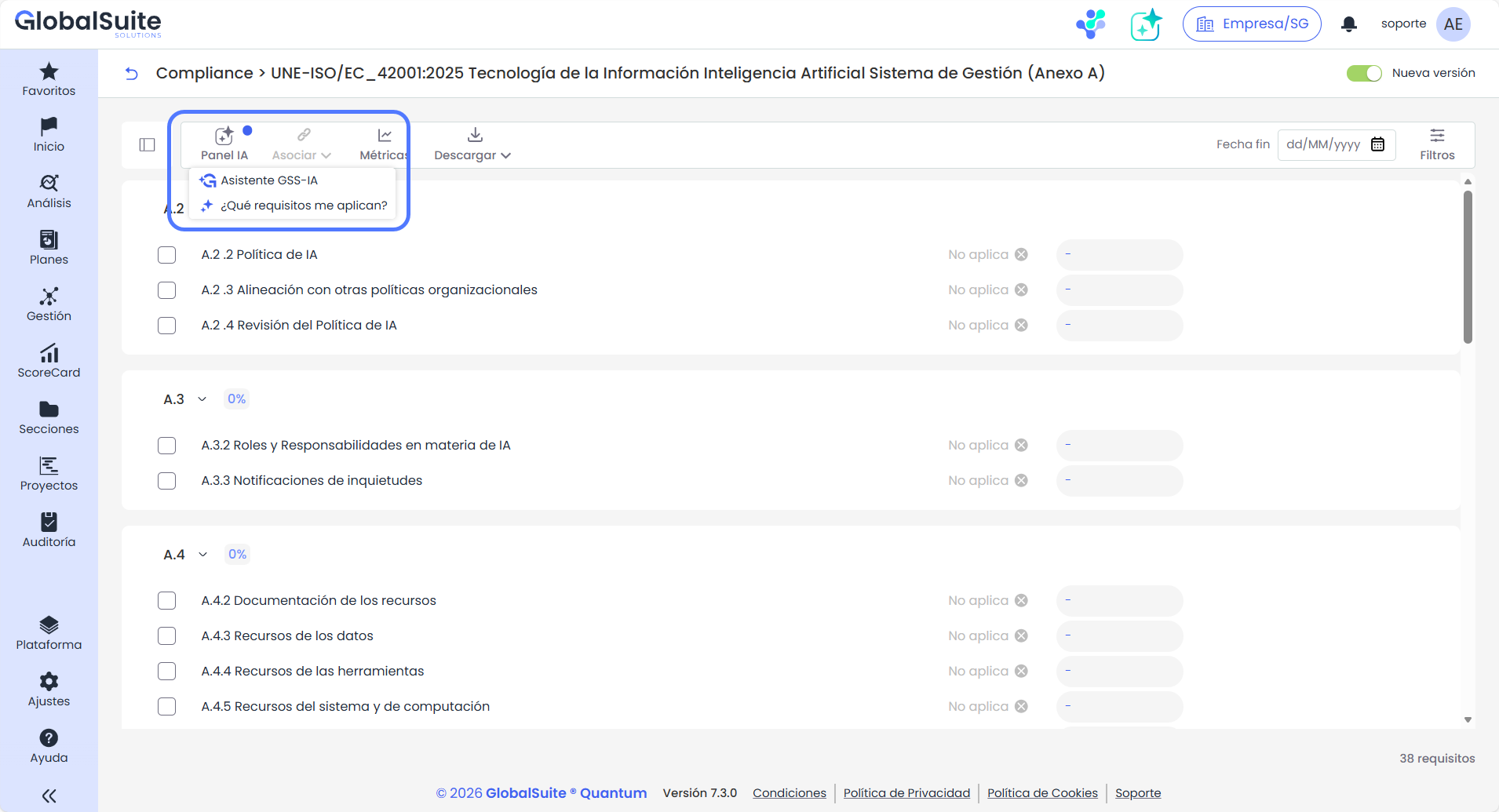
It is recommended to use this assistant with an empty standard, not yet evaluated, although it can be applied to any standard since the results can be reviewed without overwriting the previous assessment.
By clicking the button, you will access the view to provide context information so the assistant can perform the appropriate analysis.
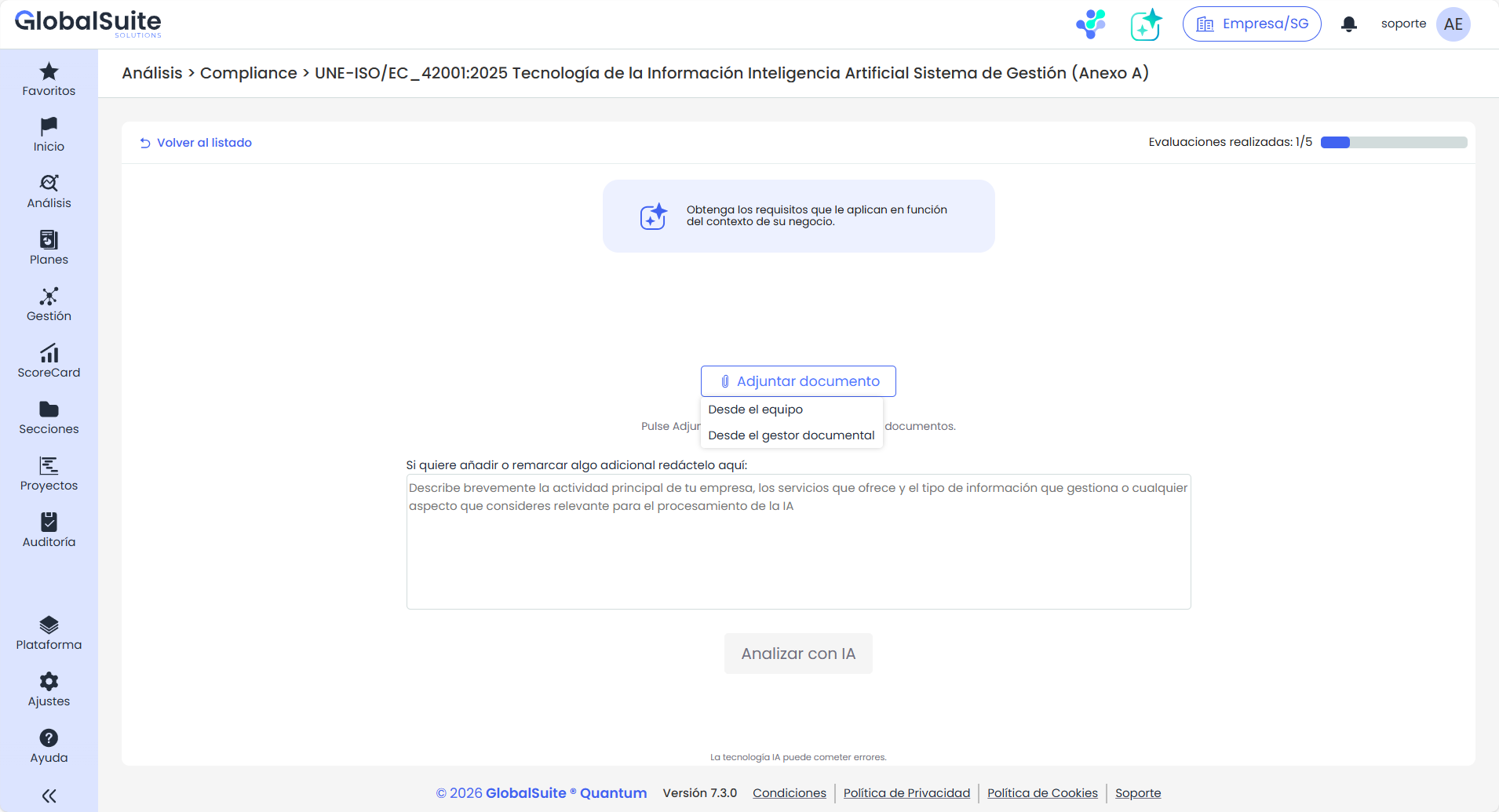
This information can be entered from several sources, complementary to each other:
-
Documents from the user's team
-
Documents from the Document Manager of GlobalSuite®
-
Textual information: additional details to the associated documents.
The limit of files that can be provided is 5.
What information can be provided to perform the analysis with greater precision
As the main input source for performing the analysis to identify which requirements of the standard apply and must be met, it is advisable to provide as much context information as possible by selecting relevant documents, for example:
-
Information Security Policy
-
Organization Manual
-
Service Catalog / Portfolio
-
IT Architecture and Infrastructure
-
Supplier and Third-Party Management
-
HR Procedures
-
Business Continuity Plan
-
Information Classification
-
…
Results of the AI Requirements Identifier analysis
Once the analysis is complete, the user is notified that the results are ready and can be reviewed.
These results are a proposal of applicability and a justification of why the requirement must be met (and how it is fulfilled) or why it does not, based on the information provided.
Several or all results can be selected and applied to the compliance assessment/catalog, or discarded to perform another AI analysis.
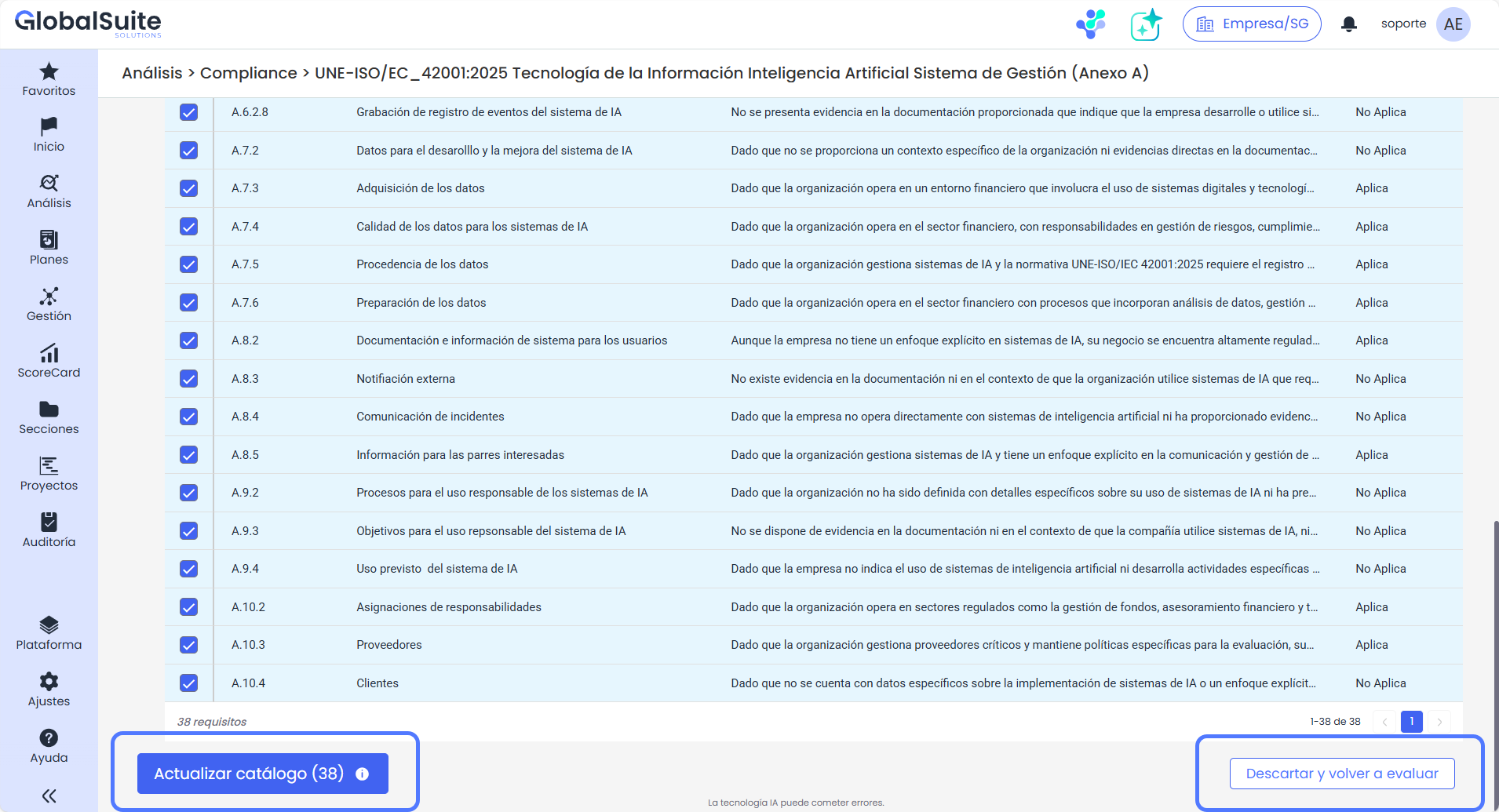
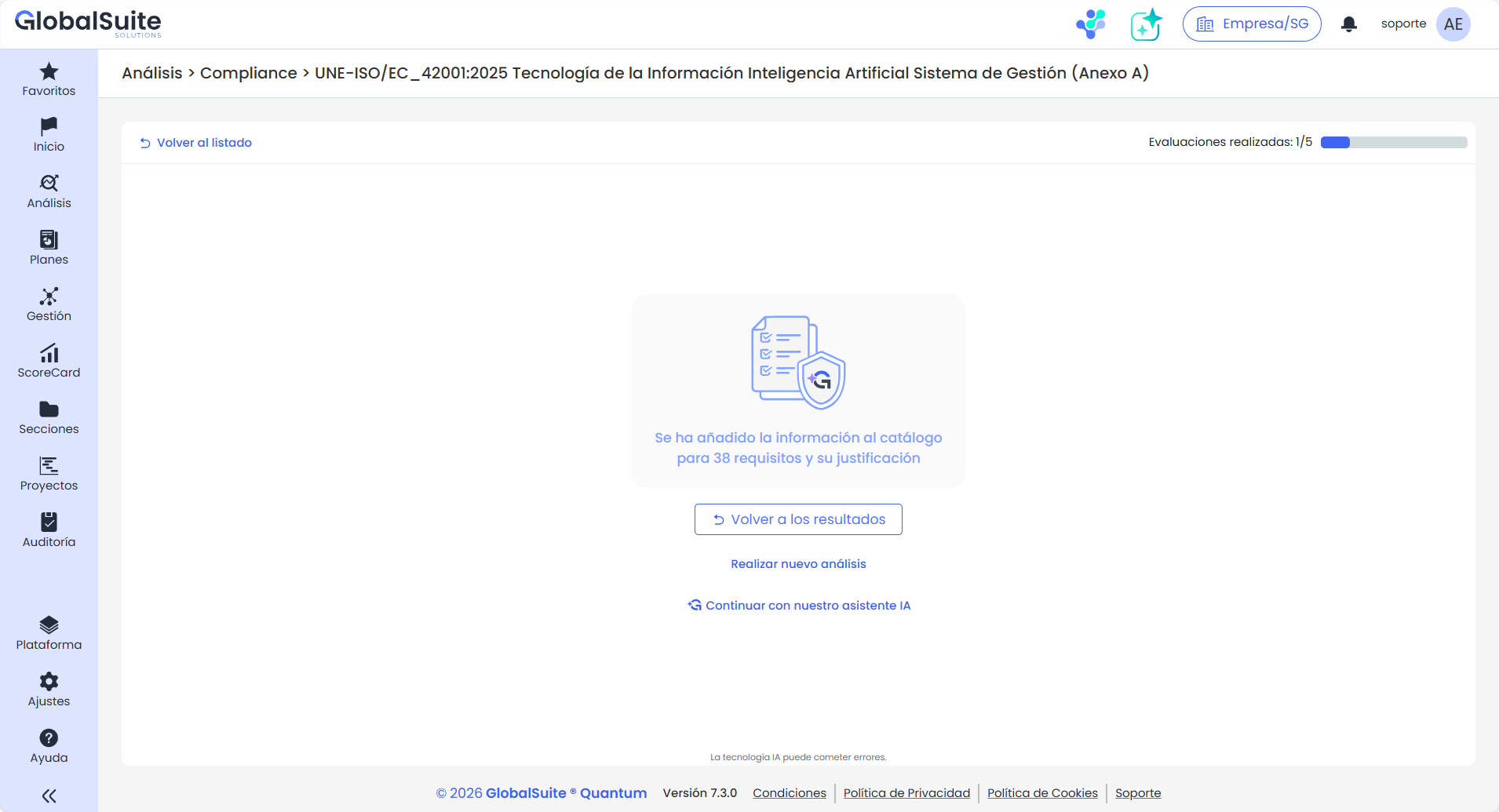
Once the requirements are applied to the compliance assessment, you can return to the results view to select other requirements to consolidate, perform a new AI analysis, or continue with the conversational assistant.
Monthly limit
This AI Requirements Identifier assistant includes a limit of 5 assessments or analyses per month, after which the functionality will not be available until the next period.
Available in the Enterprise version or higher versions.