
This option allows you to view charts of the compliance status of a catalog, as well as make comparisons between different versions of it.
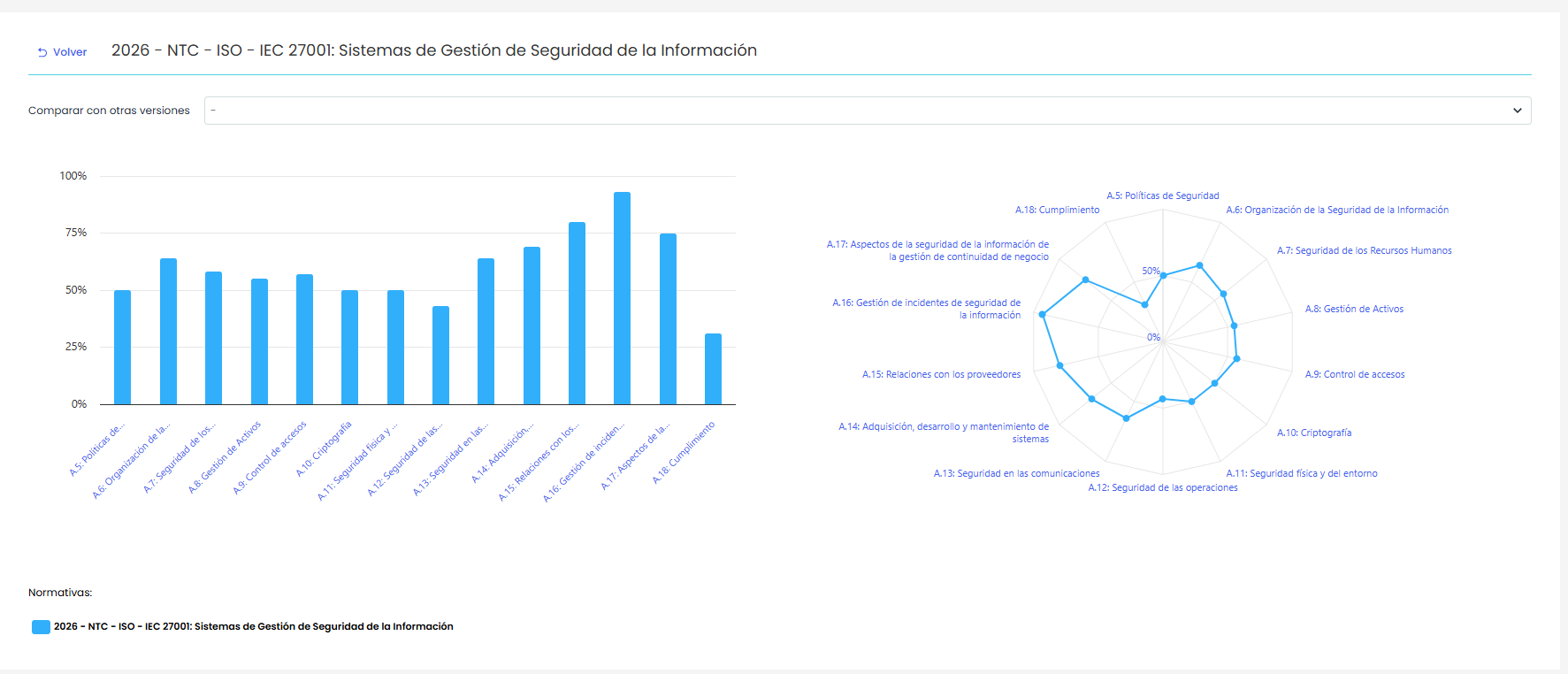
When accessing a catalog, the screen displays:
-
A bar chart showing the progress percentage for each section of the catalog.
-
A radial chart visually representing the overall compliance level by domain.
Hovering over the bars or points on the charts displays the compliance percentage corresponding to each section or domain. In case of a comparison, the values of each selected version will be displayed.
Compare Versions
Additionally, it is possible to compare the catalog's status with other versions using the selector “Compare with other versions”, located at the top.
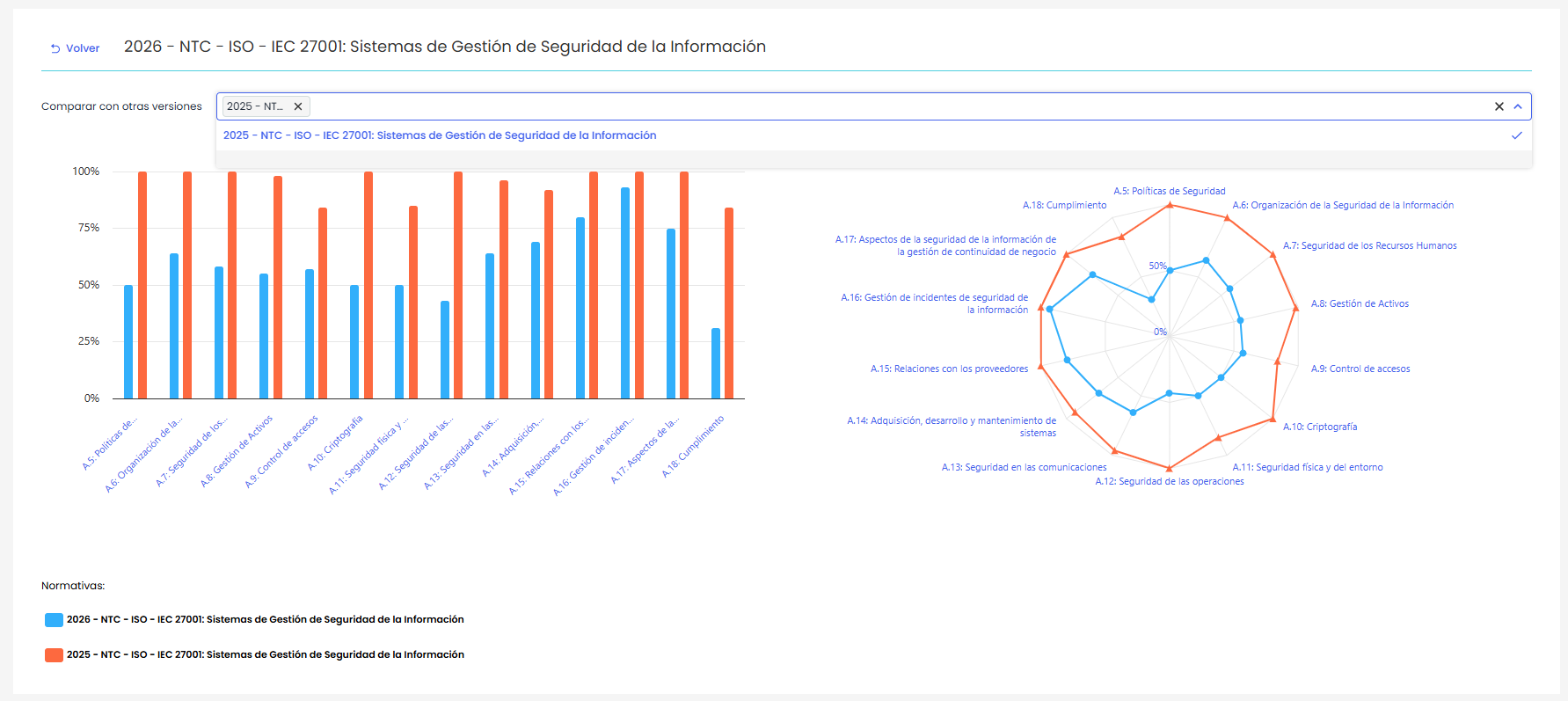
When selecting one or more versions:
-
The charts are updated to show comparative values between the different catalogs.
-
Each version is represented with a different color to facilitate comparison.
If no additional version is selected, only the charts corresponding to the current catalog will be displayed.