
Automation Examples
|
The following examples show common use cases for configuring Automation rules in GlobalSuite®. They must be adapted to the methodology, catalogs, permissions, and data of each organization. |
|
Use Case |
Trigger |
Condition |
Actions |
Expected Outcome |
|
New critical item |
New item |
Category equals critical application or high confidentiality. |
Add the item to a risk analysis, associate threats and controls from the catalog, and send an email to the responsible party. |
The new asset is ready for evaluation, and the responsible party receives the notification. |
|
Risk modified with high criticality |
Modified risk |
Residual criticality greater than or equal to high. |
Associate controls from the catalog, create a ticket, or send an email to the responsible party. |
Response to risks with increased criticality is expedited. |
|
Process modified with impact on continuity |
Modified process |
The criticality or impact dimension of the process changes to a relevant value. |
Create BIA or send BIA survey to the process owner. |
The continuity team receives the necessary information to update the analysis. |
|
BIA consolidation after survey |
Updated individual BIA |
The survey has been completed and meets the criteria defined for consolidation. |
Copy data to the consolidated BIA and notify the responsible party. |
Manual consolidation work is reduced, and the update is traceable. |
|
Automatic reclassification of items |
Modified item |
The new value of a dimension implies a new operational classification. |
Modify the corresponding dimension and notify the owner. |
The classification remains aligned with the methodology criteria. |
Guided example: modified risk
-
Create a new rule with the trigger Risk modified.
-
Add a condition for the rule to proceed only if the residual criticality changes to high.
-
Add the action Associate controls from the catalog and select the applicable catalog.
-
Add the action Send an email to the risk owner.
-
Save the rule, review the mandatory fields, and activate it once validated.
-
Modify a test risk to check the activity log.
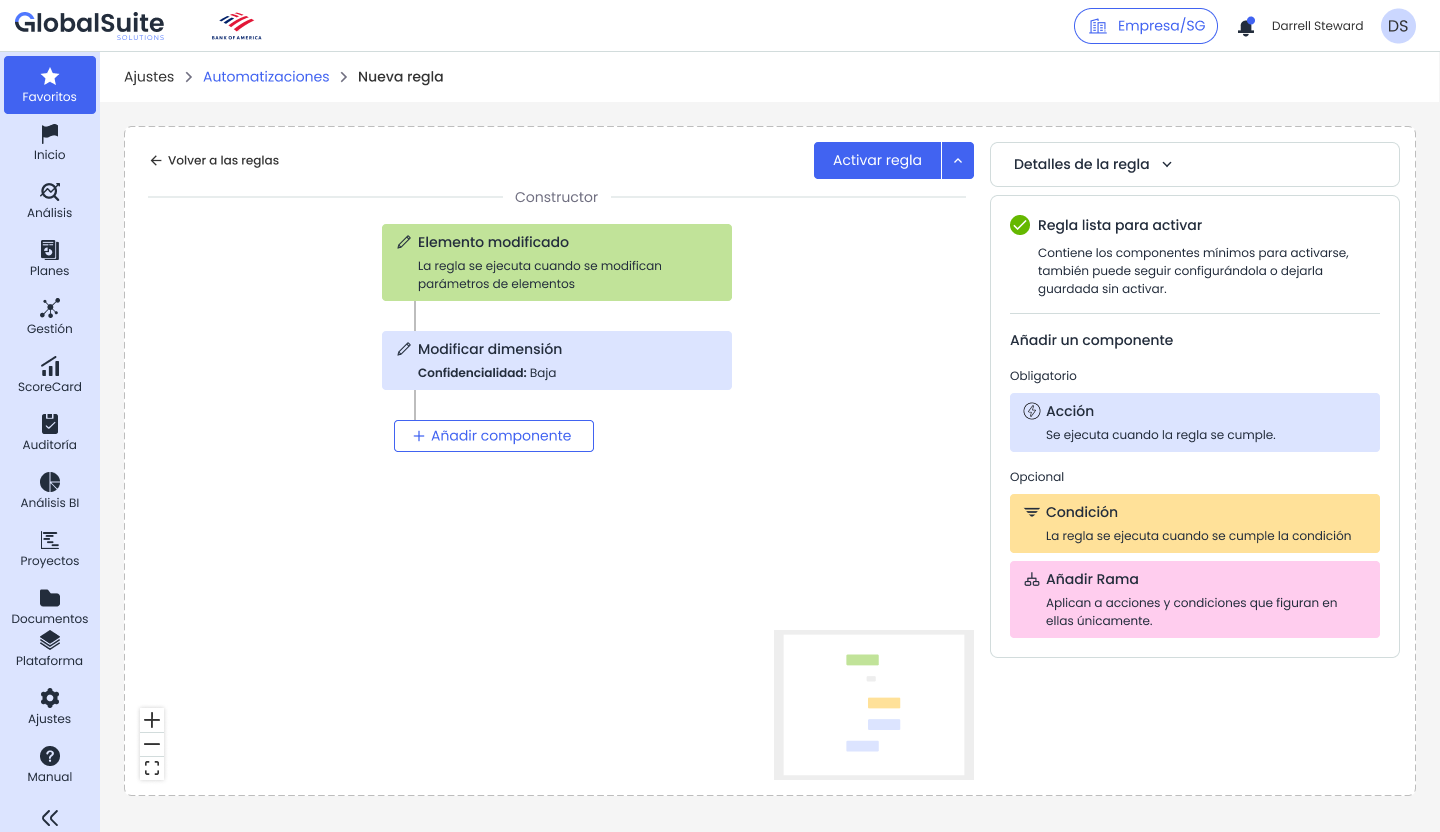
Example of flow with condition and multiple configured actions.
Recommendations before moving to production
-
Apply clear and consistent names to the rules.
-
Include in the description the objective, scope, functional owner, and expected outcome.
-
Test the rule with controlled objects before applying it to high-volume real data.
-
Review the activity log after the first executions.
-
Define who can create, modify, activate, or deactivate rules.