
Activation, validations, and statuses
|
A rule can be saved without being activated. To activate it, it must have at least a trigger and an action correctly configured. |
Save a rule without activating it
Saving allows preserving the configuration of a rule even if it is not yet ready to be executed. This option is useful when you want to review the rule with other users, complete fields later, or keep it as a draft.
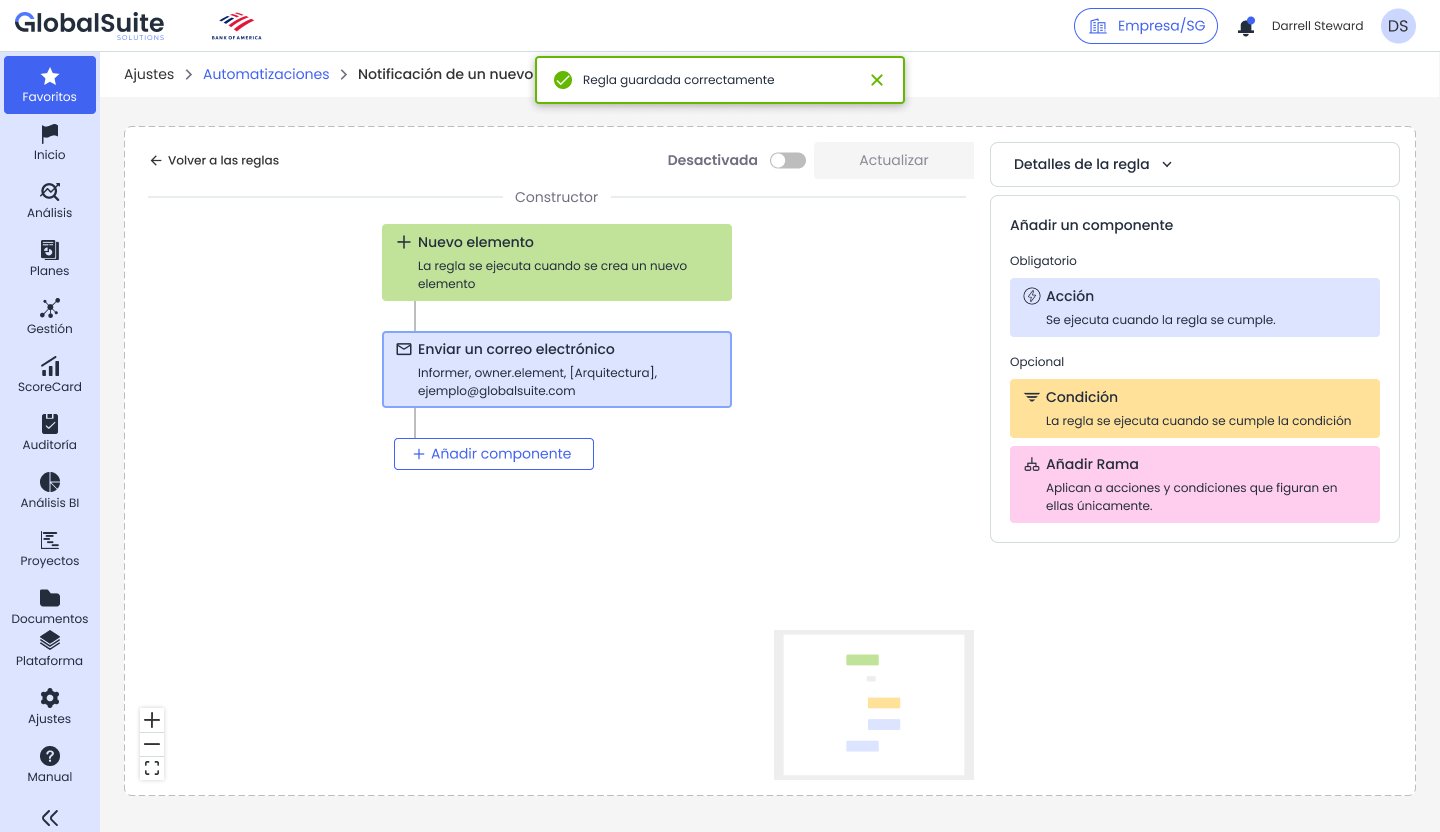
Rule saved successfully and kept in deactivated status.
Activate a rule
When activating a rule, GlobalSuite® checks that the minimum configuration requirements are met. If the rule is valid, it will be available to execute when the configured trigger occurs.
-
A configured trigger must exist.
-
At least one configured action must exist.
-
The mandatory fields of the rule and its components must be completed.
-
Pending or incomplete components must be resolved before activation.
Deactivate a rule
A deactivated rule is saved but not executed. This option allows temporarily stopping an automation without deleting its configuration.
Common validations
|
Situation |
Expected message or behavior |
Recommended action |
|
Empty rule name |
The field is marked as mandatory in Rule Details. |
Complete a descriptive name. |
|
Rule without action |
A notice is displayed indicating that at least one trigger and one action are required. |
Add and configure an action. |
|
New component not configured |
The flow remains pending and cannot be activated. |
Select the component and complete its configuration. |
|
Mandatory action field empty |
The field is marked in red or a contextual validation is displayed. |
Complete the required field before activation. |
|
Rule deactivated |
The rule is saved but not executed upon the event. |
Activate the rule when it is validated. |
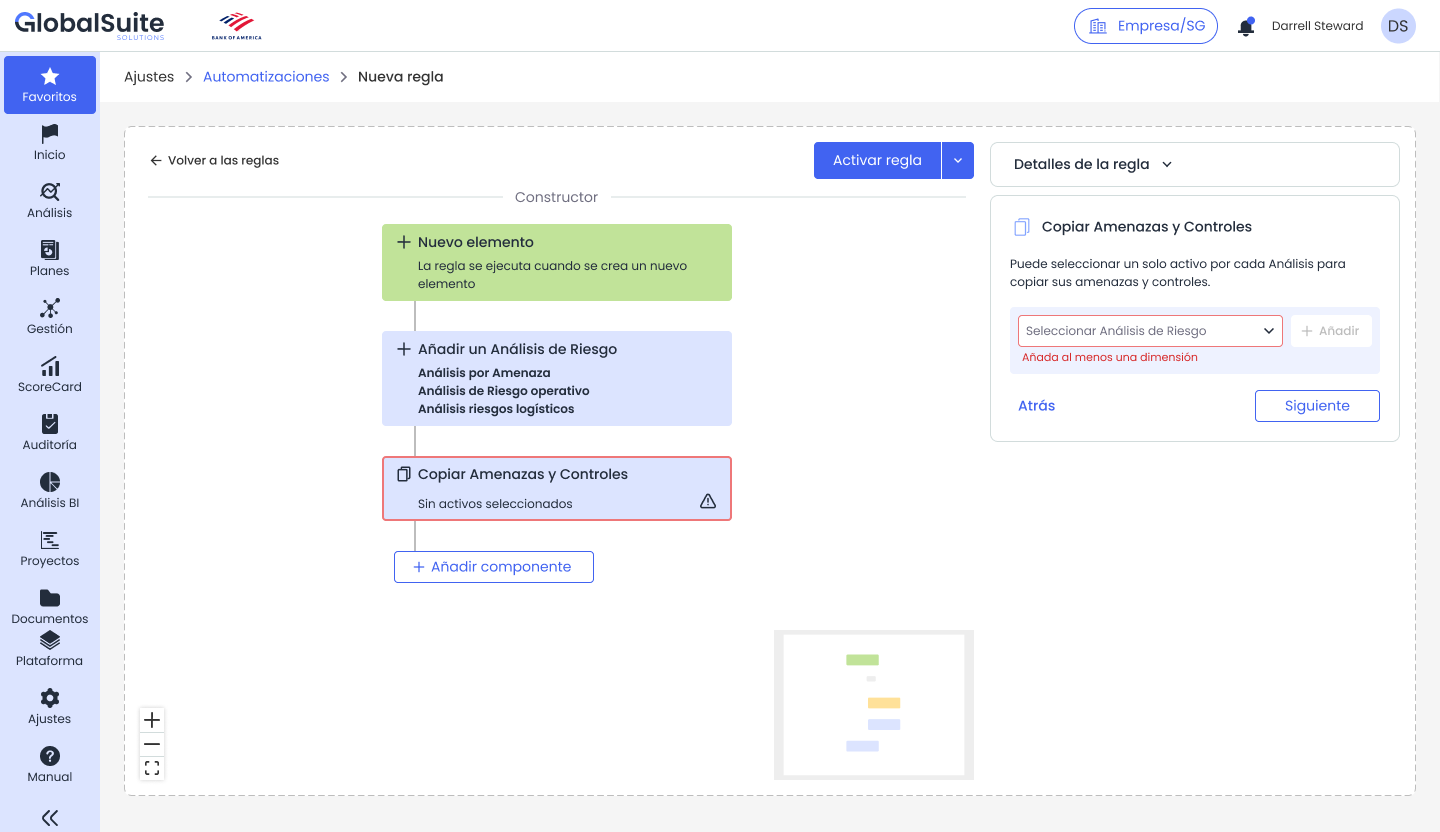
Example of validation when attempting to activate a rule without a configured action.
Confirmation messages
When the rule is saved successfully, GlobalSuite® displays a confirmation message. If an error is detected, the system shows the corresponding notice and keeps the rule deactivated until the validation is resolved.
|
NOTE: It is recommended to test the rules with controlled cases before activating them in critical processes or with a high volume of items. |