Access and Initial View of Automations
|
The initial screen allows presenting the module, accessing rule creation, and consulting the available automations according to permissions and licensing. |
Module Access
The Automations option is available by default in the Sections > Automations section within the management panel.
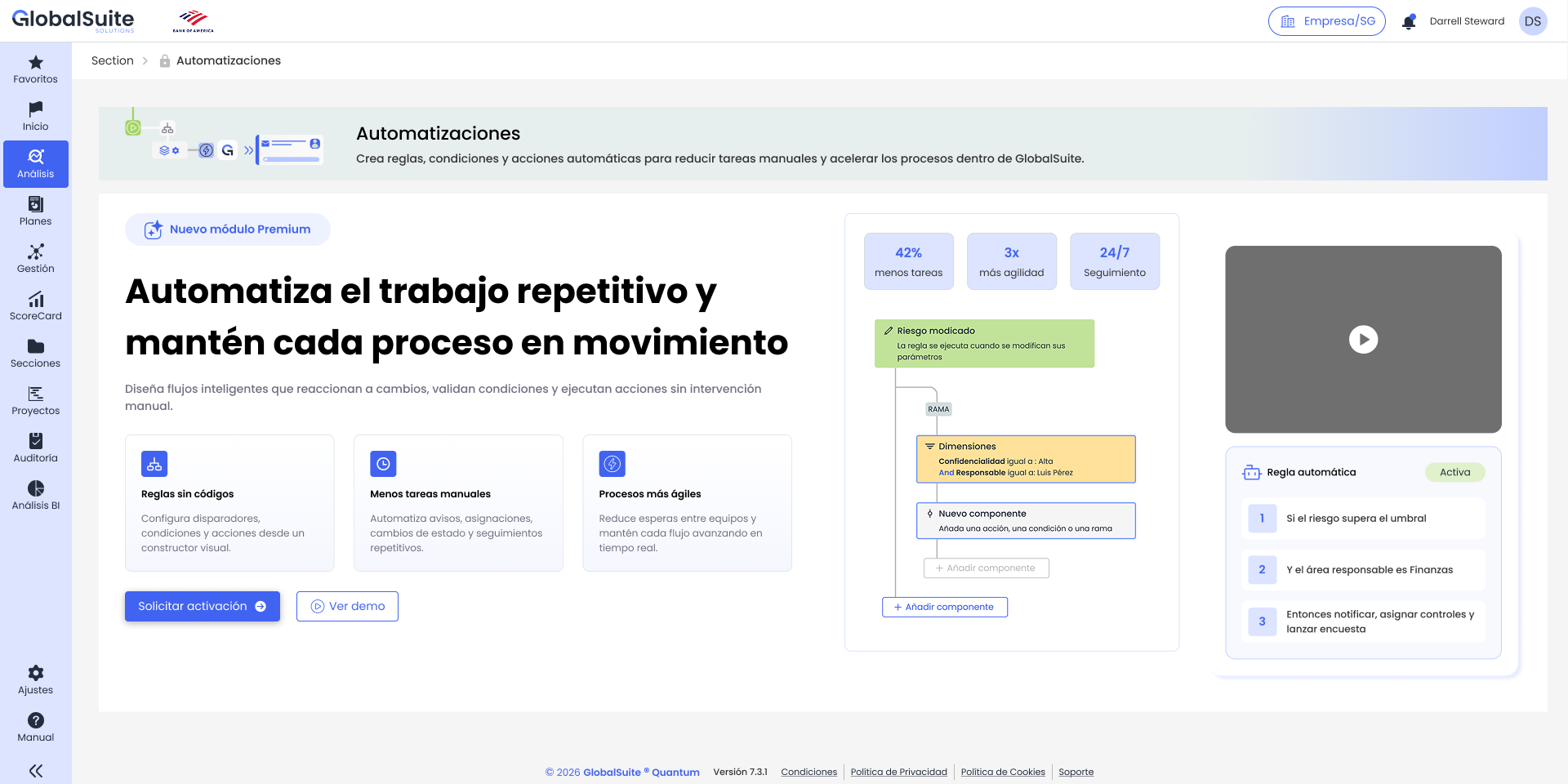
When accessing the option, if the module is not enabled, an informative screen will be displayed where the information can be viewed and more information can be requested if necessary.
Main List
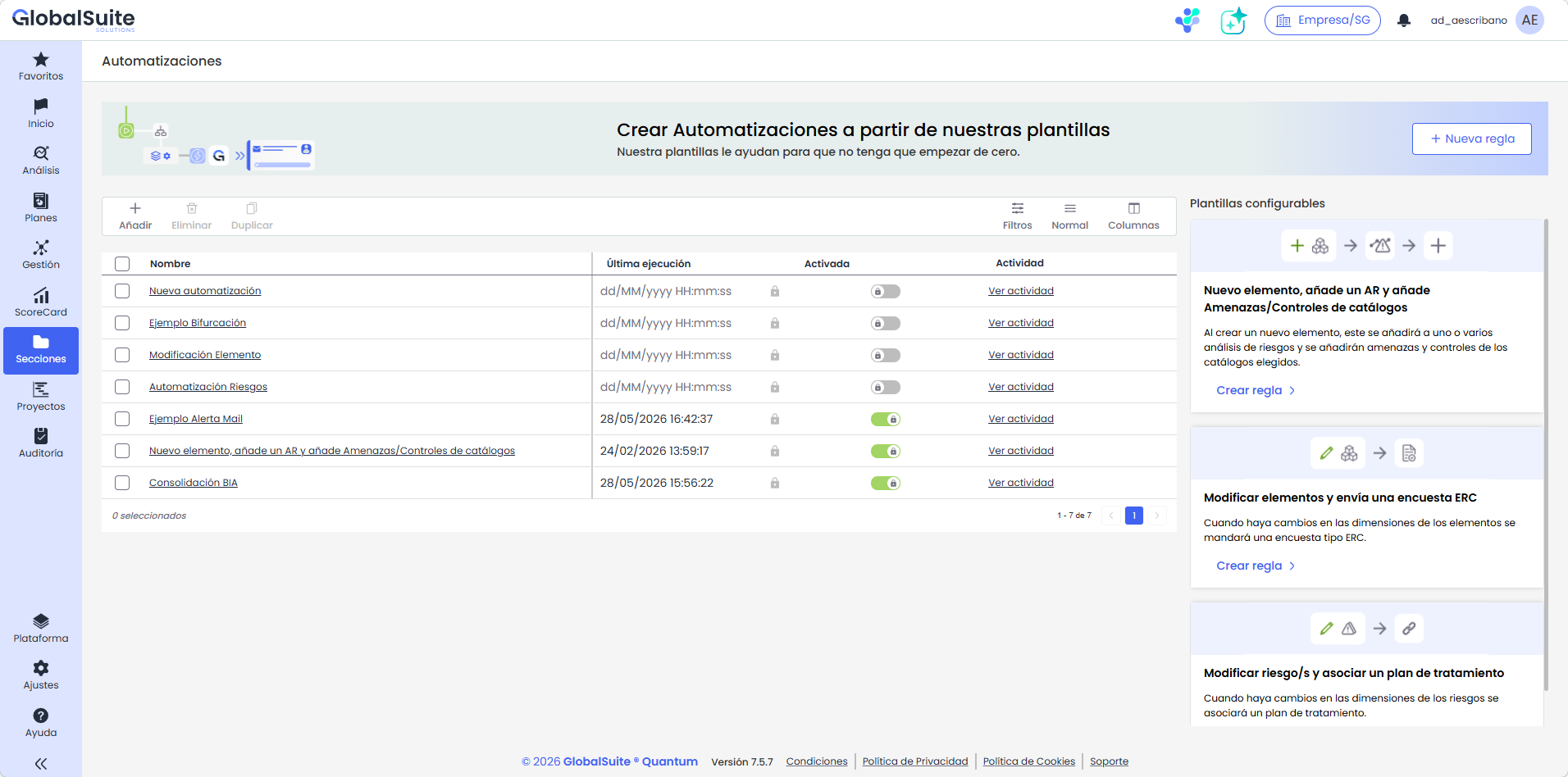
If the Automations module is activated, a list or table with all existing rules is available, with the following fields:
-
Name: This is the identifier of the rule, and by clicking on the detail, you will access its construction panel.
-
Last Execution: Displays the date and time of the last time the rule was triggered. If it has never been launched, the field will be empty.
-
Enabled: Indicates whether the rule is activated or not.
-
Activity: This is the link to view the Activity Log of the rule.
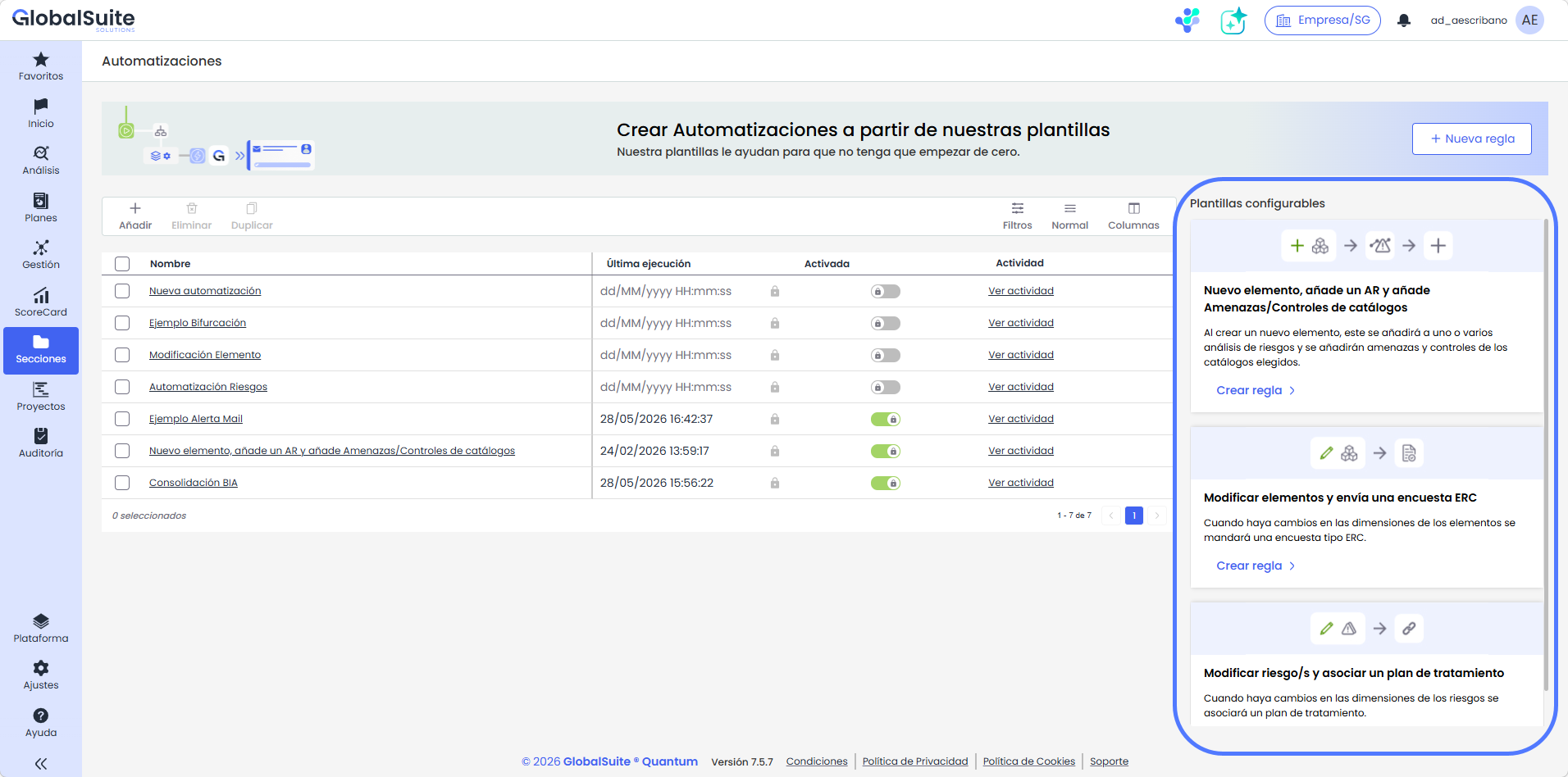
Preconfigured Templates
Additionally, on the right panel, there are a series of predefined templates with advanced use cases where the rule is generated with triggers and actions already created, and only needs to be configured to have a functional rule.