
Automations
|
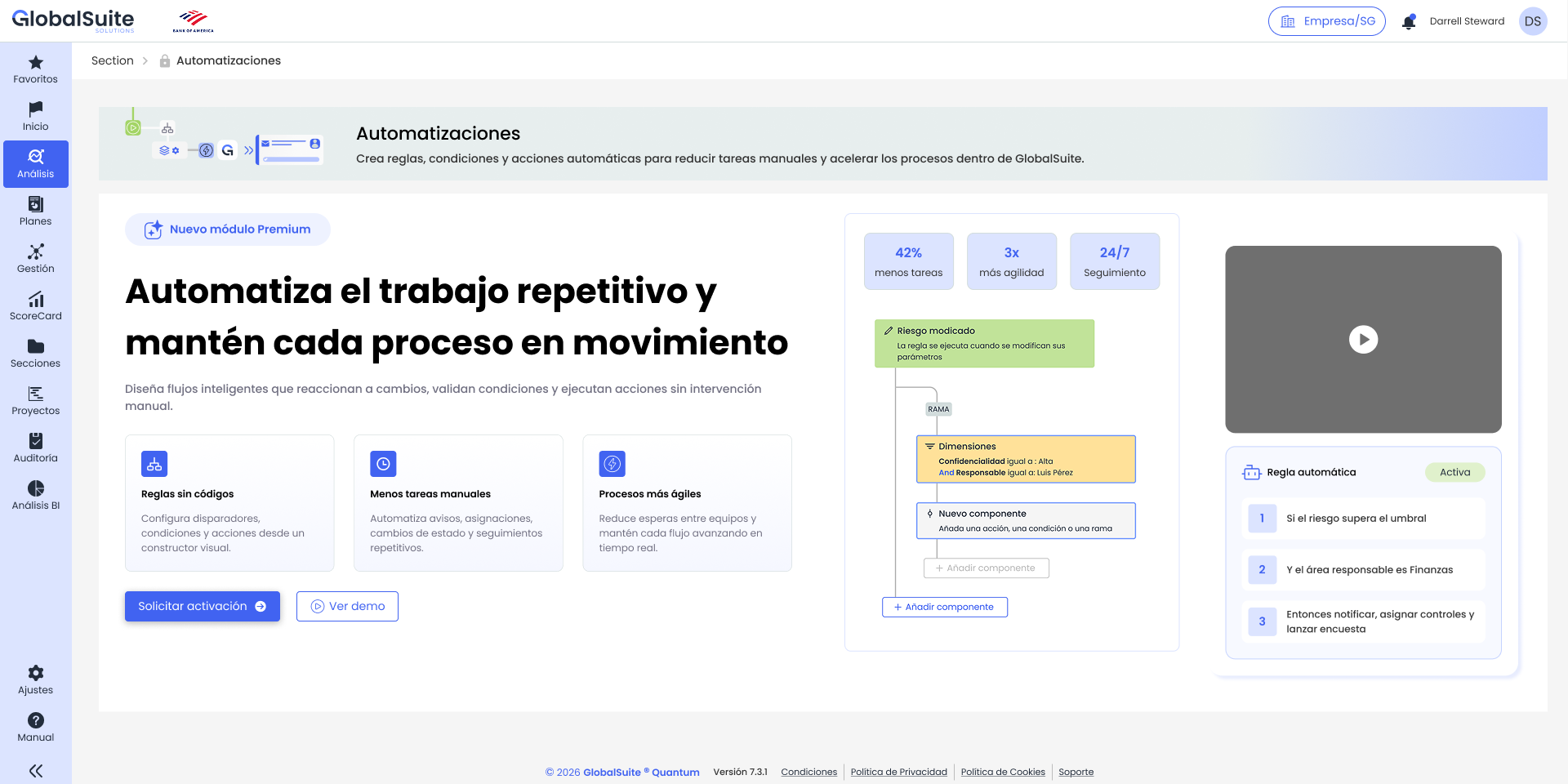
The Automations module allows you to create rules so that GlobalSuite® executes automatic actions when events occur within the solution. Its goal is to reduce manual tasks, standardize recurring responses, and facilitate the traceability of GRC processes. |
What does Automations allow?
Automations turns isolated actions into powerful workflows within GlobalSuite®. A rule can be executed, for example, when a new item is created, a risk is modified, a dimension changes, or information related to a BIA is updated.
-
Create visual rules based on triggers, conditions, branches, and actions.
-
Send notifications or requests when relevant changes occur.
-
Launch surveys, create tasks, or prepare information for subsequent analysis.
-
Modify dimensions or associate controls and catalogs when certain criteria are met.
-
Review the activity of each rule to check executions, results, and errors.
Key concepts
|
Concept |
Description |
|
Rule |
Configuration that defines which event should be detected, which conditions must be met, and which actions GlobalSuite® should execute. |
|
Trigger |
Event that initiates the evaluation of the rule. For example, the creation of an item or the modification of a risk. |
|
Condition |
Criterion that limits the execution of the following components. If not met, that path of the flow is stopped. |
|
Action |
Task that GlobalSuite® executes when the rule meets the defined criteria. For example, sending an email or associating controls. |
|
Branch |
Division of the flow into several parallel or alternative paths, useful for representing if/then type behaviors. |
|
Activity |
Execution log of the rule, including evaluated conditions, executed actions, errors, and final result. |
Included with Enterprise licensing or higher