
Conditions and branches
|
Conditions allow defining in which cases the rule execution continues. Branches allow dividing the same flow into several paths, each with its own conditions and actions. |
Conditions
A condition evaluates whether a criterion is met before continuing with the next components. If the condition is met, the flow continues. If it is not met, that path stops, and the subsequent actions associated with it are not executed.
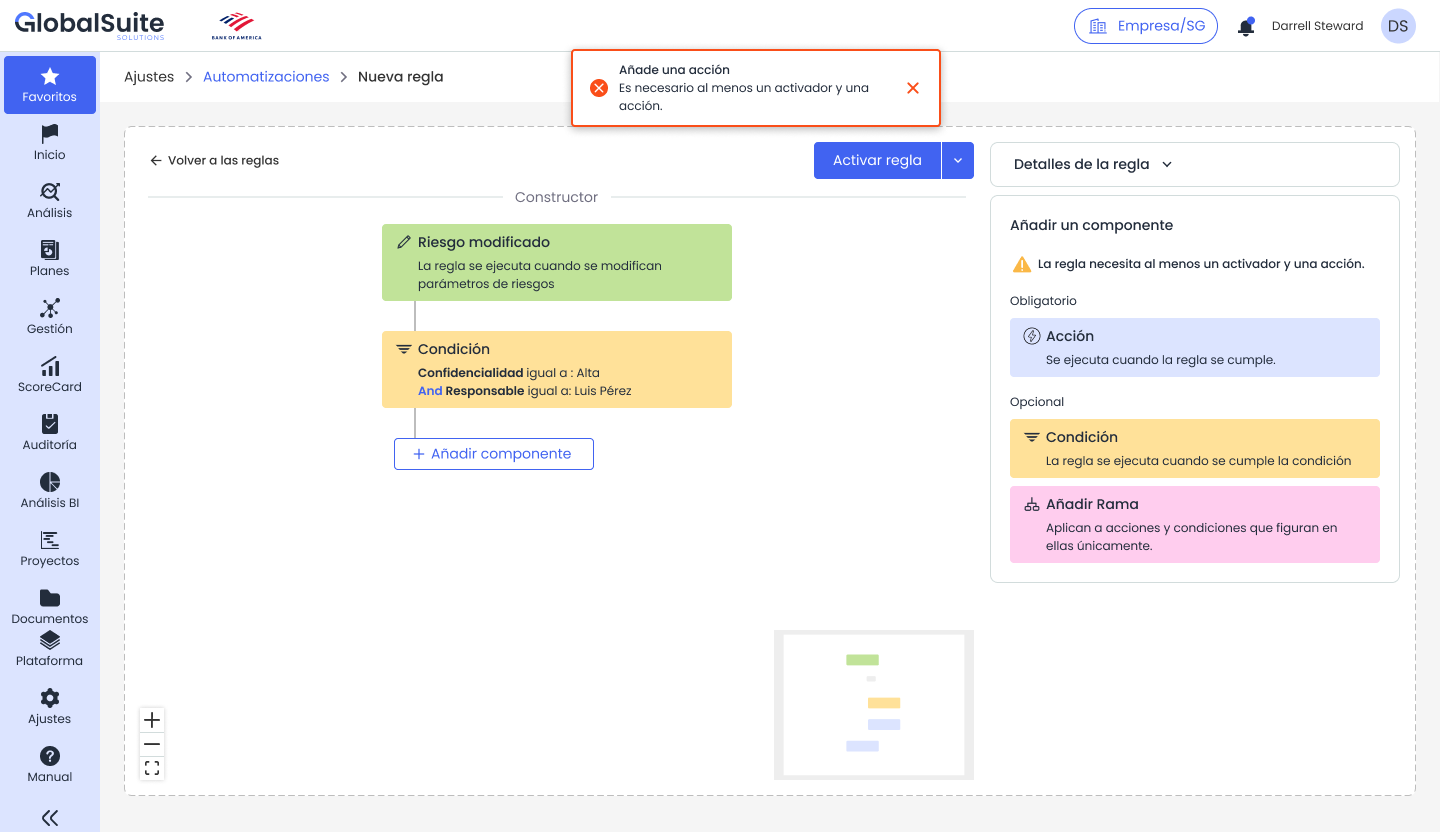
Example of a condition configured on risk dimensions.
Examples of conditions
-
A confidentiality dimension is equal to High.
-
The person responsible for the item is a specific individual or belongs to a certain area.
-
The criticality of a risk is greater than or equal to a defined value.
-
An item's category matches a specific category.
-
The new value of a dimension is different from the previous value.
Branches
A branch creates an additional path within the rule. This component is useful when the same trigger must provoke different responses depending on the case. Each branch can include its own conditions and actions.
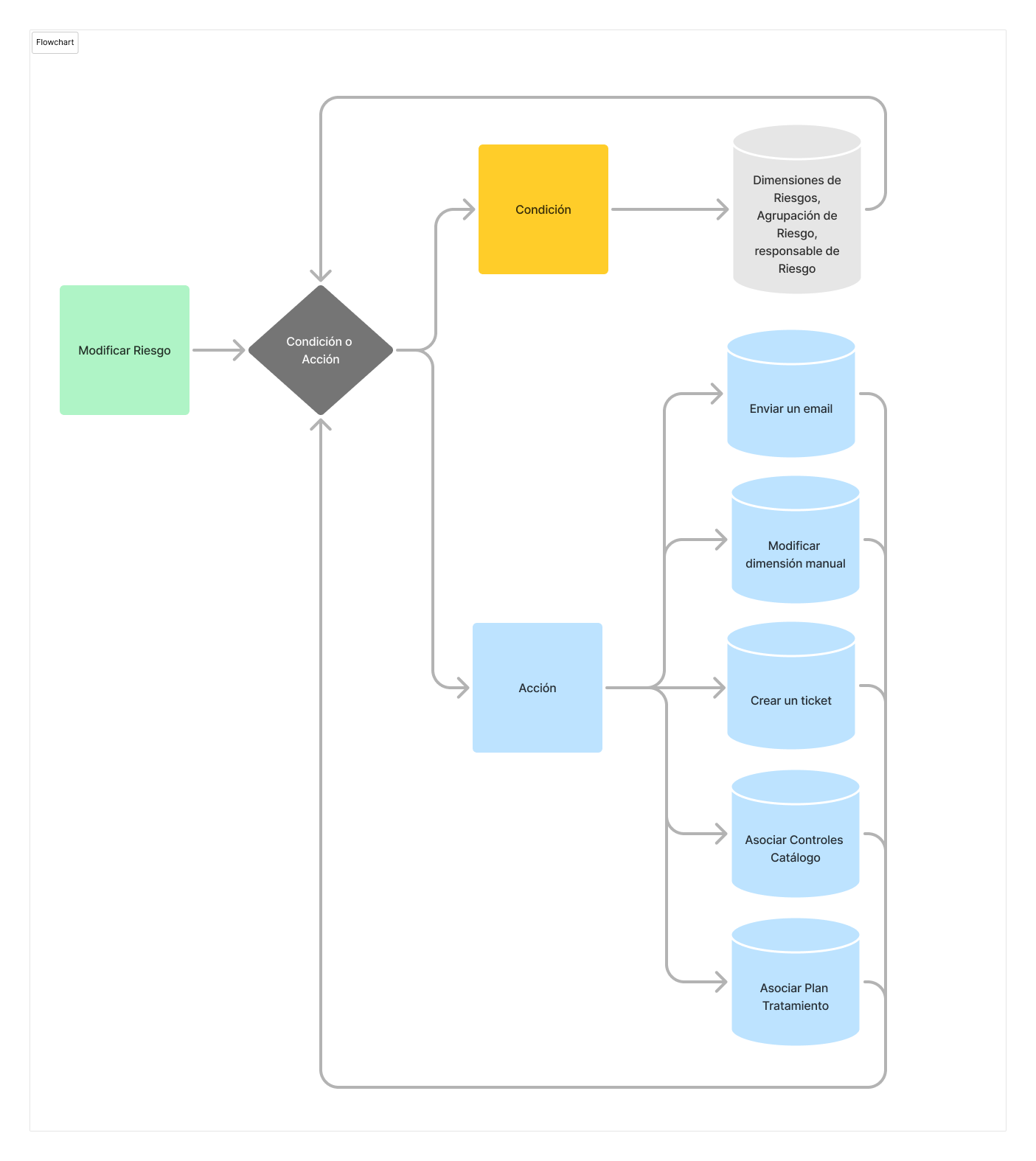
Conceptual example of a flow with trigger, condition, actions, and branches.
When to use branches
-
When the same event must activate different responses for different levels of criticality.
-
When part of the flow must continue even if another branch does not meet its conditions.
-
When you want to separate notification actions, evaluation, association of controls, or task creation.
-
When you need to represent logic like if/then or multiple parallel paths.
Configuration recommendations
-
Include a clear condition at the beginning of each branch to identify the entry criterion.
-
Avoid overly long rules if they can be divided into several simpler automations.
-
Document in the rule description what each branch represents.
-
Review the activity log to confirm which branch has been executed and which actions have been triggered.
Remember that if a condition is not met, the associated path stops, but not necessarily other branches of the rule.