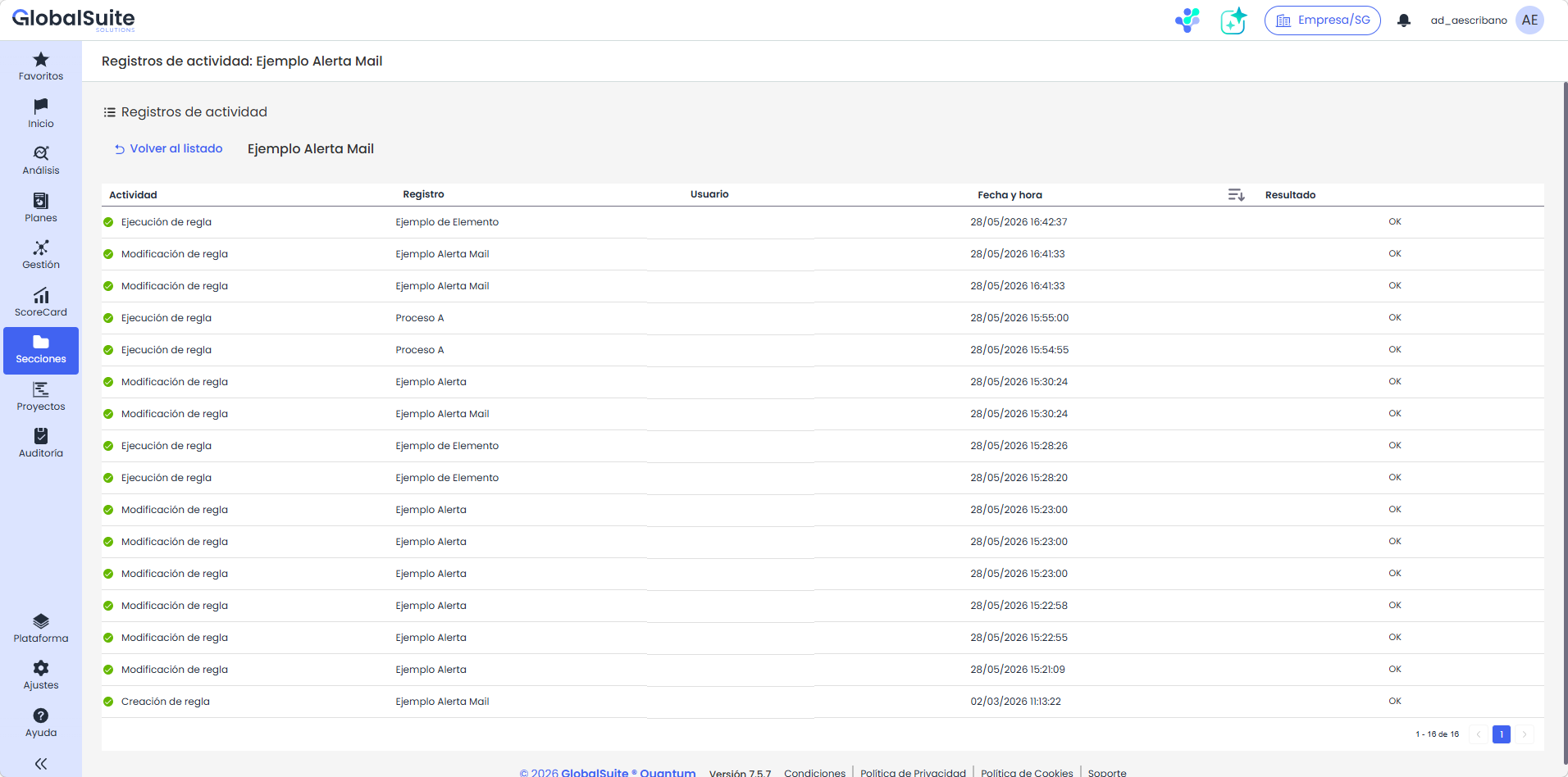
Activity log of a rule
|
The activity allows you to check what has happened for each automation, from when it was created or last modified, to the number of times it has been executed and on which records, and whether any incidents occurred. |
Activity logs
To access the details of a log, you need to click on the link available in the initial activations view. Within the log of a rule, we have the list of all the logs associated with it, with the following fields:
-
Activity: The action that has been logged, whether it is the modification of the rule or its execution in response to an event.
-
Log: The name of the affected item; if it is a modification log of the rule, it indicates the name of the rule, but if it is the execution of the rule, it indicates the name of the record that triggered the event (for example, the name of the modified item).
-
User: Name of the user who performed the action
-
Date and time: The moment when the action or rule execution occurred.
-
Result: Indicates whether the action was completed successfully or if an error occurred to allow debugging.