This tutorial explains how to configure and use the audit methodology in GlobalSuite® to plan, execute, and monitor audits within the management system.
The objective is to detail how to adapt audit methodologies to different types of items, risks, and controls within the organization, linking them to existing risk and control methodologies, and how to apply execution methodologies to specifically evaluate the various components of the auditable universe.
Introduction to GlobalSuite® Audit Management
GlobalSuite® Audit Management is a license designed for the planning, analysis, and execution of audits based on the system's existing data related to risks and controls.
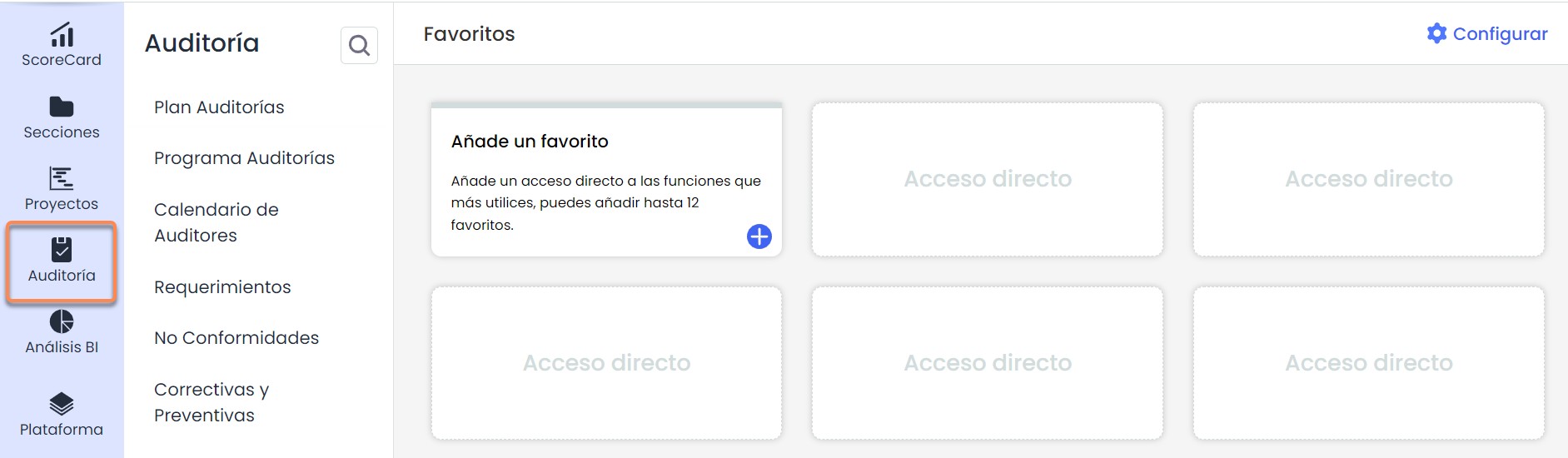
Within the license called "Audit", the following options are enabled:
-
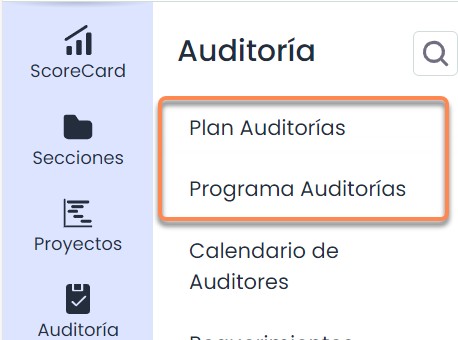
Audit Plan: Management of planned and ongoing audit plans within the MS.
-
Audit Program: Management of the tasks developed in the Audit Plan.
-
Ticketing: There are two Management > Tickets options in the Audit section: Non-Conformities and Corrective and Preventive Actions. Additionally, this license includes an additional ticket called Requirements, a specific option for audits.
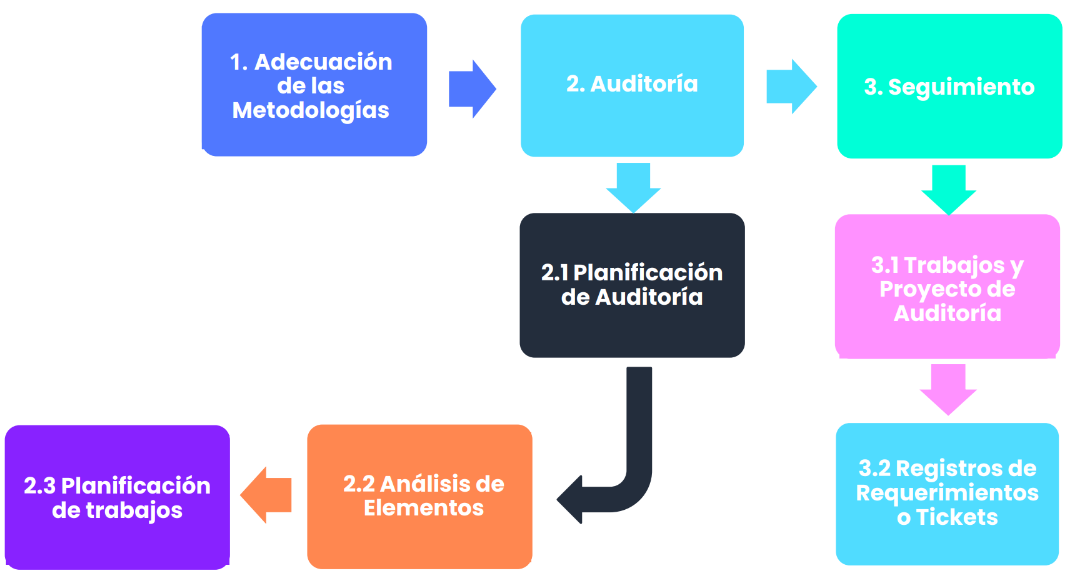
The phases to carry out the creation and configuration of the Audit module are:
Audit Methodology
In Settings > Methodologies > Audits , it is possible to configure different audit methodologies to evaluate and prioritize the organization's items based on a previously configured risk methodology, meaning it acts on inventory items, their risks in various analyses, and their mitigating actions or controls.
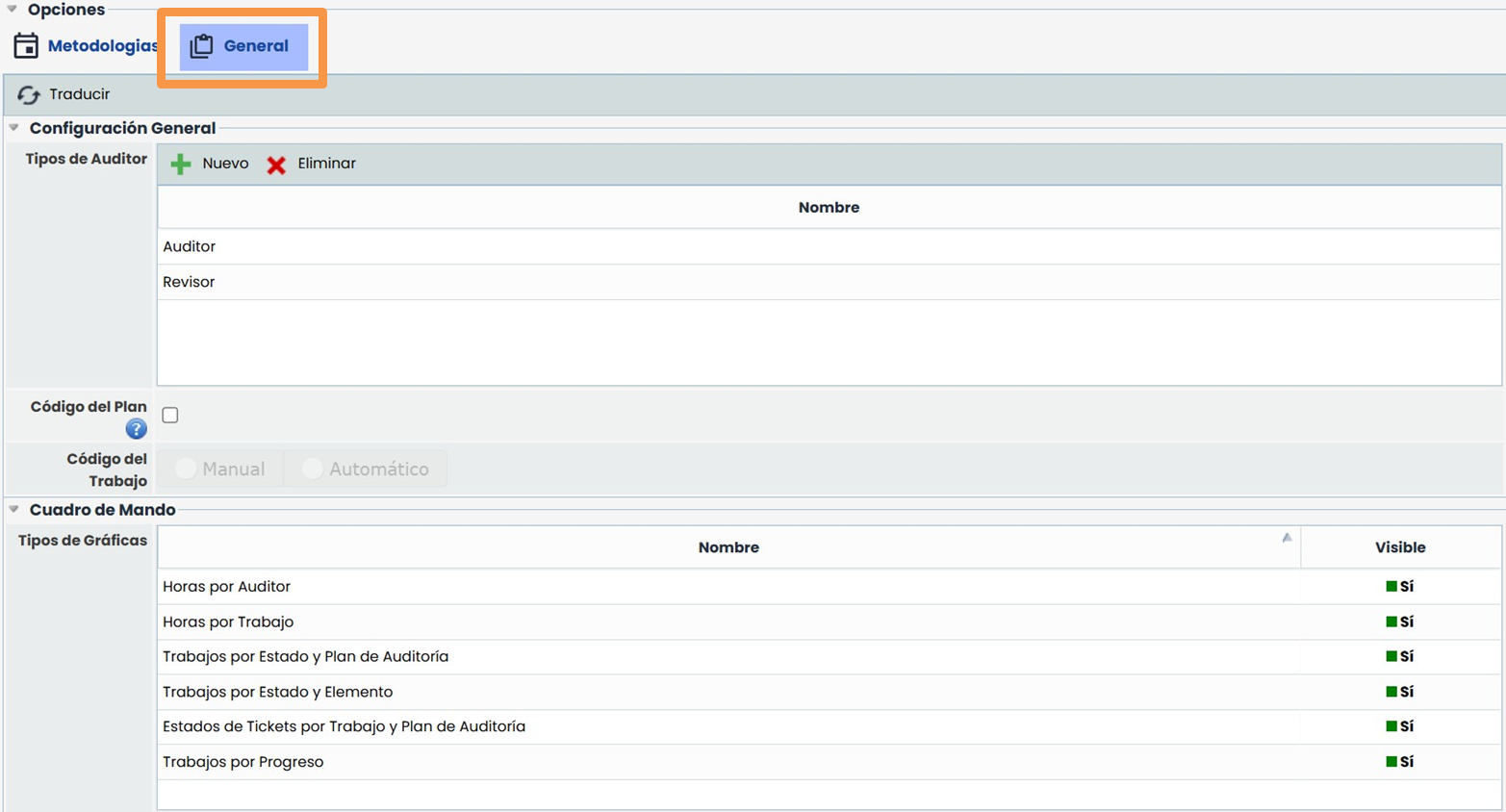
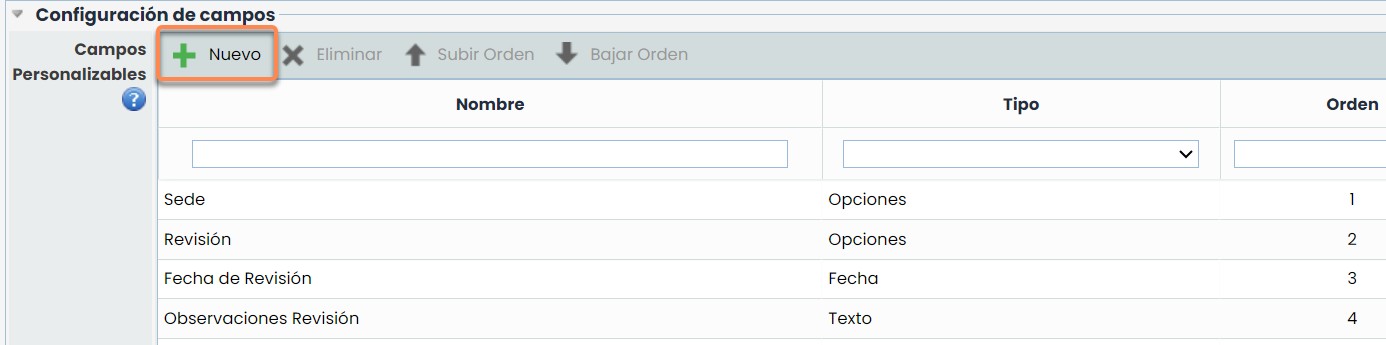
In the General section, you can define auditor types, configure dashboard graphs, and set up customizable fields.
Customizable Fields Configuration
The New button allows you to add additional fields of type Date, Text, and Selector.
These fields will be visible in the following options:
-
Audit task forms.
-
Task table, option Audit Plan > Task Planning
-
Main table of Audit Scheduling.
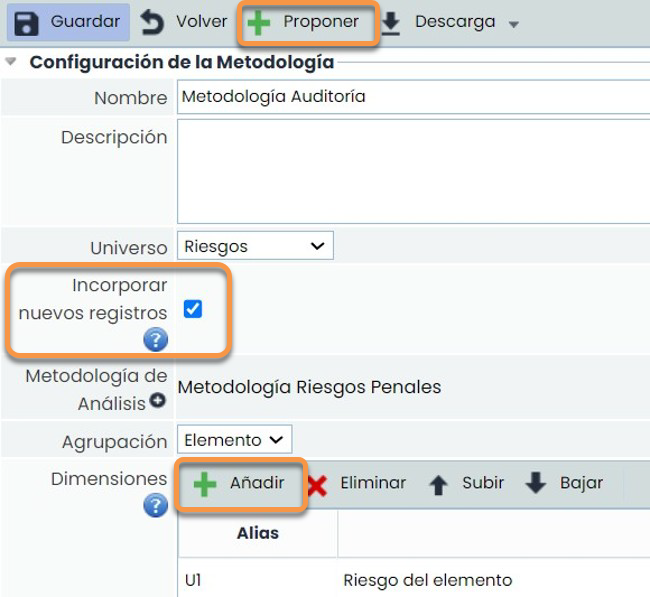
When entering the configuration of the audit methodology, it is important to associate a previously configured risk methodology in Settings > Methodologies > Risks to serve as the basis for the audit methodology.
Additionally, basic dimensions can be proposed to help manage an audit methodology. These dimensions can be modified as needed.
The add button allows you to create new support dimensions of quantitative and qualitative type (manual or automatic), text, or date within the audit methodology, similar to those that can be proposed.
Incorporate New Records
This should be selected when new items, risks, or controls need to be included in an Audit Program (already completed or in any state) included in its corresponding risk analysis.
Audit Methodology. Dimensions and formulas
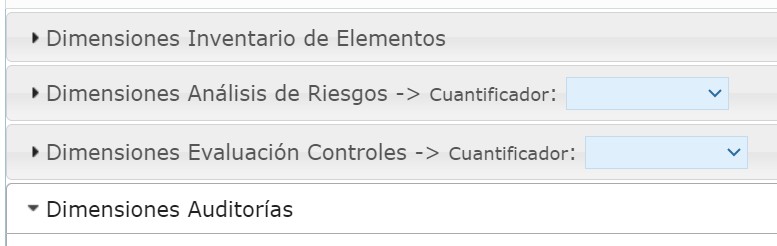
To configure the formula of an automatic dimension, dimensions from other methodologies (quantitative/qualitative) can be used:
-
Item Inventory: these are the dimensions configured in the item (inventory) methodology.
-
Risk Analysis: these dimensions have quantifiers to relate the results of all records from the risk analysis that uses the risk methodology previously associated with this audit methodology. This relationship is made through: counter, maximum, minimum, and/or summation.
-
Control Evaluation: these dimensions have quantifiers to relate the results of all records from Control Management (control methodology) linked to the risk analysis that uses the risk methodology previously associated with this audit methodology. This relationship is made through: counter, maximum, minimum, and/or summation.
-
Audits: the support dimensions that were proposed or added earlier in the audit methodology appear and can be related to each other, as long as they are quantitative or qualitative.
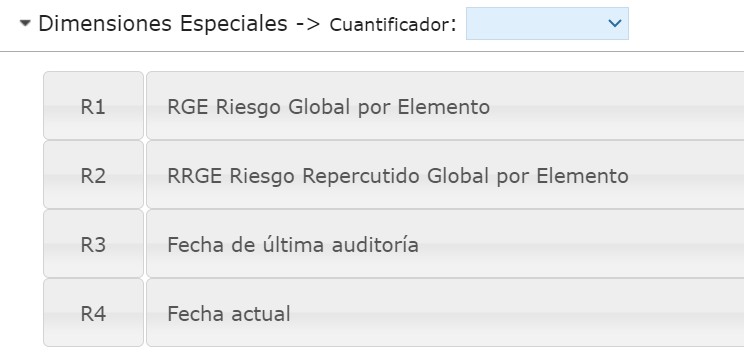
Special Dimensions: use quantifiers to relate results of the following concepts: a) GRE Global Risk by Item: for the calculation of risk grouped by item.
-
GRRE Global Repercussed Risk by Item: for the calculation of global risk including the risks of the items below in the dependency tree.
-
Last Audit Date: allows comparing dates and obtaining automatic results for additional dates.
-
Current Date: allows comparing dates and obtaining automatic results for additional dates.
Execution Methodology
To understand what execution methodologies are, some differences between the audit methodology and execution methodologies will be mentioned first.
1- Both will be configured in the Settings section; however, the audit methodology will be managed within the Audit Plan, while the Execution Methodologies will be managed from the Audit Program section.
2- In both methodologies, the items of the auditable universe (in this case, from the risk analysis) can be evaluated, but within the audit methodology (audit plan), a general assessment can be made. On the other hand, a more specific audit assessment can be obtained with execution methodologies (audit program). These execution methodologies focus not only on the items but also on the specific risks and controls of the items (depending on what needs to be audited).

Within the audit methodology, there are execution methodologies. The functionality of these methodologies is to execute "Audit Tasks" to audit items, risks, and controls. The existing methodologies are:
-
Execution Methodology for Items
-
Execution Methodology for Risks
-
Execution Methodology for Controls
All the aforementioned methodologies can be configured as previously explained in the individual methodologies for Items, Risks, Controls, and Audits.
Additionally, it should be mentioned that in the execution methodology for risks, an execution methodology for controls must be related.
Execution Methodologies - Items
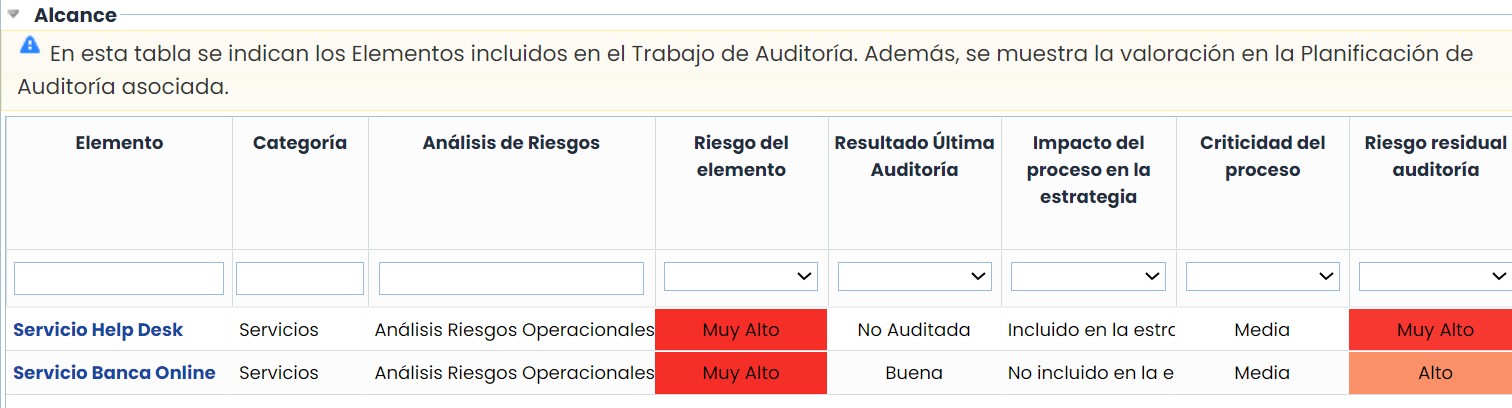
The Execution Methodology for Items will allow the inclusion of specific dimensions for the assessment of the “items” defined in the inventory and added to a risk analysis. In the audit section, the items will be selected within the “Audit Plan” section as they will be related to their respective “Audit Program.”
1-. Settings: Remember that the functionality is similar to the configuration of the methodologies for Items, Risks, and Controls, and it also includes a DATE dimension.
2-. Audit Program: The information of the items with the inventory assessment will be displayed (it can be automatically retrieved from the inventory table through formulas) and the new dimensions configured in the execution methodology for items (which can be assessed directly in the Audit Program section). These assessments do not impact productive RAs.
Execution Methodologies - Risks
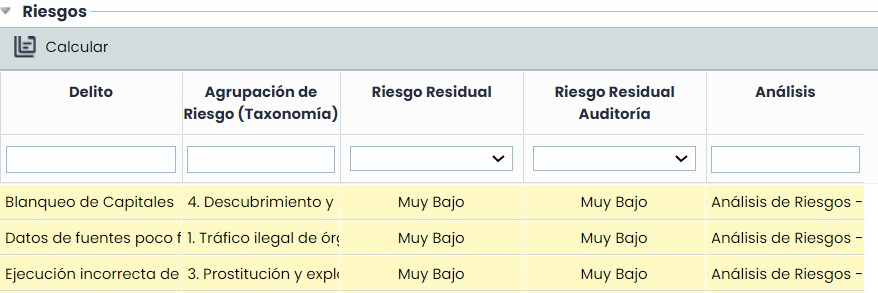
The Execution Methodology for Risks will allow the inclusion of specific dimensions for the assessment of the “risks” of the previously selected items.
1-. Settings: Remember that the functionality is similar to the configuration of the methodologies for Items, Risks, and Controls, and it also includes a DATE dimension. An execution methodology for controls must be associated for its use.
2-. Audit Program: The information of the risks of the items with the risk analysis assessment will be displayed (it can be automatically retrieved from the RA through formulas) and the new dimensions configured in the execution methodology for risks (which can be assessed directly in the Audit Program section). These assessments do not impact productive RAs.
To view the information from the previous point, the item from the upper table must be selected to view the risks and the dimensions to be assessed.
Execution Methodologies - Controls
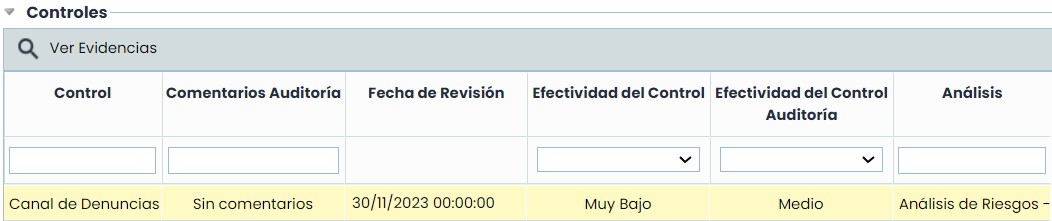
The Execution Methodology for Risks will allow the inclusion of specific dimensions for the assessment of the “controls” of the risks of the previously selected items.
1-. Settings: Remember that the functionality is similar to the configuration of the methodologies for Items, Risks, and Controls, and it also includes a DATE dimension. This methodology must be associated with the corresponding execution methodology for risks.
2-. Audit Program: The information of the controls of the risks of the items with the risk analysis assessment will be displayed (it can be automatically retrieved from the RA/Control Management through formulas) and the new dimensions configured in the execution methodology for controls (which can be assessed directly in the Audit Program section). These assessments do not impact productive RAs.
To view the information from the previous point, the item from the first table must be selected, followed by the specific risk, to view the controls and the dimensions to be assessed.