
The folder detail allows you to consult and manage the information of a folder within the document manager.
It is accessed from the folder's contextual menu (three dots icon), using the Details option, which opens a side panel with the associated information.
Folder detail
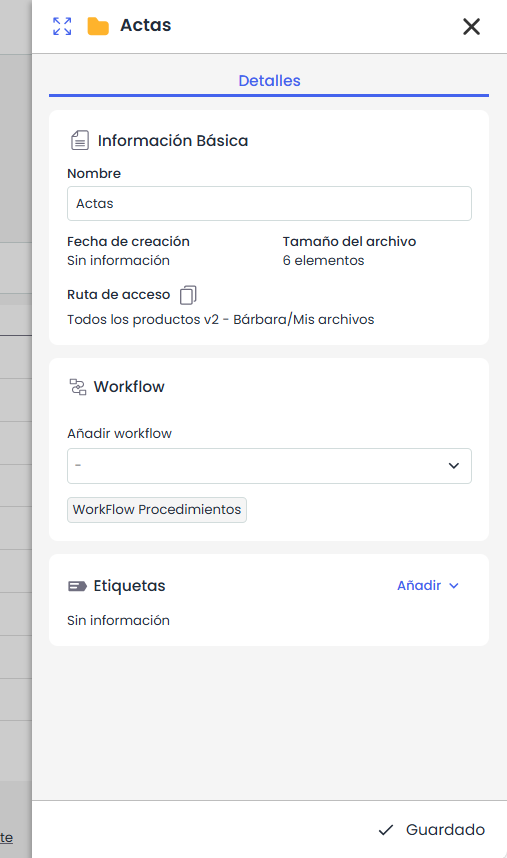
This panel displays the general information of the folder:
-
Name
-
Creation date
-
Number of items
-
Access path
The workflow associated with the folder and the tags are also displayed.
Actions
-
Modify name: allows editing the folder's name.
The folder name cannot contain special characters or match the name of another folder in the same location. -
Assign workflow: allows associating or modifying the folder's workflow (depending on permissions and if configuration is available).
-
Add tags: allows assigning tags to the folder. More information in Tags