In this article, we address how to configure and launch the Data Protection module in GlobalSuite®, including the definition of services and processes, treatment registry, PIA analysis, control management, adaptation plans, and audits to ensure compliance with the General Data Protection Regulation.
GDPR Configuration
GlobalSuite® has a default configuration, making this step unnecessary. Only for organizations that wish to customize their configuration, and through users with privileges to do so, they can use the functionality detailed below, which is accessible through the Settings section:
Settings Section
The Settings section offers the user the ability to configure all aspects related to their Data Protection Management System, allowing the parameterization of aspects such as access permissions to the tool, the methodology used for Risk analysis on the processing of personal data, as well as the catalog to be applied to it.
Service Catalog (Company)
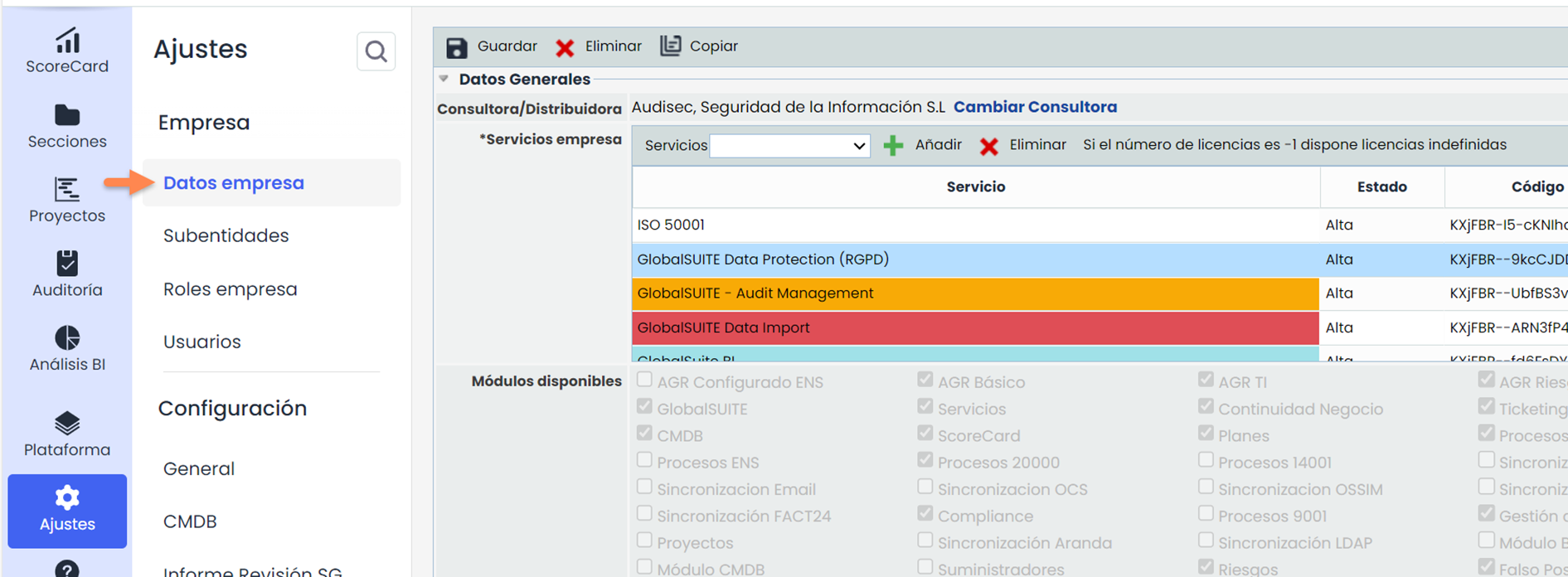
GlobalSuite® identifies services or products of the organization to which the measures established by the GDPR will be applied, and subsequently establishes dependencies with the different areas or departments that make up the organization.
To define these service or product catalogs, you must access Home > Service Catalog and click New to create a record, then configure the information related to the company and each service or product.

GDPR Implementation (General Data Protection Regulation)
Home - Business Processes (Organizational Areas)
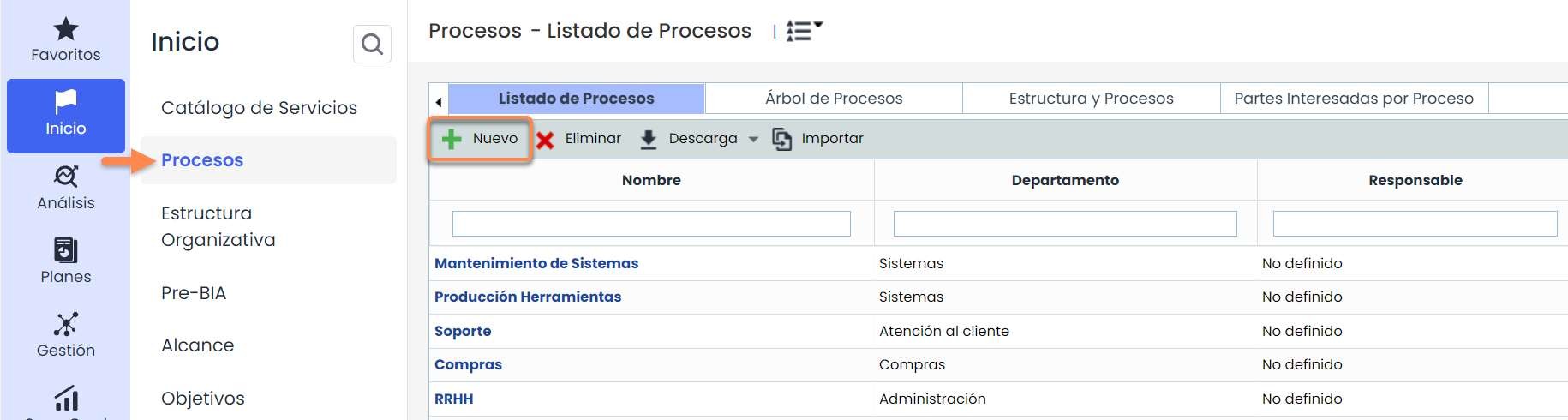
GlobalSuite® allows the organization to define the services or products that make up the company, which has been registered in the “ Services ” section. Based on this, the organization can be broken down into processes, areas, departments, divisions, or managements using the “ Processes ” option.
To define the areas, we access the “Process List” tab by clicking the “ New” button.
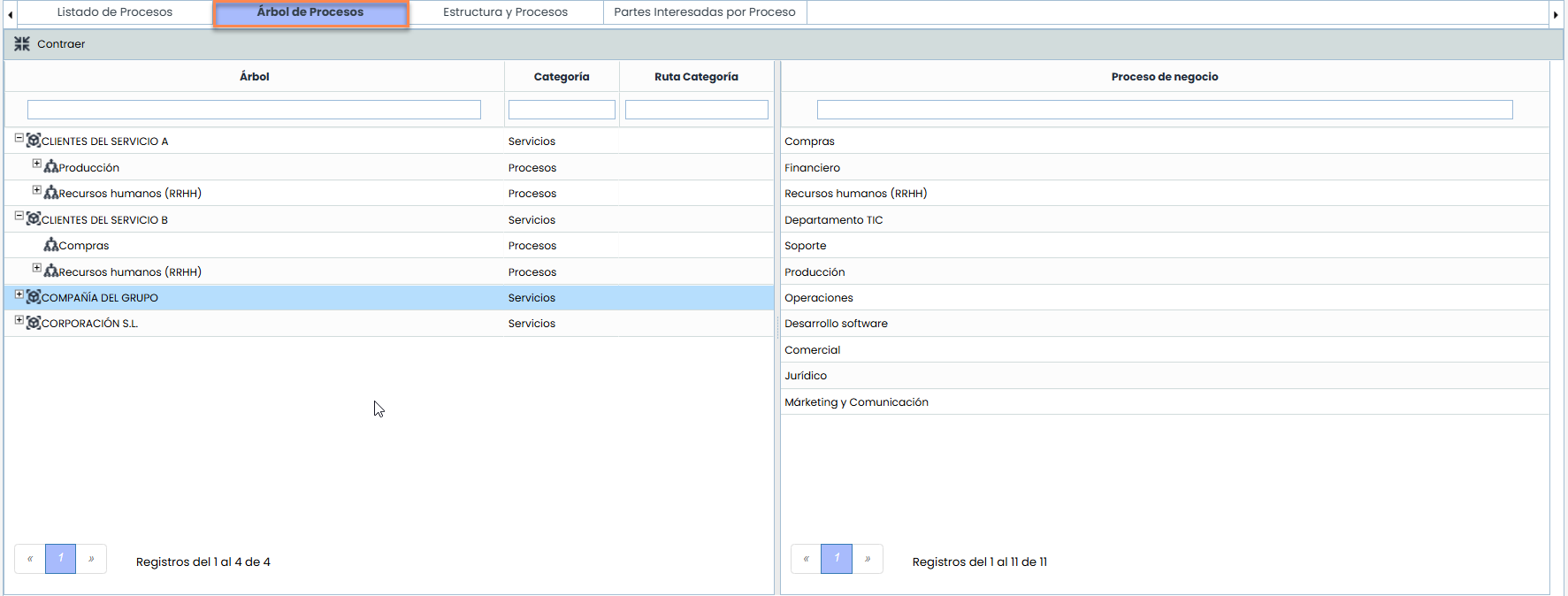
Once the areas-processes and company are defined, in the “ Process Tree” option, it is possible to establish the structure of the organization by linking the created services with the organizational areas. It will only be necessary to drag the areas from the right table to the hierarchy of the left table to form the dependencies between the different areas of the organization.
Home - Roles and Responsibilities
It will be necessary to create new Roles. For this, GlobalSuite® allows configuring new types of profiles in Home> Role Management, pressing the Configure Roles button, and subsequently, in the new tab, defining the profiles required by the organization with the button. After that, an employee can be assigned or associated with each role as its responsible party.
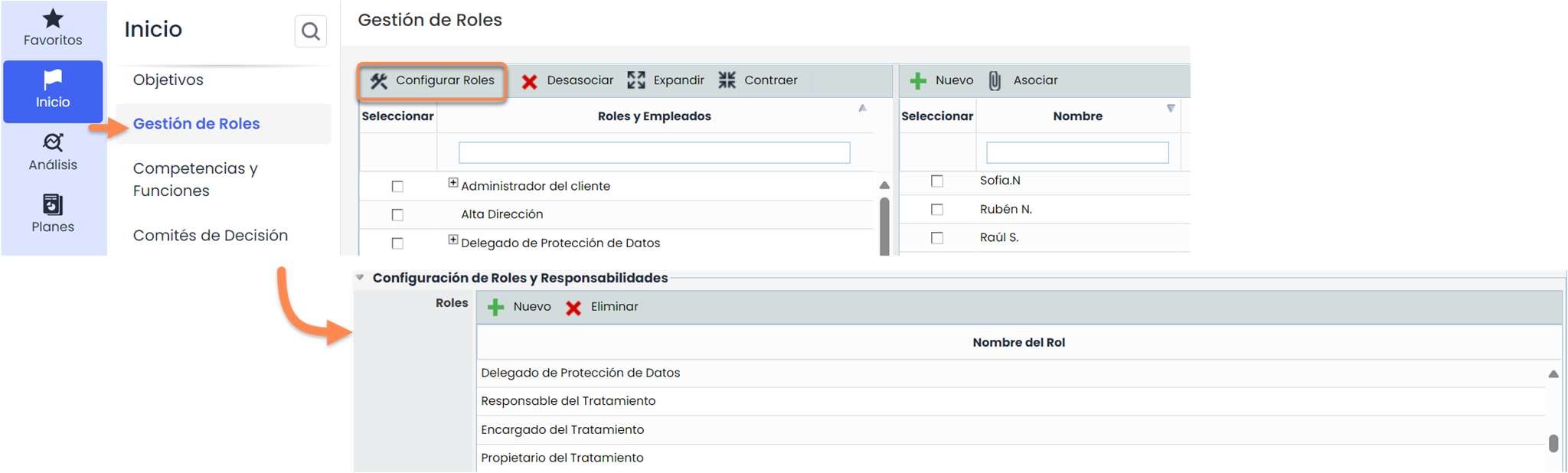
The GDPR requires the definition of certain profiles or responsibilities, such as the DPO (Data Protection Officer), etc., who will be part of the processing and protection of the data managed in the organization.
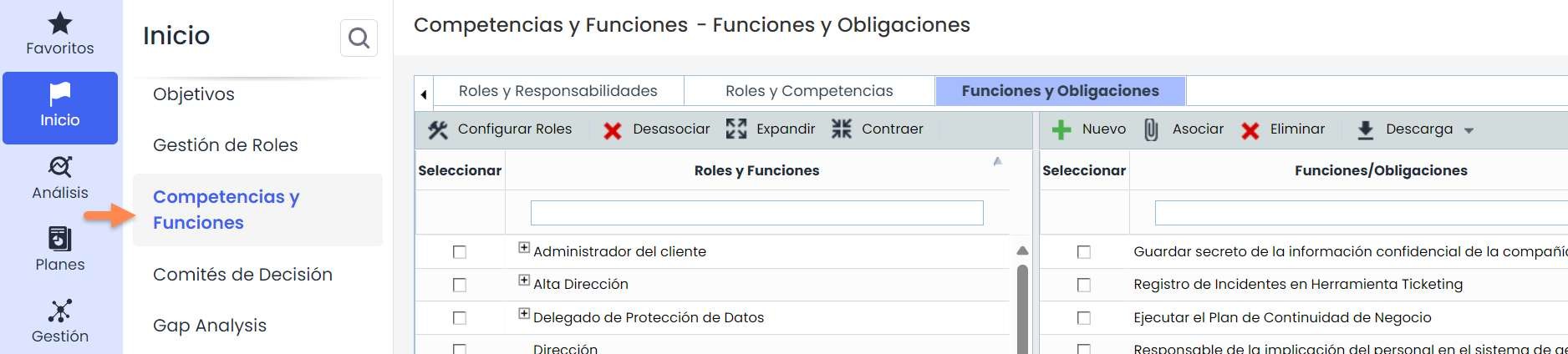
This definition is carried out in the “ Competencies and Functions ” menu, where it is possible to assign employees and roles a series of “Competencies” and “Functions and Obligations,” as shown in the figure.
Home - Gap Analysis
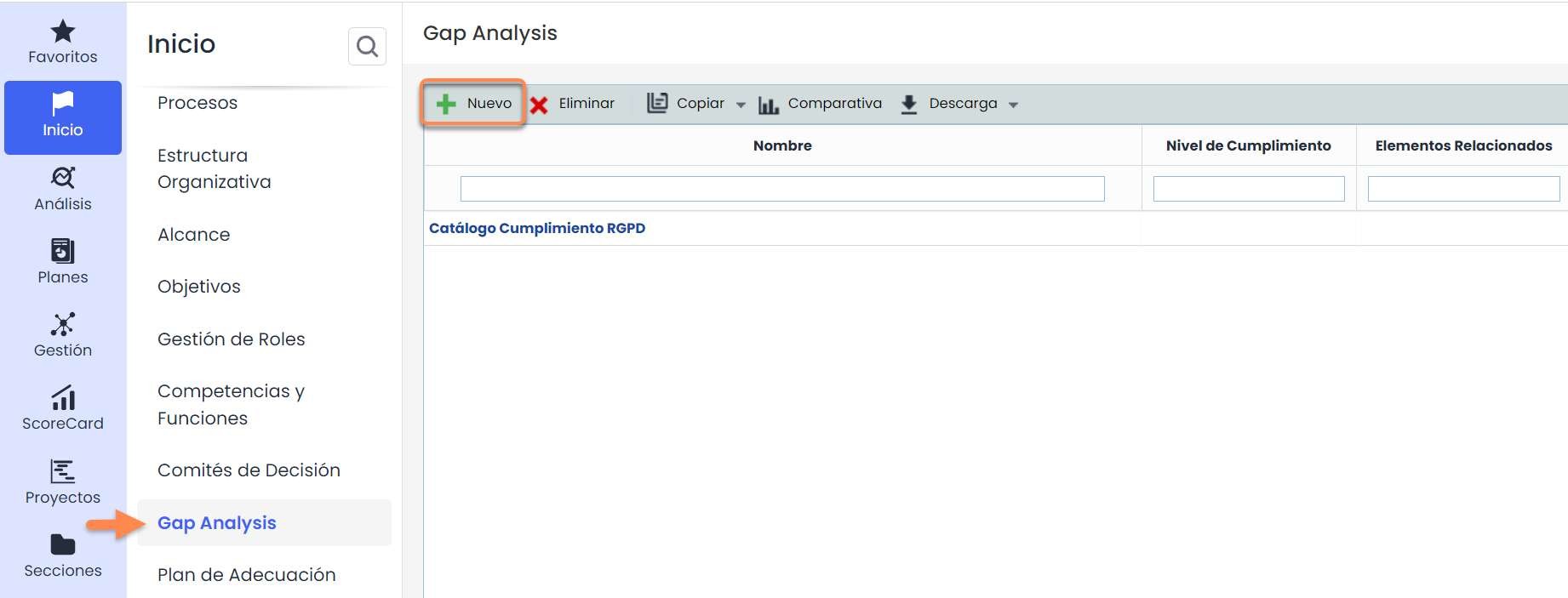
GlobalSuite® allows evaluating the compliance status concerning some regulations proposed by the Spanish Data Protection Agency. For this, we must use the Gap Analysis menu, select the catalog provided in the “GAP Catalogs” selector, and press the button.
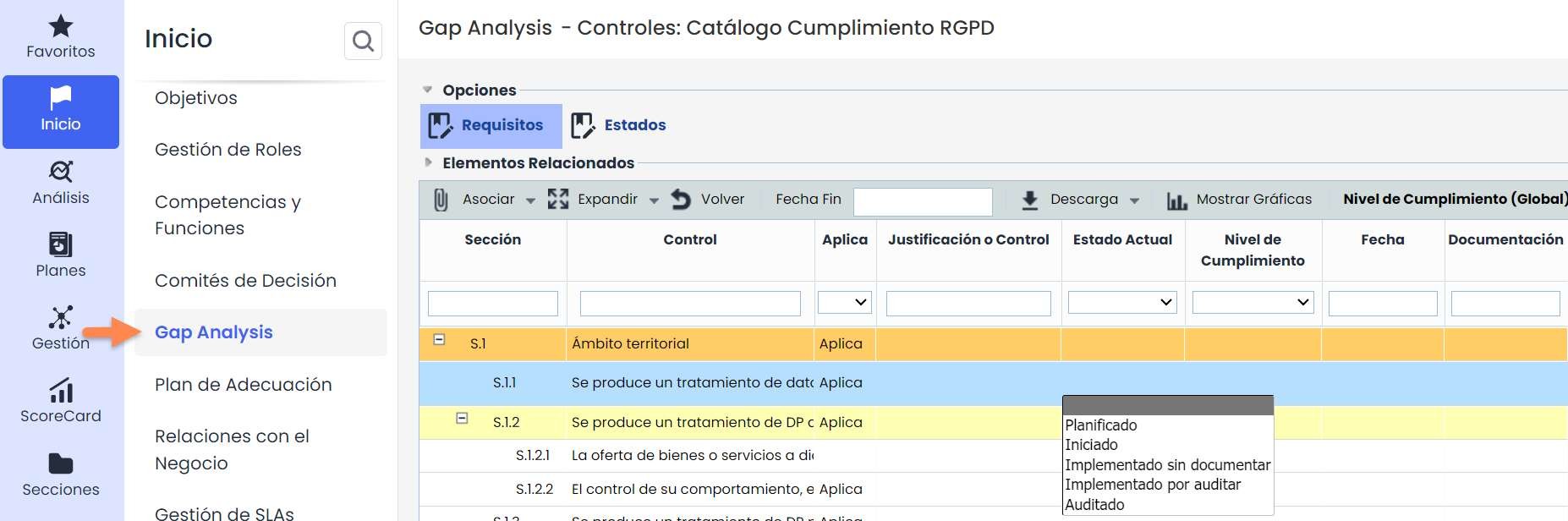
Within the catalog, we can determine the Status of each GDPR requirement through the “Current Status” column. Additionally, we can directly associate documentation, controls, and non-conformities previously entered in the same GlobalSuite® tool.
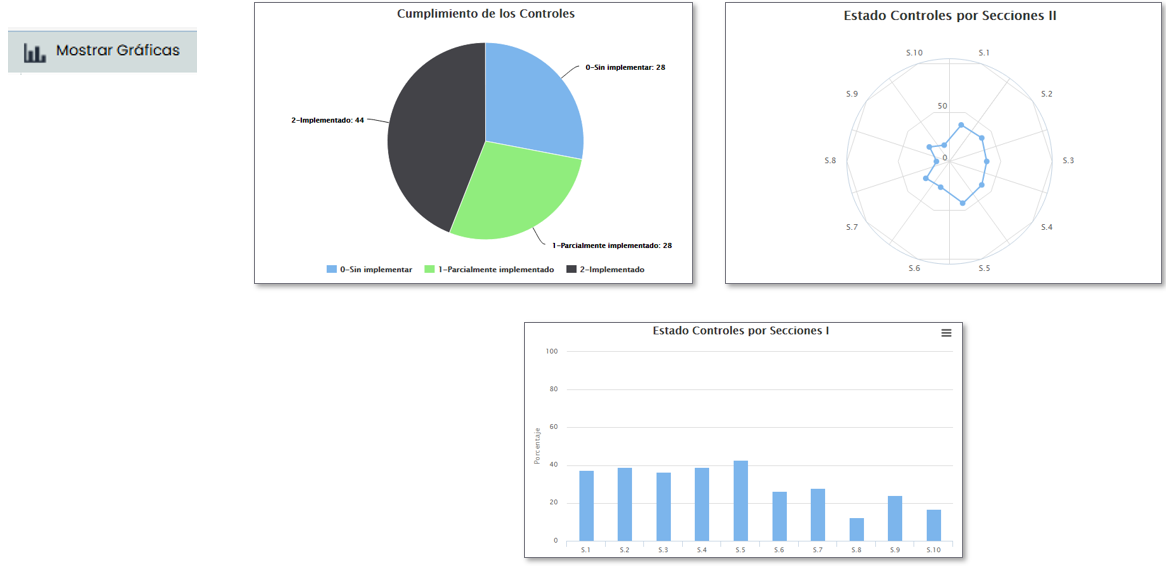
Once the GAP Analysis is complete, we can extract graphs from it to form a report on the initial compliance status using the option. Some examples are as follows:
Home - Adaptation Plan
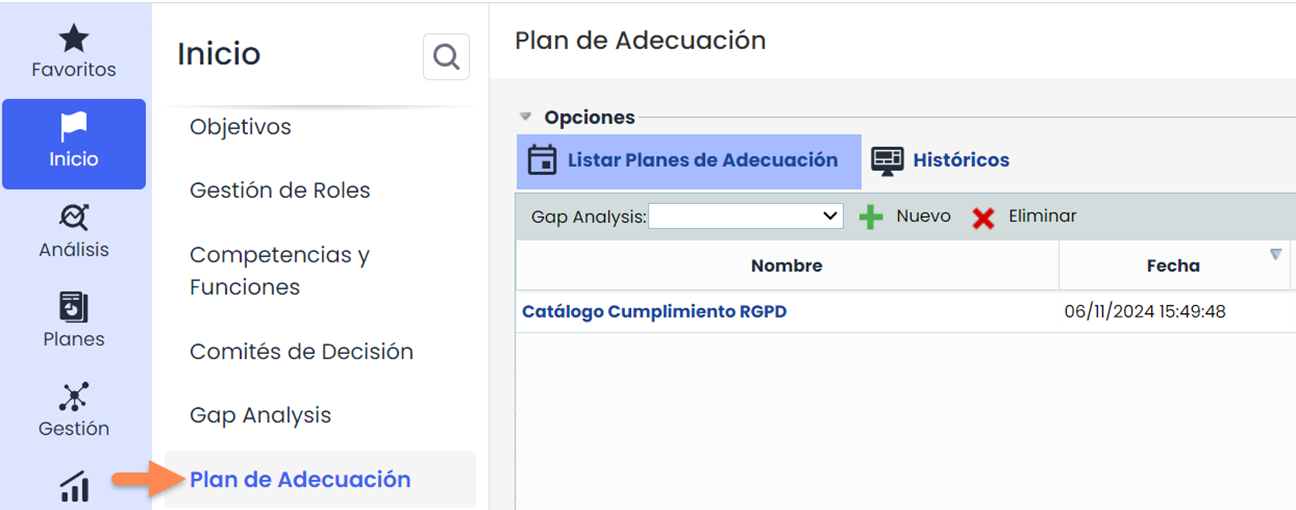
For the previously conducted Gap Analyses, it is possible to create adaptation plans that establish compliance actions to achieve our target compliance level. For this, we must use the Adaptation Plan menu and select the required Gap Analysis.
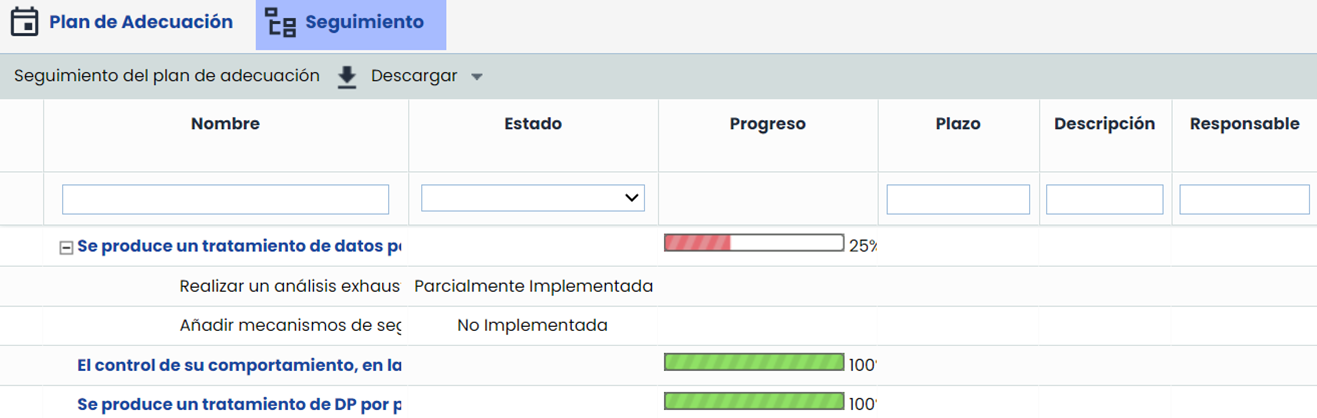
For those requirements that have not been implemented in the organization, GlobalSuite® allows establishing actions to achieve compliance and tracking them from the “ Tracking” menu.
Processing
Processing - Data Processors
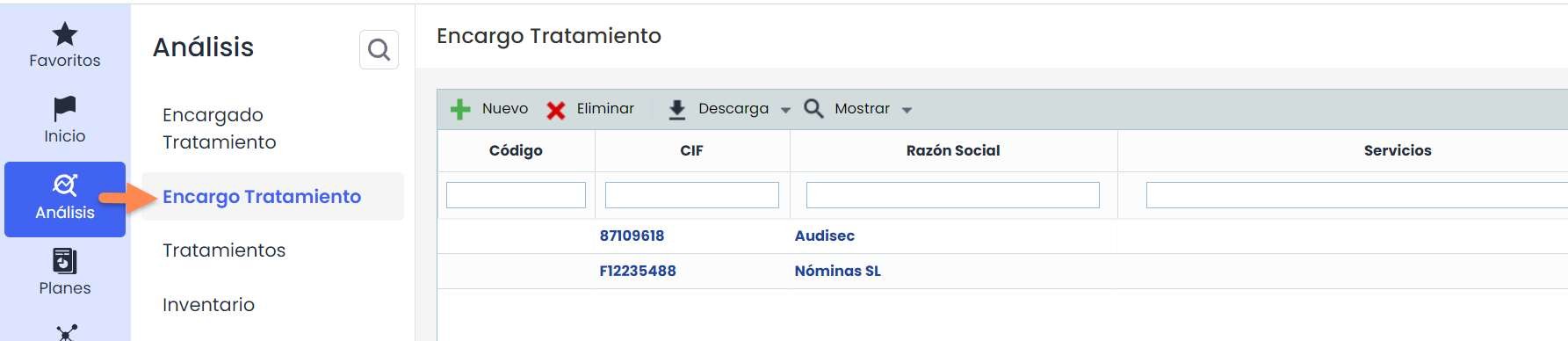
In the “ Data Processors ” option, we can register those responsible for the processing of personal data.
To do this, simply click on the “New” button and register all those related to our organization.
As the GDPR requires monitoring/evaluation of data processors, GlobalSuite® allows registering this analysis in the “ Data Processors” option.
To evaluate a data processor, it is necessary to select it from the table and click on the “ Evaluate” button. Once you access the option, in the “ Evaluation Table” option, we can register the records related to the required processor, as shown in the following image.

In this “Data Processing” option, we can register the processing activities for which our company is responsible for managing.
To do this, simply click on the “ New” button and register all those related to our organization.
Processing - Registry of Processing Activities
Once the organizational areas are defined, the personal data processing activities carried out and the technical resources supporting them must be inventoried for each of them. To insert a new processing activity, click on the button in the table of the “ Processing ” option.

Each processing activity must be evaluated based on a series of dimensions to determine whether a PIA (Privacy Impact Assessment) is required. The evaluation dimensions are fully configurable in the Settings> Elements Methodology section.
PIA Analysis
PIA Analysis - Inventory
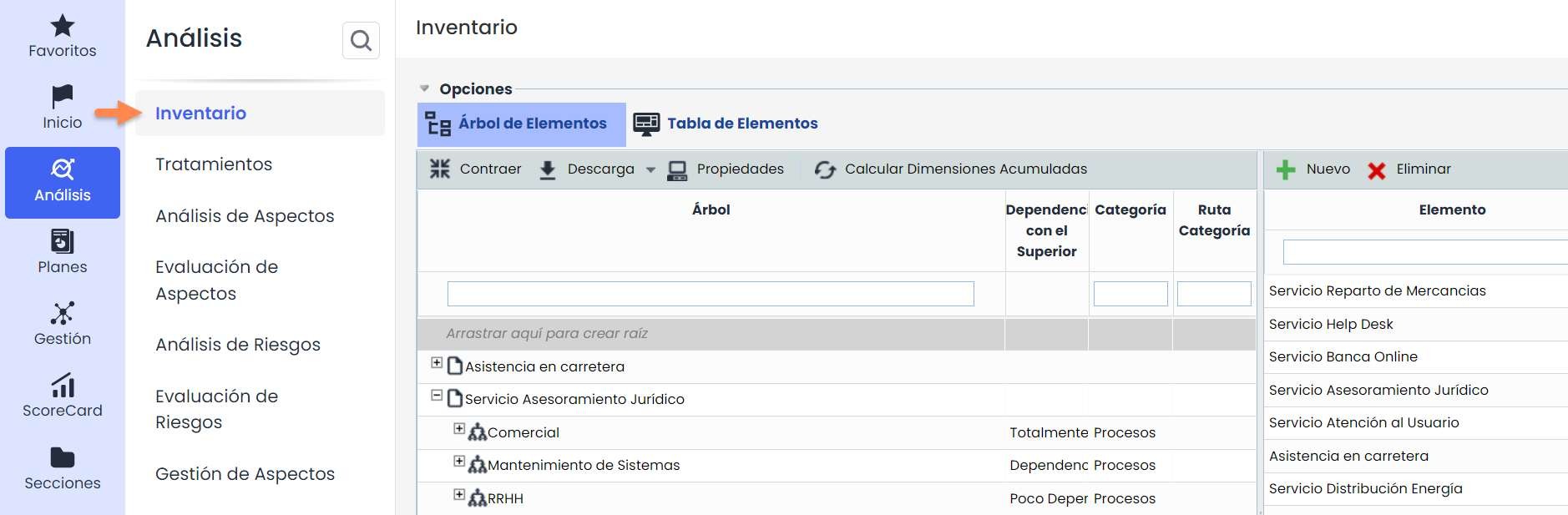
Once the processing activities are defined, each of them will be located within a specific process – element, so with the help of the Inventory , the processing activities will be added to the element tree according to the existing hierarchy within the organization. Additionally, it will be possible to indicate which applications, servers, or infrastructures support these processing activities.
PIA Analysis – Risk Analysis
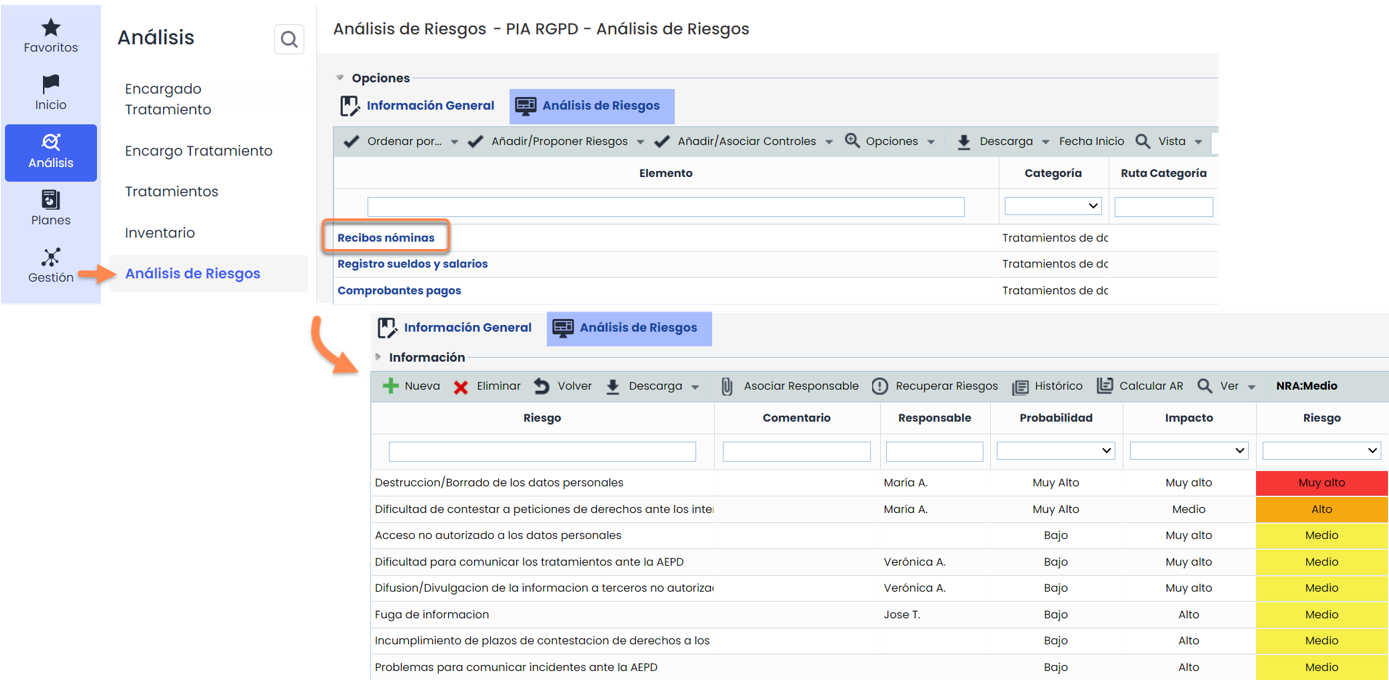
For those processing activities requiring a PIA, GlobalSuite® allows analyzing, for each data processing activity, the threats affecting it and determining the company's exposure risk to each of them within the Risk Analysis option.
PIA Analysis – Risk Analysis (Threats)
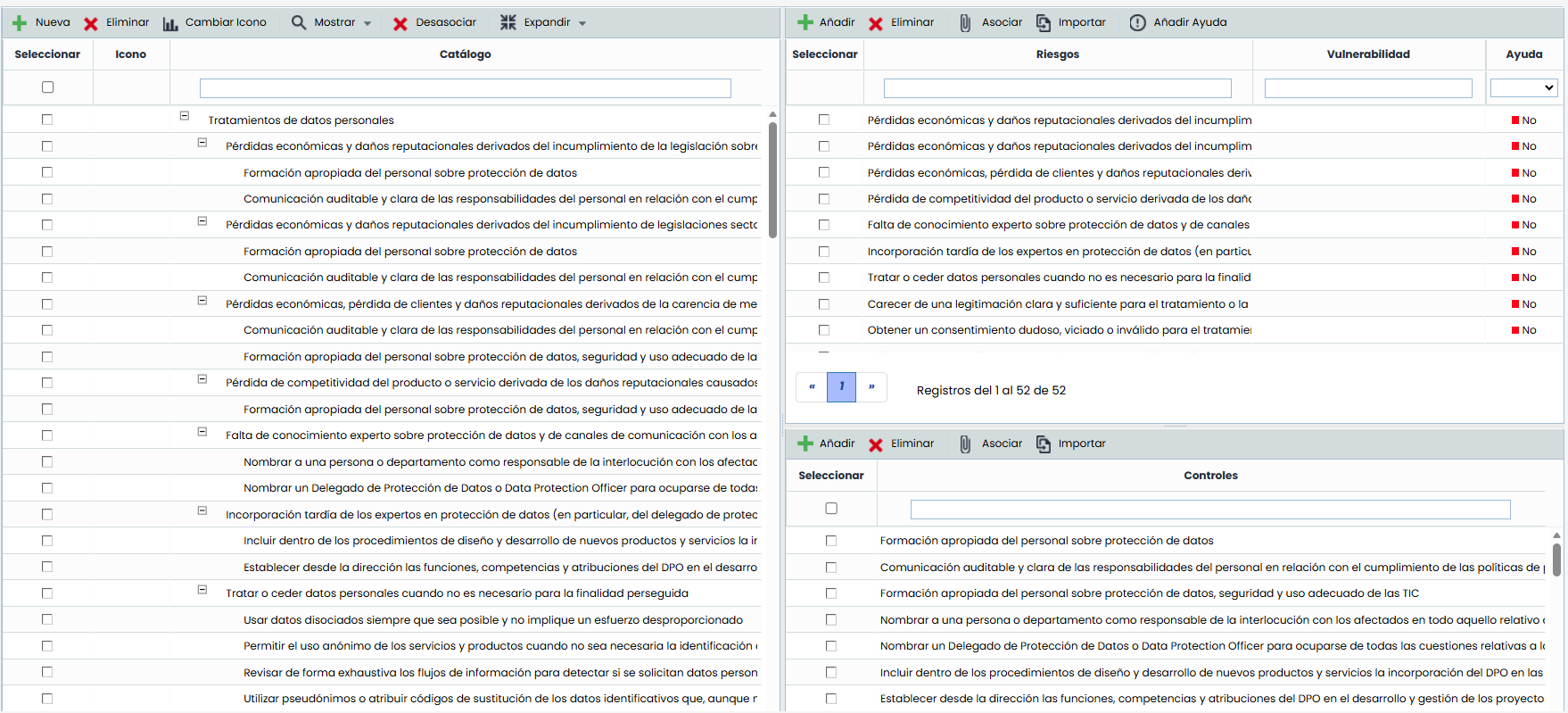
To configure the list of threats associated with each personal data processing activity, we must go to the Settings >“ Analysis Catalogs ” menu. In the upper right table, we can modify the existing threat list (if the company wants to adapt it to its requirements) and associate it with the personal data processing activity.
PIA Analysis – Risk Evaluation
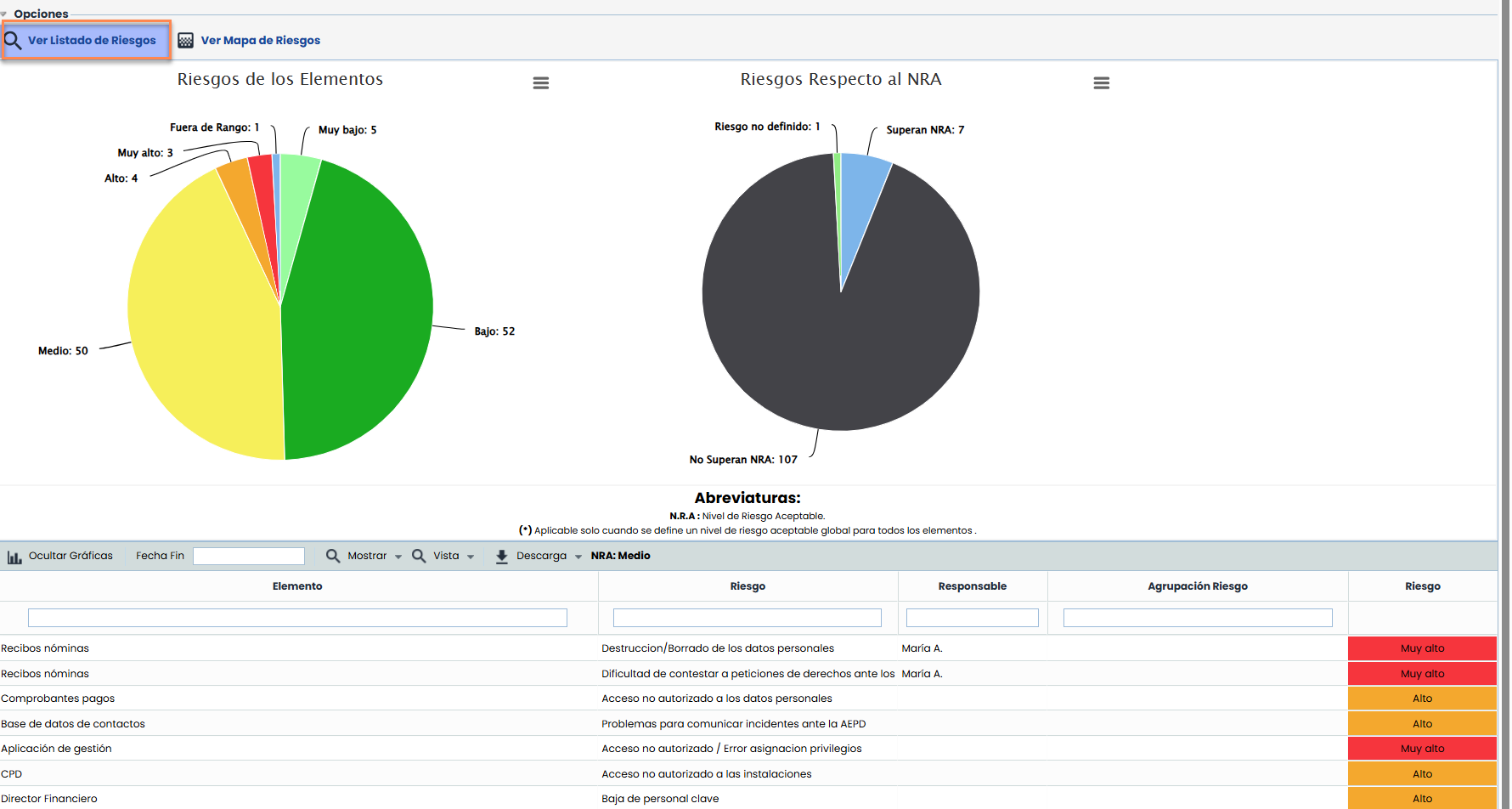
In the “ Risk Evaluation ” menu, we can see a summary of the results obtained in the risk analysis. With various graphs showing the results visually and enabling the download of these graphs for inclusion in different documents.
PIA Analysis – Risk Evaluation ( Risk Map)
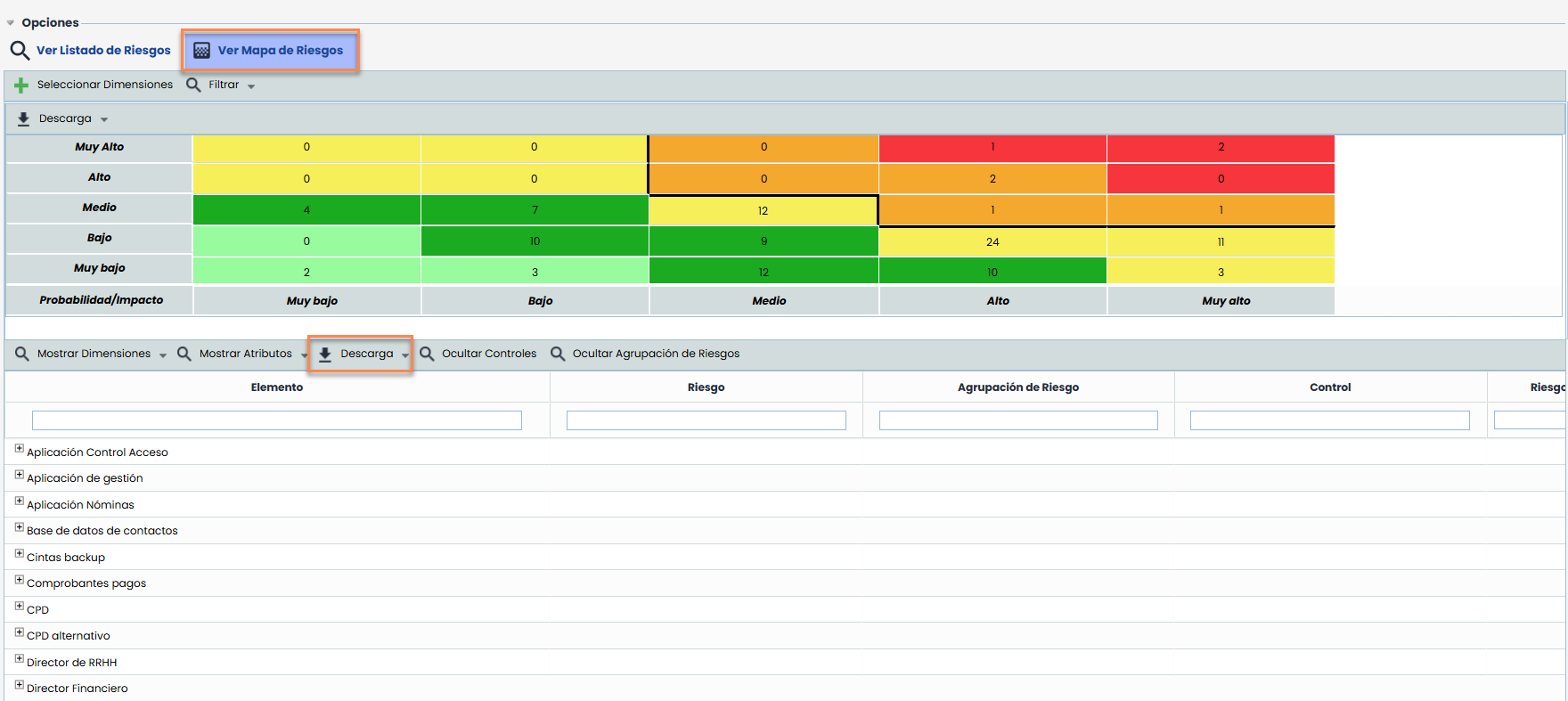
GlobalSuite® offers the possibility to display our risk analysis, among other options, through a “heat map” representation. All this data can be exported using the “Download” option.
PIA Analysis – Control Management
Once the threats are evaluated, the different controls detected and implemented to mitigate these threats can be recorded.
The methodology for calculating the effectiveness or maturity of each control can be defined within the Settings> Control Methodologies section of GlobalSuite®.

PIA Analysis – Risk Management
Once the threats are evaluated, it will be necessary to establish the different controls that mitigate the detected risks that are above our Acceptable Risk Level, which will form the Treatment Plan.
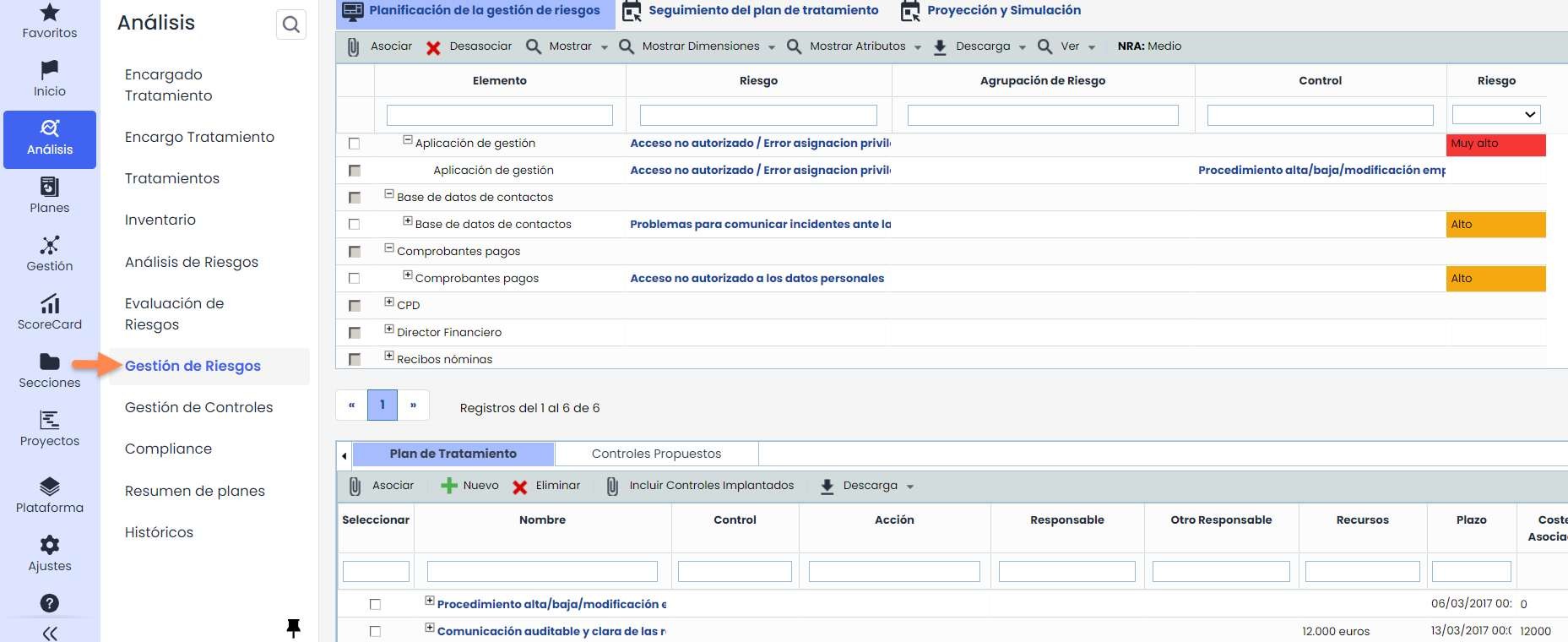
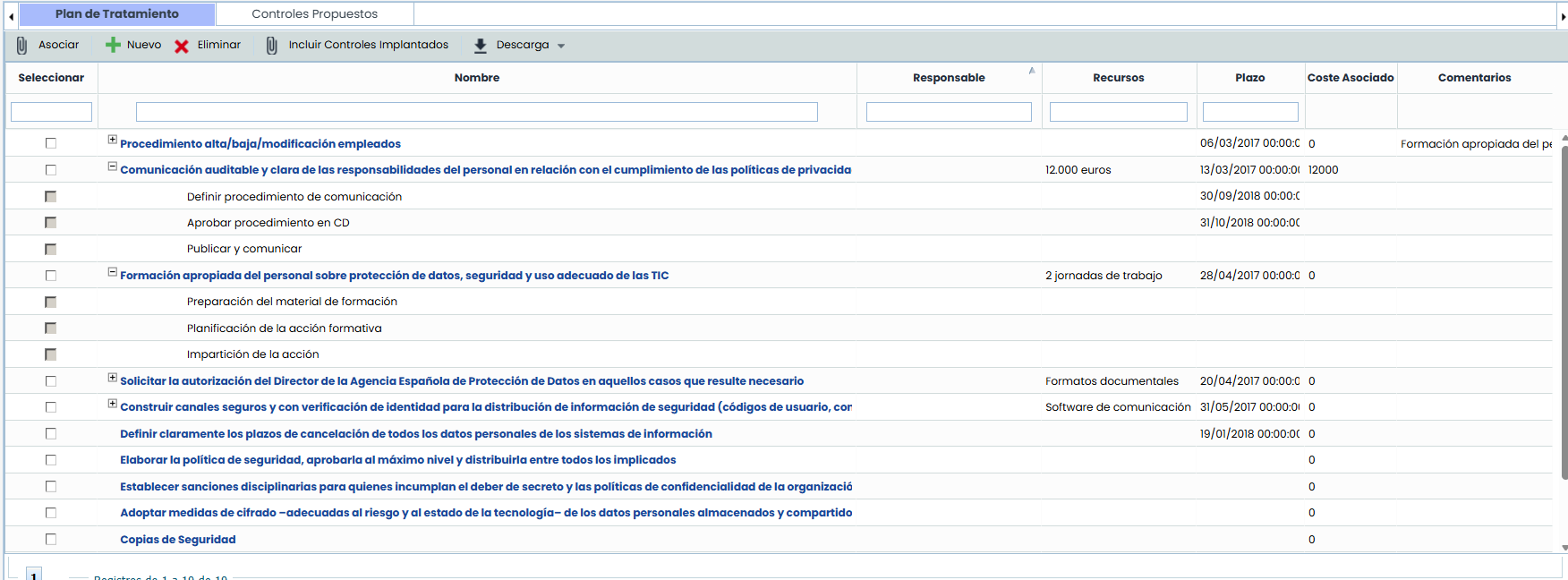
For our treatment plan, we can propose new controls using the “ New” button, include the controls we have already implemented using the “ Include Implemented Controls” option, or include new proposed controls according to the defined Risk Catalog configuration by selecting the “ Proposed Controls” tab.
Once the threat (upper window) and the control (lower window) are selected, we will associate them using the “ Associate” option. When a new control is associated with a threat, it will automatically be included in the treatment plan.
It is possible to define different actions for each control. Once completed, the control can be implemented, as shown in the left graph.
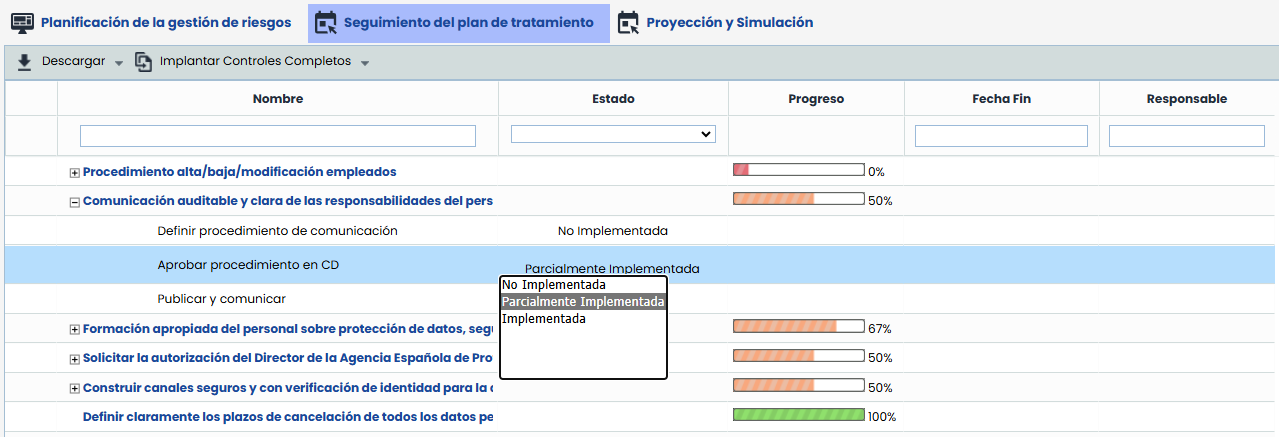
In the “ Treatment Plan Tracking” option, we can see the defined deadlines for the completion of each of them, along with their progress derived from the completion of the associated actions. If the Control Progress is 100%, it will indicate that the control is considered implemented. For the control to be considered implemented in GlobalSuite®, we must click “ Implement Implemented Controls” (Controls with 100% progress will be implemented).
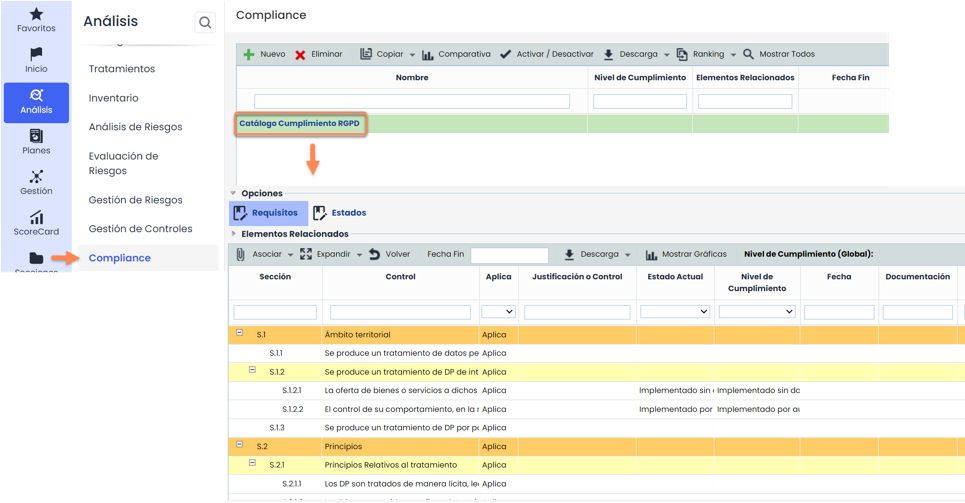
PIA Analysis – Compliance
Similar to the GAP analysis option, the Compliance can be used to address and update the regulatory compliance level of GDPR, as well as to maintain different versions active throughout the lifecycle of our ISMS.
Plans
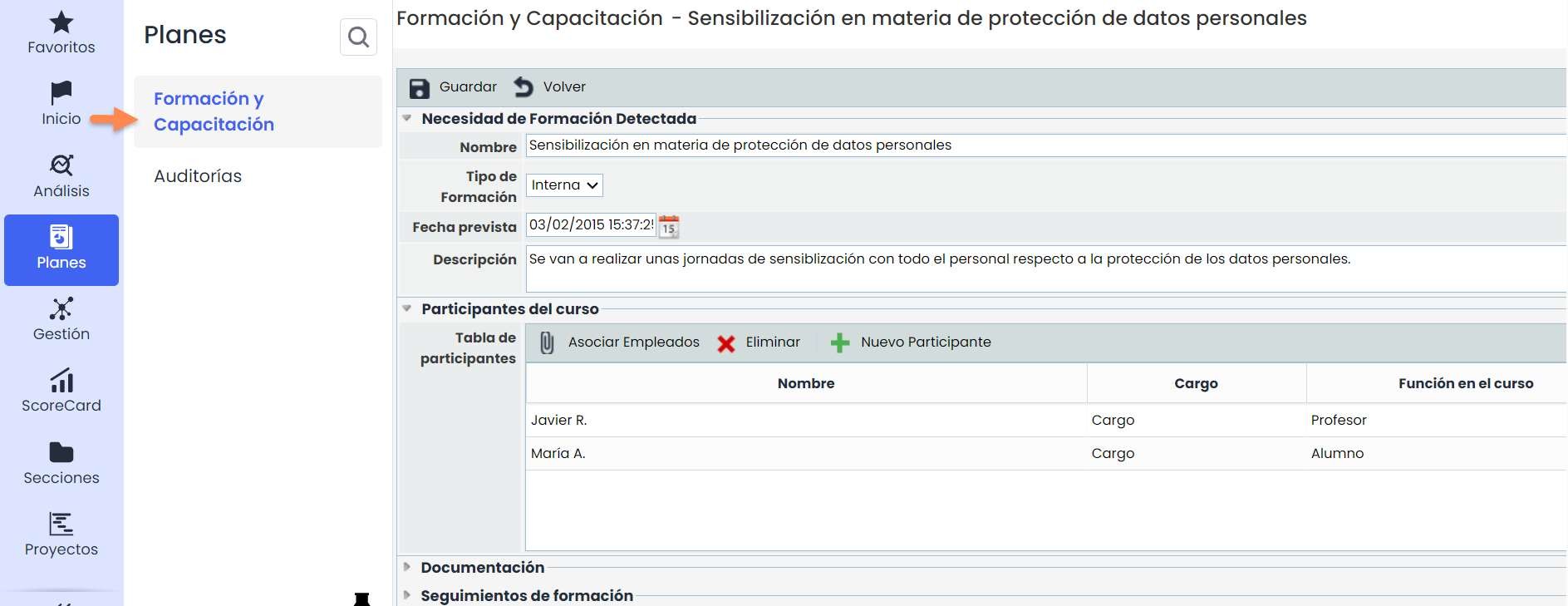
Plans – Training and Education
GlobalSuite® allows the organization to manage its Training and Education plans. In these, we can include the different participants, whether it was finally carried out, the associated documentation as a repository, and the execution dates.
Plans – Audit
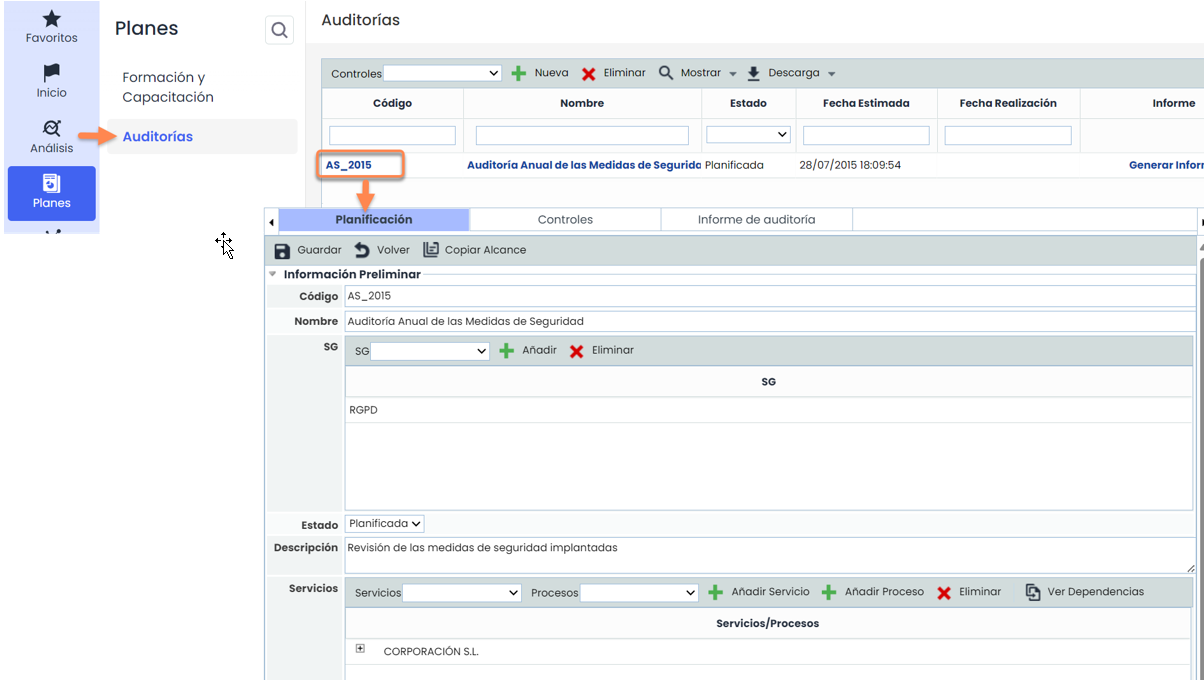
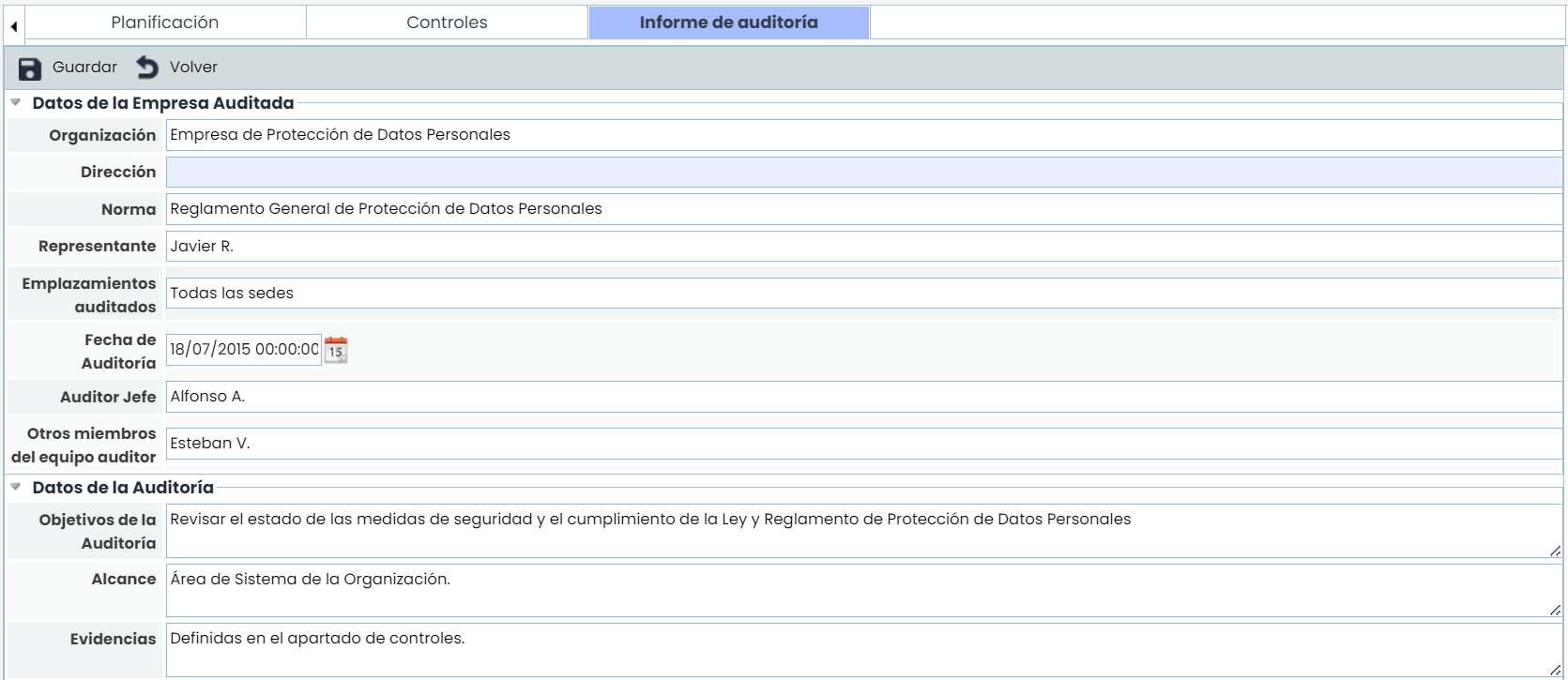
GlobalSuite®, as one of the requirements to analyze the protection carried out in the organization regarding personal data, offers the possibility to record these evaluations in the “ Audit ” option.
In the “ Planning” tab, we can enter the data related to the audit to be performed.
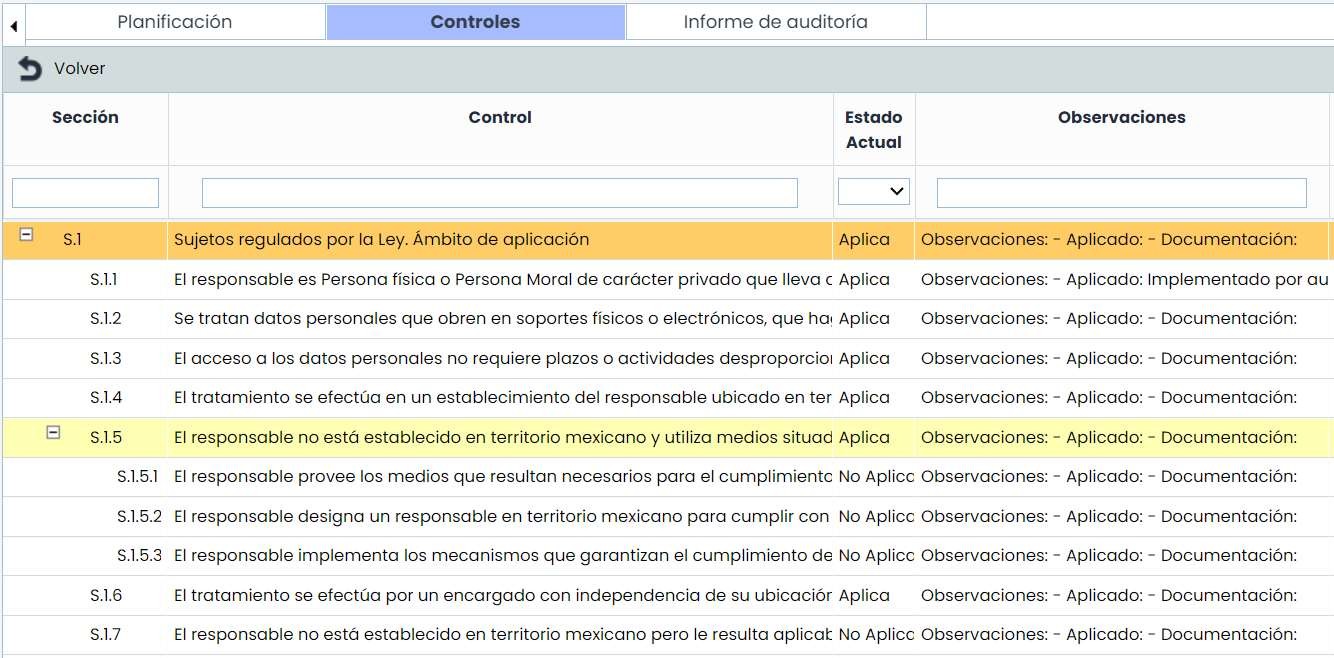
In the “ Controls” tab, within the Audit option, findings detected for each GDPR requirement can be recorded and noted specifically for each of them.
Finally, the “ Report” tab allows documenting the audit results, recording the Non-Conformities and Observations detected, as well as the responsible parties, improvement points, etc.
It is worth noting that, from the report option, “ Non-Conformities” can be managed as a record within the tool, in the “ Management”> Non-Conformities option.
Scorecard
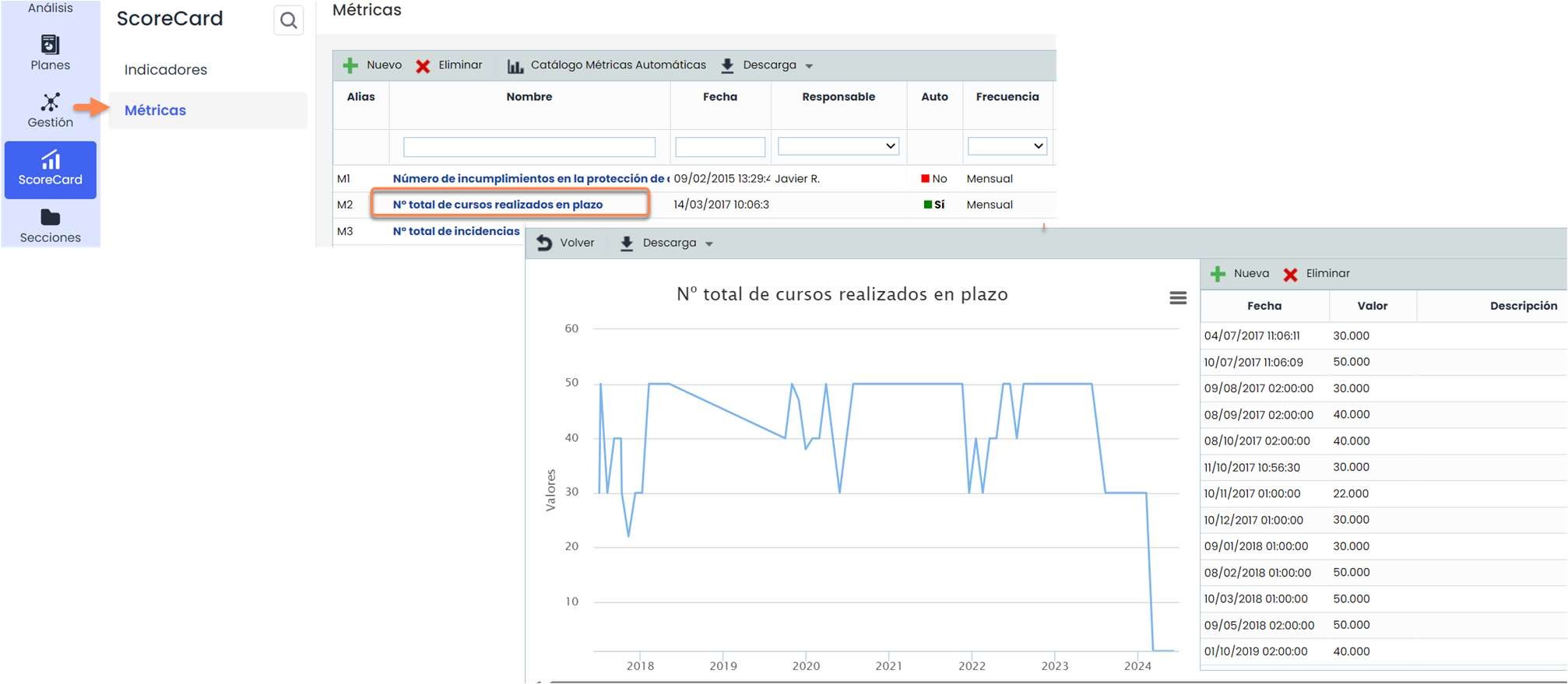
Scorecard– Metrics
GlobalSuite® allows establishing metrics to collect different data in the tool. The data of each metric will be represented depending on its date and value. In the next stage, indicators will be established based on the combination of the metrics.
Scorecard – Indicators
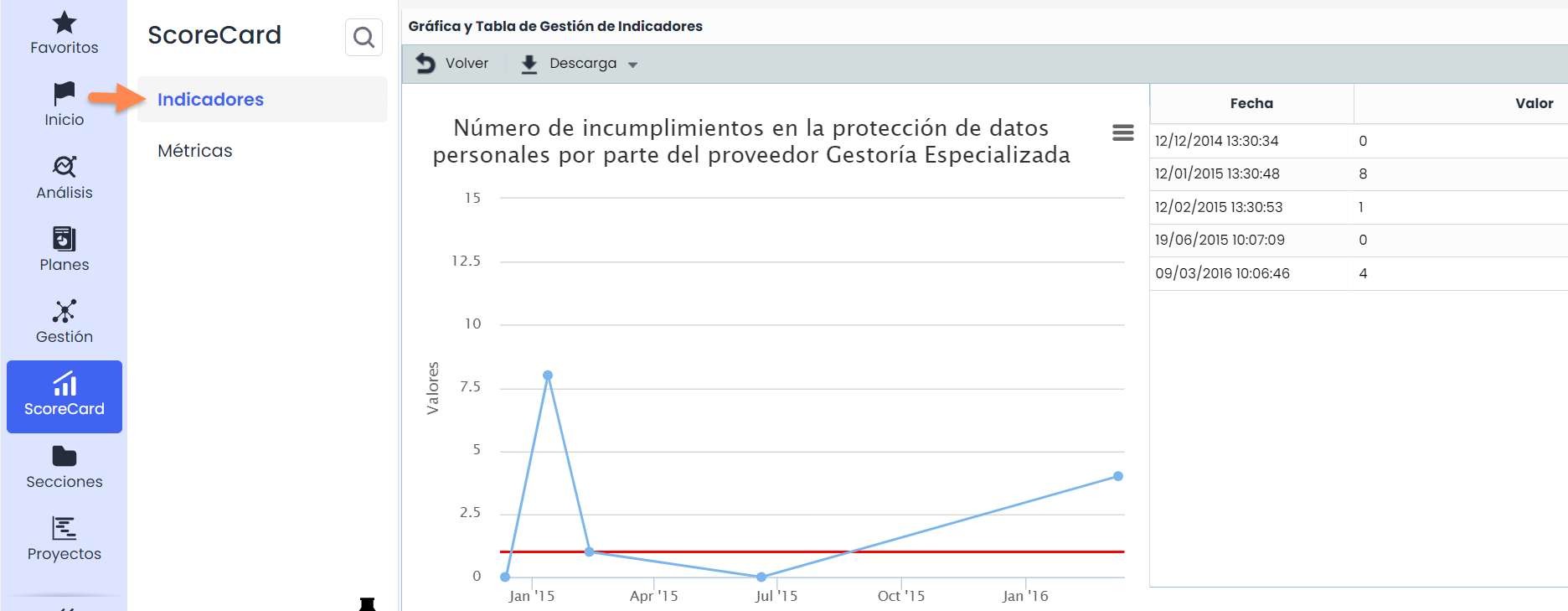
Based on the combination of the previously established metrics, indicators will be developed. To do this, we must establish their relationship through a formula. To use the data entered in the metrics, the indicators must have the same collection frequency. These indicators can be used in report extraction ( Sections> Reports ).