
NOTE: This option is available for Global Administrator and Administrator users.
-
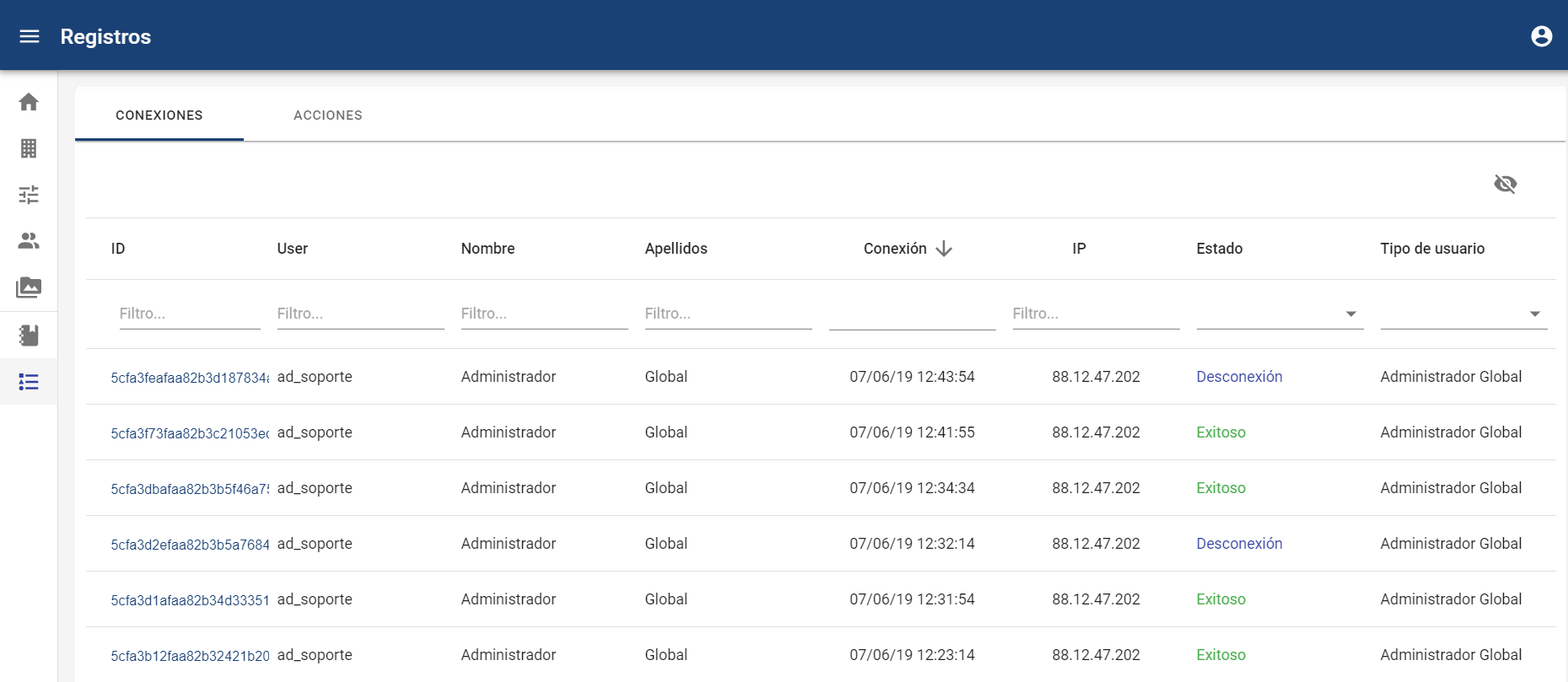
Connections
In this tab, we can see all connection attempts to the tool, both successful and unsuccessful.
It is possible to perform searches and apply filters for each of the fields, as well as access the details by clicking on the link that appears in the first column.
-
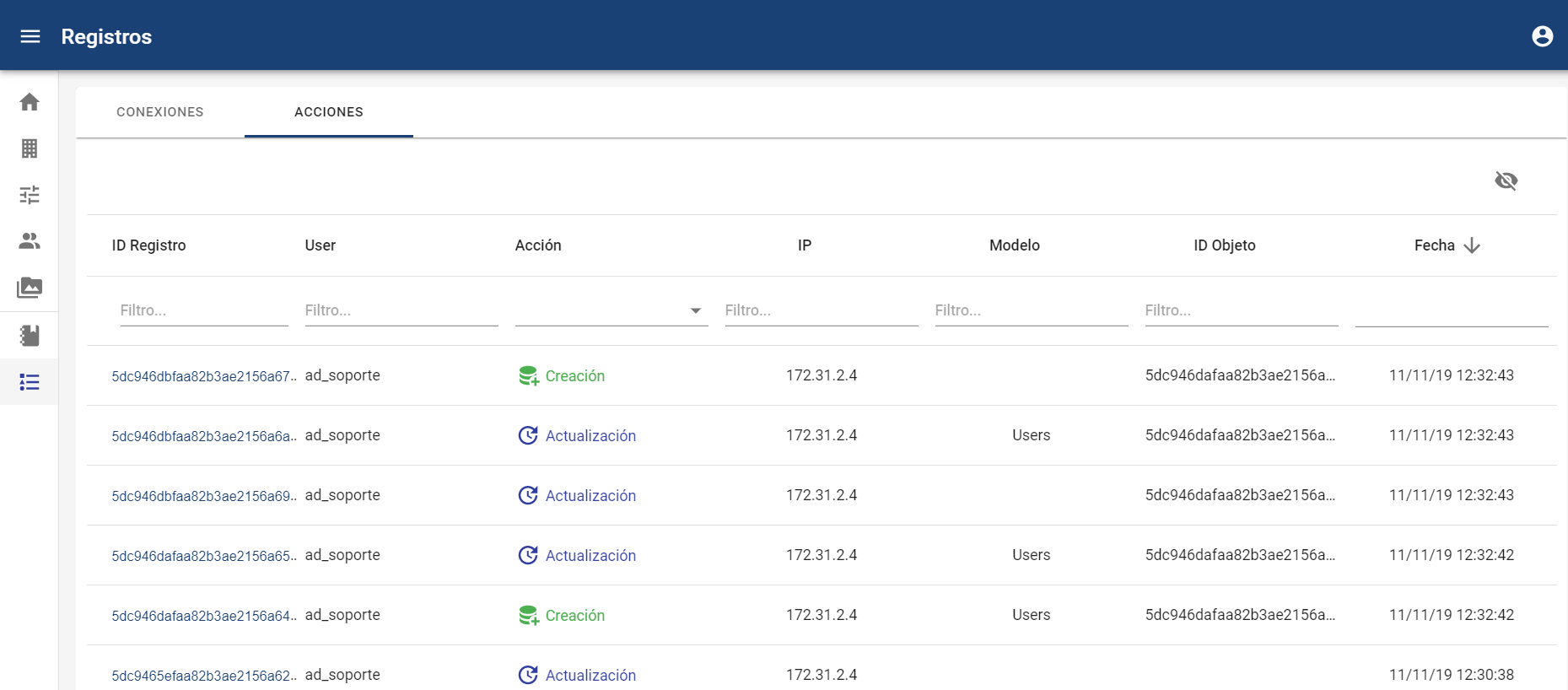
Actions
In this tab, we can see all actions performed such as reading, writing, editing, downloading, and deleting data in the company, with specific details of databases, dates, users, and IP addresses.
It is possible to perform searches and apply filters for each of the fields, as well as access the details by clicking on the link that appears in the first column.
Using the Download button 
NOTE: The IP will be stored in the records of connections and actions performed by the channel managers and by communicators who are not anonymous. If they are anonymous, the IP address from which the action was performed will not be stored.