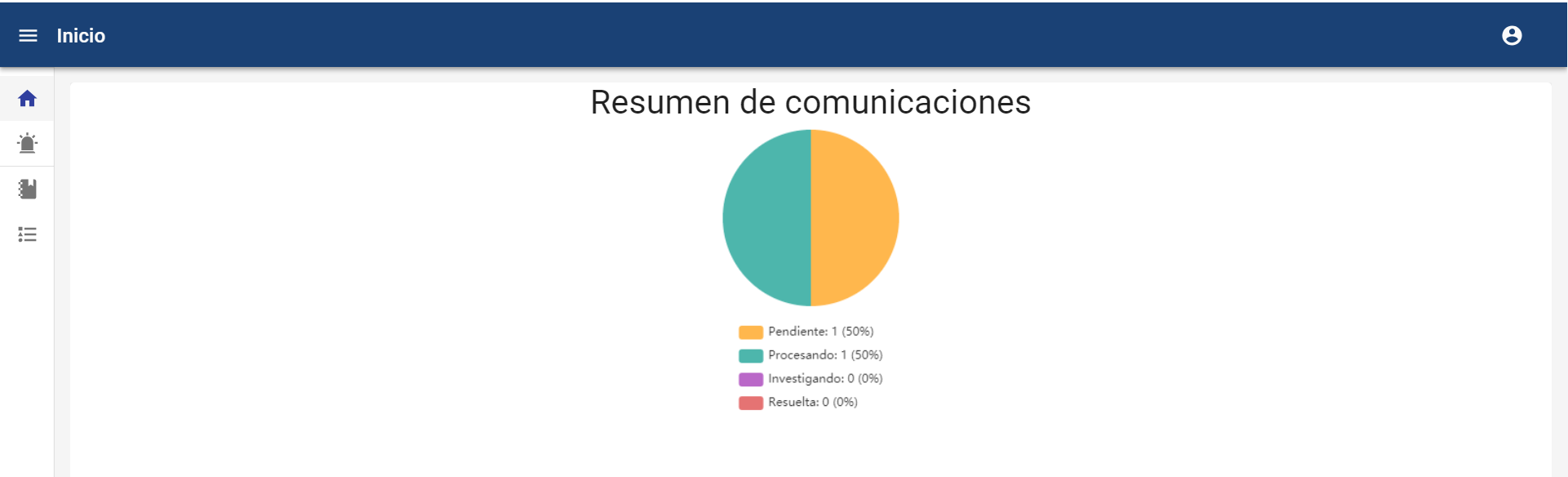
NOTE: This option is available for Global Administrator, Administrator, Consulting, and Manager users. For the Manager user, the chart is different from the rest and is detailed at the bottom of this tab.
-
Overview
This option allows viewing a summary of the channel's status. It is possible to customize which charts among the available ones you want to display and in what order (see section Consulting Settings).
Additionally, it will be possible to filter by a date range (From, To) to adjust the Dashboard. The default date range displayed corresponds to the last year, and the period for which you want to query the information can be adjusted. If no filter is applied, all existing information and communications will be considered.
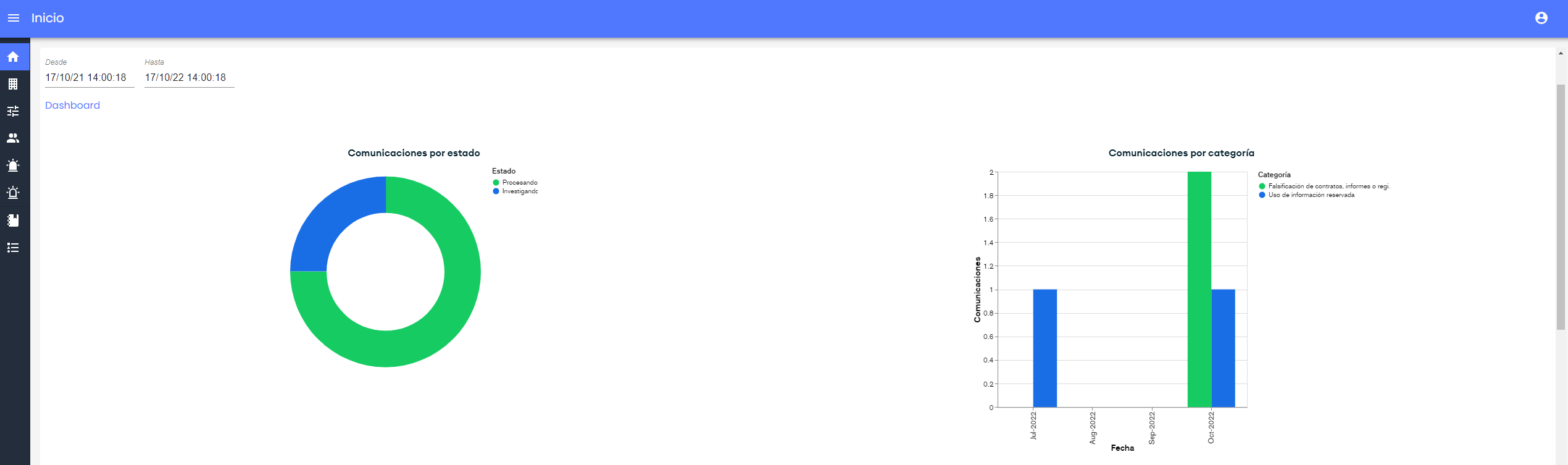
The list of available charts is:
-
Communications by status: Pie chart to visualize the status of communications.
-
Communications by status and manager: Bar chart to identify how many communications are assigned to each manager and their status.
-
Communications by manager and status: Bar chart to identify the number of communications by status and the manager to whom they are assigned.
-
Communications by Category: Bar chart to check how many communications of each type have been created, by month.
-
Creation of communications by date: Histogram chart to verify the evolution of how many communications have been generated, by month, in the system. This information considers, based on log records, all generated communications, even if the communications are no longer in the system.
-
Selection Questions: Allows querying how many communications have each option selected from dropdown-type questions.
-
Verification Questions: Allows querying in how many communications each question of this type has been marked.
-
Storage Space: Displays the storage space used and available in the tool. The used space is divided into storage occupied by communications and attachments, space occupied by attachments provided by managers, and space occupied by internal documents.
-
Managers View
In the Managers' view, which is more limited, the summary of the communications associated with them and therefore that they can view and manage appears, as well as the detail of the status and its percentage.