
NOTE: This option is available for Global Administrator and Administrator users.
In this option, all company data can be viewed, that is, the detailed information of the company. Specifically, the fields are as follows:
-
Name
-
Tax ID (CIF)
-
Corporate Name
-
Email
-
Phone
-
Address
-
City
-
Province
-
Country
-
Postal Code
-
Website
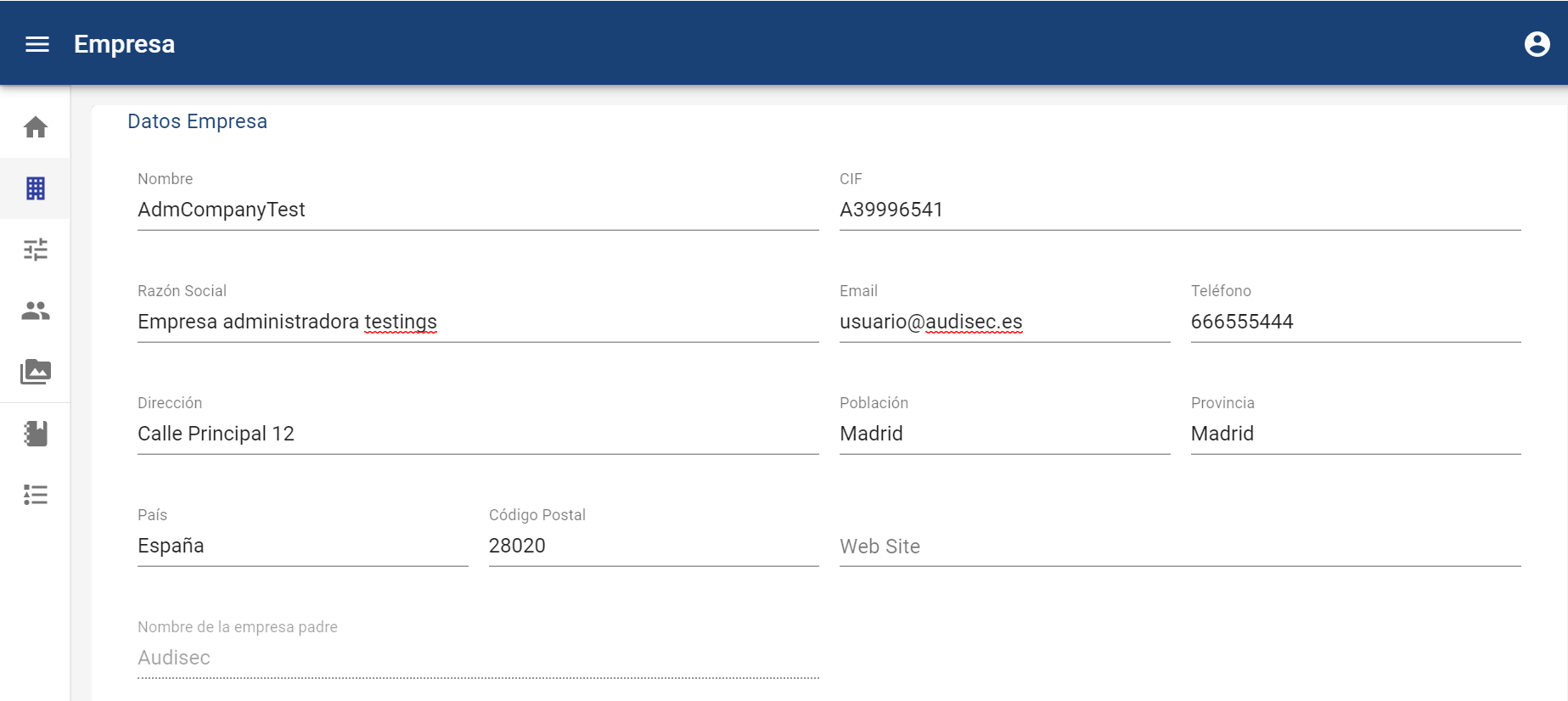
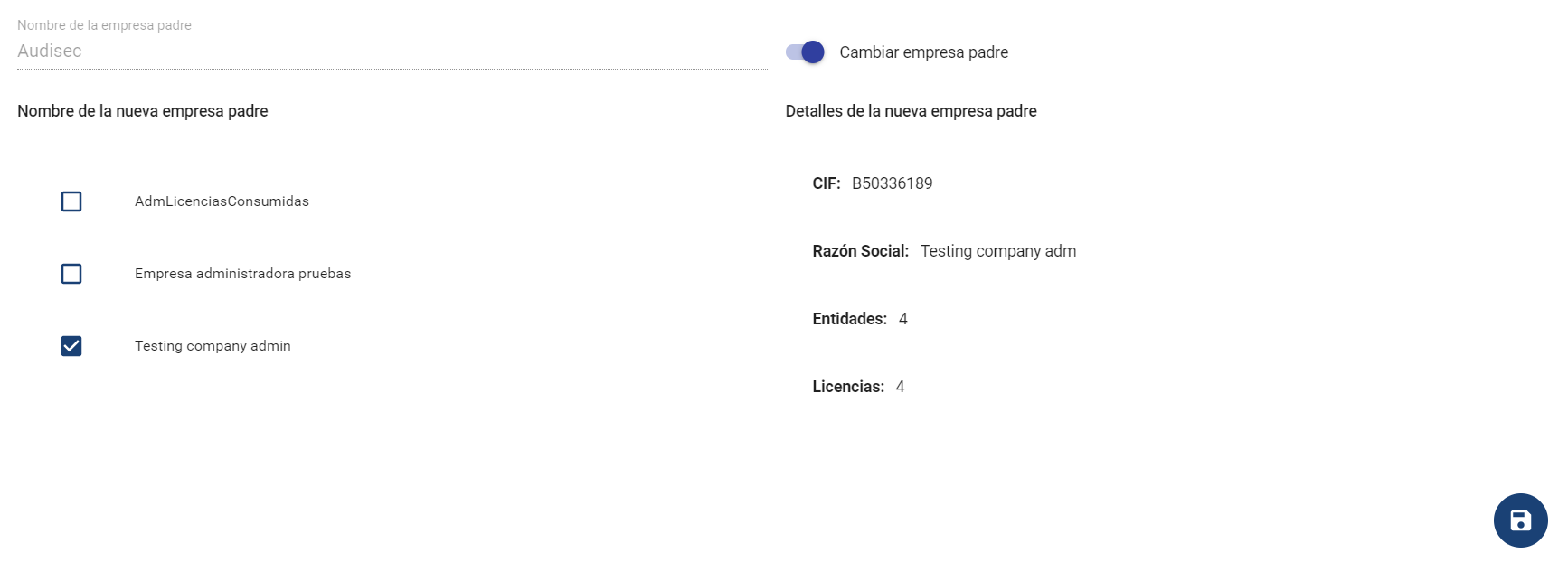
Additionally, at the bottom of the form, it is possible to change which parent company (superior company) the current one will depend on. To do this, you need to check the "Change parent company" box, after which a list of Administrator companies to which it can be transferred will appear.
If that new parent company does not have a limit of available entities, it will not allow me to change it.
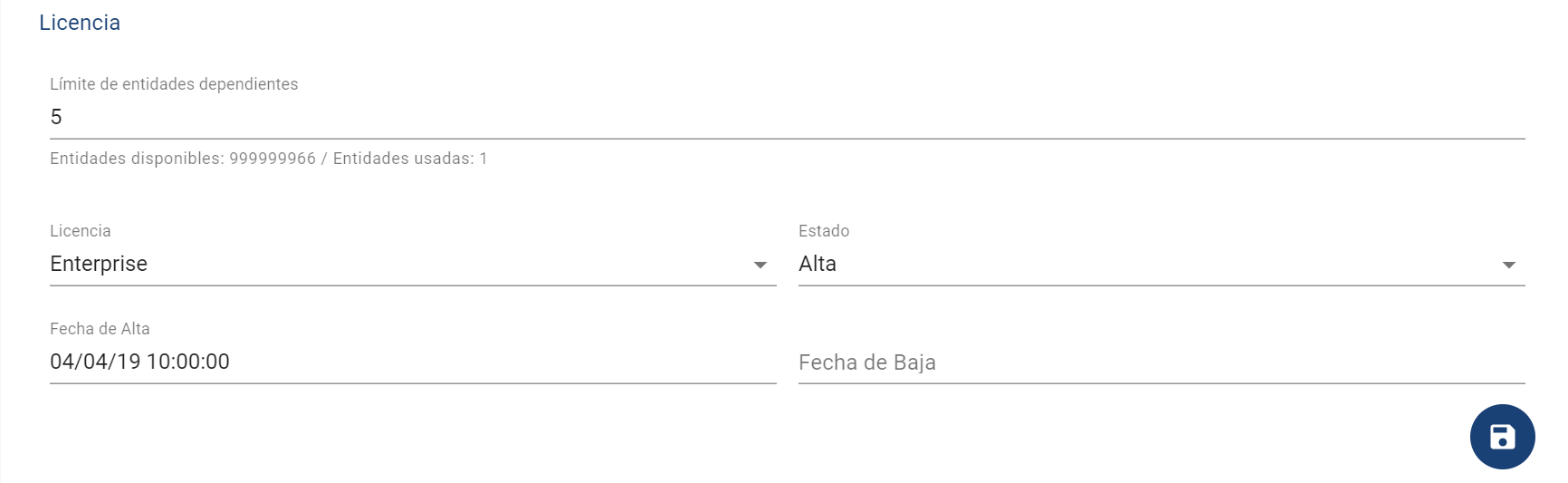
In the License section, you can check the type of company license, as well as whether it is Active or Inactive, and the associated dates.
For senior users, it is possible to adjust the limit of companies that can be created below the current one. Additionally, it is reported how many can be expanded (Available entities), and how many have been used (Used entities).
To save the modifications to the form, you need to click the button located at the bottom right of the screen.